Answer

Add Start Date and End Date Parameter on AR Balance by Customer Report

  • November 25, 2025
  • 2 replies
  • 31 views

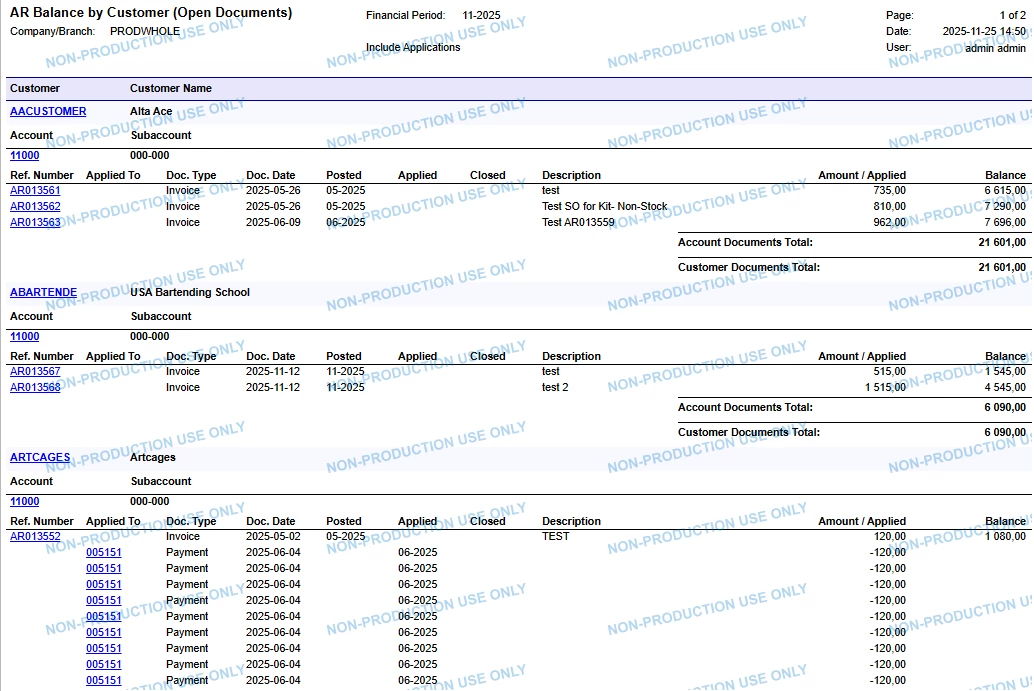
I want to add two new parameters in the AR Balance by Customer Report. I’m using Report Builder to modify the report. What changes should I perform in the Build Schema of Report Designer in order to filter both invoices and payments within the selected date range. Furthermore, if there are any other alternatives then please help me with this issue. 

Thank you.

Best answer by nhatnghetinh

Hi ​@meet1504 

Try the following:

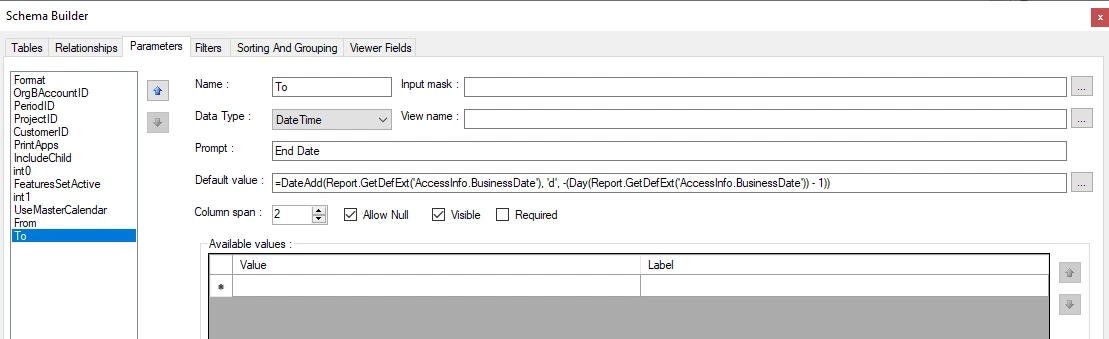
1/. Remove Parameter "Period" and Filter "@Period" as shown in the screenshot below.
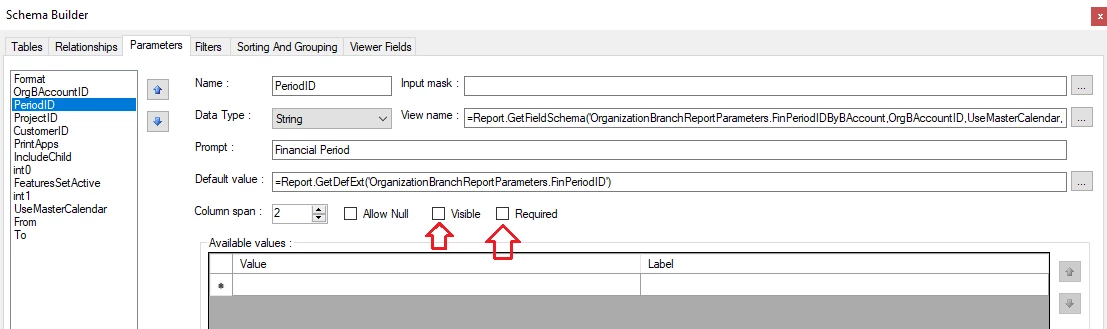
 

2/. Create Parameters: Start Date & End Date and Filter Start Date & End Date as shown in the screenshot below.
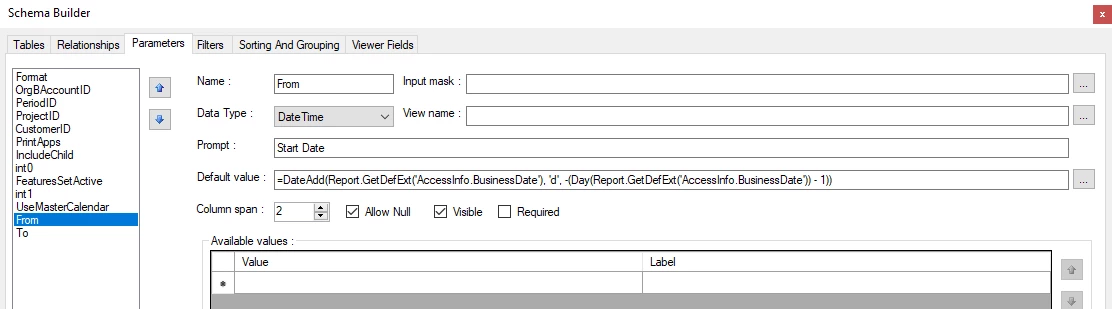


3/. The result is as follows.


Please refer to the attached .rpx file.


Best Regards,

NNT

2 replies

nhatnghetinh
Captain II
Forum|alt.badge.img+11
  • Captain II
  • Answer
  • November 25, 2025

Hi ​@meet1504 

Try the following:

1/. Remove Parameter "Period" and Filter "@Period" as shown in the screenshot below.


2/. Create Parameters: Start Date & End Date and Filter Start Date & End Date as shown in the screenshot below.
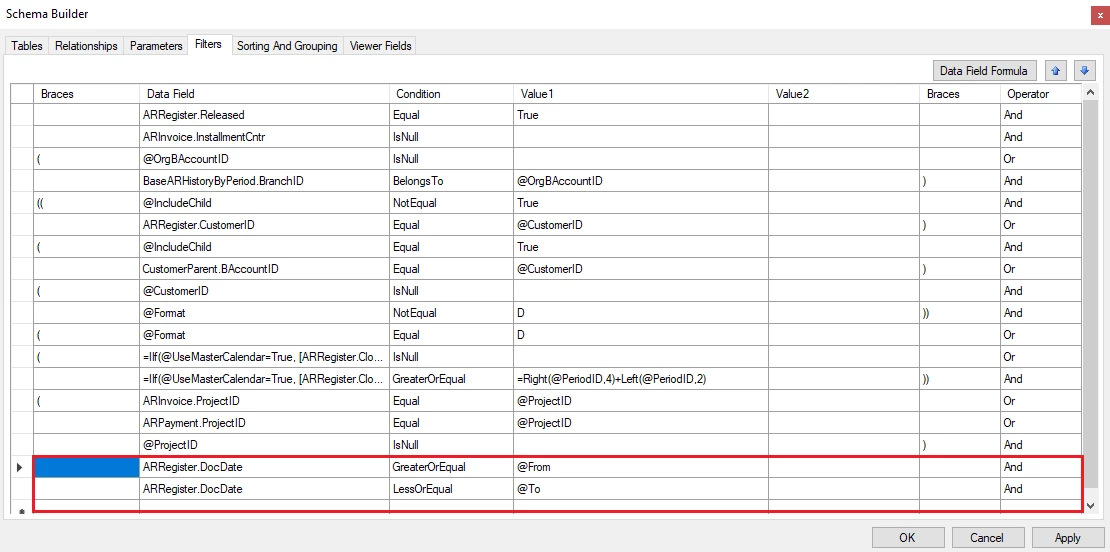


3/. The result is as follows.
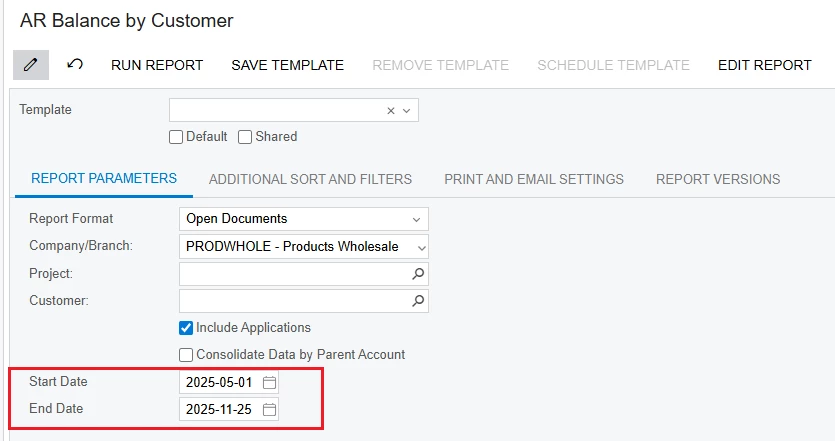


Please refer to the attached .rpx file.


Best Regards,

NNT


  • Author
  • Freshman II
  • November 25, 2025

Thank you ​@nhatnghetinh for your reply. I was successfully able to add the Start Date and End Date parameter into my report. 

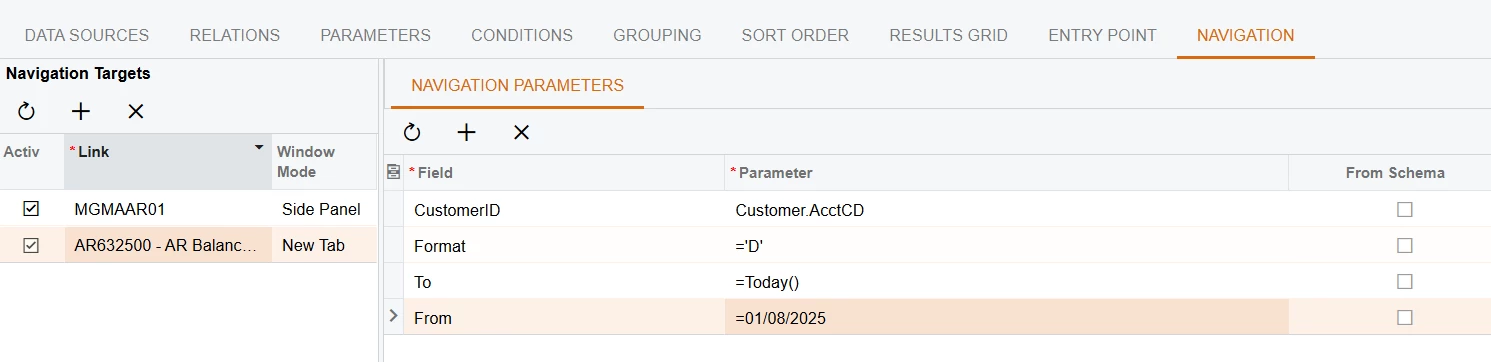
I also have a GI through which this report is redirected with predefined navigation parameters such as Customer ID and Format. I’m adding the start date and the end date in the format described below, but when redirecting to the report through GI, the report is giving me a blank page. However, when same parameters are defined in the report page (AR632500), the report is working absolutely fine. I feel like there is problem with the data format.
 

GI Navigation Pane