

Answer

Add production order attributes to production ticket report AM625000

  • June 9, 2022
  • 5 replies
  • 192 views

Forum|alt.badge.img+5

I have added 2 attributes to a production order.  I want to print these on the production order ticket report AM625000.

I added AMProdAttribute to the report with the following relationship.
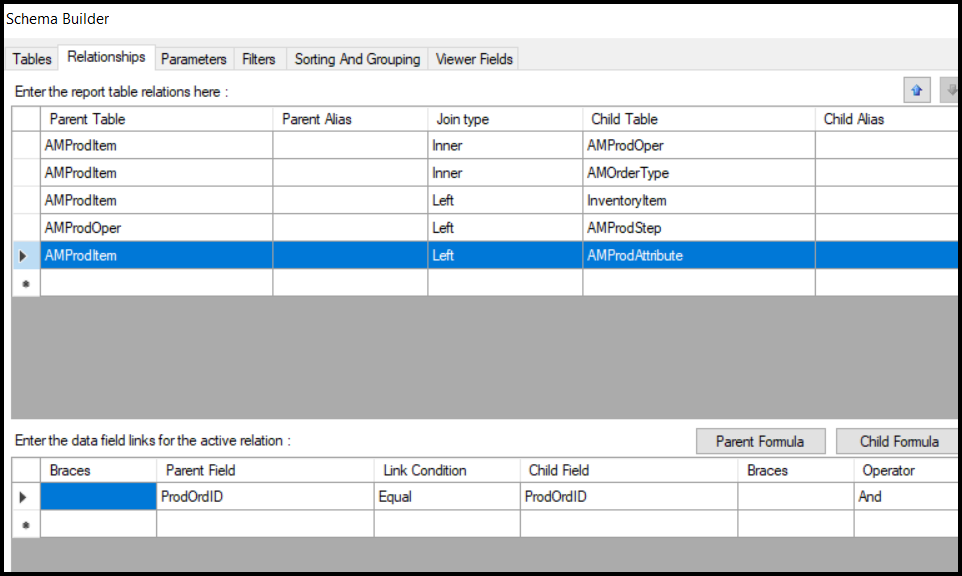
 

I then added 2 new Text Boxes to the report with the following values:

=IIf( [AMProdAttribute.AttributeID]='STARTCASE', [AMProdAttribute.Value], '' )
the second box has this value

=IIf( [AMProdAttribute.AttributeID]='ENDCASE', [AMProdAttribute.Value], '' )


The first box prints as desired, but the second does not print anything.  
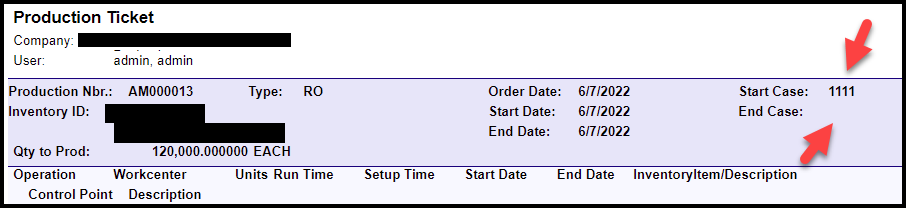


​​

Here are the only records in AMProdAttribute:
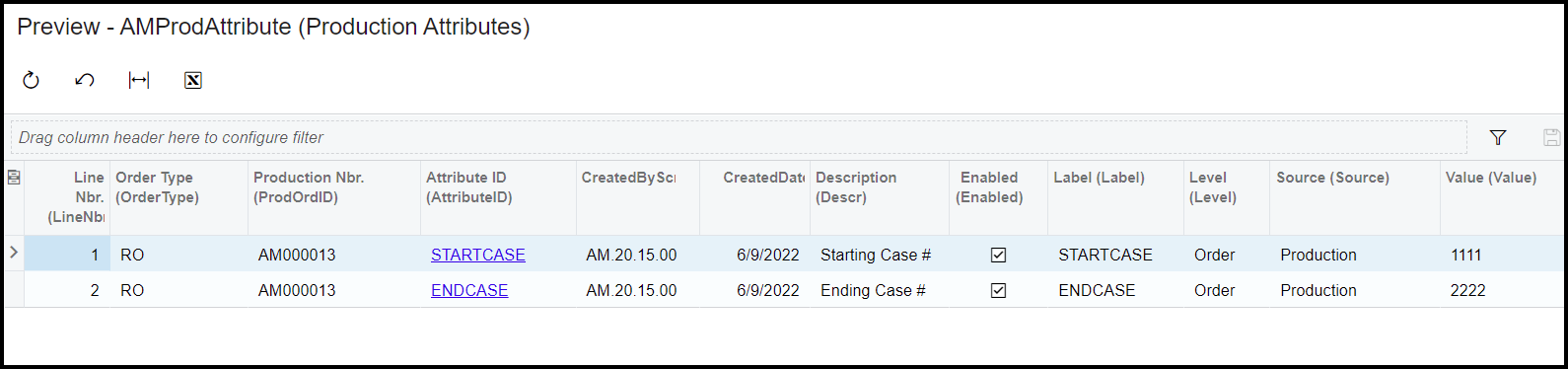
 

Any suggestions are greatly appreciated!!!!!
Best answer by ltussing03

Just an FYI


I got around this by making an attribute with a format of xxxx-xxxx.  The first 4 characters are the starting number and the second four numbers are the second number.

5 replies

Forum|alt.badge.img+5
  • Author
  • Captain II
  • June 10, 2022

Hello,

I believe my issue may be the result of the join.

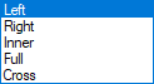
There does not seem to be a true “left outer join” option in the report builder.

I chose left thinking it was an outer join.

Which of these would produce a left outer join?


Forum|alt.badge.img+5
  • Author
  • Captain II
  • June 10, 2022

OK, I am reading there is no difference between a left join and a left outer join.

Anyone have any ideas why I only see a value on one of my text boxes and not both?

From above:

=IIf( [AMProdAttribute.AttributeID]='STARTCASE', [AMProdAttribute.Value], '' )
the second box has this value

=IIf( [AMProdAttribute.AttributeID]='ENDCASE', [AMProdAttribute.Value], '' )


Forum|alt.badge.img+5
  • Author
  • Captain II
  • Answer
  • June 13, 2022

Just an FYI


I got around this by making an attribute with a format of xxxx-xxxx.  The first 4 characters are the starting number and the second four numbers are the second number.


Chris Hackett
Community Manager
Forum|alt.badge.img
  • Acumatica Community Manager
  • June 13, 2022

Thank you for sharing your solution @ltussing03 !


Forum|alt.badge.img+1

I did something similar.  We had 3 attributes on a single by and was done at the operation level.  I ended up making a sub report.  The subreport variables included production order #, type and operationID.  For the subreport to work, I had to use the AMProdOper table and join it to the AMProdAttribute DAC.  If you only used AMProdAttribute and set the parameters to be AMProdAttribute.OperationID = ‘3’ it would not work.  

I had to use the join.  Strange behavior.
