Solved

Acumatica Report GL620500 - Variable is not working

  • December 11, 2025
  • 3 replies
  • 45 views

Forum|alt.badge.img

Hi Everyone,

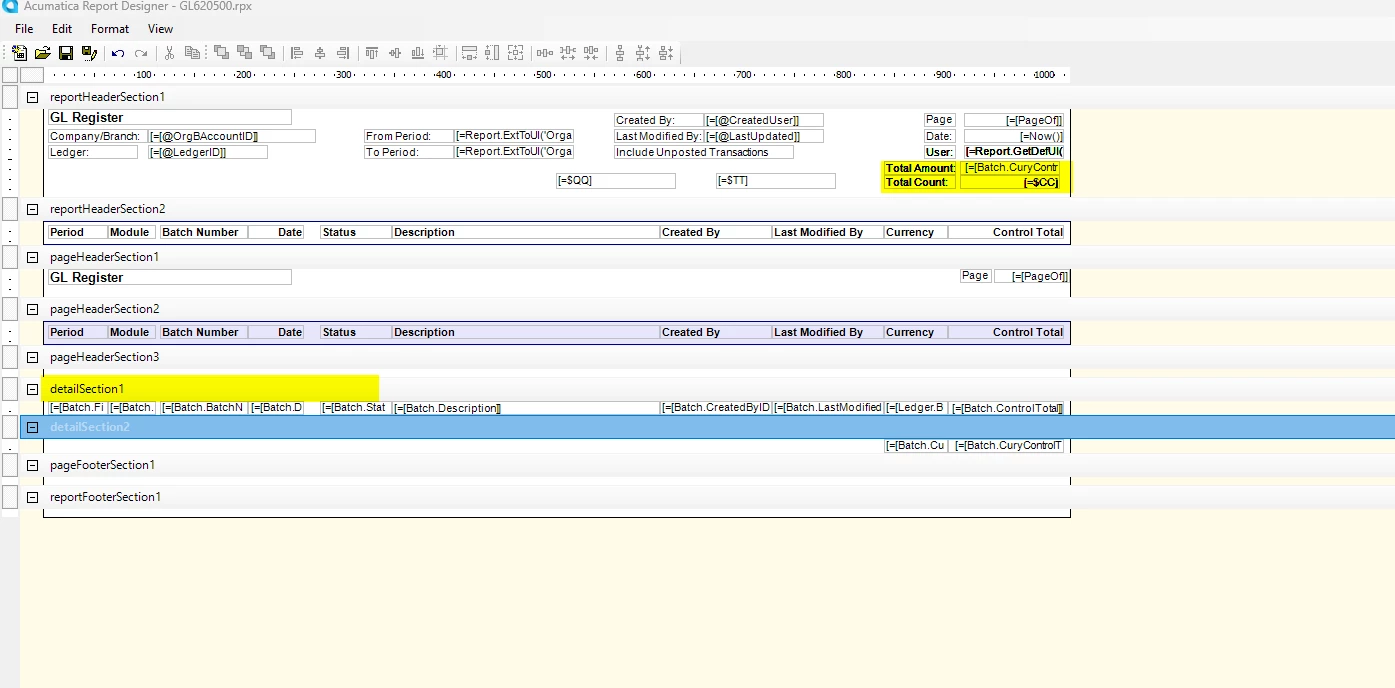
In the GL620500 Report, I have added the variable in the DetailSection1 and would like to display Total Amount and Total Count in the Header but it is not working. Can you please review and provide your inputs.


Best answer by aleksandrsechin

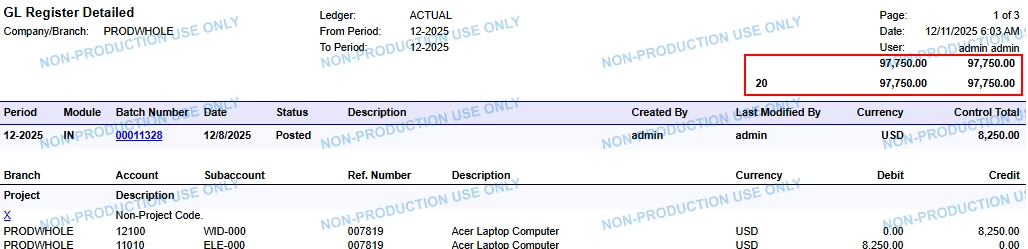
For me, the same approach works here as well. I specified the following formulas:

DebitTotal: =Sum([GLTran.CuryDebitAmt])
CreditTotal: =Sum([GLTran.CuryCreditAmt])
BaseDebitTotal: =Sum([GLTran.DebitAmt])
BaseCreditTotal: =Sum([GLTran.CreditAmt])
Count: =CStr(Count([GLTran.FinPeriodID]))

The result:

Summary
Footer


3 replies

Forum|alt.badge.img+3

Hi ​@nsmith51
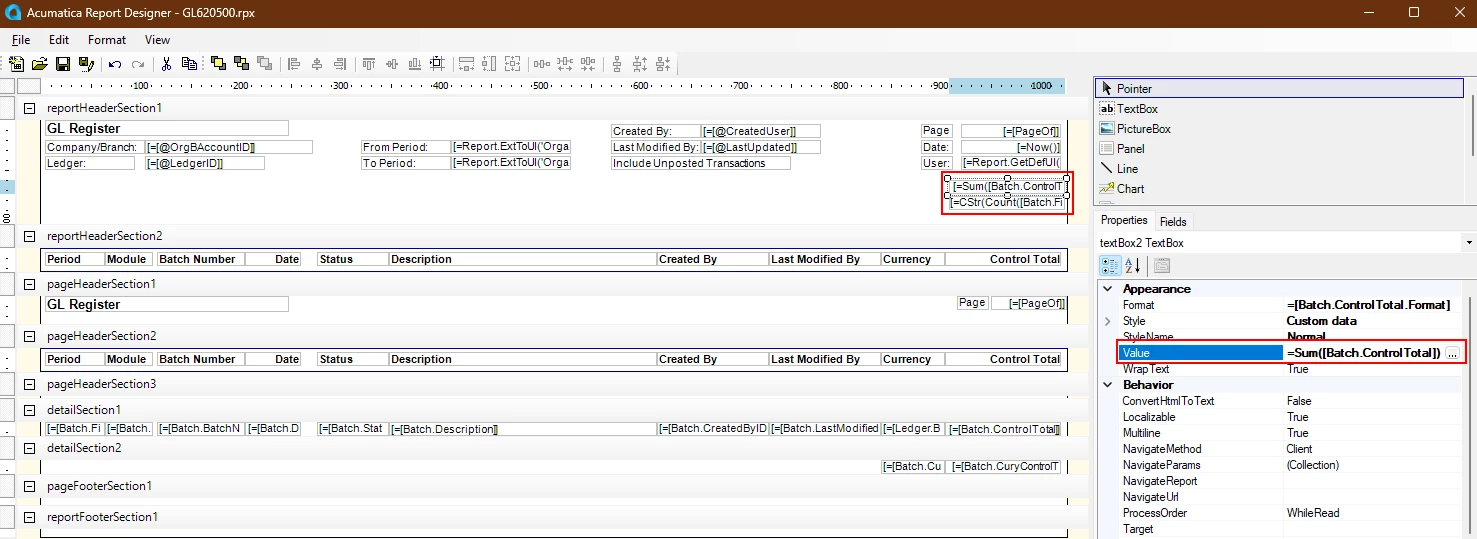
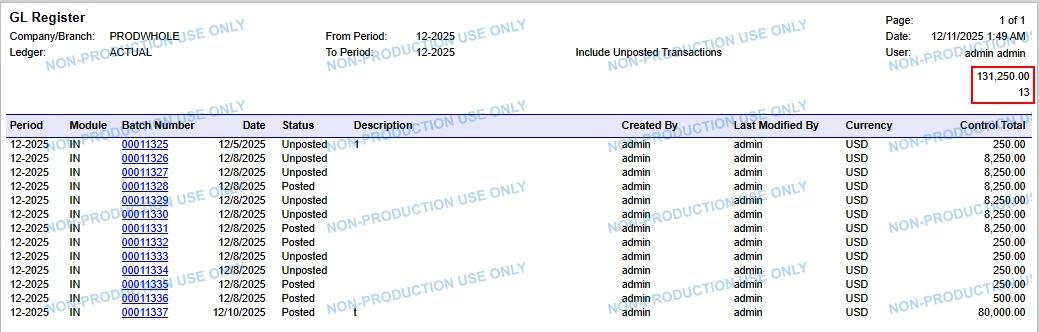
To display the Total Amount and Total Count in the header, you can specify the following corresponding formulas:
=Sum([Batch.ControlTotal])
=CStr(Count([Batch.FinPeriodID]))


Result


Forum|alt.badge.img
  • Author
  • Jr Varsity III
  • December 11, 2025

@aleksandrsechin 

Thank you so much! This solution worked perfectly.

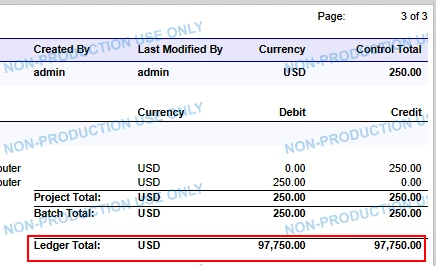
However, when I applied the same approach in the GL Register Detail report, the amount and count values are getting doubled. Also, we use four variables in this report — they display the correct values at the bottom, but when I place the same variables at the top, they do not show the correct data.

Do you know why this happens, and how I can get the correct values to display at the top of the report as well?

Thanks again for your help!


Forum|alt.badge.img+3

For me, the same approach works here as well. I specified the following formulas:

DebitTotal: =Sum([GLTran.CuryDebitAmt])
CreditTotal: =Sum([GLTran.CuryCreditAmt])
BaseDebitTotal: =Sum([GLTran.DebitAmt])
BaseCreditTotal: =Sum([GLTran.CreditAmt])
Count: =CStr(Count([GLTran.FinPeriodID]))

The result:

Summary
Footer