Answer

Acumatica Report Designer: Filtering Specific Image Attachment from Stock Item Acumatica Cloud ERP 2024 R2

  • July 10, 2025
  • 3 replies
  • 88 views

Forum|alt.badge.img

Hello everyone,

I'm working on an Acumatica Report Designer report and need some assistance with displaying an image from Stock Item attachments.

Here's my scenario:

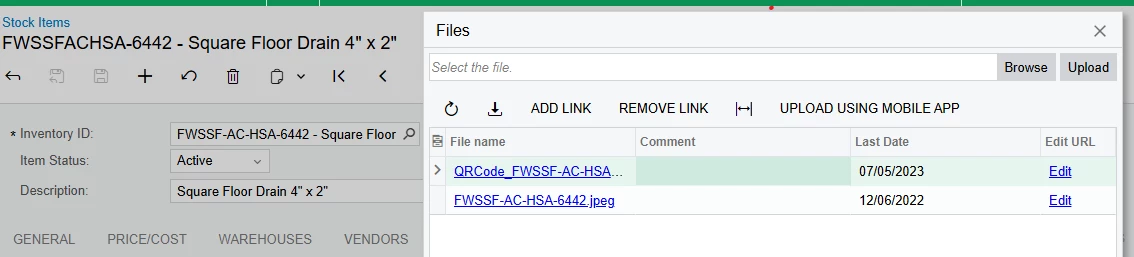
  1. I have two image files attached to a single Stock Item record in the Acumatica UI (under the Files tab).

  2. I want to display only one specific image on my report for each Stock Item.

  3. Currently, the image that appears on the report is the last uploaded file (which happens to be a QR code image).

  4. The image I want to display is typically the first uploaded file for that item, and it can be identified by its filename: it does NOT contain the word "qrcode". The QR code image, conversely, always contains "qrcode" in its filename.
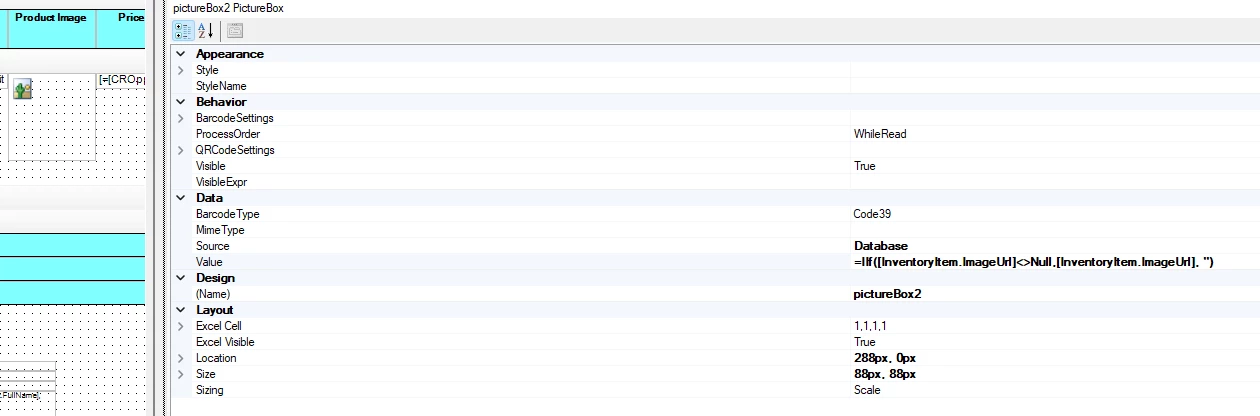
     

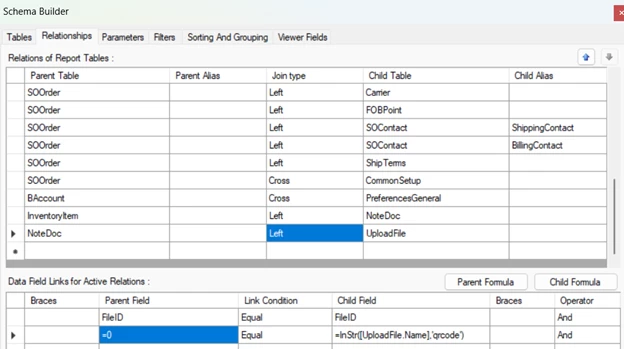
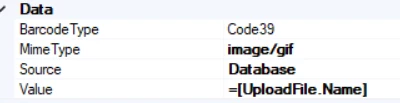
Best answer by lauraj46

Hi ​@abdi ,

See screenshots below.  Hope this helps to clarify.


Laura

3 replies

lauraj46
Captain II
Forum|alt.badge.img+8
  • Captain II
  • July 10, 2025

Hi ​@abdi ,

To select a specific file by name, I would suggest adding the NoteDoc, UploadFile, and UploadFileRevision DACs to the report schema.  Join InventoryItem.NoteID = NoteDoc.NoteID and NoteDoc.FileID = UploadFile.FileID.  Be sure to use Left joins in case there isn't a match, and specify the filename criteria in the join on UploadFile.
The revisions of files are in UploadFileRevision. That join is UploadFileRevision.FileID = UploadFile.FileID AND UploadFileRevision.FileRevisionID=UploadFile.LastRevisionID

Hope this helps!

Laura 


Forum|alt.badge.img
  • Author
  • Jr Varsity III
  • July 14, 2025

Hi ​@lauraj46 

I'm working on my report in Acumatica Report Designer. I have an item with two attached image files: one is a product image, and the other is a QR code.

How can I filter the displayed image so that only the non-QR code image appears, given that there are two files?

Also, what specific fields and expressions should I use to implement this?


lauraj46
Captain II
Forum|alt.badge.img+8
  • Captain II
  • Answer
  • July 14, 2025

Hi ​@abdi ,

See screenshots below.  Hope this helps to clarify.


Laura