Answer

Acumatica Report Cuztomization

  • February 6, 2025
  • 7 replies
  • 102 views

Forum|alt.badge.img+3

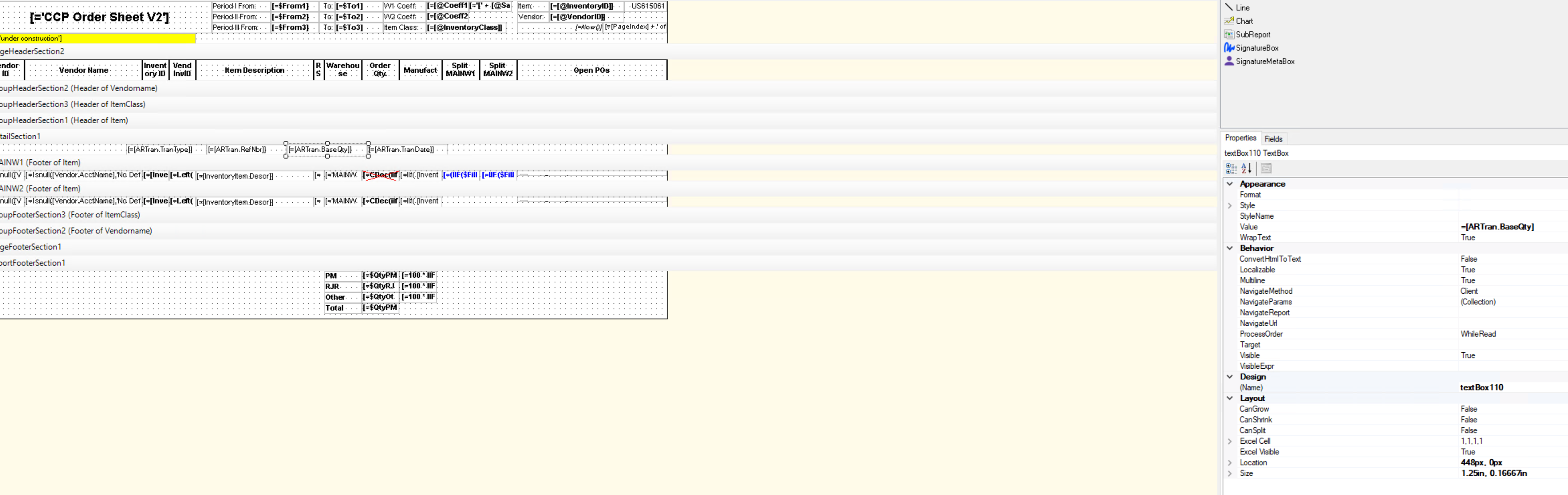
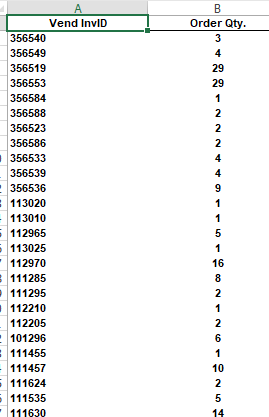
hi Guys, I am working on report and everything looks perfect the only problem is when i exporting into excel the Order QTY values disappeared from the column.  I am only tring to export two Columns other is working fine but this OrderQty is not showing any data in the excel but present in reports.



Before that it was like this i only changed the order columns 
 

Best answer by tahayabali

Yes Its done


7 replies

meganfriesen37
Captain II
Forum|alt.badge.img+12

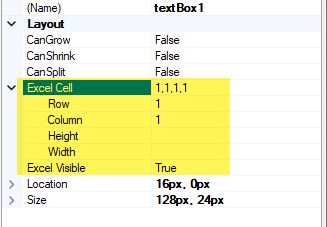
Check the Excel Cell settings on the report to make sure that you don’t have conflicting column numbers


Forum|alt.badge.img+3
  • Author
  • Captain I
  • February 6, 2025

Thanks I know this part. There was another issue so its resolved now.


Forum|alt.badge.img+3
  • Author
  • Captain I
  • February 6, 2025

@meganfriesen37 Can you please guide me on how to create a automation schedule for this reprt?

Do we need to create GI first


meganfriesen37
Captain II
Forum|alt.badge.img+12

There’s a link here: Scheduled Sending of Custom Report with Parameters | Community that should give you what you need to get started.


Forum|alt.badge.img+3
  • Author
  • Captain I
  • February 6, 2025

I have tried to make a template and Schedule it using automation schedules but no email receive 


Chris Hackett
Community Manager
Forum|alt.badge.img
  • Acumatica Community Manager
  • May 2, 2025

Hi ​@tahayabali were you able to find a solution? Thank you!


Forum|alt.badge.img+3
  • Author
  • Captain I
  • Answer
  • May 2, 2025

Yes Its done