Question

ACH Remittance Email Notification GI and Business Event

  • May 7, 2026
  • 4 replies
  • 33 views

nickcerri32
Captain I
Forum|alt.badge.img+7

Hey, team - I am attempting to automate an email when an AP Batch is released to only those vendors associated with payments in that specific batch.  However, what I’ve built is resulting in an email to many vendors that are not associated with payments in that batch. I've reviewed the following video in preparation for this.


https://www.youtube.com/watch?v=JEwTAB47opg


The Business Event triggers and sends an email when it's expected.  However, the issue is in the sending of unnecessary emails to vendors who aren't included in the released batch.  My guess is there is an issue with the GI.


GI and BE attached

4 replies

lauraj46
Captain II
Forum|alt.badge.img+9
  • Captain II
  • May 7, 2026

Hi ​@nickcerri32 ,

We have implemented this based on released AP Payments with the ACH payment method.  In this scenario the business event is configured to run daily on a schedule and email any payments for the day.  The GI is attached.

Alternatively, linked below is a helpful post describing how to implement this as a notification on the Payments screen.

Hope this helps!

Laura


nickcerri32
Captain I
Forum|alt.badge.img+7
  • Author
  • Captain I
  • May 8, 2026

@lauraj46 - Thanks!  Let me test this out and see how it works!


nickcerri32
Captain I
Forum|alt.badge.img+7
  • Author
  • Captain I
  • May 8, 2026

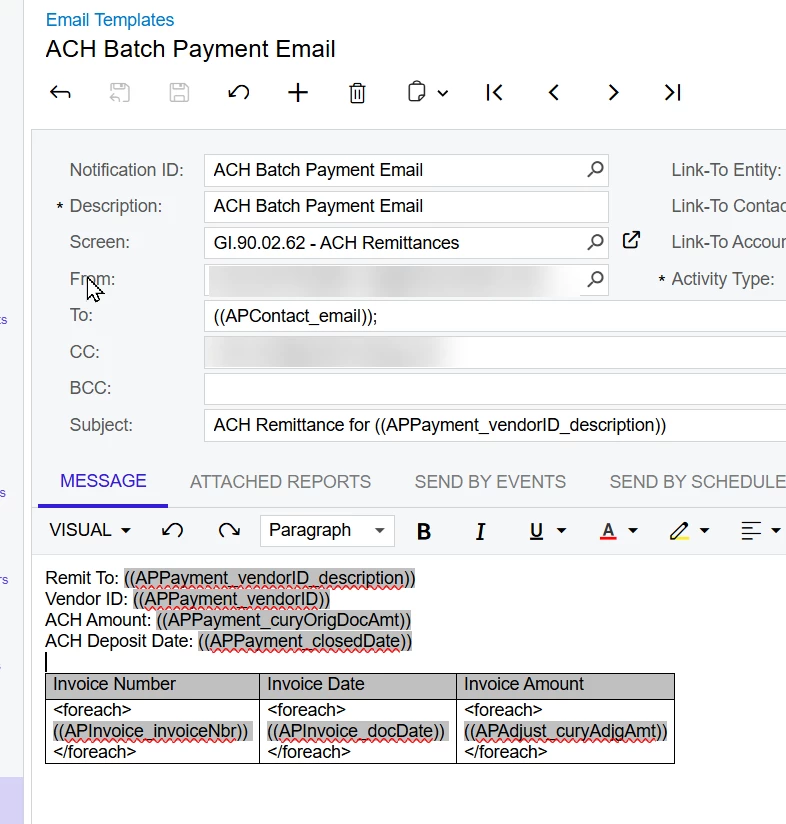
@lauraj46 - I’m having a hard time getting this to work in general, but I think this is also fundamentally different than what the customer is looking for.  They will include a decent amount of bills in a payment record, so they’re looking for a way of grouping by Vendor.  Here’s the email.


I did make some mods to the GI to accommodate the fields in the email and then made a change to the BE.  In any case, the business event doesn’t even run.  


lauraj46
Captain II
Forum|alt.badge.img+9
  • Captain II
  • May 8, 2026

Hi ​@nickcerri32 ,

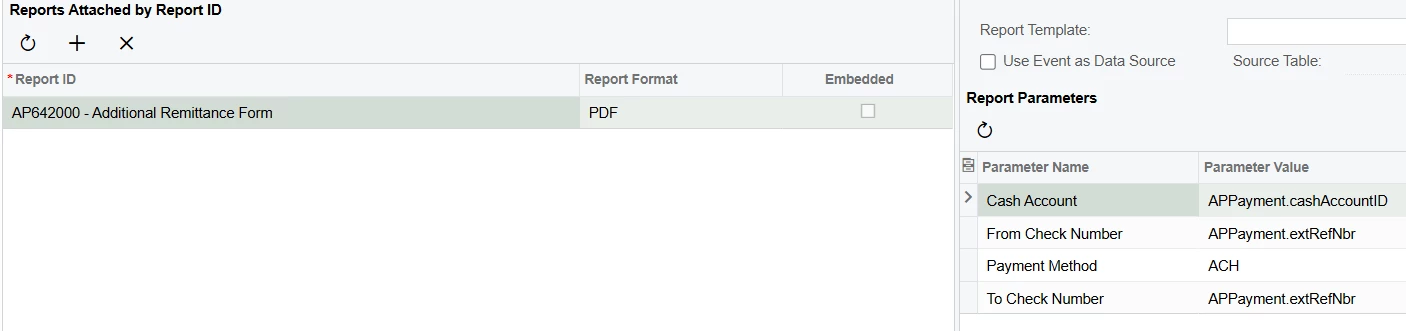
In our scenario the email body is generic and the APInvoice details for the payment are provided in an attachment on the Email Template which is the standard Additional Remittance Form (AP642000).  We have the business event set to run on a schedule but I think you could also use a trigger.  

Hope this helps!

Laura