Question

Weekly day-field totals for billable rows (IsBillable = true) without grouping the main grid

  • September 17, 2025
  • 8 replies
  • 149 views

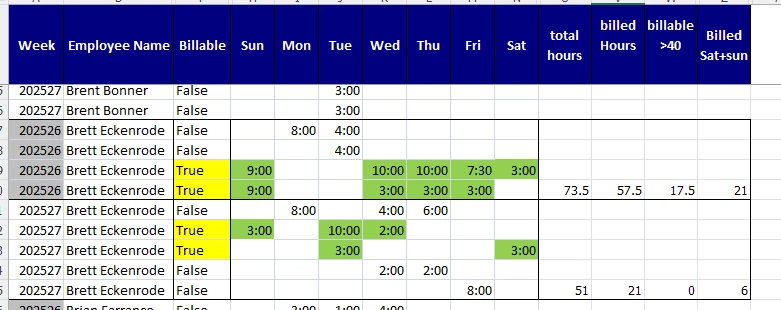
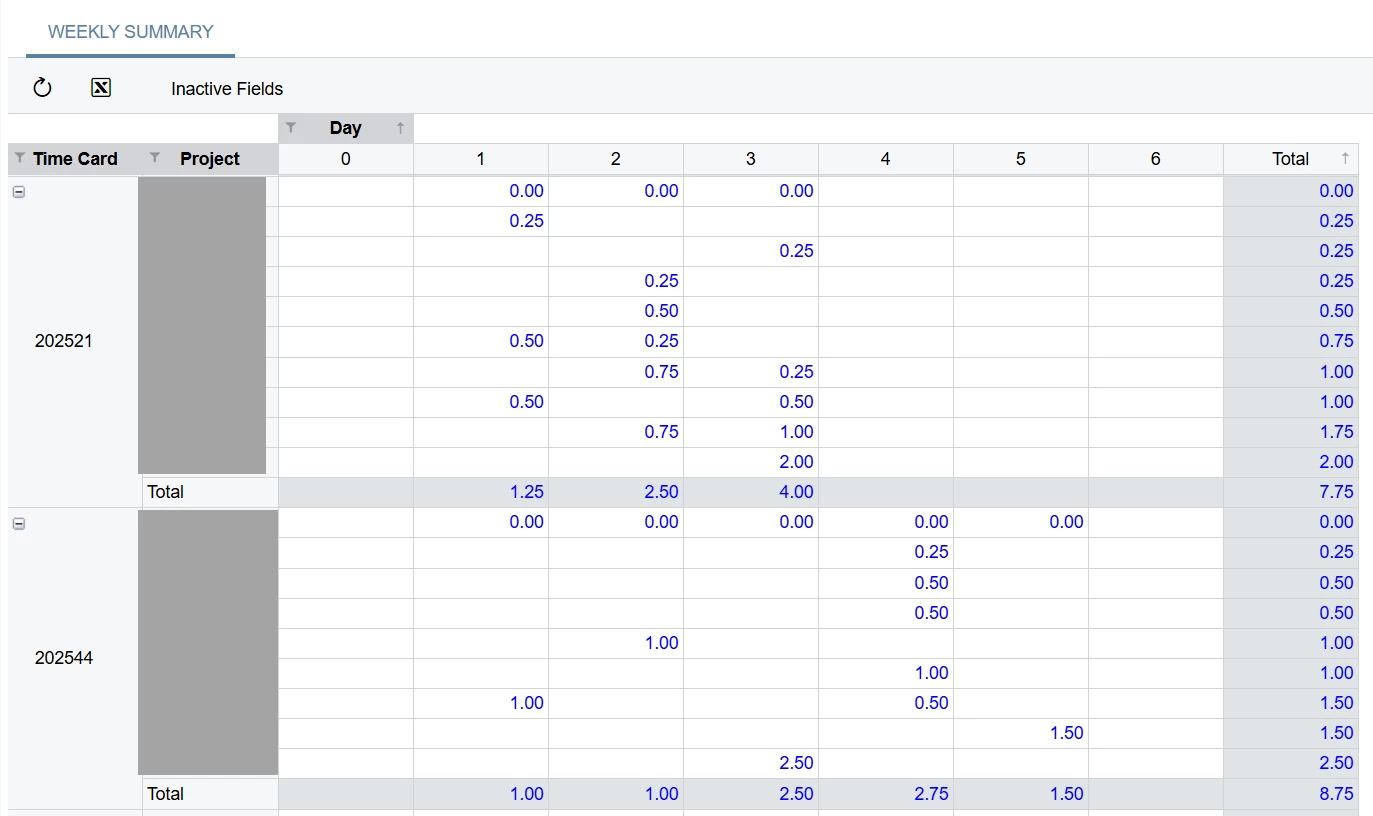
Hi all — I’m looking for a GI pattern to display weekly totals of specific day fields from EPTimeCardSummary (e.g., Sun, Mon, …) only when IsBillable = true, including combos like Sun+Sat or Sun..Monbut without using Group By on the main grid (I need to keep row-level detail intact). Available fields: EPTimeCardSummary.IsBillable (bool/bit) and EPTimeCardSummary.Sun..Sat. What’s the recommended approach to surface these weekly billable totals on an ungrouped grid (e.g., self-join to a grouped alias, other best practices), and any example expressions you can share? Thanks!

8 replies

Adelina Basyrova
Acumatica Moderator
Forum|alt.badge.img+1

Hi ​@KCHEKURI ,

Would you share your expected resulting view in the table format? Ideally with a numeric example.

Thank you!


  • Author
  • September 17, 2025

Hi ​@Adelina Basyrova In a Generic Inquiry, I want to display a row “the way it looks on the last line number,” i.e., only the record where EPTimeCardSummary.LineNbr is the maximum for a given key. I’d like to do this without changing my row layout or grouping the main grid.


Adelina Basyrova
Acumatica Moderator
Forum|alt.badge.img+1

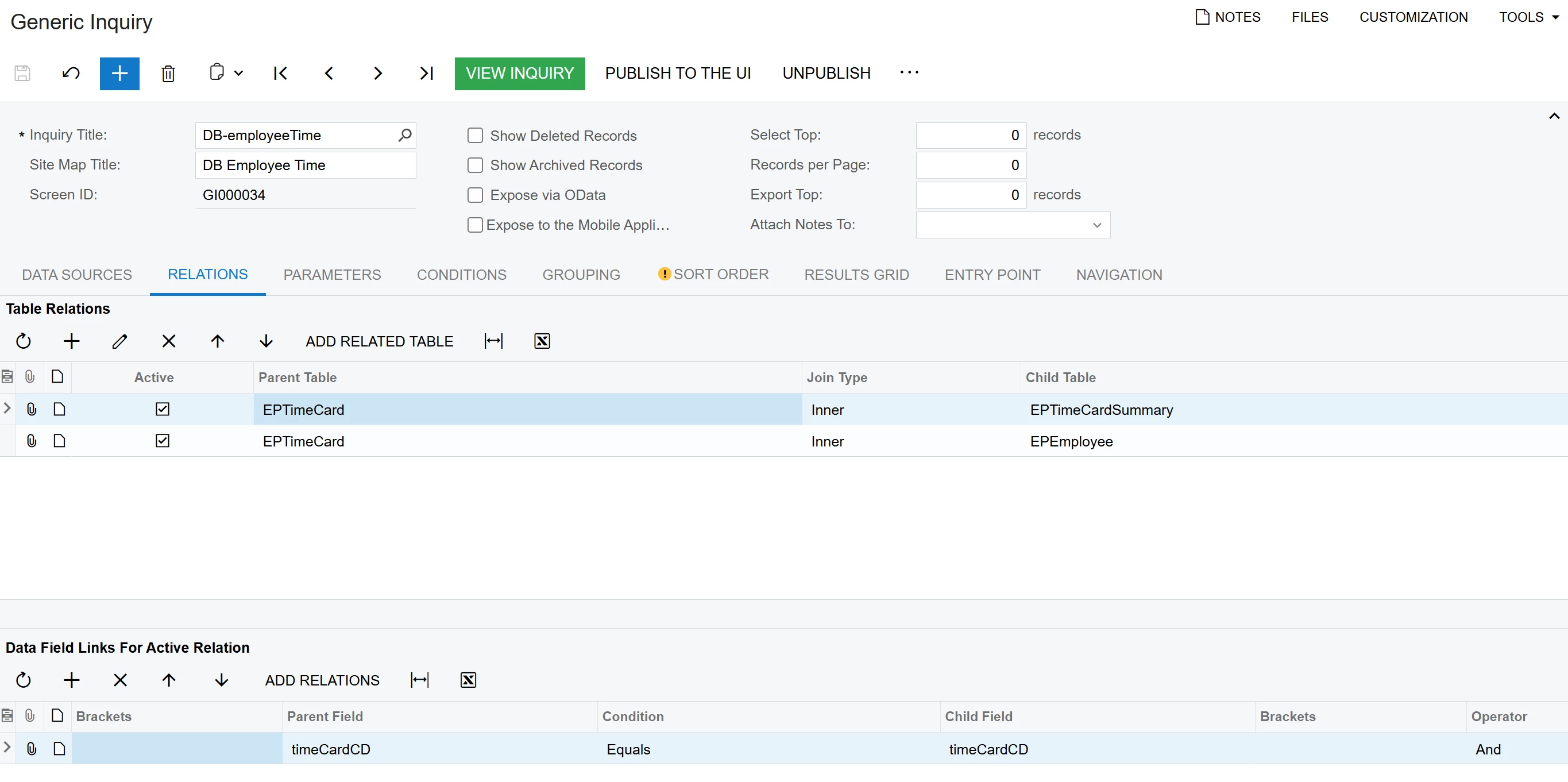
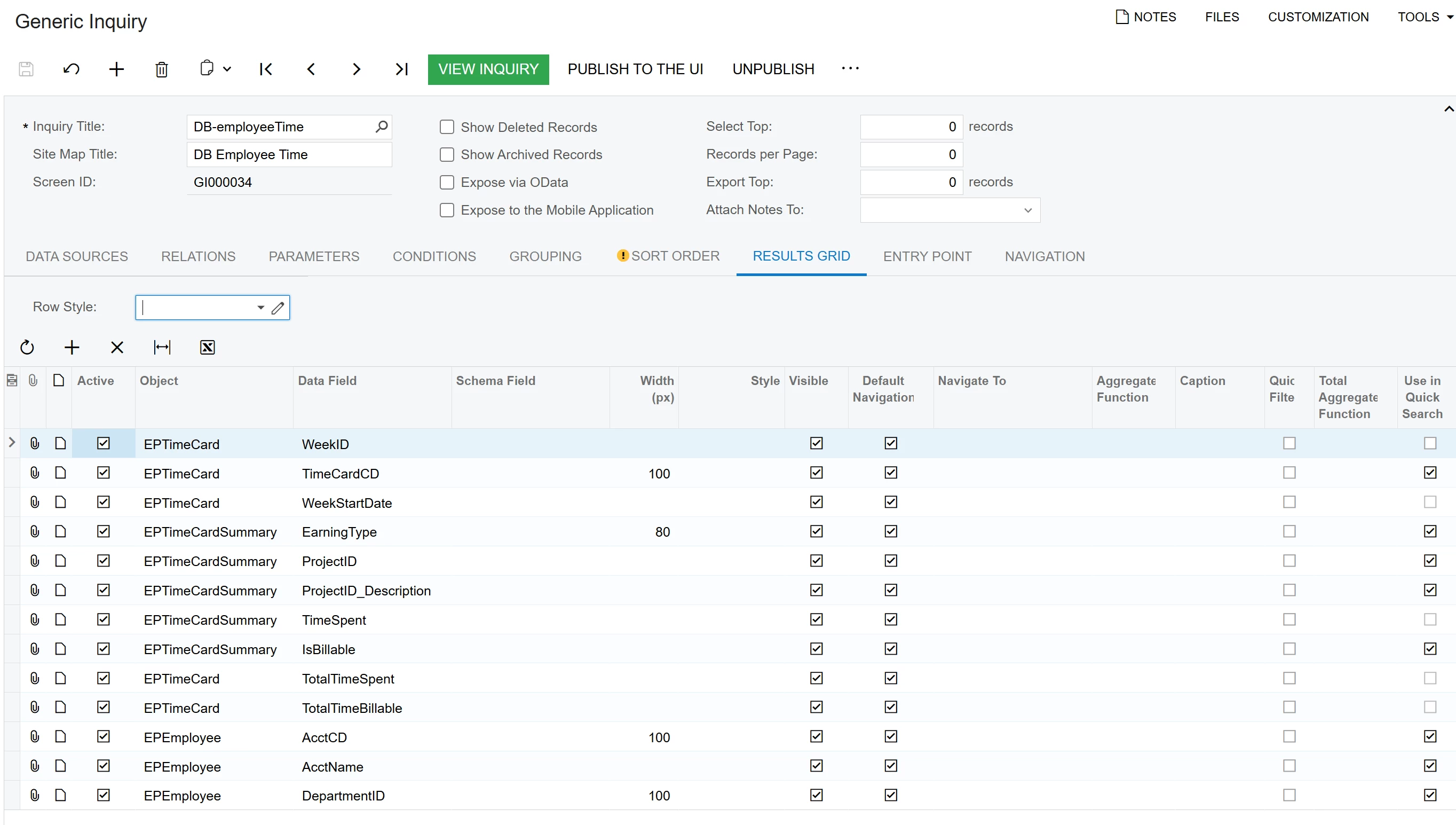
@KCHEKURI , time card summary (EPTimeCardSummary) doesn’t have the week so you might need to pull it from the time card (EPTimeCard)). 

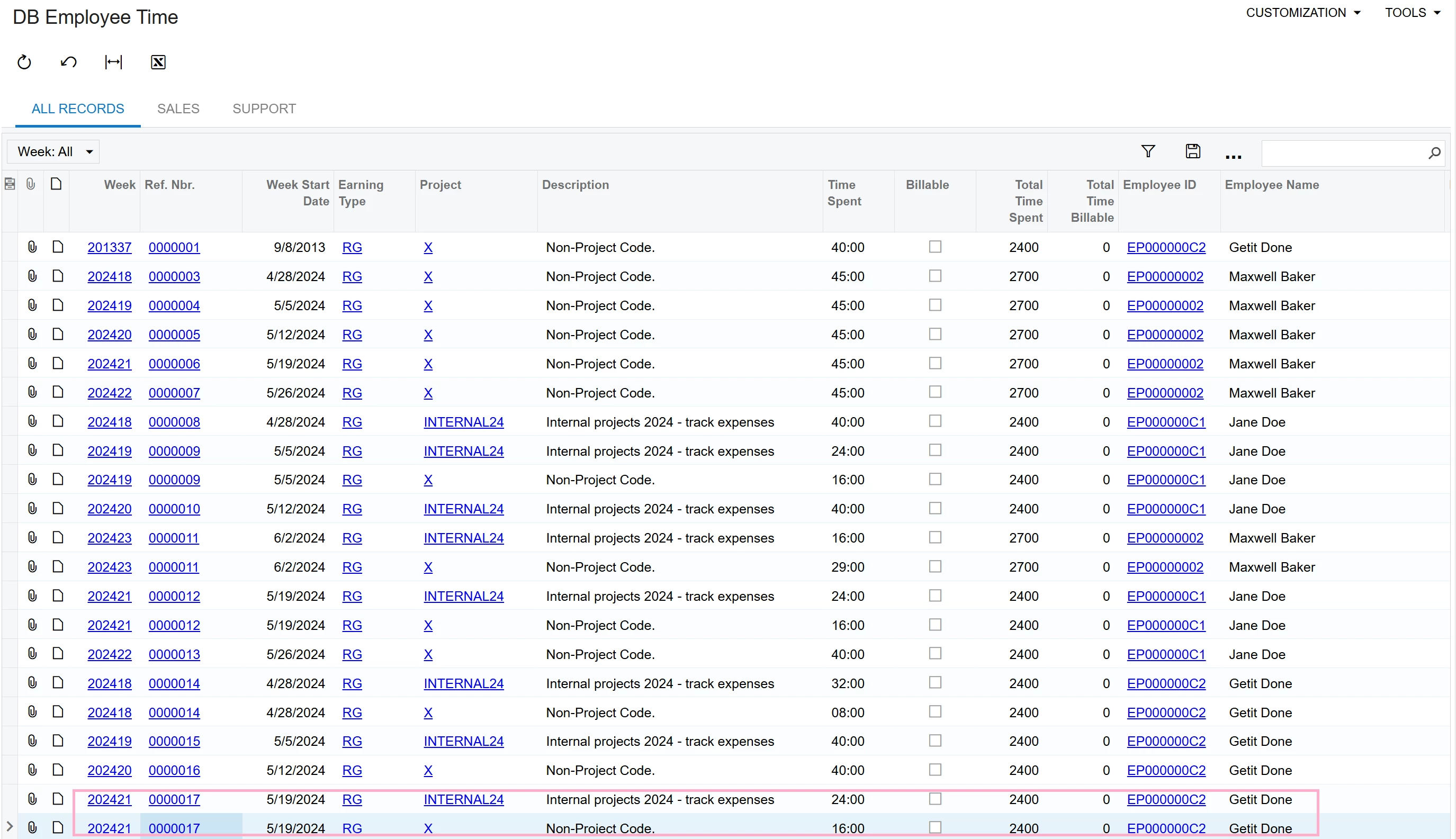
With the generic inquiry you can calculate the time card summary line total total billable/non-billable:


If some of your configuration doesn’t give the expected result, feel free to report a support case.

Thank you!


  • Author
  • September 30, 2025

@Adelina Basyrova 

Hi Adelina,

I’m working on a calculated field where, if the day of the week is Sunday, it should return the total Sunday hours for that week without grouping . For example, in week 202421, the total Sunday hours are 10, and I need that value to appear in the new calculated field.


meganfriesen37
Captain II
Forum|alt.badge.img+12

Have you considered using a pivot table to achieve what you’re looking for?

I like to use PMTimeActivity to get the time data as it should have a column called DayOfWeek (which gives you a 0=Sunday, 7=Saturday) and you get the billable/nonbillable info.


  • Author
  • September 30, 2025

@meganfriesen37 Since the timesheet data keeps increasing (it’s already more than 90,000 records), creating a pivot isn’t that easy. Until now I’ve been using EPTimeCard, but I’ll give PMTimeActivity a try.


  • Author
  • October 1, 2025

@meganfriesen37 What I really need is a way to build the report without using Pivot and without grouping — just pulling the raw activity data in a flat layout so I can calculate on top of it. I tried creating a pivot, but it’s not that easy to manage with the growing timesheet data. 

Thanks.


Chris Hackett
Community Manager
Forum|alt.badge.img
  • Acumatica Community Manager
  • November 5, 2025

Hi ​@KCHEKURI were you able to find a solution? Thank you!