Answer

Time entry question

  • June 23, 2025
  • 10 replies
  • 94 views

Forum|alt.badge.img

 I was discussing activities with a coworker and he mentioned that users should be able to enter TIME SPENT on an activity or task --  I see the fields on the form – but I could not figure out initially how to “update” or edit those fields.


In the Tasks – it did not allow for it – can you confirm that the type of activity has to be a WORK ACTIVITY to allow for the time entry?


Best answer by mblassingame35

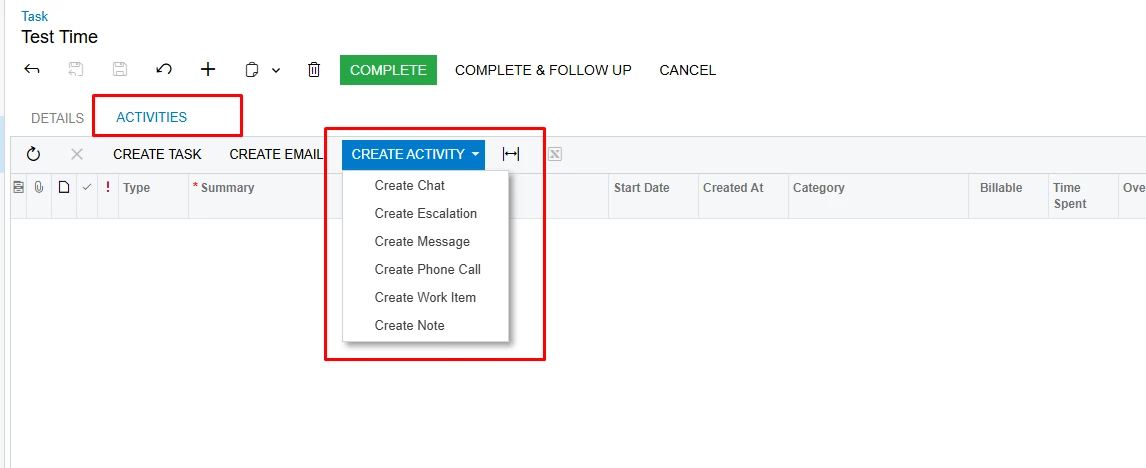
A Task is the document that you work on that describes what you need to do. The time is recorded through your activities on the task. If you need to record time, you usually pick Work Item and record the work you are doing. 

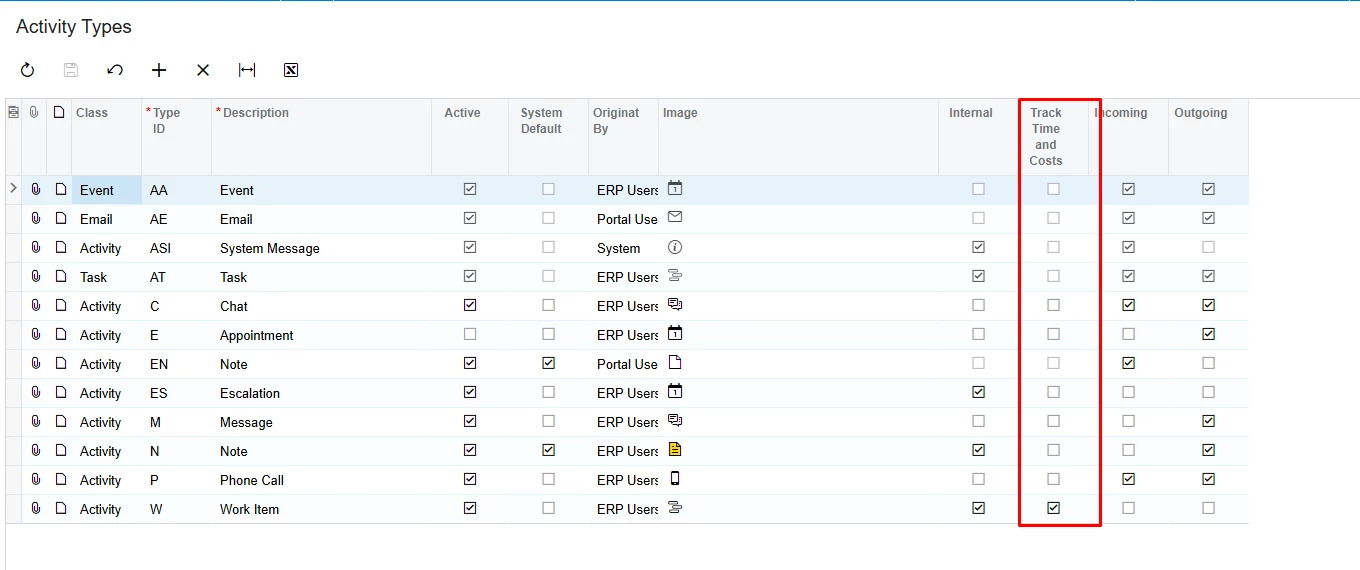
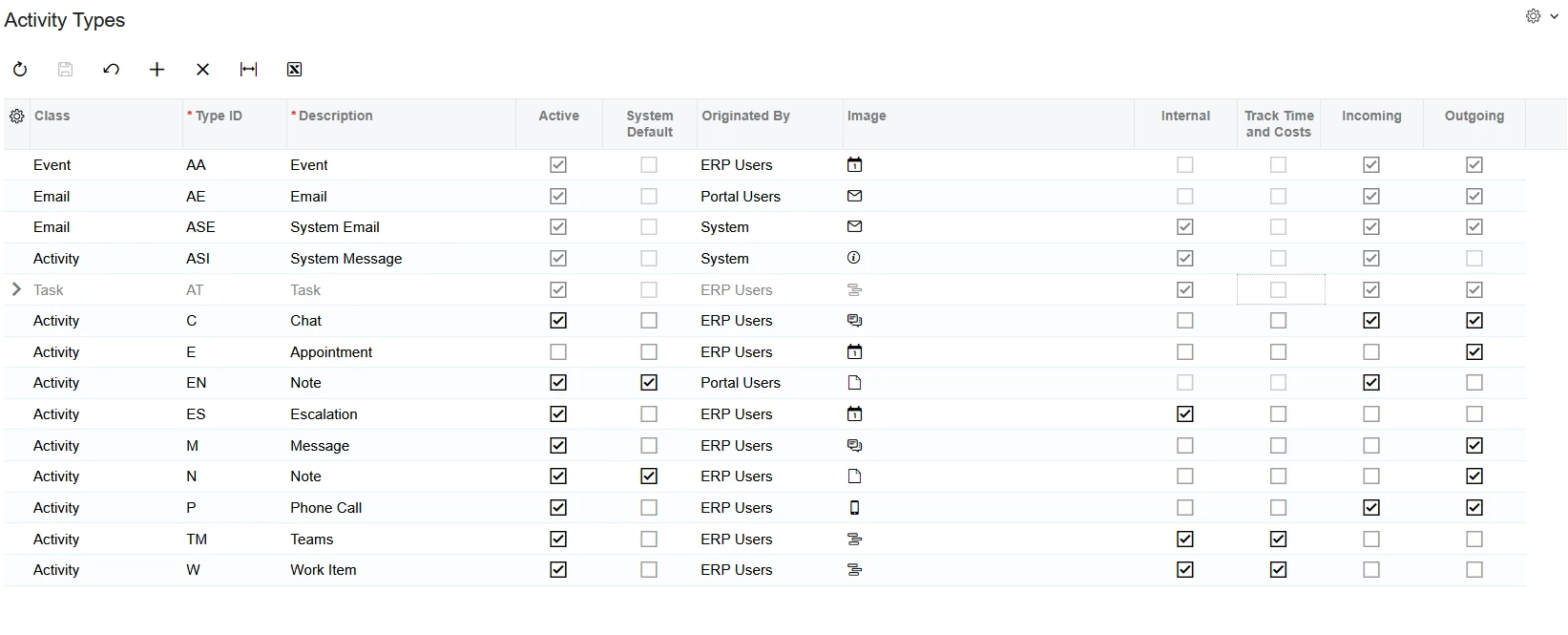
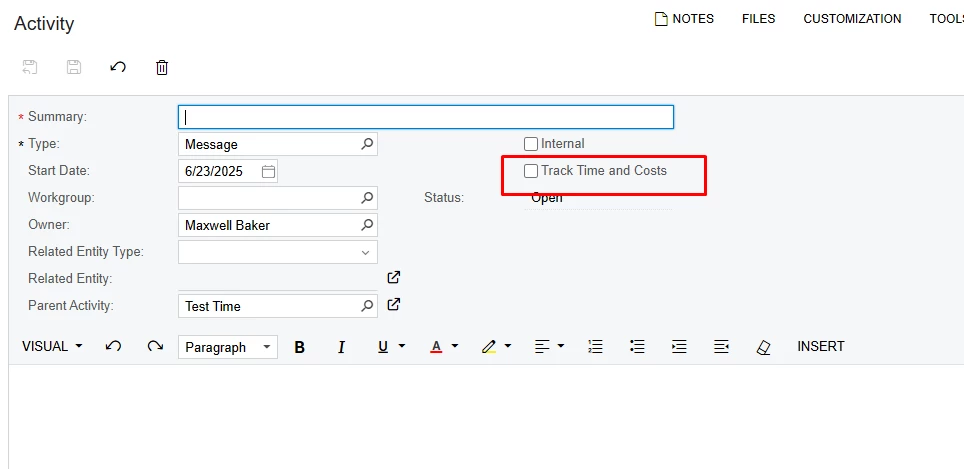
On the different Activities you indicate if you want to track time by checking the box. 


10 replies

mblassingame35
Semi-Pro II
Forum|alt.badge.img+3

You can indicate an activity to track time on the Activity Types screen. 


Forum|alt.badge.img
  • Author
  • Freshman I
  • June 23, 2025

@mblassingame35 the weird thing is Task is greyed out on mine screen so i cant select track time and cost. Any idea why that would be?


mblassingame35
Semi-Pro II
Forum|alt.badge.img+3
  • Semi-Pro II
  • Answer
  • June 23, 2025

A Task is the document that you work on that describes what you need to do. The time is recorded through your activities on the task. If you need to record time, you usually pick Work Item and record the work you are doing. 

On the different Activities you indicate if you want to track time by checking the box. 


Forum|alt.badge.img
  • Author
  • Freshman I
  • June 23, 2025

@mblassingame35 so are you saying I cannot track time and costs on a task or just cant until that checkbox is checked?


mblassingame35
Semi-Pro II
Forum|alt.badge.img+3

A task tracks the activities and the activities record the time. 


Forum|alt.badge.img
  • Author
  • Freshman I
  • June 23, 2025

Ok so there isnt a way to track time against tasks, but only activities correct? Just want to make sure I understand 


mblassingame35
Semi-Pro II
Forum|alt.badge.img+3

Yes, that is correct. The task will record the total time generated from the activities on the task.


Forum|alt.badge.img
  • Author
  • Freshman I
  • June 23, 2025

Ok so its like a nesting item. The task is the “parent activity” and whatever activities I associate with the task, that time is recorded all together. Is that right?


mblassingame35
Semi-Pro II
Forum|alt.badge.img+3

Correct


sangland
Varsity I
Forum|alt.badge.img
  • Varsity I
  • July 25, 2025

When you entry time on an Employee Time Card for a Task you do not get to select an activity type and the time is NOT recorded on the Task as either time spent (detail tab total time spent) or activity. If the time card involves a project this turns up on the project activity as “Time Activity”, but it appears that you cannot put time on a Task via Employee Time Cards. Is this correct ?