Hi ,
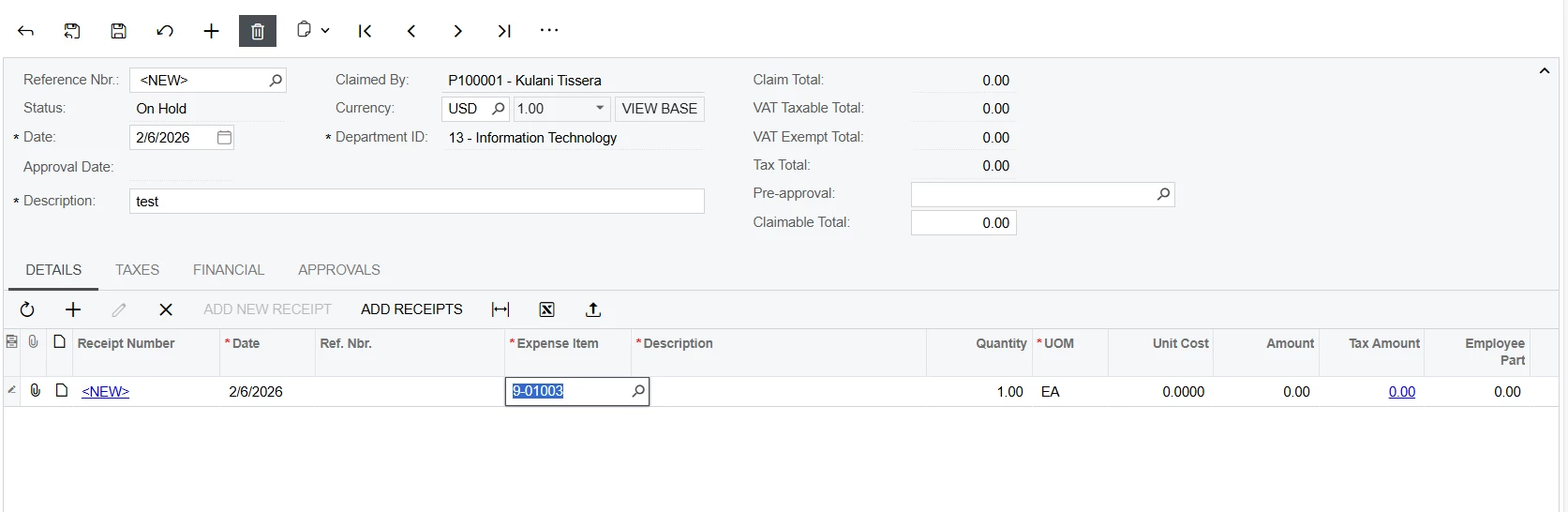
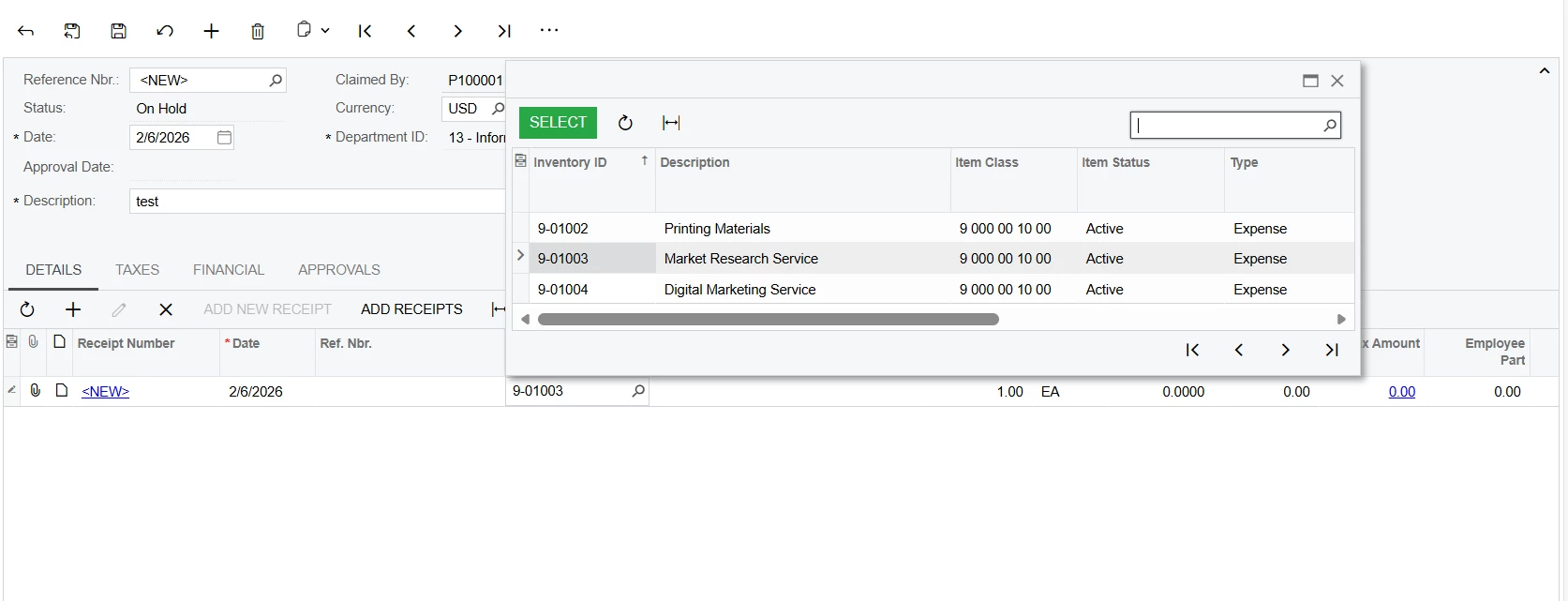
When I try to create an expense claim, it does not automatically pick up the description for the selected expense item. Do you know why this might be happening?
Hi ,
When I try to create an expense claim, it does not automatically pick up the description for the selected expense item. Do you know why this might be happening?
Best answer by Marat43
Hi,
If you want the Description to fill automatically for an expense line, you can do it like this:
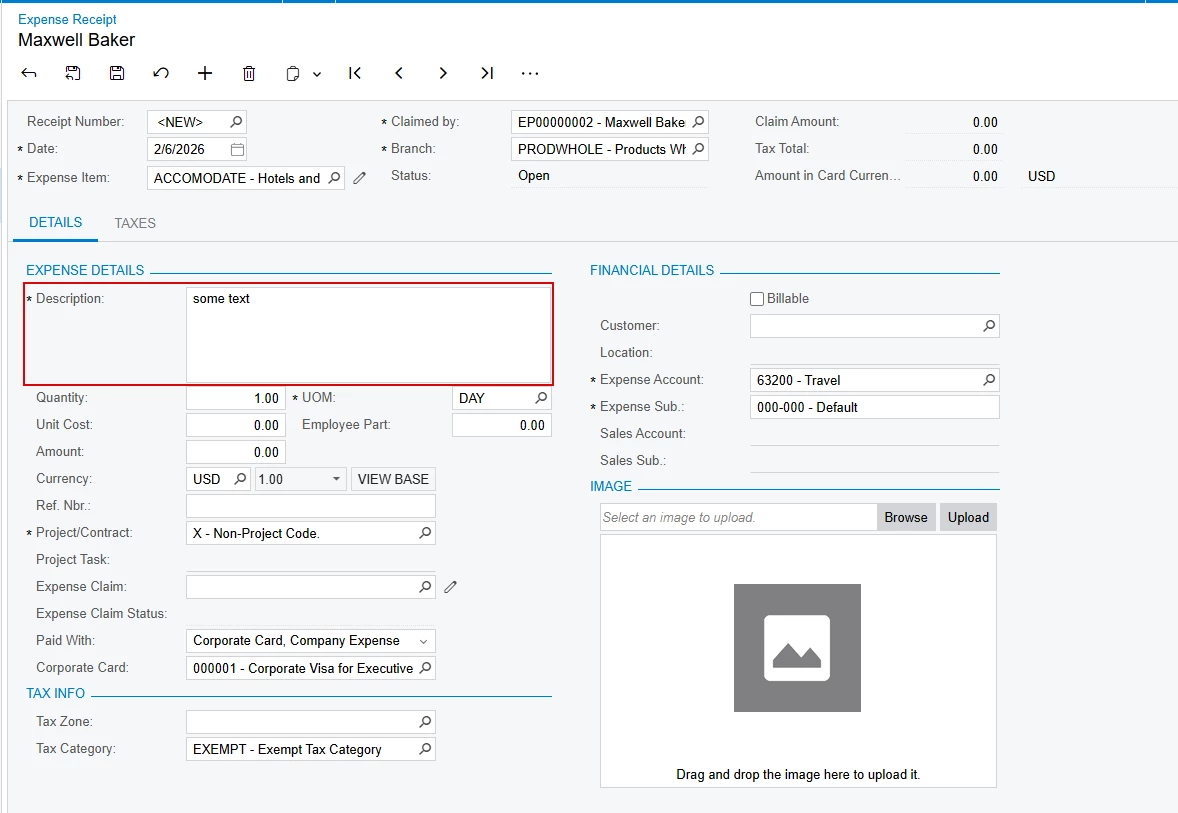
1.Create an Expense Receipt (EP301020) and select the Expense Item, enter the Description, and any other details.
2.Click the CLAIM action on the receipt. This will create an Expense Claim with the product/line and all data from the receipt automatically filled in.
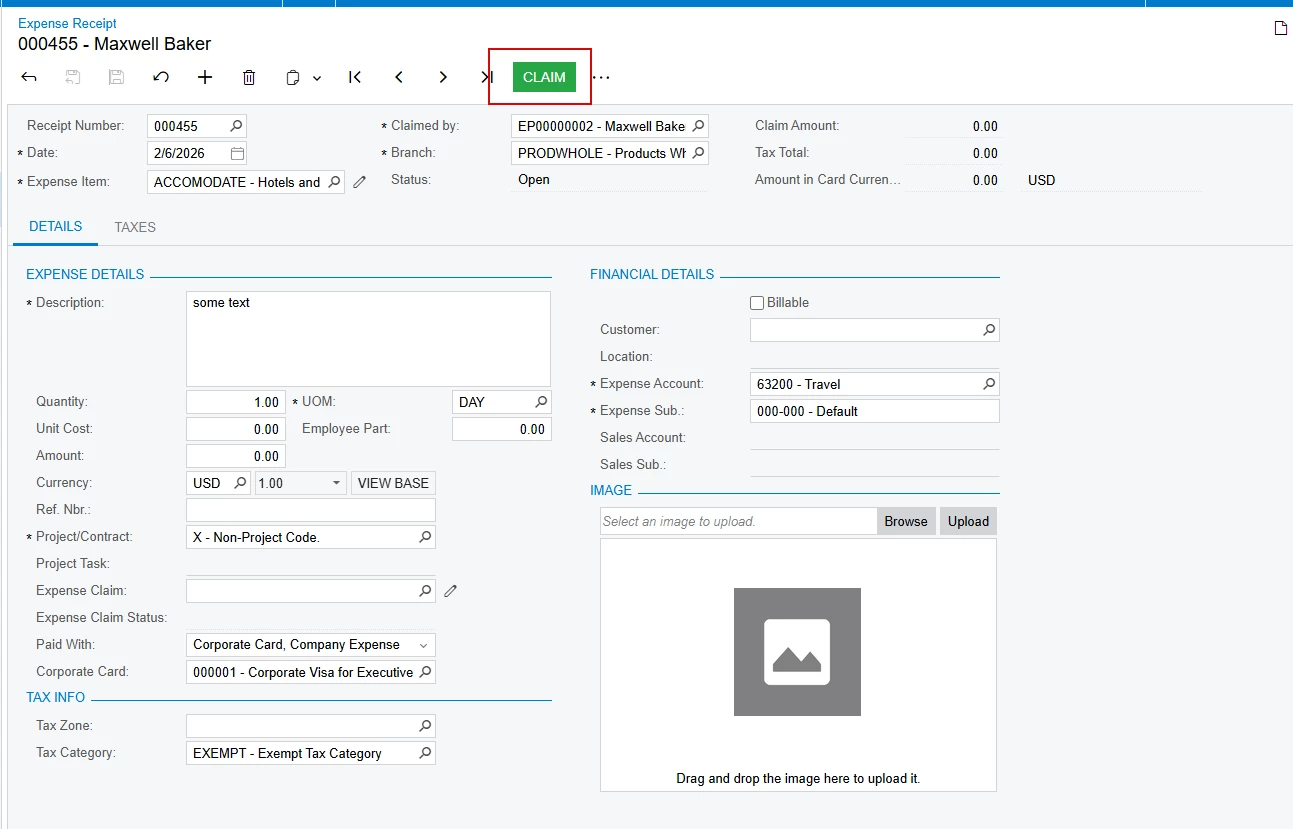
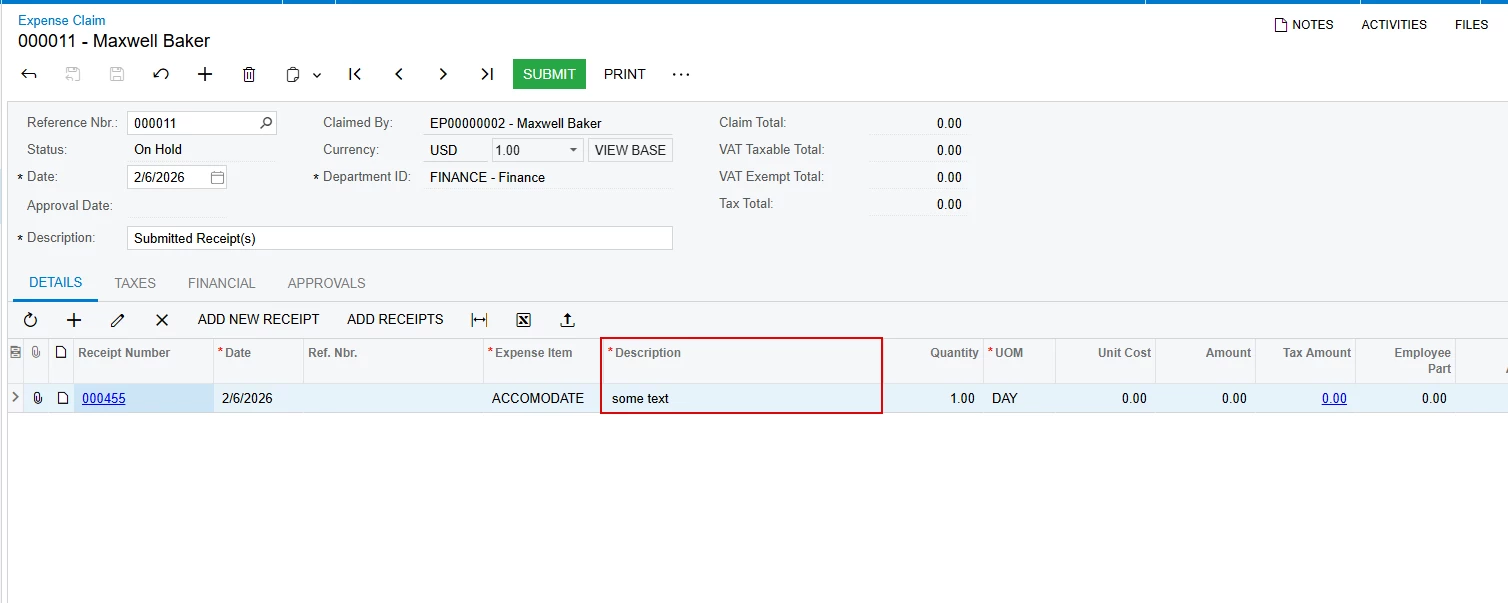
Later, if you want to add more lines to the same claim, use the Add Receipt action, select the receipts you need, and the lines will be populated automatically again.
Hope this helps.
No account yet? Create an account
Enter your E-mail address. We'll send you an e-mail with instructions to reset your password.