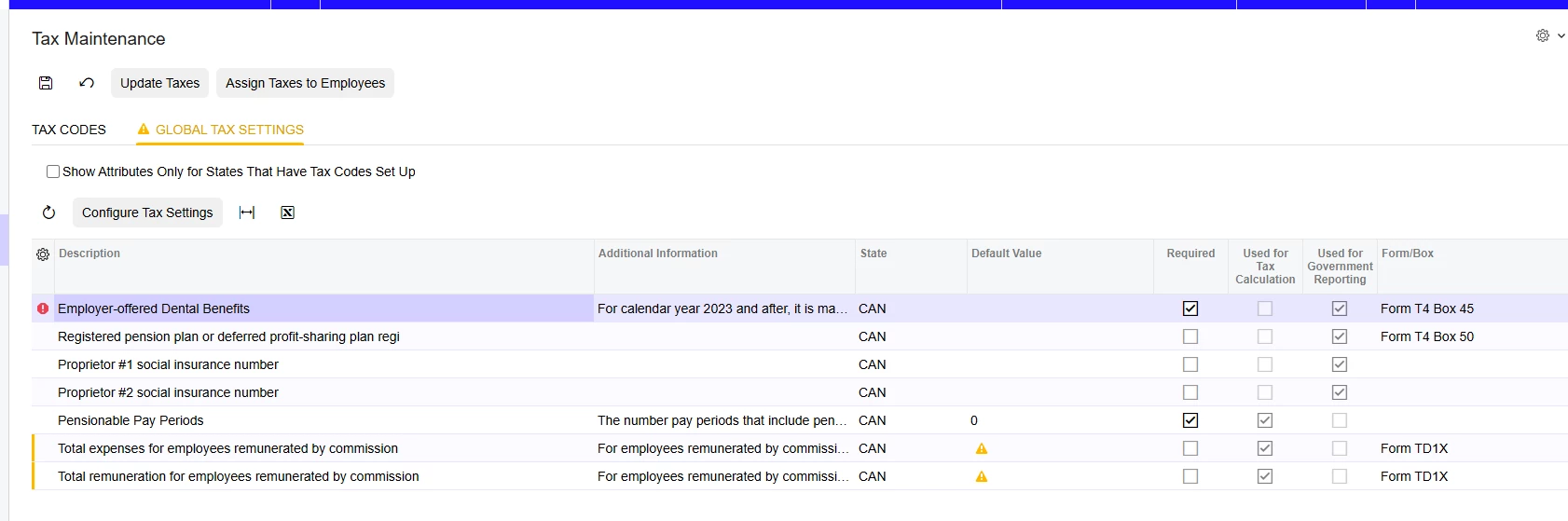
Hello - I’m having some issues with the Global Tax Settings tab of the Tax Maintenance form. Our client has recently updated to 25R2 and the modern UI, and when we update taxes, the Global Tax Settings tab seems to be missing all sorts of entries that used to be visible to us. For example, we used to be able to maintain the basic personal amounts for each province tied to our work locations, and those fields are now missing. They would be the Total Claim Amount fields for each province.
I’ve searched the update notes and don't see anything related to this. I also thought that perhaps this was missing because I was setting up a tenant for production with no employees loaded yet, but our UAT tenant that has prior payroll data is also missing all of the field that we previously were using.
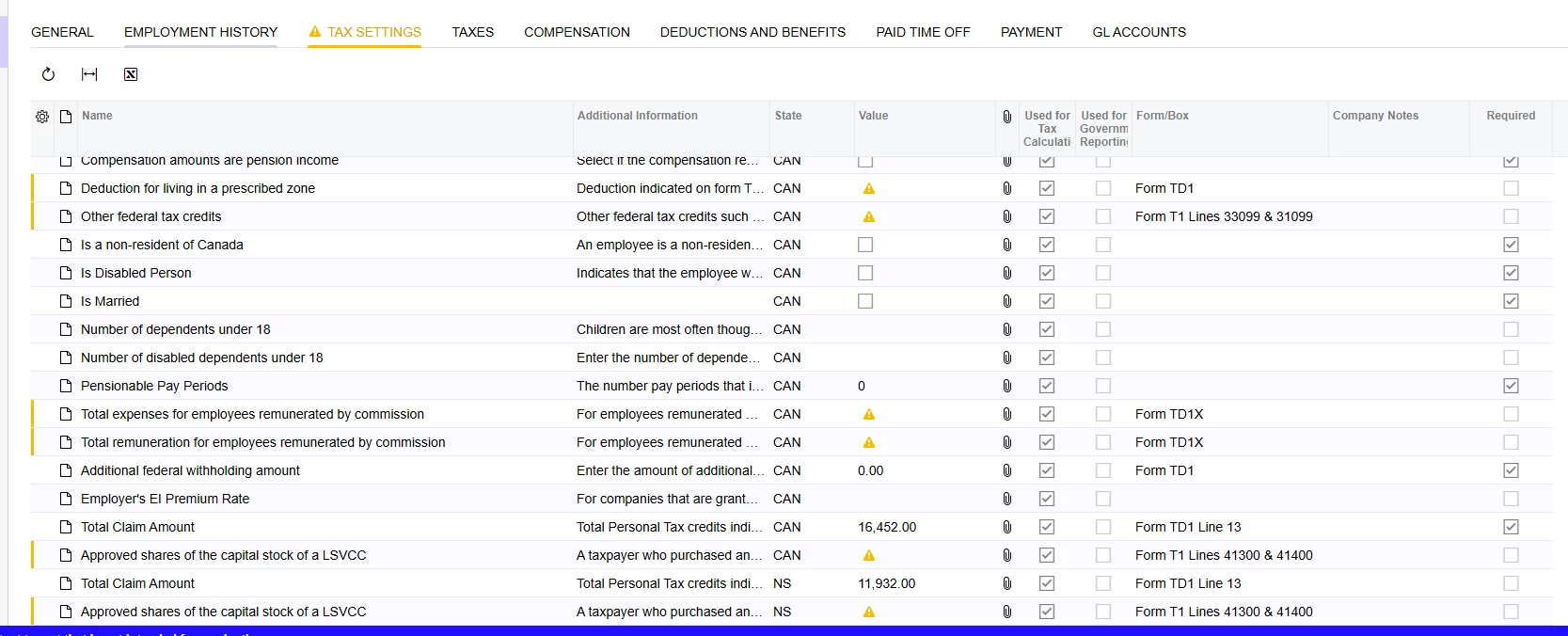
I also went in and looked at the individual Employee Payroll Settings, and all prior values we had updated are still there, however the ‘Use Default’ checkbox that used to exist for some values (like the basic amounts) is not available, and there are a series of warnings appearing (I’m guessing these values want 0.00 entries but not sure).
I’d appreciate any guidance anyone can provide. Thanks in advance,
Frederique