Modern UI Issues

  • June 10, 2026
  • 86 replies
  • 2166 views

Show first post

86 replies

I have been attempting to export Pivot Tables to excel for filtered set of data and the Pivot is always exporting the data based on the underlying GI information instead of the filtered data. 

The Pivot displays in the system the Correct values for the filtered information but when exported to excel it exports values for all information in the GI instead of the Filtered Values. 


MelissaSkrbicHuss85
Community Manager

Hi Everyone,

I am Melissa Skrbic-Huss, the new Director of Product Design at Acumatica. The team and I reviewed the concerns raised in this thread about the Classic UI transition, particularly the concern about moving exclusively to Modern UI while known issues remain unresolved. That feedback is valid, and addressing those issues has been a clear focus for our engineering team.

Below are a couple of fixes that will be included in 2026 R2, releasing in early fall.. 

Customization / Modern UI Editor
Resolved errors when adding fields and when converting screens to Modern UI, fixed handling of special characters in project names, and corrected file corruption when exporting and importing customization projects.

Generic Inquiries and Reports
Column width and column order now save correctly. We also fixed missing filter parameters, slow Quick Search, the Back button jumping to page 1, and export-to-Excel issues.

Controls and buttons
Corrected tab order (including the skipped currency field), the note icon not highlighting, and custom dialog and quick-process popups not opening.

Usability and layout
Restored the side-panel scrollbar, fixed popups not resizing, and closed several translation gaps.

Performance
Meaningful speed improvements to the Projects screen, GI screens, the Customers screen, and order processing.

Our goal is straightforward: Modern UI should deliver a better experience than the one it replaces, not simply a newer one. Work is continuing across reported issues, and this thread remains a helpful place to surface anything still affecting your workflows. If you do report an issue, please include the screen name and steps to reproduce it so the team can investigate efficiently.

Thank you for the direct feedback. It continues to inform and prioritize the work.

Melissa


alanconroy31
Freshman II
  • Freshman II
  • August 18, 2026

Would it be possible to have these fixes rolled back into 26R1? I’m sure lots of customers & partners would like to avoid another upgrade if the site has recently moved to 26R1. 


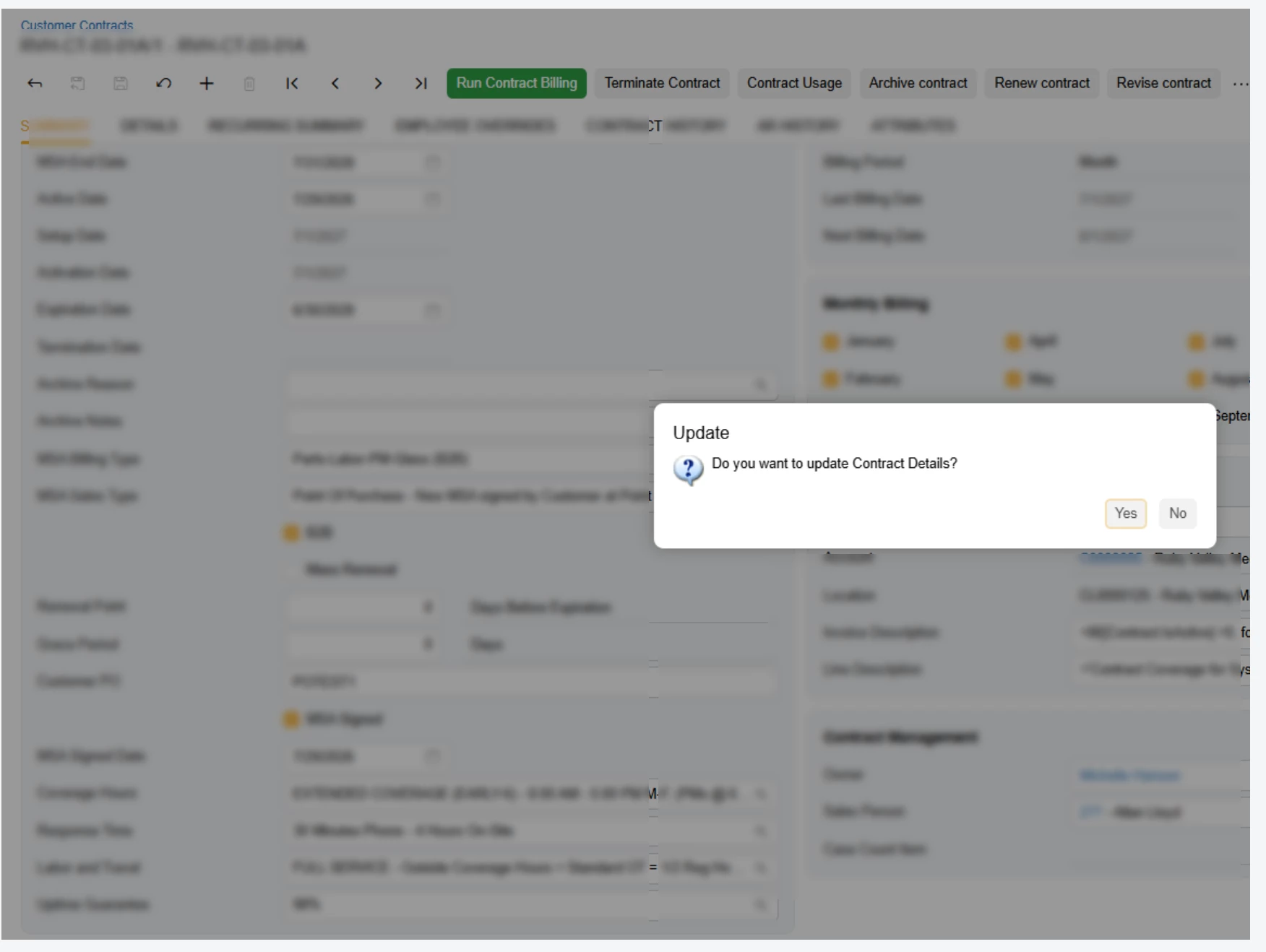
One thing I would like fixed is if I get a pop up like this in the image below, when I press enter, instead of select Yes which is highlighted the highlight moves to no and the button needs to be clicked on


Customization publishing is definitely much more efficient in a more recent 26R1 update. I was always confused why publishing would build the Modern UI for each tenant because it’s not like you can pick and choose which customizations to publish for each tenant, but now it just builds the files once and copies to the tenants chosen.


Forum|alt.badge.img+1

Good work, Acumatica team. I’m seeing meaningful speed improvements in the Modern UI on 26R1.

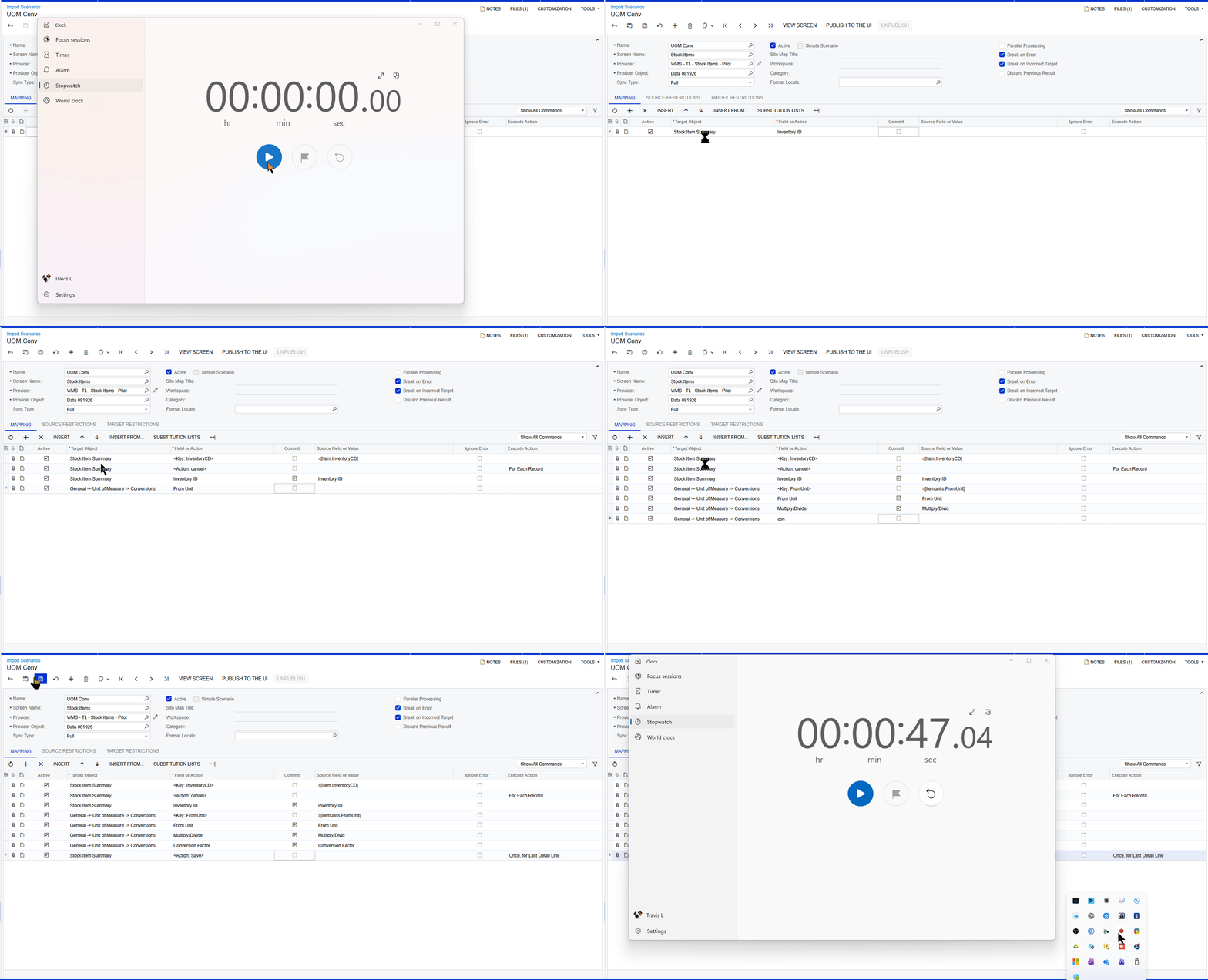
I did a quick comparison between Classic and Modern using a relatively simple import scenario. One thing the comparison highlighted for me is that performance is only part of the overall user experience. Keyboard efficiency matters quite a bit as well.

In Classic, I rely heavily on keyboard navigation, especially Tab and inline search. You’ll see in the video that I rarely need to touch the mouse. Because of that, I can complete this particular scenario in about 45 seconds.

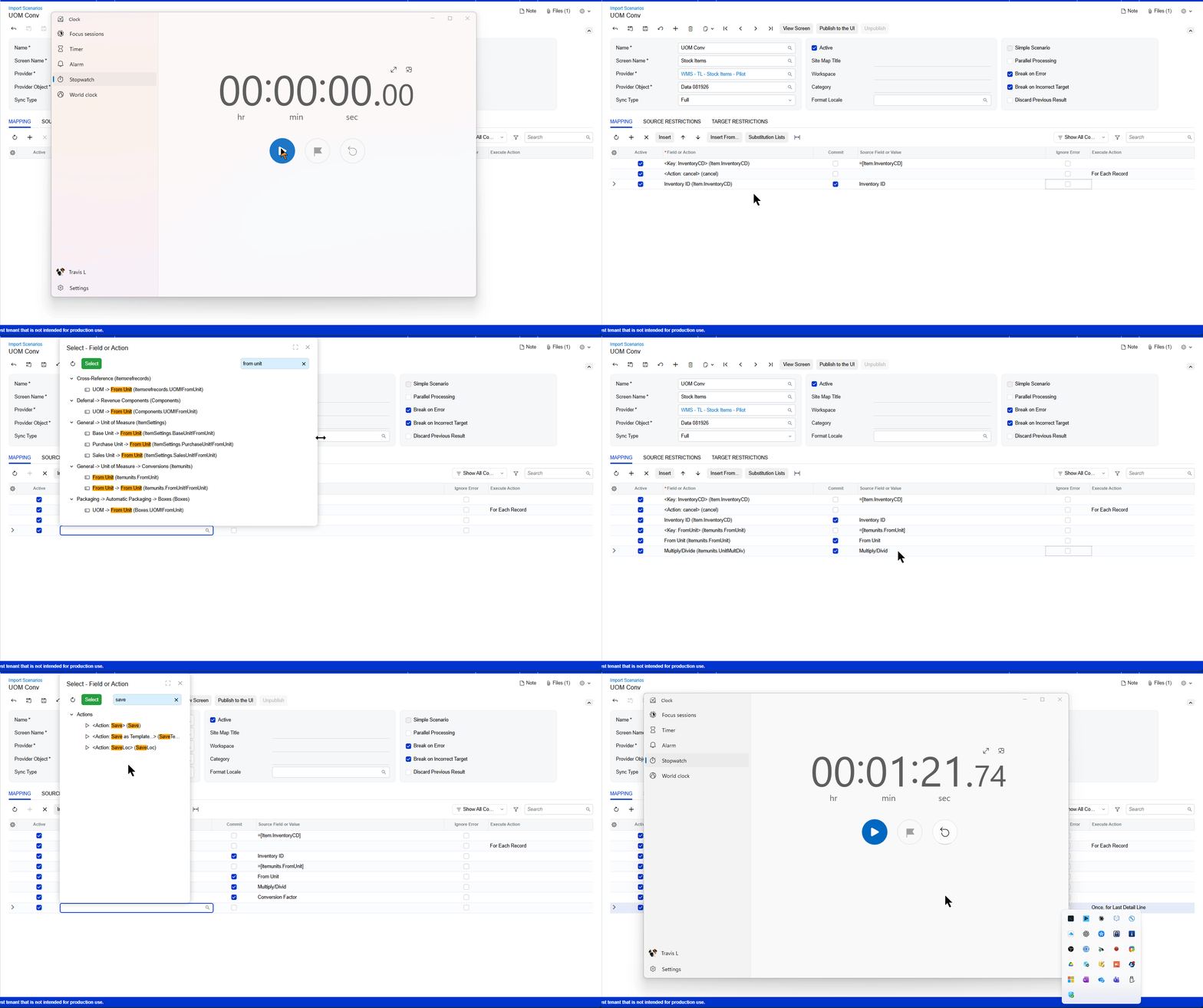
In Modern UI, I’m finding that I have to move between the keyboard and mouse much more frequently. The same scenario takes me about 1:21.

You can also see me struggle a little when trying to locate From Unit within the Conversion menu. Because there are so many fields containing "From Unit" in the search results, finding the specific field I need takes additional time.

A 36-second difference probably sounds trivial on its own, but this is an intentionally simple scenario where I already knew exactly which fields I needed and where they were located. With a more complex import scenario, I could easily see the additional navigation adding another 2-3 minutes to the process.

For me, there are really two opportunities here:

  • Efficiency: Make it possible to navigate and configure more of the Modern UI without leaving the keyboard.
  • Ergonomics: Reducing the constant movement between keyboard and mouse also reduces arm and shoulder fatigue for users who spend a significant portion of their day working in Acumatica.

I don’t see this as a complaint about Modern UI. There have clearly been improvements, especially in 26R1. I think this is an area where some of the efficiency that made Classic so fast for experienced users could be carried forward into Modern UI.

The closer Modern can get to letting a power user work almost entirely from the keyboard, the better the experience will be.


And of course, I’m still waiting on the day AI can just build the import scenario for us. 😉  That may be the pathway and if it is, ignore my grumblings!


Classic UI


Modern UI


bwhite49
Captain II
Forum|alt.badge.img+12
  • Captain II
  • August 20, 2026

@travislawson 

Thanks, what a perfect demonstration. Building an import scenario in modern UI is so confusing, especially if you are not familiar with the data sources. Even the classic UI changes that they introduced in 2025 makes it harder to build one of these. Import scenarios in 2024 were perfect.  


Forum|alt.badge.img+1
  • Semi-Pro II
  • August 20, 2026

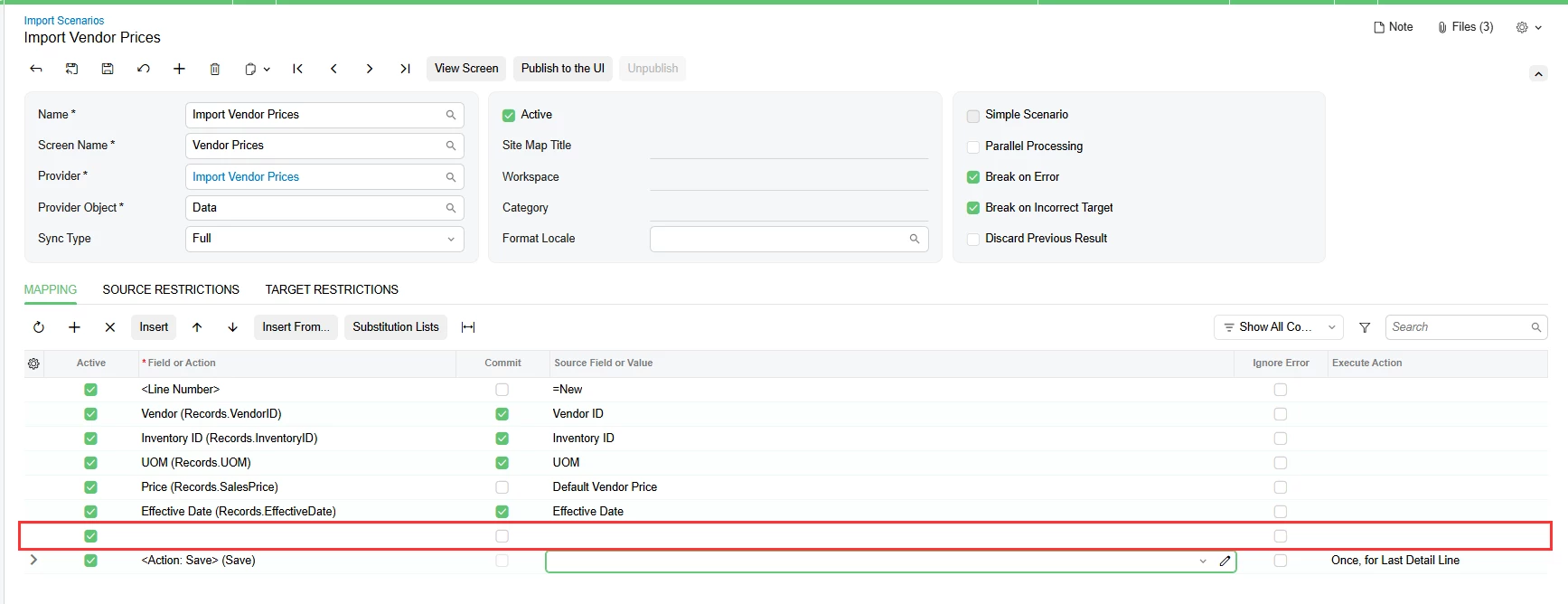
@travislawson the other thing that I find painful with import scenarios in Modern UI is that in Classic UI I used to tab through to the next line. On Modern UI if I tab through to the next line it puts me back on the last line. So then I click the plus button to add a new line and assign the Target Object and the system inserts a blank row above the current line. And because tabbing through has been ingrained in my muscle memory, I keep doing this on accident even though I know that’s going to happen.


bwhite49
Captain II
Forum|alt.badge.img+12
  • Captain II
  • August 20, 2026

Another issue that I’ve seen a few times in the past few weeks is the new filtering system does not receive the masked value when passing parameters. This issue has come up in GI and dashboard filters/parameters.

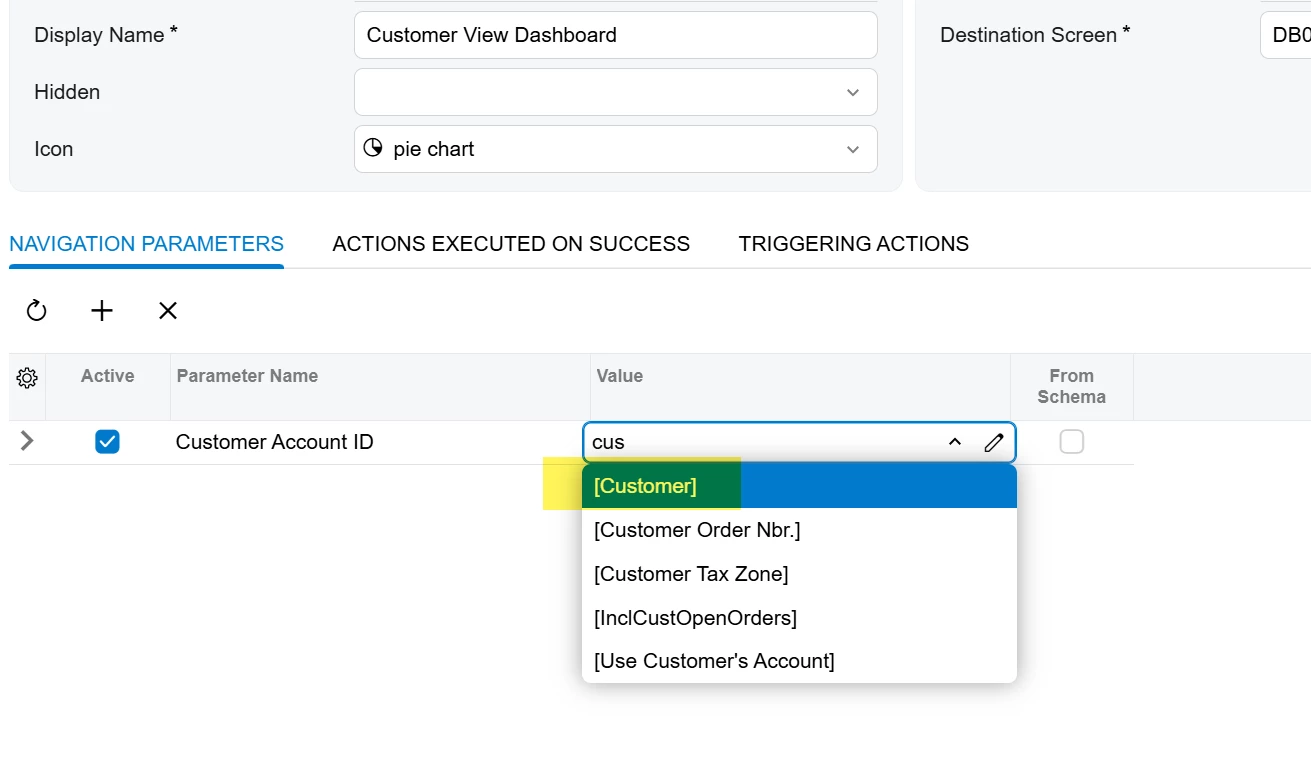
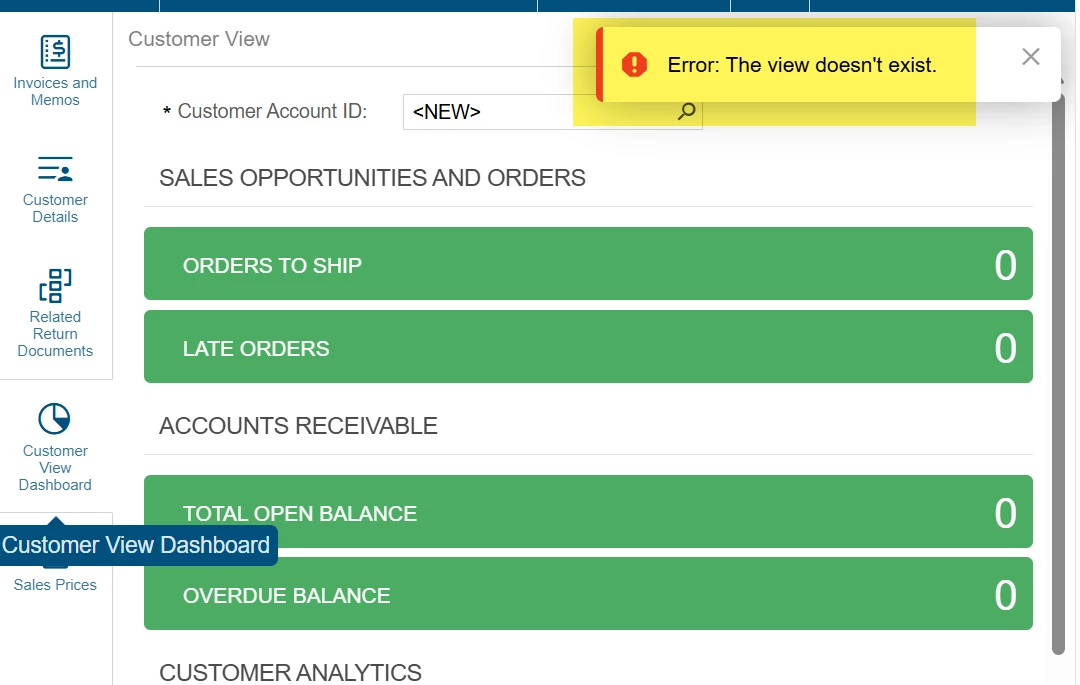
For example, when adding a side panel to a dashboard on the sales order screen using the Customer value which is SOOrder.CustomerID. What it should be doing is passing the AcctCD field, but instead is passing the BaccountID field, so it results in various errors. Typically, an integer error on the dashboard, but in this case the error is the “the view doesn’t exist” for this side panel. Trace reveals that the error is the customer ID does not exist. 


alanconroy31
Freshman II
  • Freshman II
  • August 20, 2026

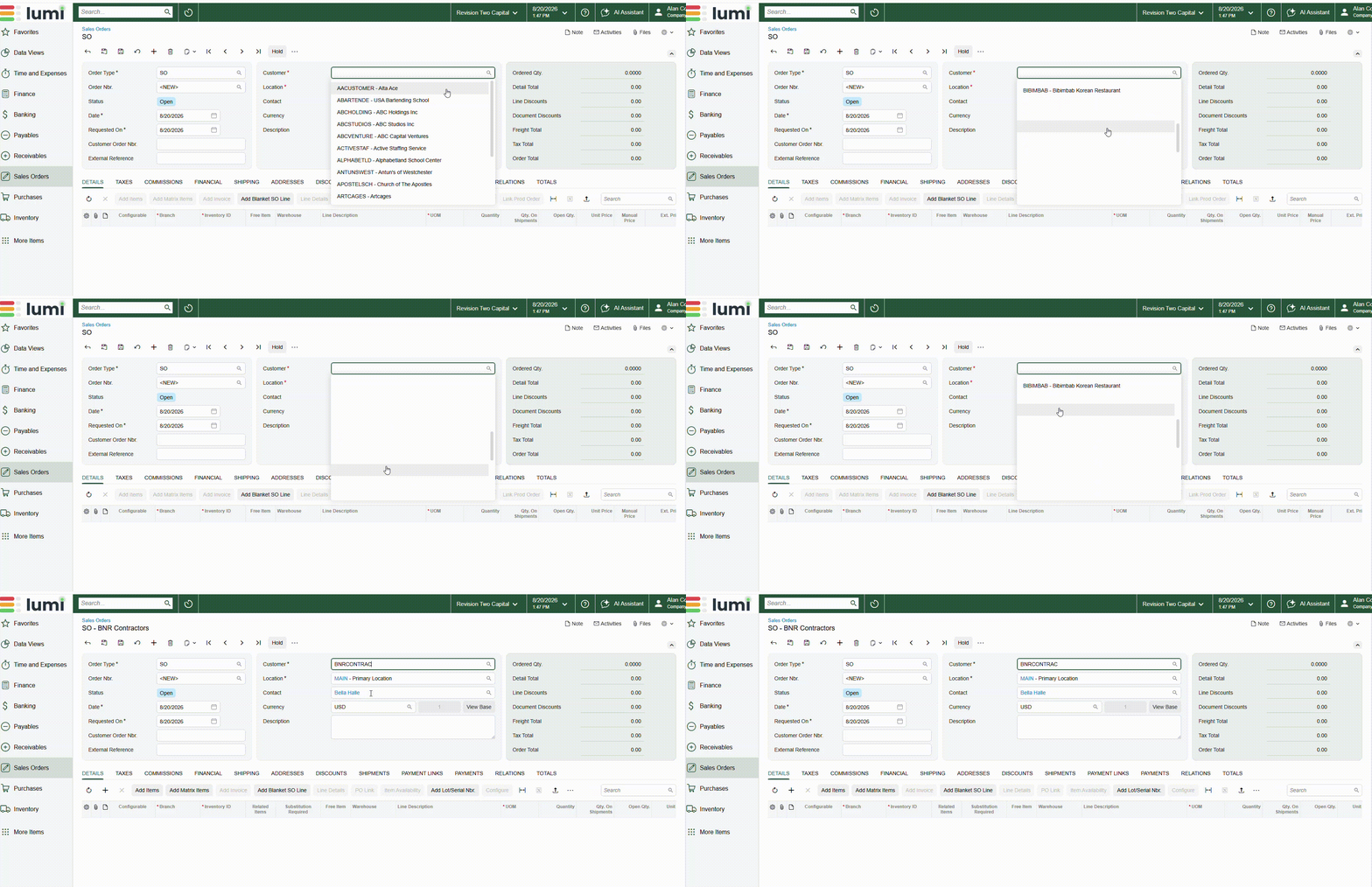
Another issue I have seen on multiple sites is when scrolling the customer list the names start to disappear, you can select them but you have no idea who you are selecting.


bwhite49
Captain II
Forum|alt.badge.img+12
  • Captain II
  • August 21, 2026

duplicate post, can’t delete


bwhite49
Captain II
Forum|alt.badge.img+12
  • Captain II
  • August 21, 2026

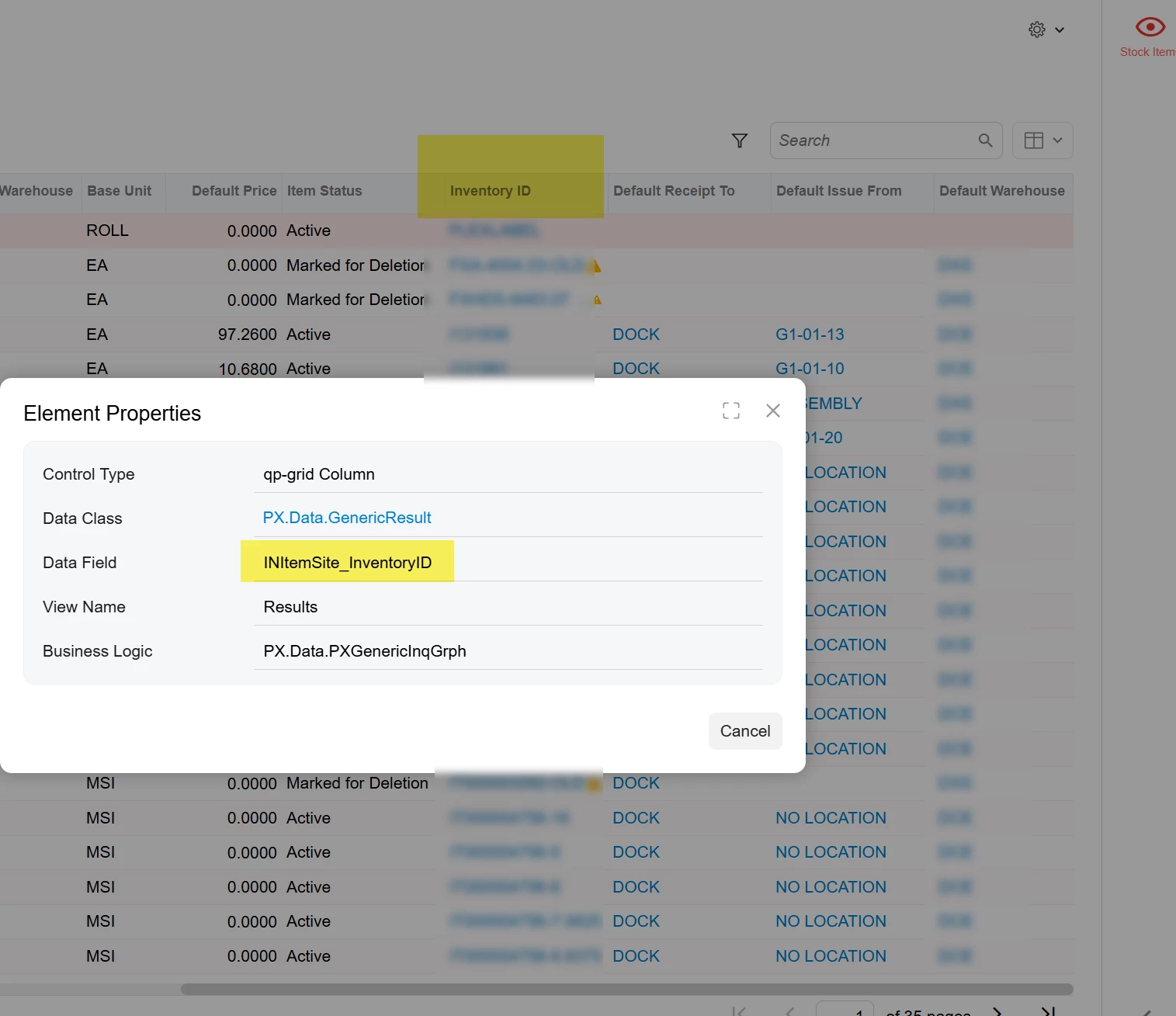
Adding the INItemSite table to GIs in 2026 R1 will cause the INItemSite.inventoryID to display without being added to the results grid, and sometimes more than once. The field cannot be removed from the results. Switching to classic UI resolves the issue.