Modern UI Issues

  • June 10, 2026
  • 65 replies
  • 1503 views

Show first post

65 replies

Freeman Helmuth
Semi-Pro I
Forum|alt.badge.img

I think the big one is the removal of tabs on GI filters. This change was not good.

I also struggle with the import scenario builder in modern UI. I have to toggle between the two UIs to find fields, and it takes much longer to build them than they used to. 

There are also quite a few bugs. Here are a couple to start…

  1. Can’t rearrange parameters and conditions in the GI editor anymore.
  2. Export to excel for GIs is still broken
  3. Performance seems to decline on screens/GIs using modern UI


Here’s the related idea and our fix for it. Linking it here for visibility:


Forum|alt.badge.img


Hi there,

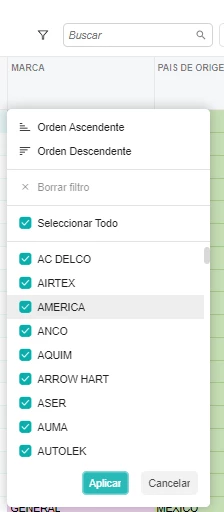
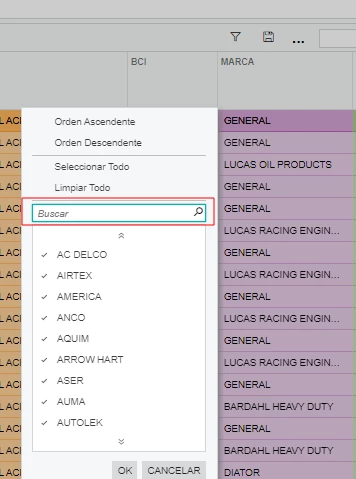
When you wan’t to apply a filter with an attribute column on a generic inquiry, there is no search field anymore at the top of the list.

Modern UI:

Classic UI: 


Forum|alt.badge.img

Hi,

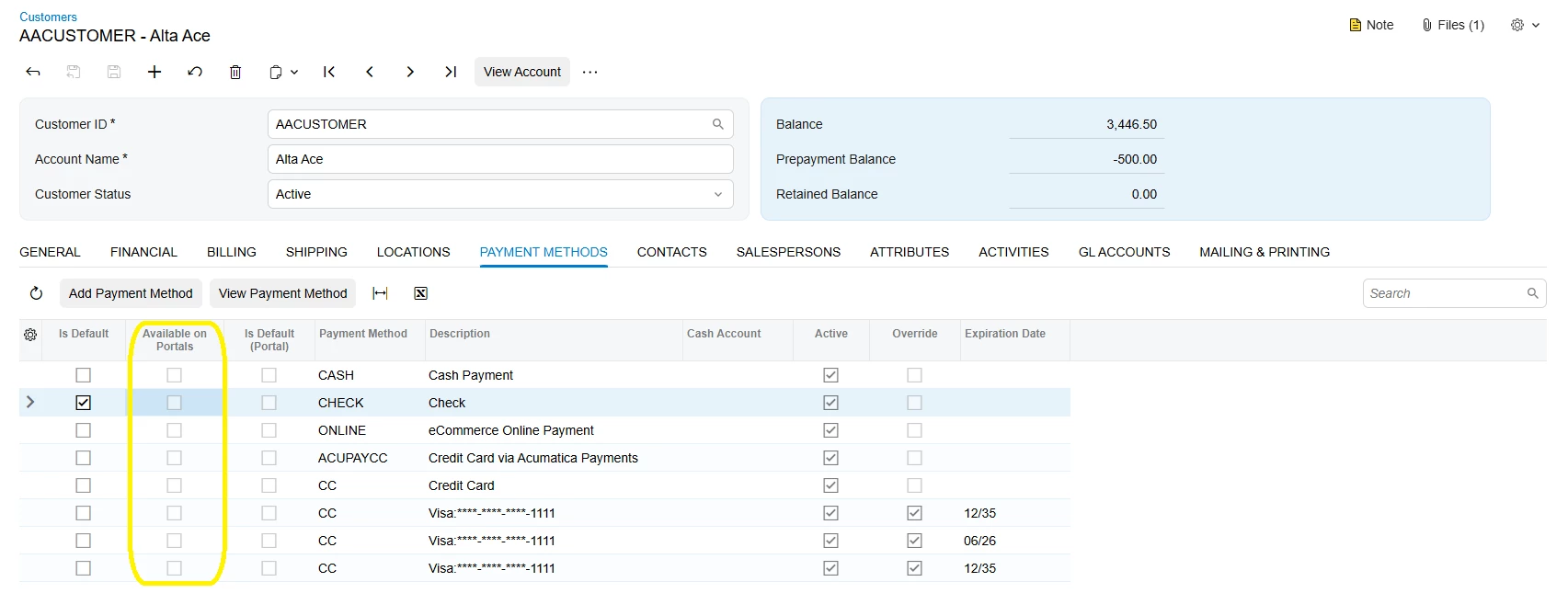
We have noticed that the 'Available on Portals' field in the Payment Method tab cannot be enabled/saved in versions 25R2 and 26R1.


  • Freshman II
  • July 22, 2026

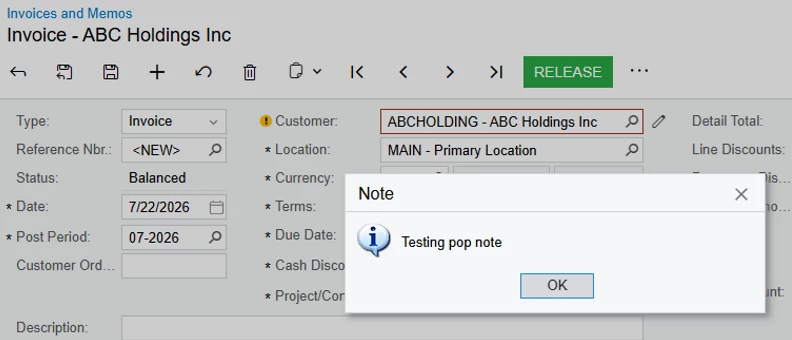
Pop Up Note Functionality - Worse in Modern UI

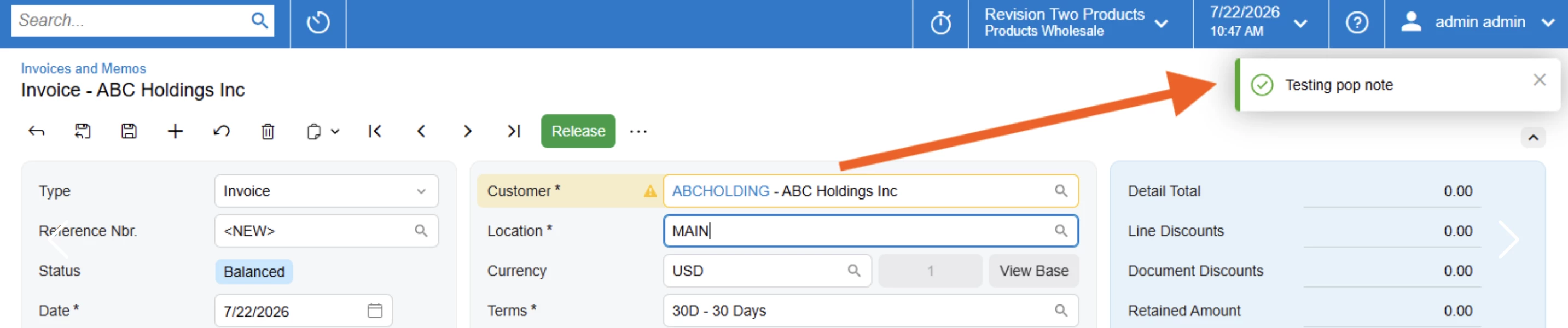
Pop up notes in modern UI display as a small, green check box in the top right of the screen, and disappear on their own. The visibility is very poor, and makes the note incredibly easy to overlook and miss.

Classic:


Modern:


darylbowman
Captain II
Forum|alt.badge.img+17

Pop up notes in modern UI display as a small, green check box in the top right of the screen, and disappear on their own. The visibility is very poor, and makes the note incredibly easy to overlook and miss.

This is significantly improved in 26 R1. They display as a blue info box and don’t disappear.


sgaspar72
Jr Varsity III
Forum|alt.badge.img+1
  • Jr Varsity III
  • July 22, 2026

Wouldn't even know where to start on this thread. We’ve just moved all companies back to the classic UI except for a couple of dashboard screens. Most of our ISV partners have had to do the same with their packages.

Now we just get a daily stream of requests as to when the modern UI will be useable. We don’t have an answer to provide. So we’re just waiting. 


  • Freshman II
  • July 22, 2026

Pop up notes in modern UI display as a small, green check box in the top right of the screen, and disappear on their own. The visibility is very poor, and makes the note incredibly easy to overlook and miss.

This is significantly improved in 26 R1. They display as a blue info box and don’t disappear.

Oh, that’s great to know, thank you!!


Freeman Helmuth
Semi-Pro I
Forum|alt.badge.img

Build 26.100.0175:

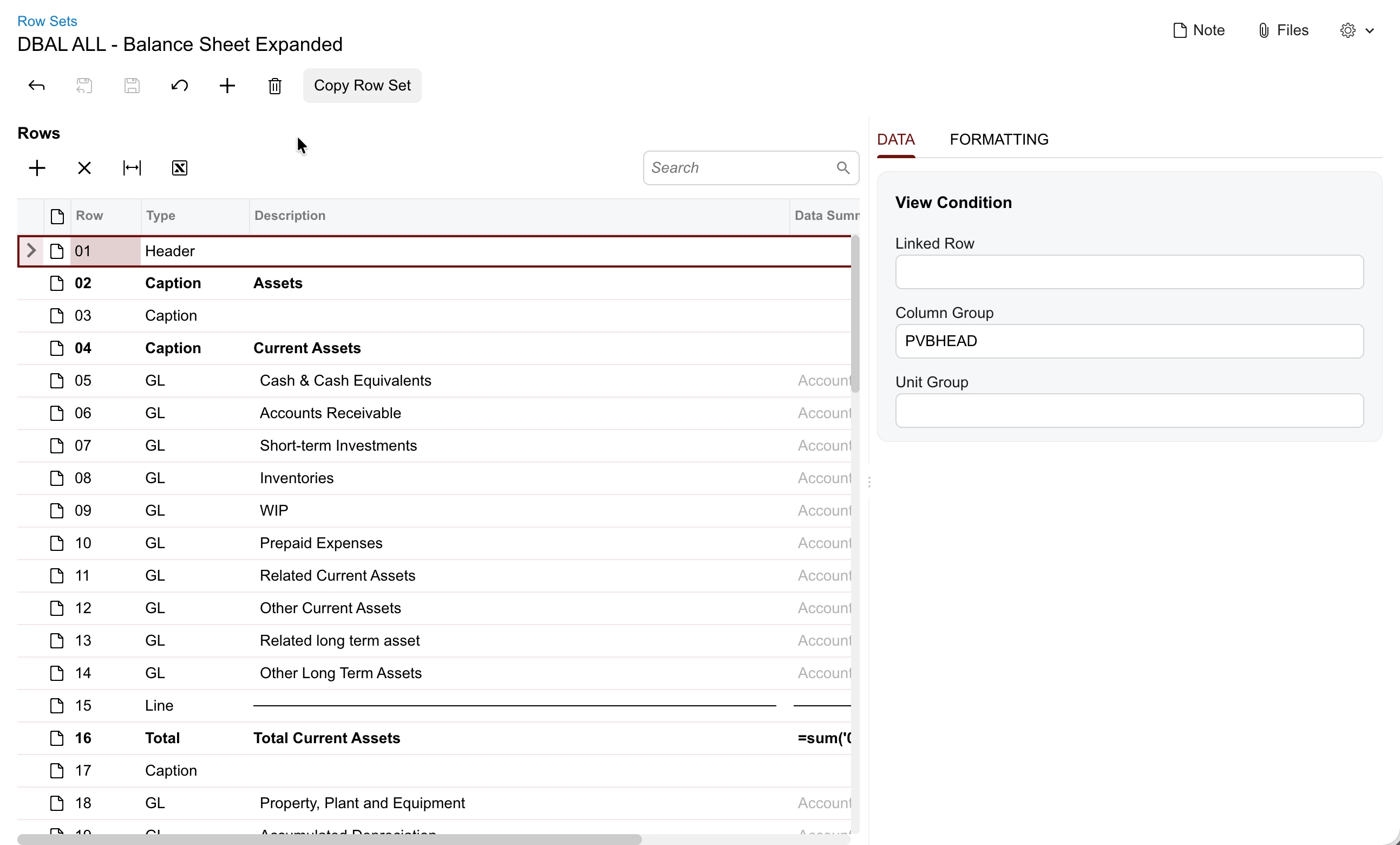
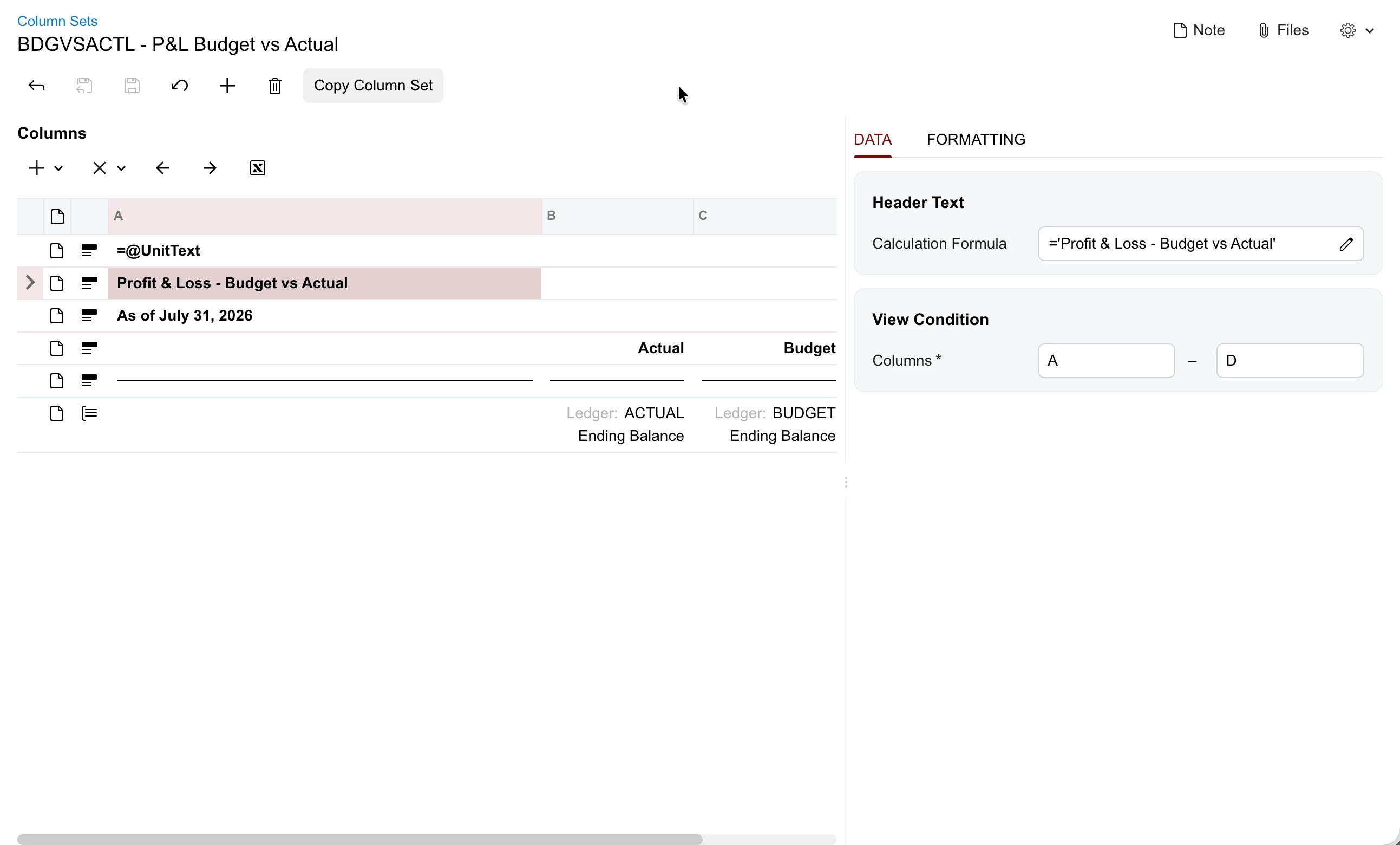
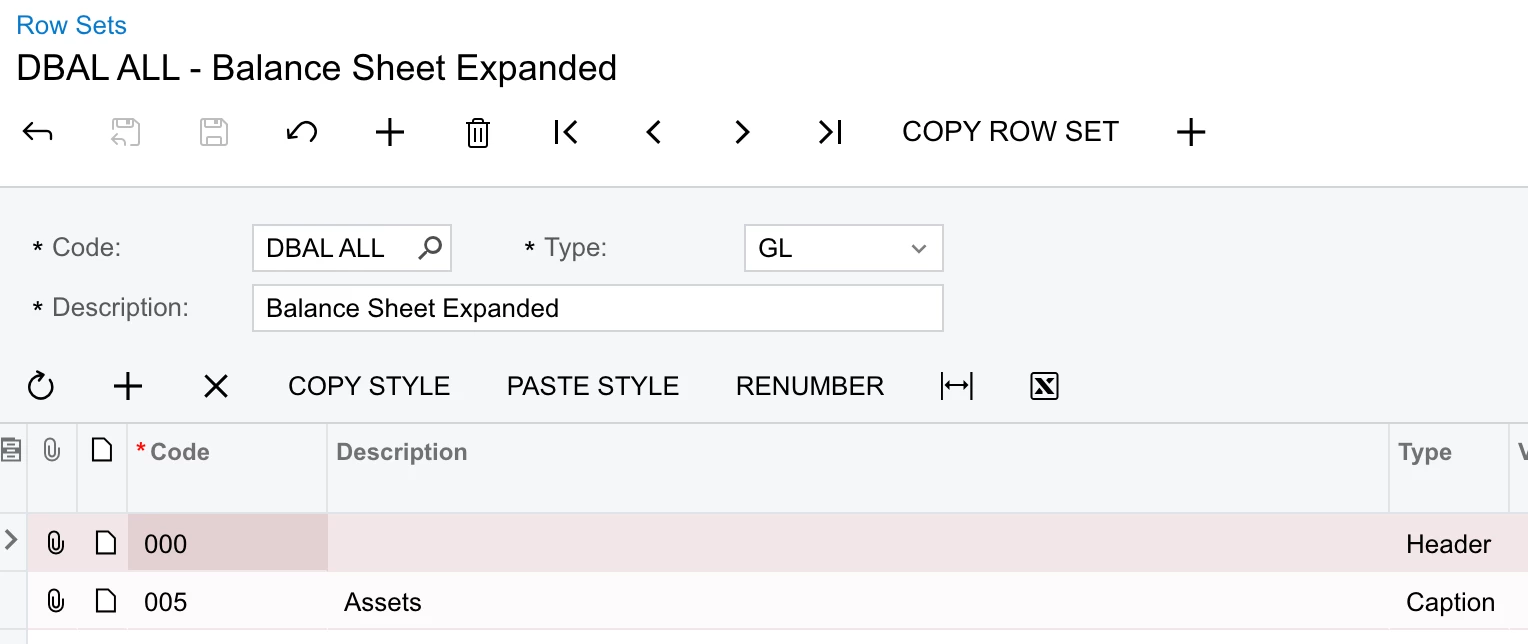
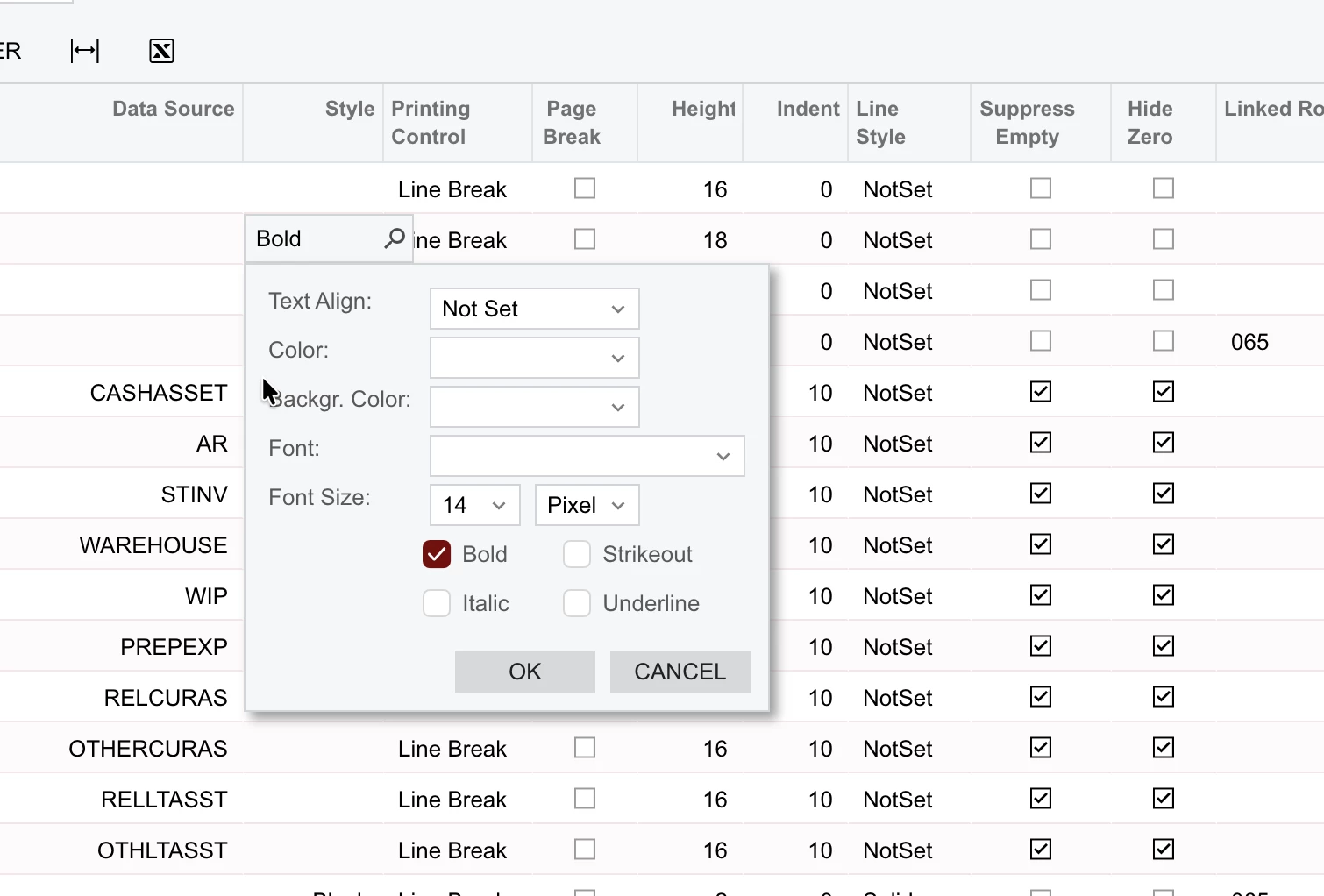
The modern UI version of the row sets and column sets screens do not allow the user to change description of the row set or to select a different row set without going back to the list screen. The selector and description box is missing:

Classic UI:


Because the rows no longer include any formatting details, it also takes much longer on the modern UI version of these screens to compare formatting of rows and ensure that it’s correct:
 

Classic UI: I can see quite a few details of the formatting at a glance:


Freeman Helmuth
Semi-Pro I
Forum|alt.badge.img

Build: 26.100.0175

When navigating to a modern UI report, the URL stays the same as the prior screen’s URL:

Prior Screen:


After navigating to the report: The screen ID is the same-only the parameter changes which causes the report to load:

So if you then refresh the page you are taken back to the prior screen.

This does not happen in the Classic UI. The screen ID properly changes to the RMxxxxxx ID


Freeman Helmuth
Semi-Pro I
Forum|alt.badge.img

Build 26.100.0175

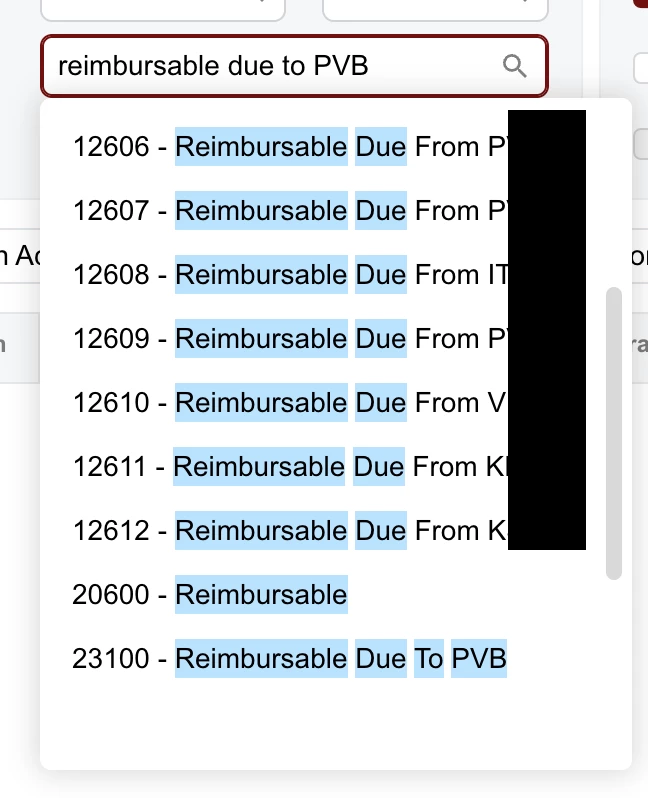
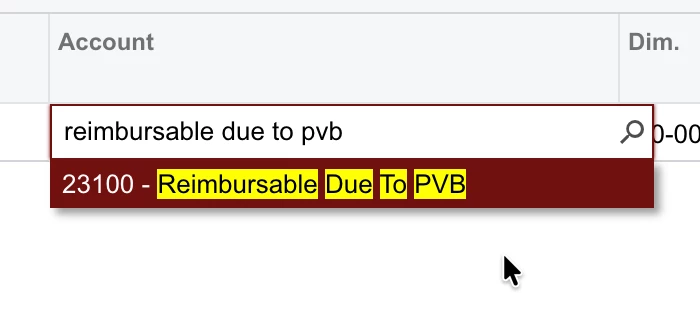
Another UX issue: When typing the value of a item into a selector, the Modern UI selector has far poorer search logic than the Classic UI selector. This behavior is present in all selectors in the modern UI.

In this example the exact text match is the last result in the list:

Classic UI filters to the exact match instantly:


kwilson63
Freshman I
  • Freshman I
  • July 28, 2026

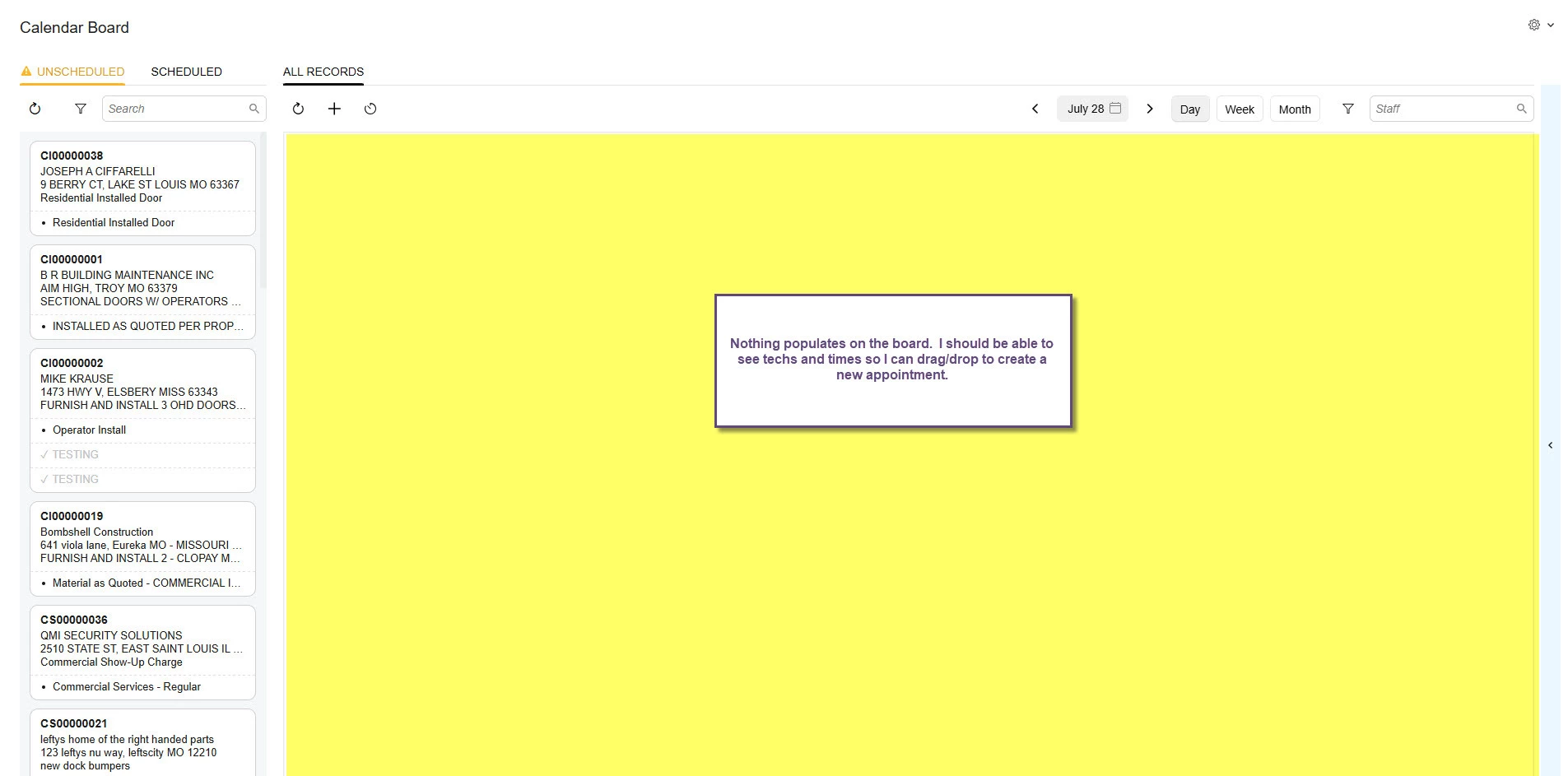
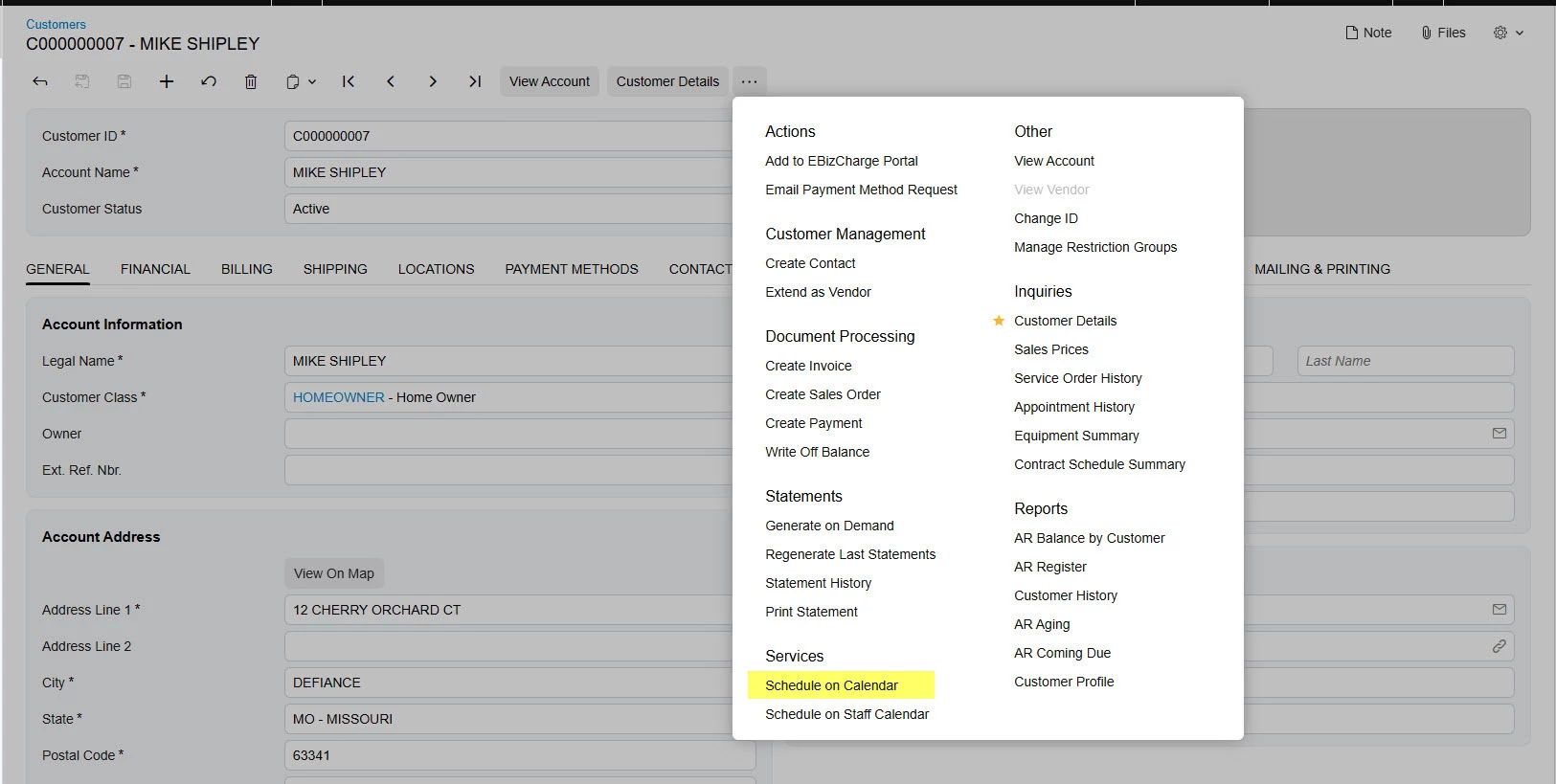
In the action menu (ellipses) of the Customer Profile, we have the option to “schedule on calendar” as we use Service Management with almost all of our customers.  We are in 2025 R2.  The feature doesn’t work if the calendar board is in Modern UI.  I can get the board to pull up, but it’s completely blank.  The list of unscheduled service orders is on the left, but the board itself has no times, no techs, nothing.  I have tried in Chrome and in Edge.  Our customers who use VOIP phones will use this feature a lot to quickly schedule a service call.  The “schedule on staff calendar” option works because that board doesn’t have a modern UI option yet.  However, there are plenty of times the customer service rep doesn’t know which tech to give the appt to so they will create it under “unassigned.”  That’s not an option on the staff calendar board.  


Forum|alt.badge.img+2
  • Captain I
  • July 30, 2026

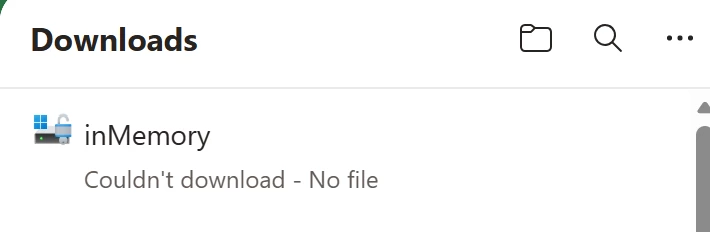
I don’t see any comments on this issue yet but possible that I missed it. We are unable to export any primary lists in Modern UI. When clicking on the export button for stock item or credit terms, we receive the following download. However, if we change the screen to classic UI, we can export the list to excel as expected. 


bwhite49
Captain II
Forum|alt.badge.img+12
  • Captain II
  • July 30, 2026

I don’t see any comments on this issue yet but possible that I missed it. We are unable to export any primary lists in Modern UI. When clicking on the export button for stock item or credit terms, we receive the following download. However, if we change the screen to classic UI, we can export the list to excel as expected. 

I have the same problem. Are you using Microsoft Edge? Here is a thread discussing the issue.

Microsoft Edge Breaking Export to Excel on Modern UI | Community


Publishing customizations to multiple tenants with Modern UI changes seems to take a *lot* longer than it used to. Not the end of the world, but annoying.

For people mentioning speed issues while still on 25R2, they are definitely updating things to be faster but not specifically on that version. So you would need to update again to get many of those changes. I know I ran into different issues with clients where Modern UI tab grids were not limited so they were loading all of the records at once rather than paginating. For example, the Activities tab on Projects screen would cause a project to load very slowly because it was loading all activities at once (one project was loading ~1300 records into the grid and took minutes to load!) but in 26R1 they fixed it so it just pulls a page of data rather than all of it. Unfortunately, they didn’t fix it on 25R2 and you would need to update to 26R1 (or maybe customize the screen yourself to fix it).

I’m concerned about removing Classic UI entirely in 26R2. It’s not an impossible switch, but concerned.


Forum|alt.badge.img
  • Jr Varsity III
  • July 31, 2026

I found a bug when it comes to Dashboards and parameter fields.


When creating a dashboard directly through Modern UI, it doesn’t seem to update the widgets without having to manually refresh, unlike the dashboards in the Classic UI.


A workaround I found to solve this issue is to create a dashboard through “Classic Dashboards” then update it to the Modern UI manually. Upon doing that, parameters seem to update the widgets without issue.