
Modern UI Issues

  • June 10, 2026
  • 30 replies
  • 461 views

Show first post

30 replies

MichaelShirk
Captain II
Forum|alt.badge.img+6

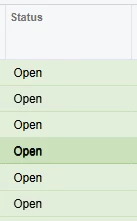
When the standard css classes ( “green40”, “red40”, etc. ) for highlighting grid rows are used in a GI, selecting the row changes the color enough to see which row is selected. In the classic UI, this also worked when the class was applied to a custom grid. 

In the modern UI, this no longer works. Selecting a highlighted row in a custom grid, doesn’t show any visual indicator on the row styling. Makes it impossible to see which row is currently selected. 


In GI highlighted grid rows, the styling changed for currently selected row. Missing from MUI custom styled grid. 


Forum|alt.badge.img

Here are some of the issues that we have encountered on the modern UI.  We are on 2025 R2.


  • Bank Deposit screen doesn’t work on Modern UI.
  • When access the Activities field on the AR Invoice screen, It randomly errors out on some but not every invoice.  They did install a hotfix it that sort of works.  We still get and error message but then if we arrow forward and back to the invoice it then works.
  • Project under Construction runs much slower than using the Classic UI.
  • Removal of Tabs on the GI filters make it less user friendly.  Many Complaints from my users that its not as friendly and harder to navigate.
  • Issues with hidden parameters.  I used to frequently copy and paste existing GIs to create new ones but I have run into issues doing this even when the table and joins are the same the new GI doesn’t return any results even before changes are made. Issue seems to be these hidden parameters.


MShields61
Jr Varsity III
Forum|alt.badge.img
  • Jr Varsity III
  • June 18, 2026

2025R2 have encountered these issues, have opened cases or discovered known issues, many are fixed in 26R1 or 26R2:

  • Pivot table issues already mentioned
  • Approvals open incorrect links
  • Time entry cannot just type in time and tab slows entry considerably
  • Shared configuration does not work
  • Project Quotes-Unable to create and review quotes from opportunity
  • Unable to rearrange/modify columns in forms
  • Projects GI-opening a project with many activities will not load
  • ARM Report permissions 
  • Hyperlinks do not return correct data-process bank transactions, Project Tasks
  • Various GI issues
  • Translation Dictionaries-run Collect Strings for changed fields to appear in Modern UI

AndreaGrover35
Jr Varsity II
Forum|alt.badge.img

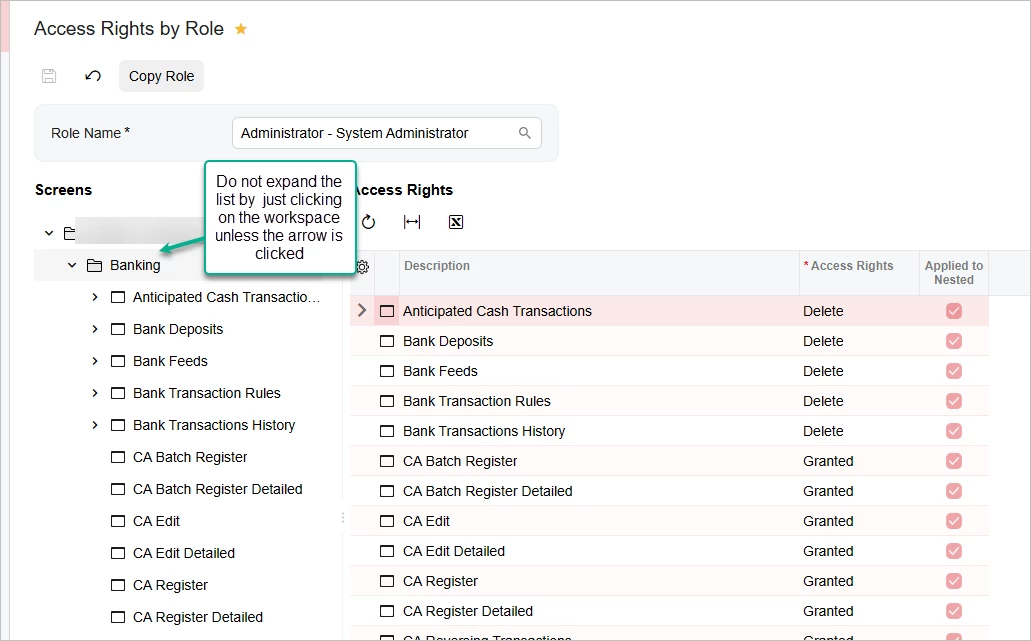
The Access Rights by Role screen should not automatically expand the list of screens under the workspace when clicking on the workspace name.  In Classic UI it stays closed unless you click on the arrow.  In Modern UI it expands by just clicking the word. 

You almost never need to expand the list in the left pane since you set all rights in the Access Rights pane.

This happens in all builds of 2025 R2 and Build 26.100.0175.2


swittrock
Freshman I
Forum|alt.badge.img
  • Freshman I
  • June 22, 2026

From everything I was told leading up to the upgrade to 25R2 and the Modern UI was that speed would be considerably improved.  That is not the case and is actually slower than before.  We have switched several screens back to the Classic UI, for instance the Customer Profile screen.  There were tabs on the Customer Profile that took 5+ minutes to load (Locations and Mailing & Printing).  Mailing & Printing even showed wrong information while in the Modern UI.

Another issue was Stock Item Profiles list, the quick search function didn’t work and we switched back to the Classic UI.

We have many Generic Inquiries that the user custom column configuration reverts back to standard when the user leaves the screen.

Performance is our biggest issue so far, very poor.  But we thought it was slow before also, it just got worse which we were surprised was possible.