Question

Local Acumatica Installation Showing HTTP 404 Error

  • January 8, 2026
  • 5 replies
  • 46 views

Hi All,

I’ve installed Acumatica multiple times, but I’m still encountering an HTTP 404 error when trying to access my local instance. Could someone please advise on how I can resolve this issue?
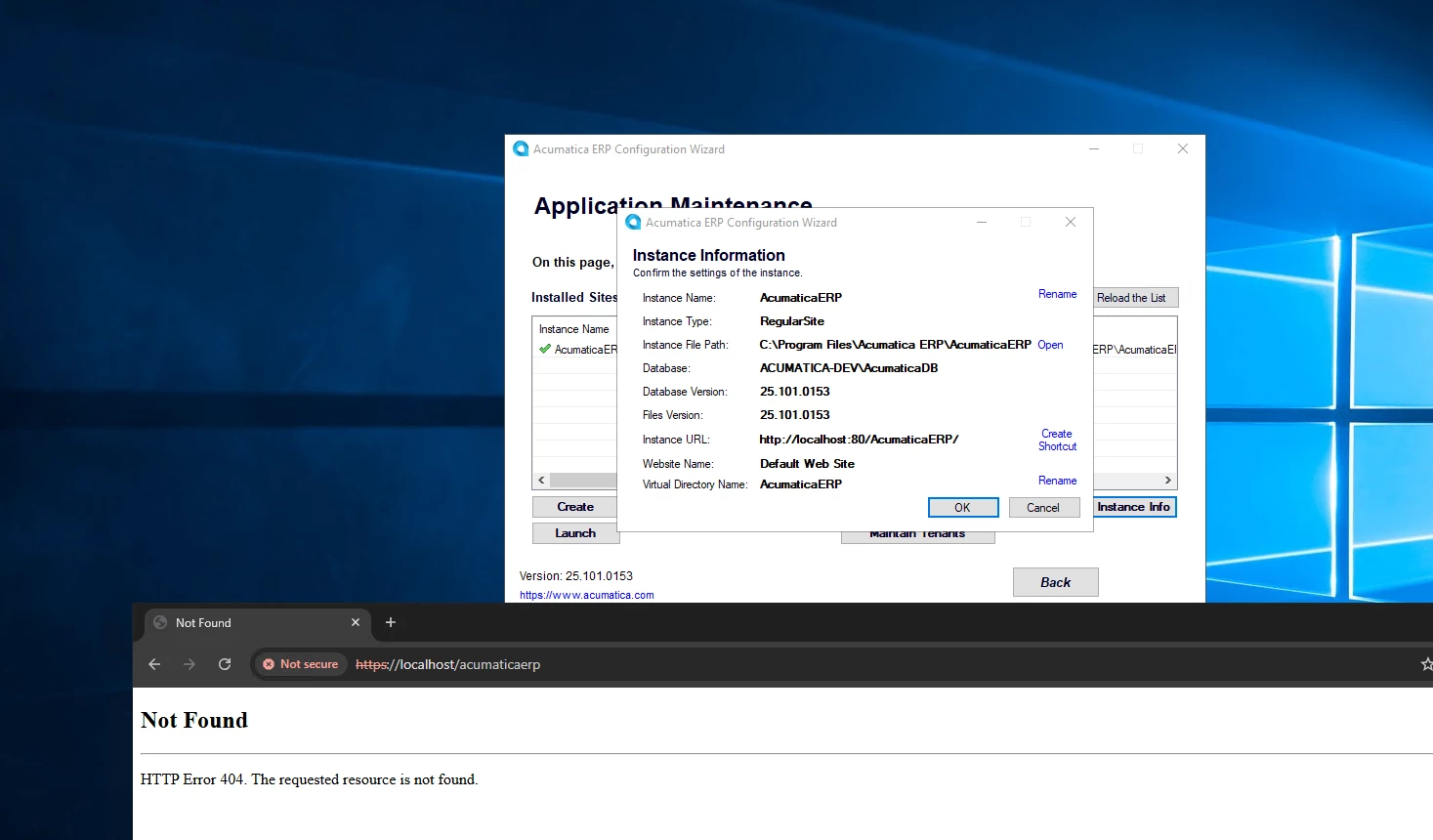


5 replies

palbores
Jr Varsity I
Forum|alt.badge.img+1
  • Jr Varsity I
  • January 20, 2026

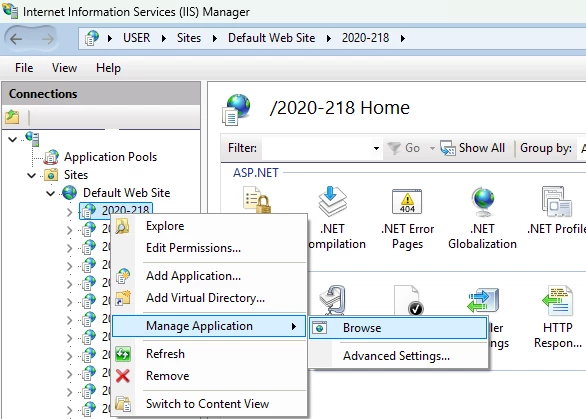
Hi ​@AKR2025, try to open/access it in Internet Information Services (IIS).


Forum|alt.badge.img+9
  • Captain II
  • January 20, 2026

@AKR2025 


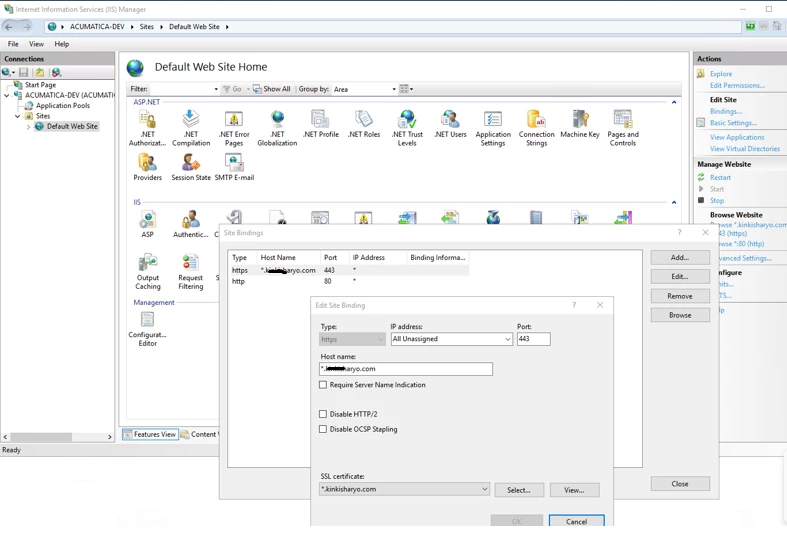
try http:// not https:// 


Forum|alt.badge.img
  • Freshman I
  • January 20, 2026

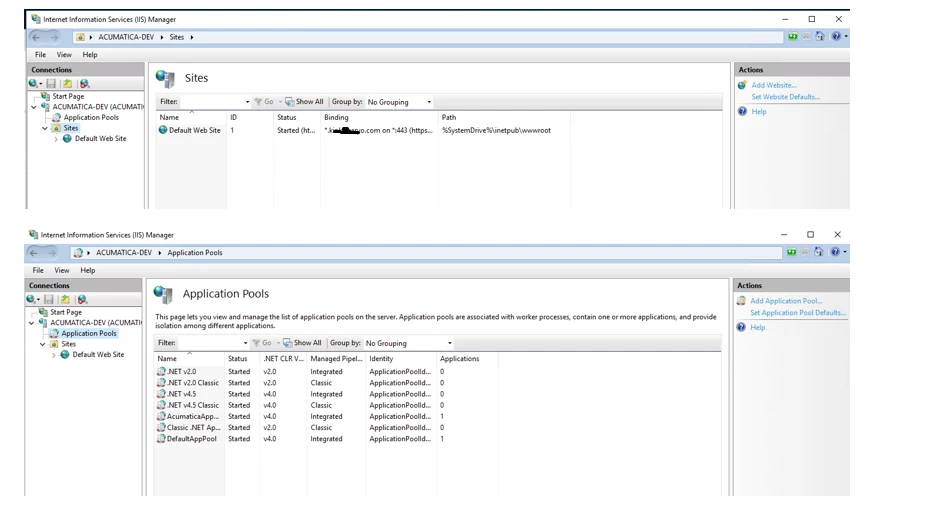
Confirm IIS site is running

Open IIS Manager

Go to Sites

Check your Acumatica site (ex: AcumaticaERP)

Make sure:

Status = Started

Application Pool = Started

If not, Start them.


Verify the URL + Virtual Directory

Most local URLs look like:

http://localhost/ERP

https://localhost/ERP

http://localhost:port/ERP

In IIS → Sites → your site, check if you actually have an app/virtual directory called:


Check if the Acumatica folder exists in the physical path


In IIS:

Right click your Acumatica site → Manage Website → Advanced Settings

Check Physical Path

Confirm the folder exists and contains:

web.config

Frames

App_Data

Bin

If those are missing → installation is incomplete.


DipakNilkanth
Pro III
Forum|alt.badge.img+14

Hi ​@AKR2025,

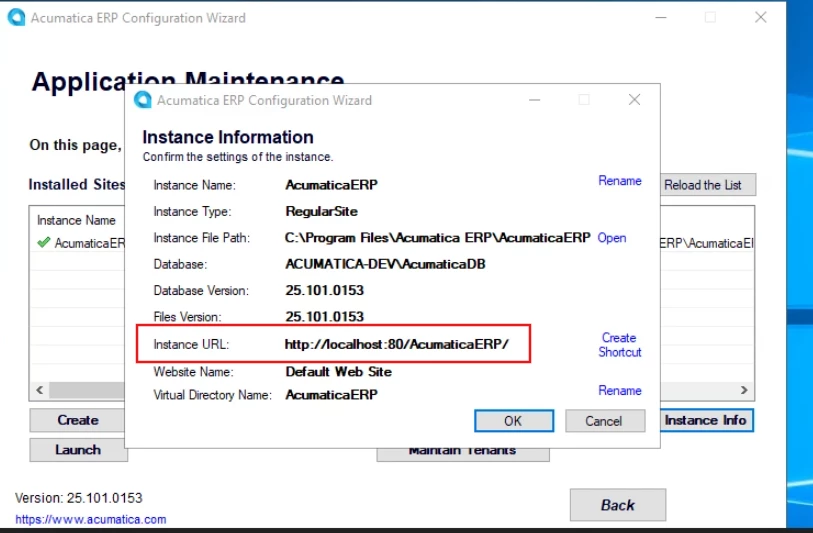
Please copy below highlighted URL and paste it into your browser. I believe the issue is related to your instance not having HTTPS configured in IIS.

You may need to access the site using HTTP instead of HTTPS, as suggested by ​@aiwan .


  • Author
  • Freshman II
  • January 21, 2026

Thanks all for the reply.

Is there something wrong with our setup?