



I am creating Modern UI versions of my customizations. I have been through a few tutorials and it seems the workflow that works for me is:
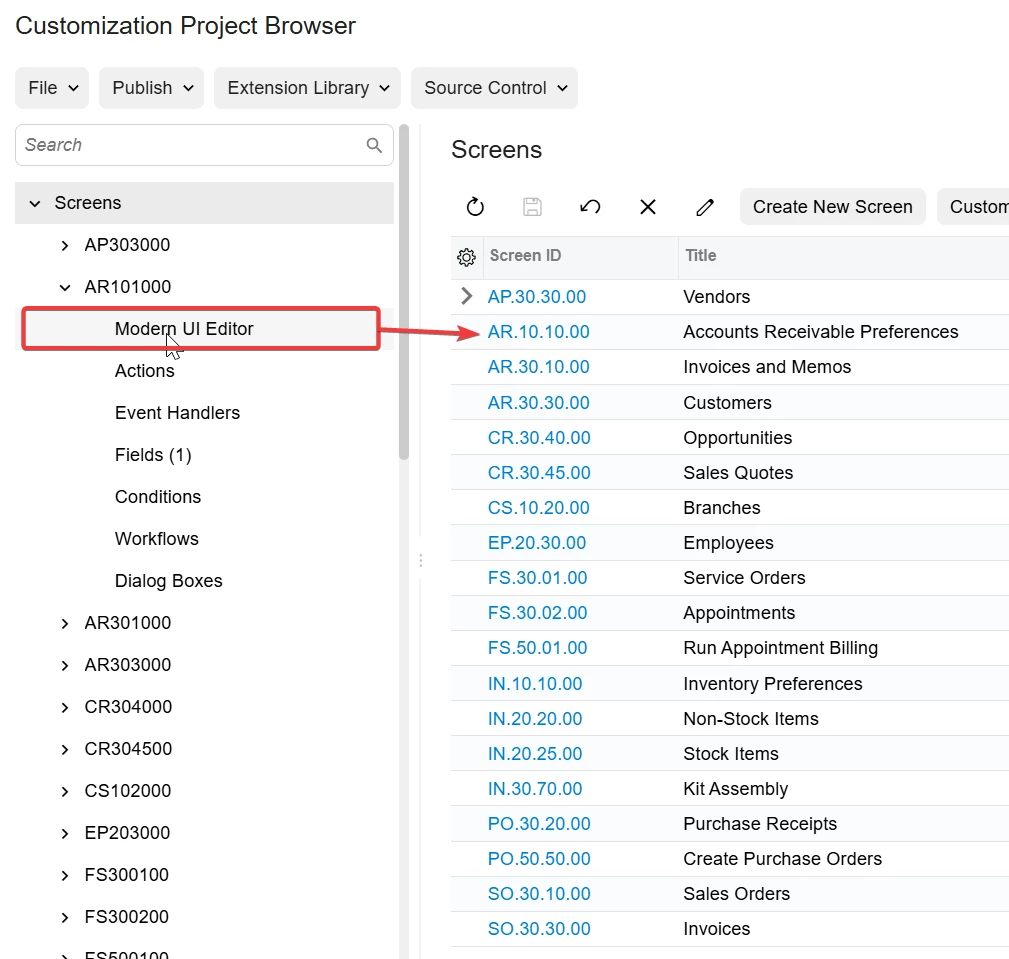
- Go into the Modern UI editor from the SCREENS section of the Customization Project Browser: (image 1)
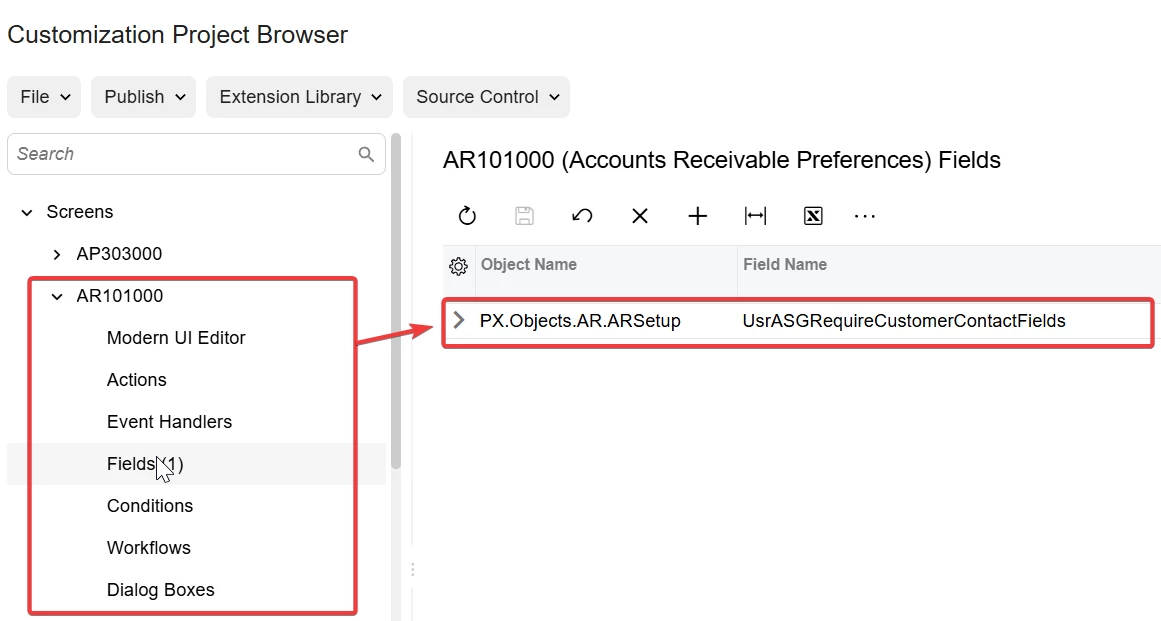
- Add my custom field (ie extended data table) to the screen. (image 2)
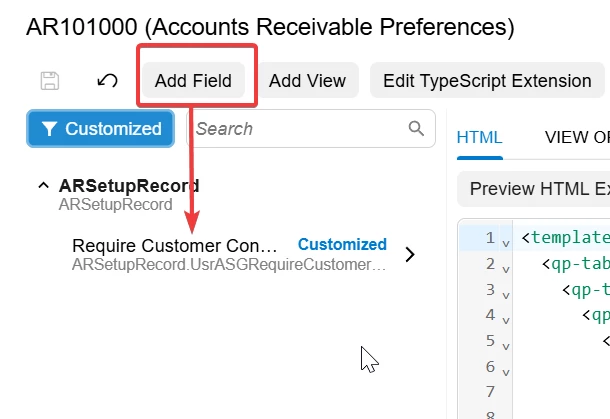
- Also add the custom field to the HTML View: (image 3)
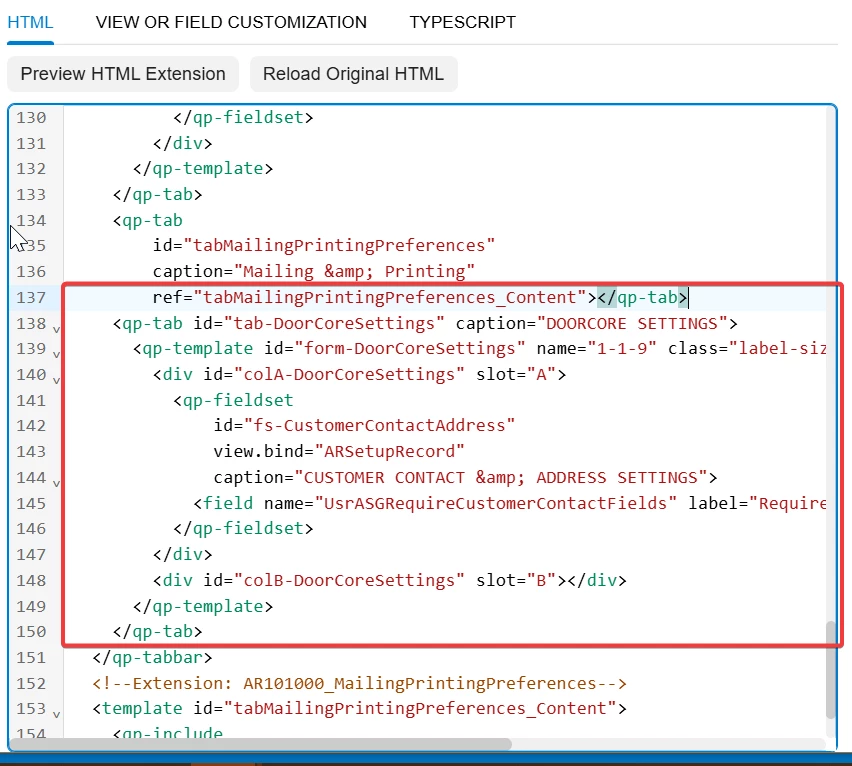
- Change the HTML Code to add my Page tab and field Editing logic: (image 4 -- here I am adding it right after the Mailing and printing tab)
- Then I save and Publish it. When I run it in the Modern UI, I am getting a message (I guess a warning?) that I have something undefined. But I don’t understand what: (image 5)
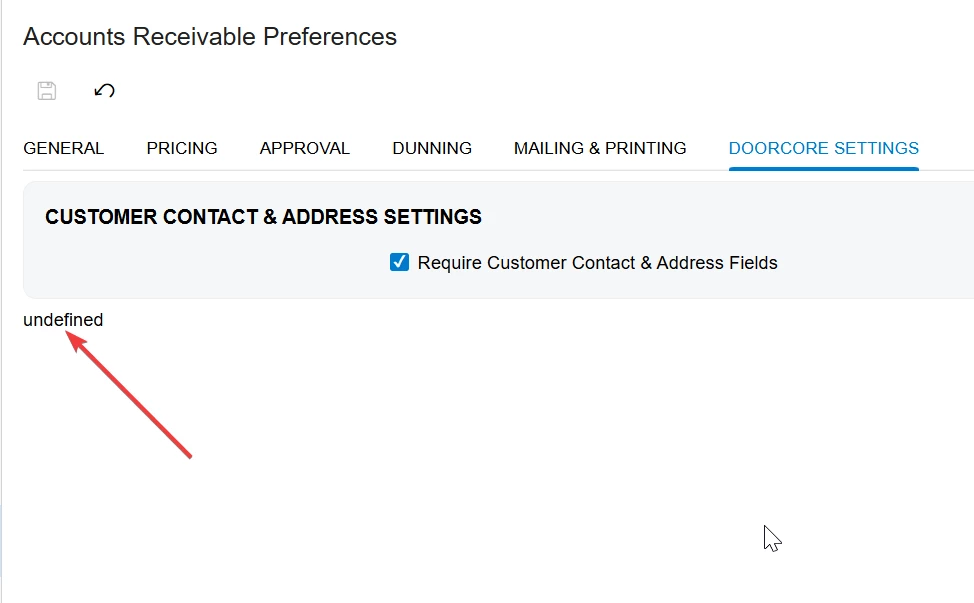
Everything else is fine, and the field can be set on and off OK… but why the Undefined nag?
In case it is in the HTML XML code, here is the part I added:
    <qp-tab id="tab-DoorCoreSettings" caption="DOORCORE SETTINGS">
      <qp-template id="form-DoorCoreSettings" name="1-1-9" class="label-size-xm" wg-container="ARSetupRecord_tab">
        <div id="colA-DoorCoreSettings" slot="A">
          <qp-fieldset
              id="fs-CustomerContactAddress"
              view.bind="ARSetupRecord"
              caption="CUSTOMER CONTACT & ADDRESS SETTINGS">
            <field name="UsrASGRequireCustomerContactFields" label="Require Customer Contact Info"></field>
          </qp-fieldset>
        </div>
        <div id="colB-DoorCoreSettings" slot="B"></div>
      </qp-template>
    </qp-tab>
Any thoughts? (Also, I would love to know any better workflow for this.)
Thanks!


