Answer

How to ovveride add & add and close buttons

  • May 21, 2024
  • 3 replies
  • 83 views

Forum|alt.badge.img

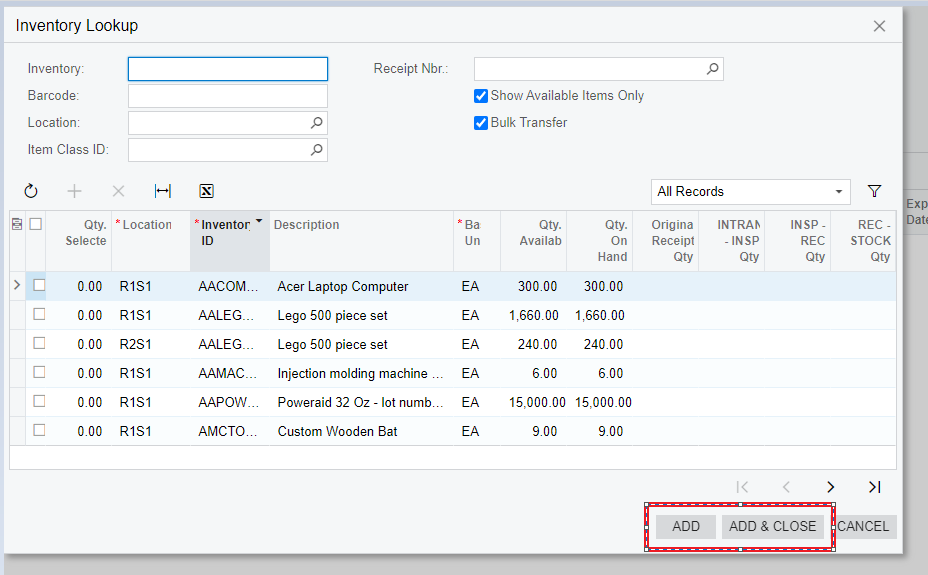
How can I ovveride this buttons on Transfer screen?


Best answer by Yuriy Zaletskyy

You can override Approve button using next piece of code:

public class RQRequestEntryExt : PXGraphExtension<RQRequestEntry>
{
public override void Initialize()
{
base.Initialize();
Base.FieldVerifying.AddHandler<RQRequest.approved>((cache, args) =>
{
//Add your own logic here
});
}
}

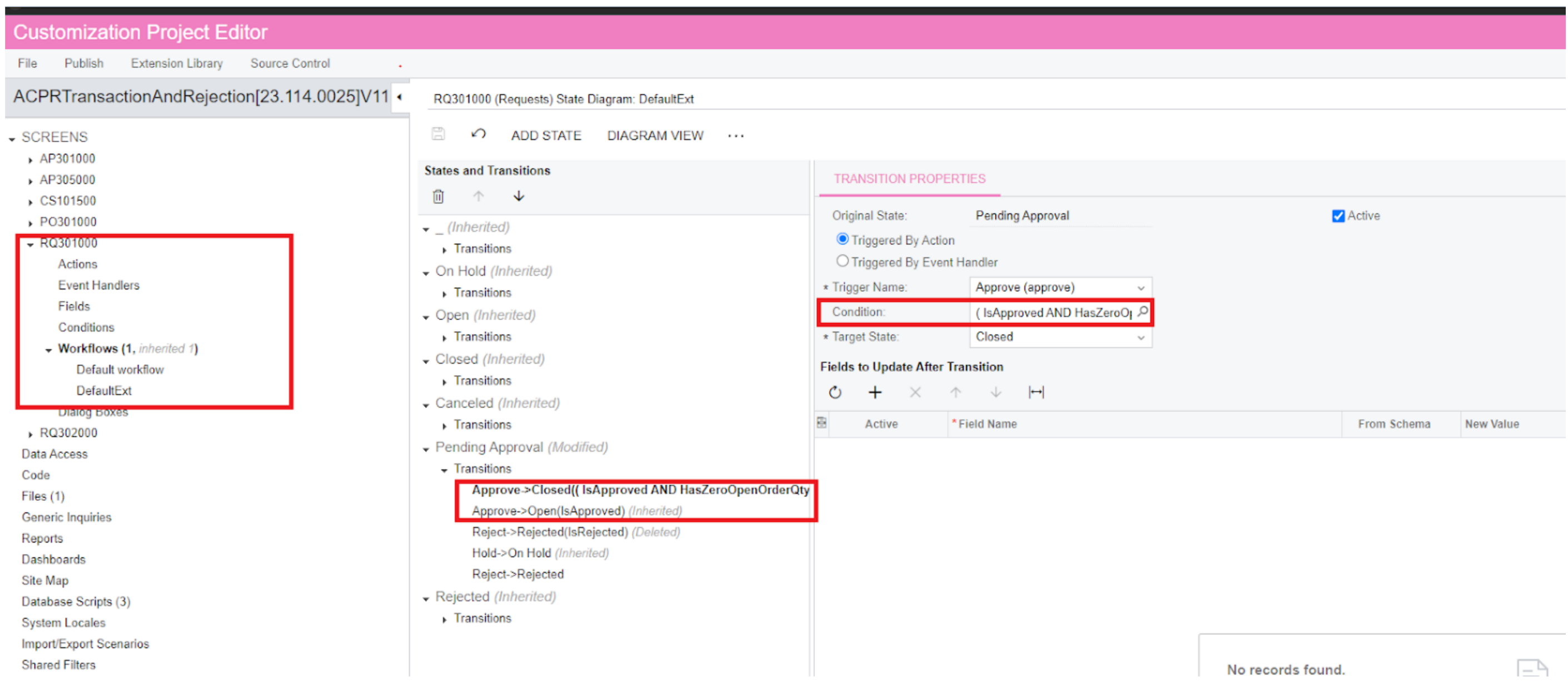
There is another way how you how you can update ability to press Approve button from workflow extension in customization projects
 

These conditions you can create here
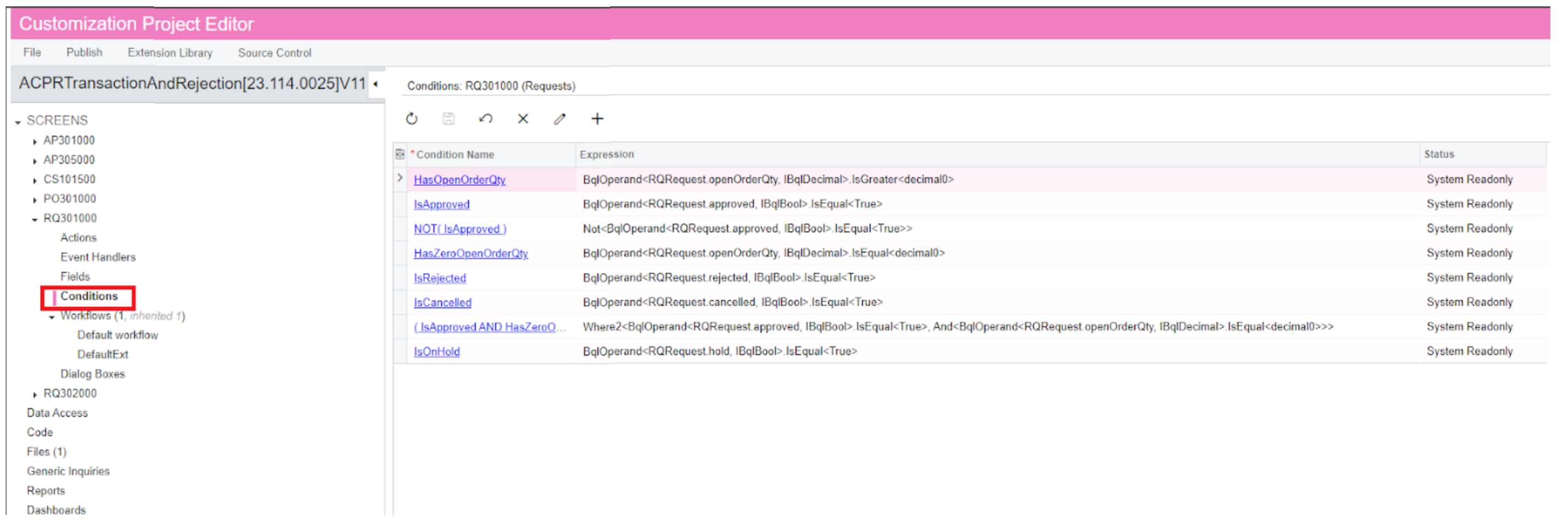
In this way you can change the visibility condition for the Approve button. If you need to add some new logic when Approve button is pressed use first approach

3 replies

Naveen Boga
Captain II
Forum|alt.badge.img+19
  • Captain II
  • May 21, 2024

@VadymBoichenko96  Can you please let us know what is the requirement? 


Chris Hackett
Community Manager
Forum|alt.badge.img
  • Acumatica Community Manager
  • July 2, 2024

Hi @VadymBoichenko96 were you able to find a solution? Thank you!


Yuriy Zaletskyy
Jr Varsity I
Forum|alt.badge.img+3

You can override Approve button using next piece of code:

public class RQRequestEntryExt : PXGraphExtension<RQRequestEntry>
{
public override void Initialize()
{
base.Initialize();
Base.FieldVerifying.AddHandler<RQRequest.approved>((cache, args) =>
{
//Add your own logic here
});
}
}

There is another way how you how you can update ability to press Approve button from workflow extension in customization projects
 

These conditions you can create here

In this way you can change the visibility condition for the Approve button. If you need to add some new logic when Approve button is pressed use first approach