Question

Business Event to send Invoice Email Notification

  • December 9, 2025
  • 14 replies
  • 102 views

Forum|alt.badge.img

Hello, I want to send email to specific customers when their Invoice is released.

For this,
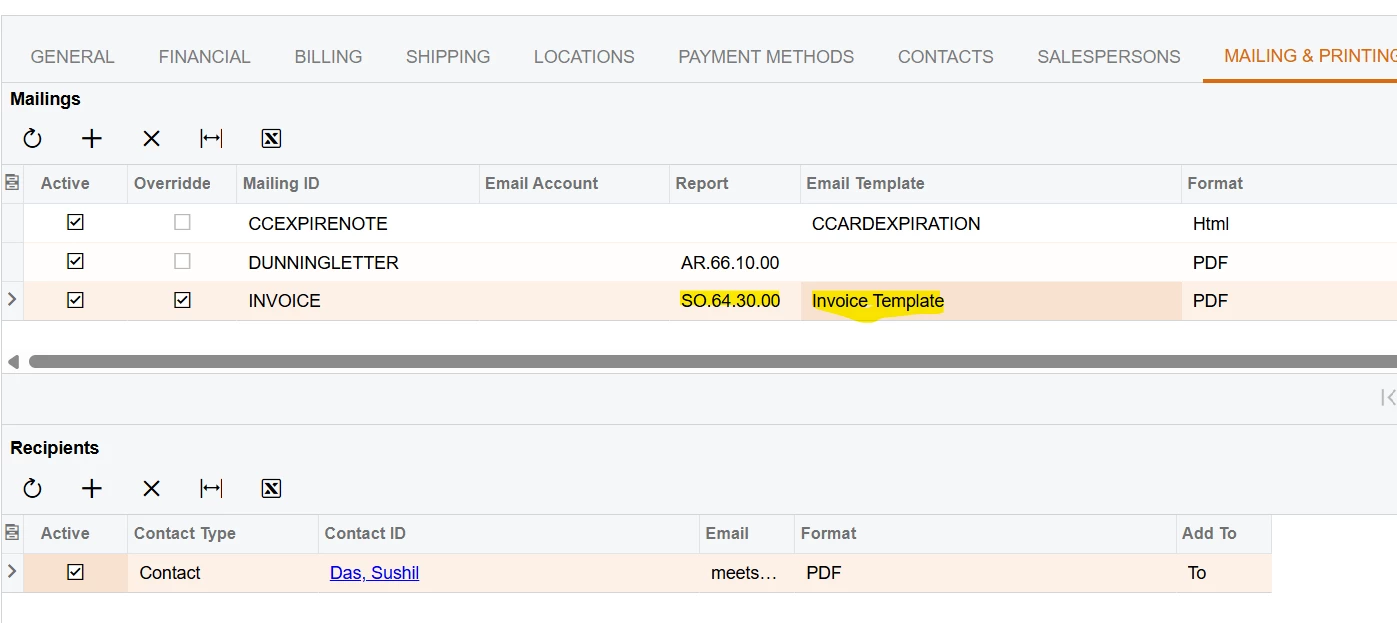
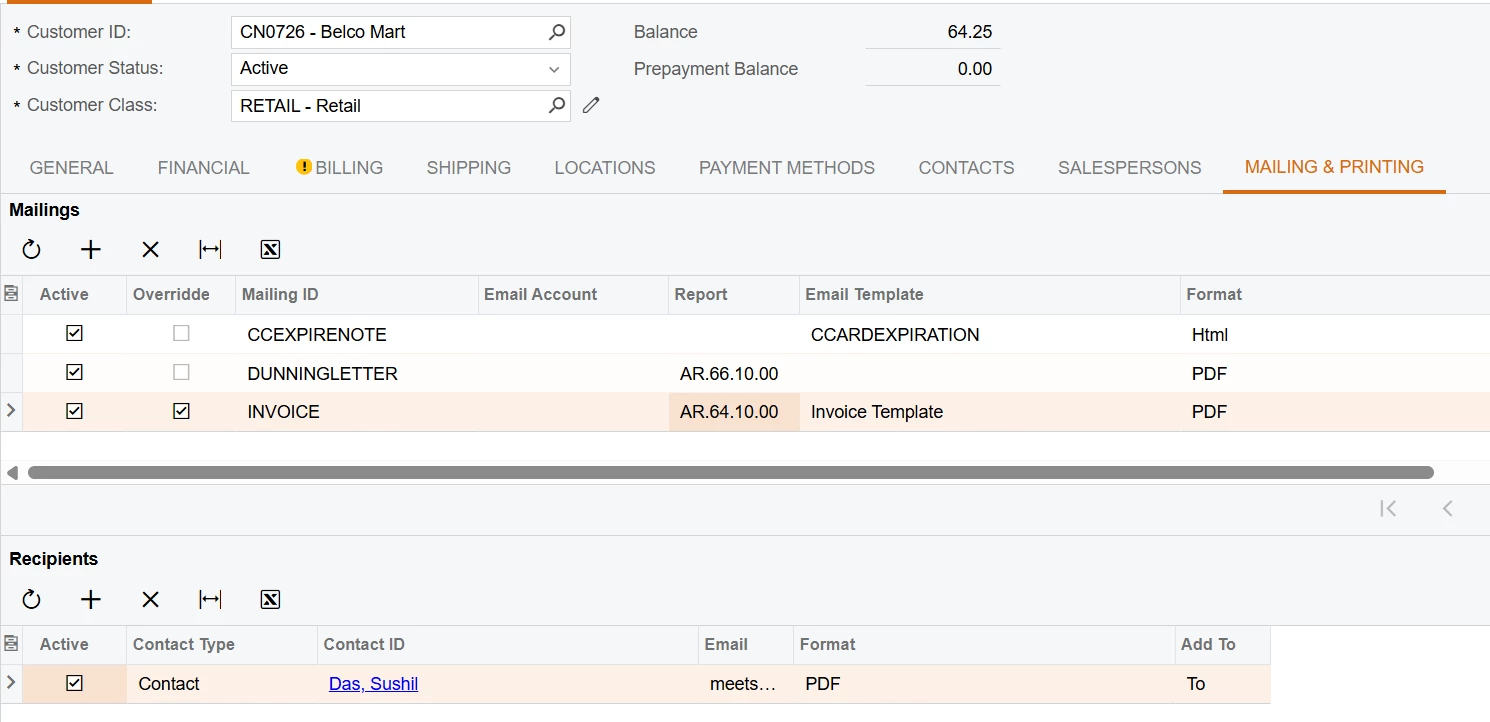
1. I have changed the Email setting for customers in the Mailing and Printing tab.


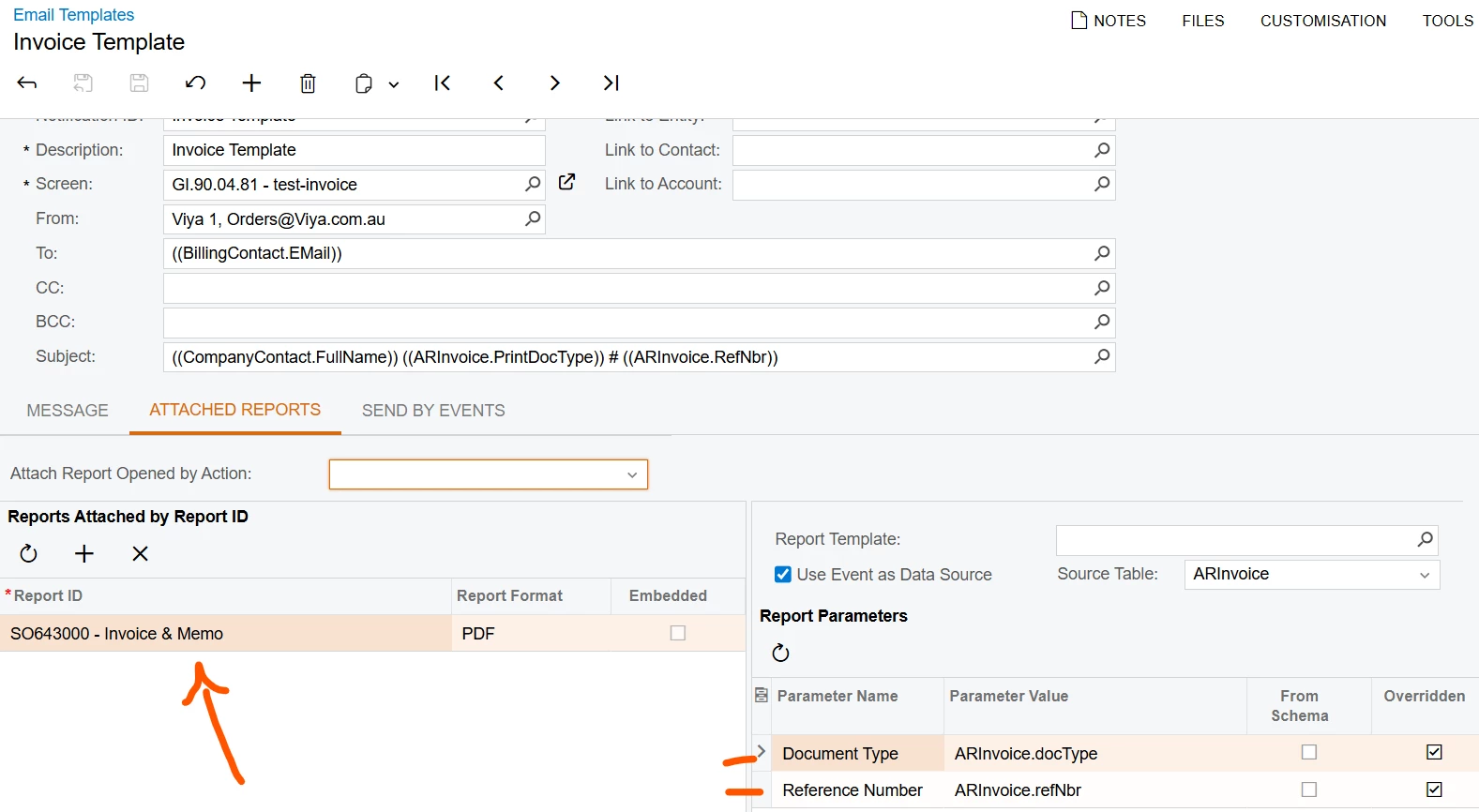
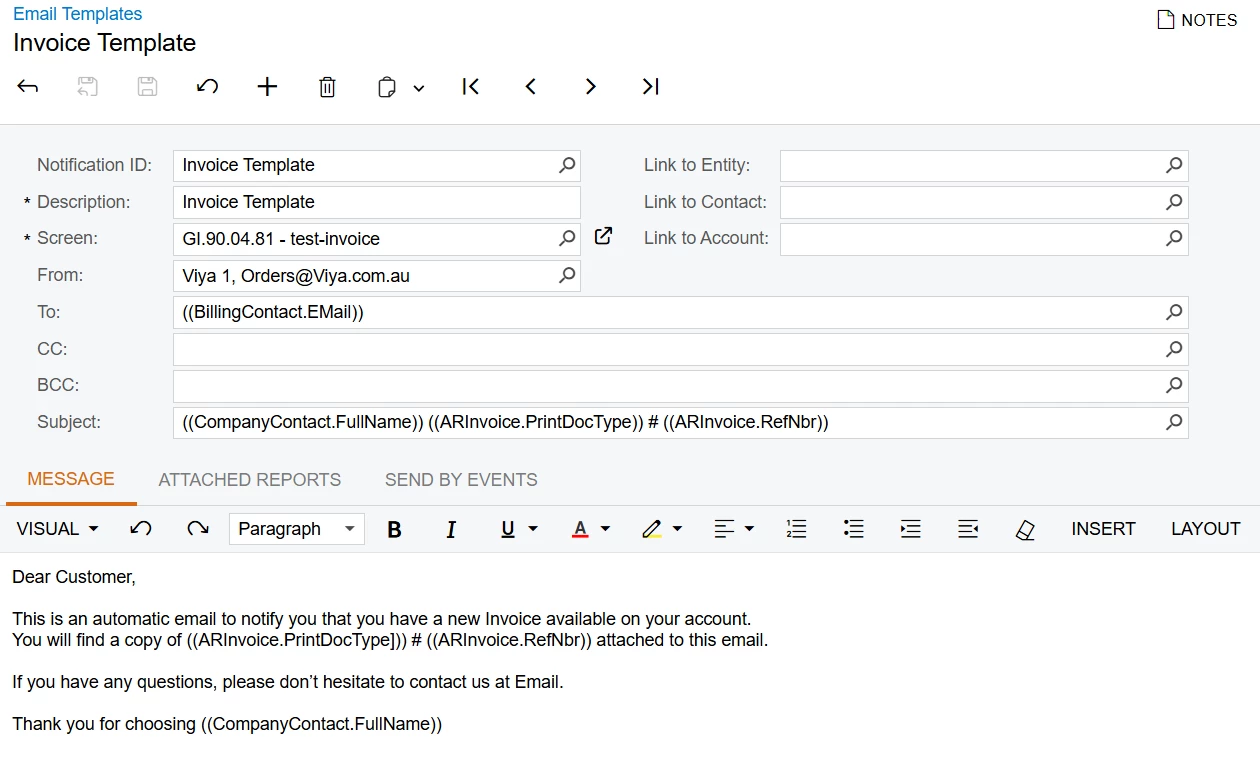
2. Created a new email notification template which is linked with the SO64300 report.


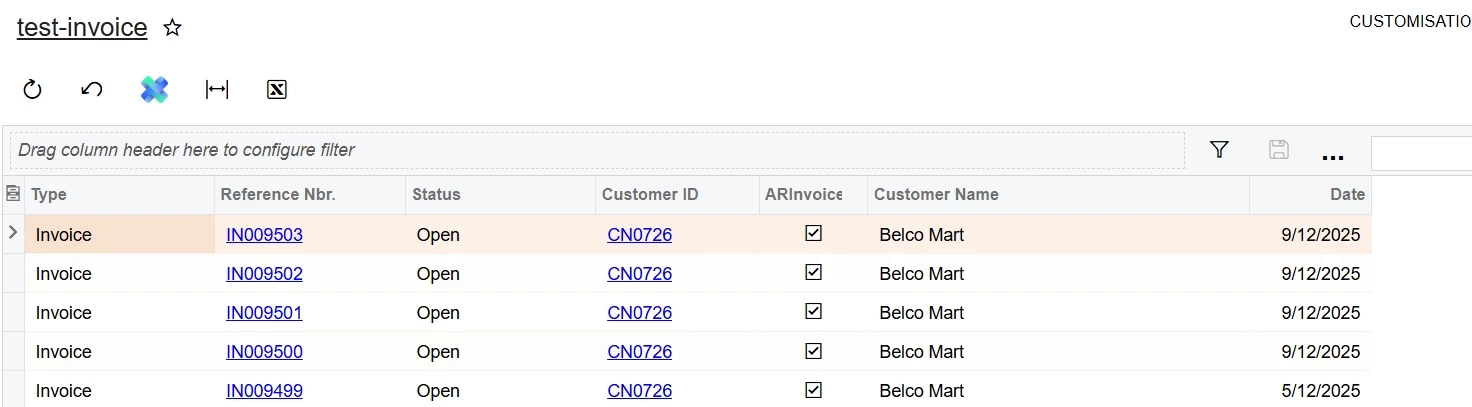
3. Created a new GI which joins the ARInvoice and Customers table to store the required information.
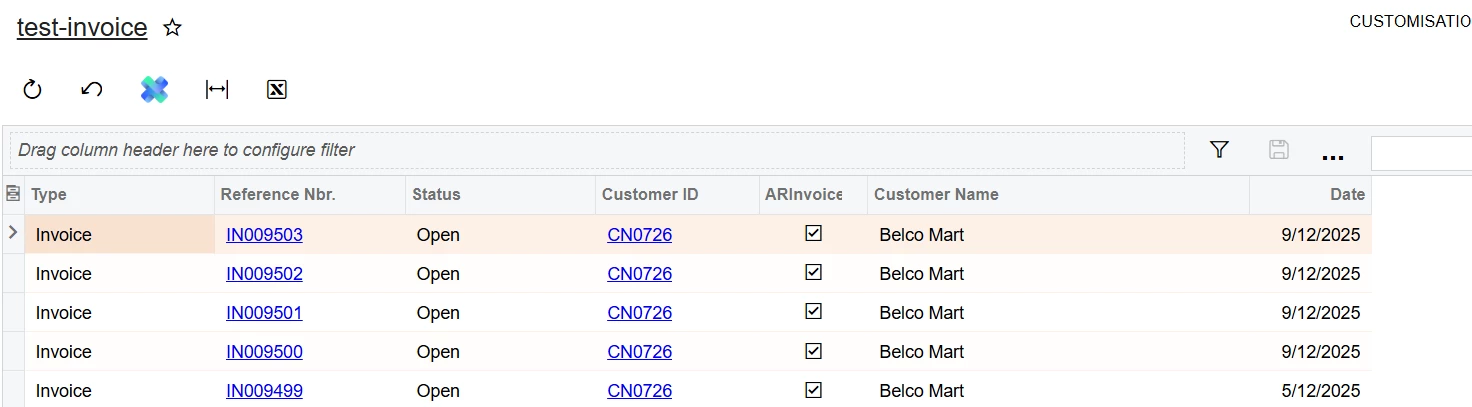


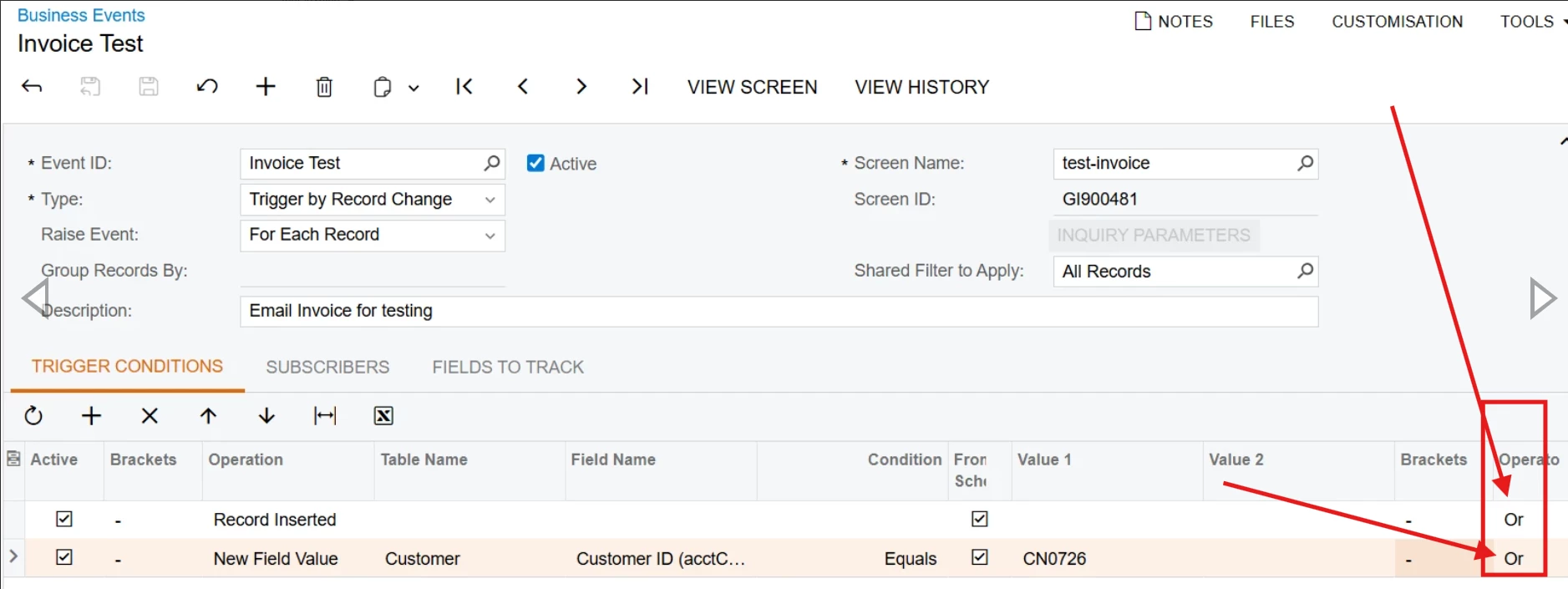
4. Created a new business event of type Record Change which is triggered whenever a new record is inserted in the GI.
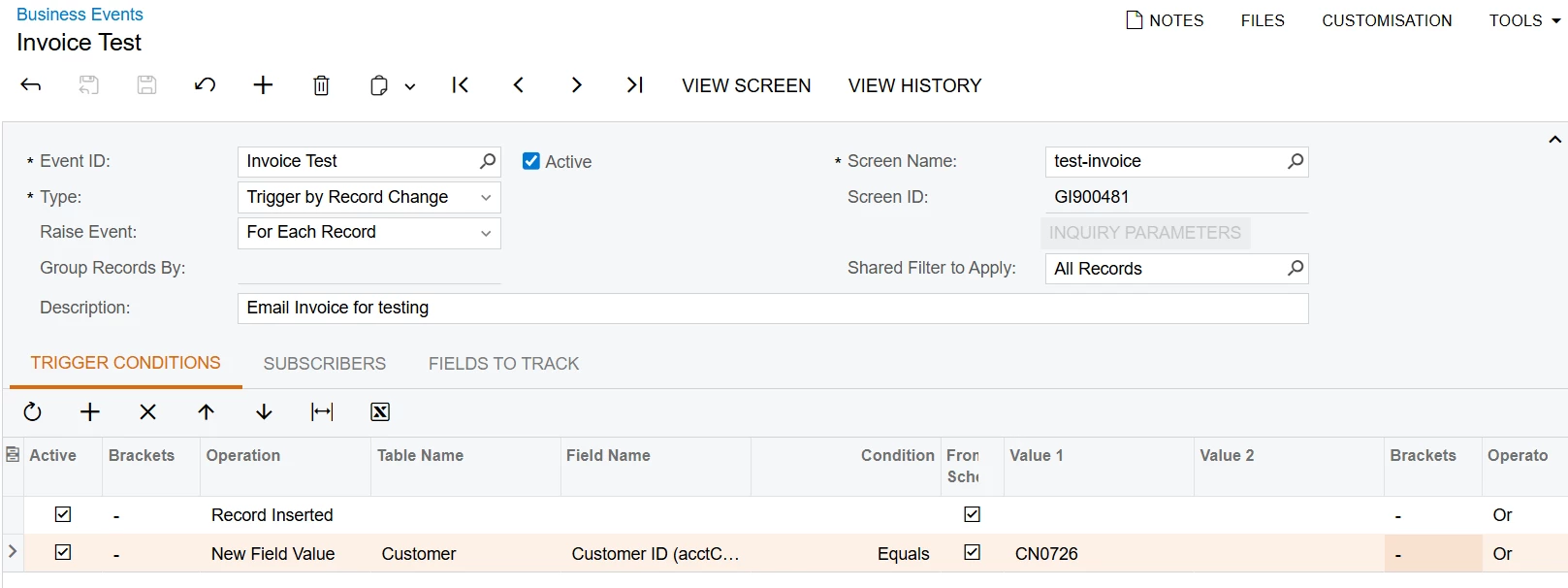


 After several trial and error, the system is still not working. In conlusion, the business event is not firing. What could be the possible reasons for the business event not firing?

14 replies

nickcerri32
Jr Varsity III
Forum|alt.badge.img+2
  • Jr Varsity III
  • December 9, 2025

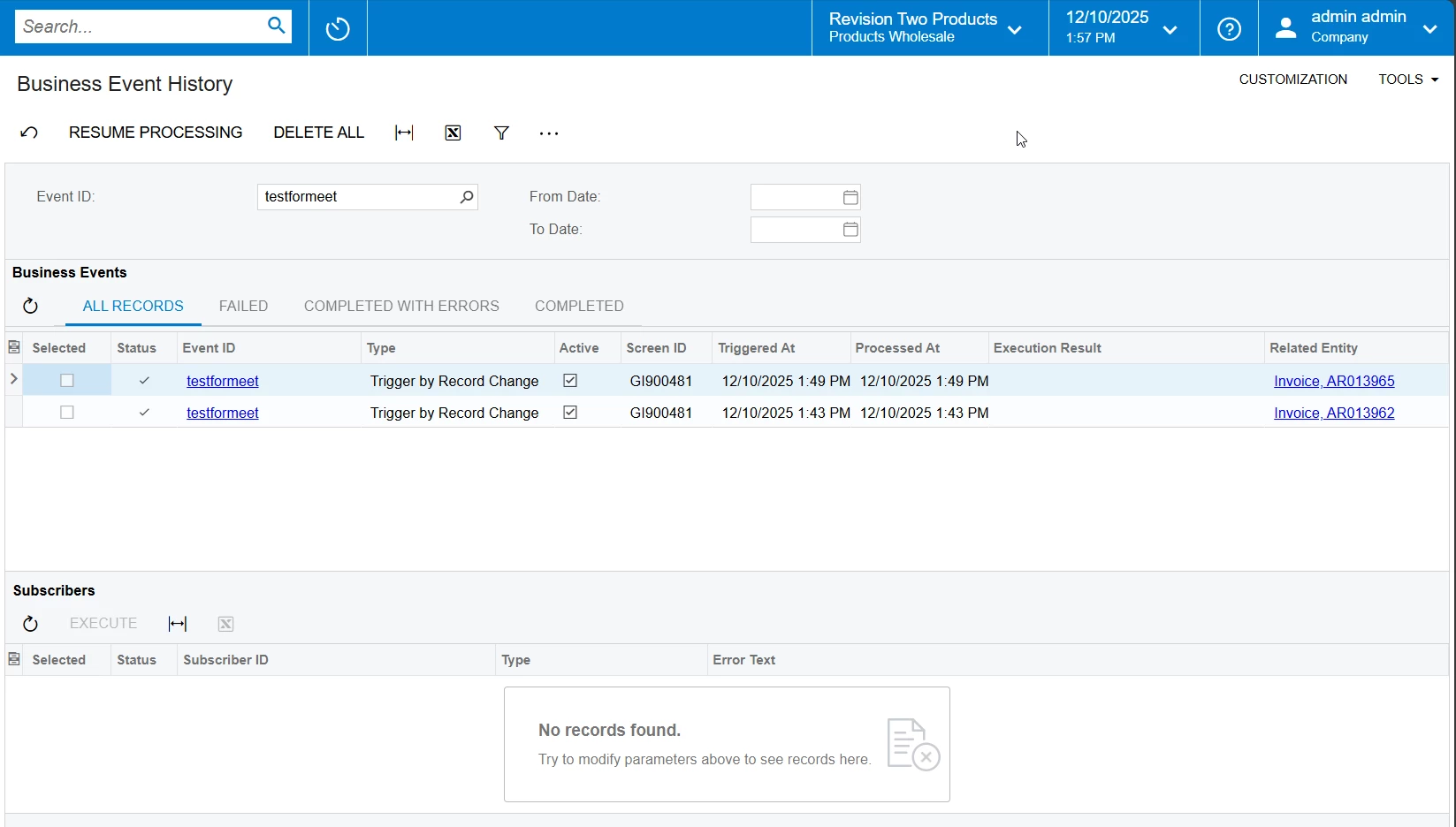
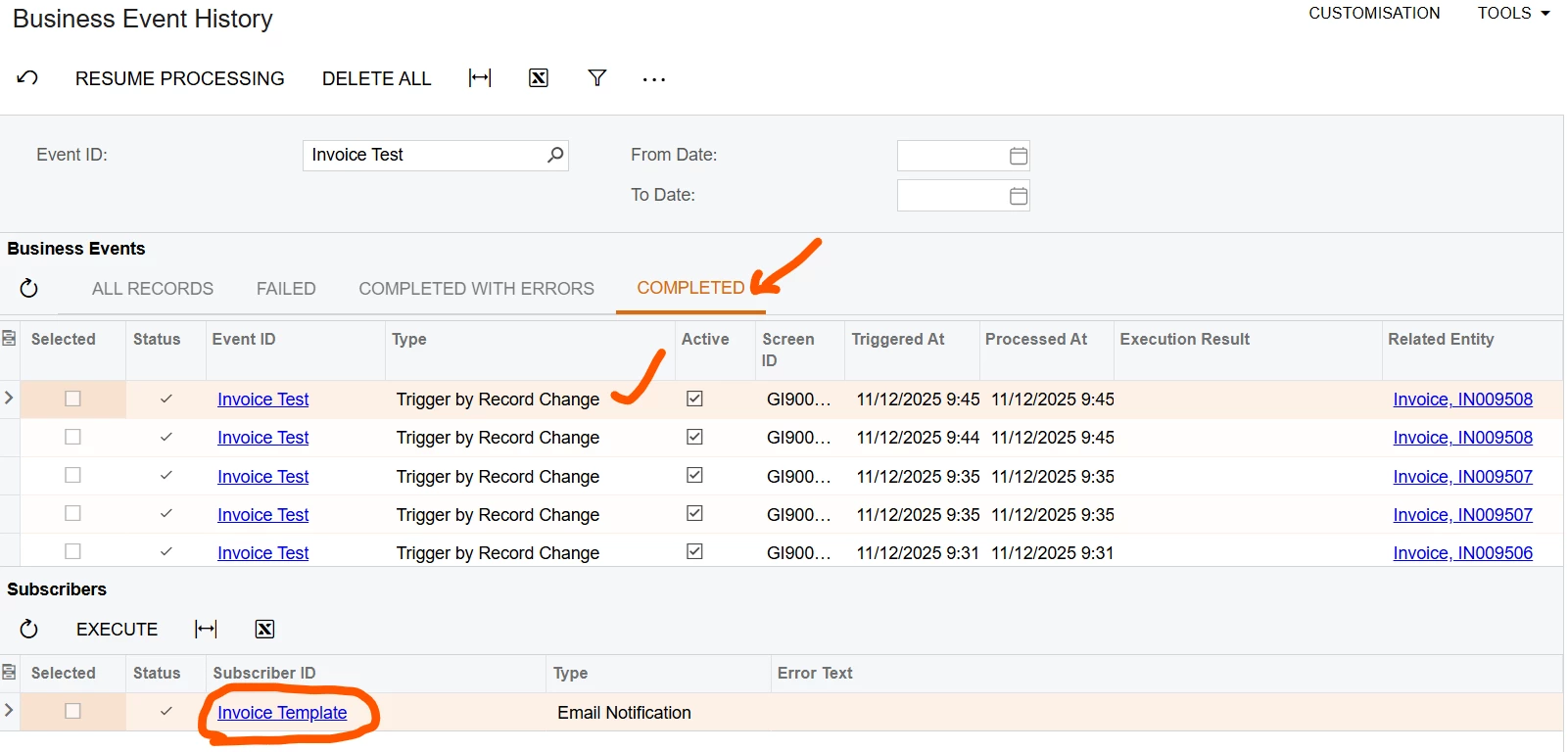
@meet1504 - If you navigate to the Business Event History (SM502030) screen, what does the “Error Text” field say for the specific business event you’re trying to run?


MissyMain41
Jr Varsity I
Forum|alt.badge.img
  • Jr Varsity I
  • December 9, 2025

oh wow, you found a way to get business event email notifications to use your mailing settings configuration??? I know that has been long sought after. 

At first glance the issue is probably the TO field, Billingcontact.email does not appear on the GI results grid.


If the TO field has a data field specified that doesn’t properly fill in, the BE won’t work. 
I normally see an actual email listed on GI results for data fields to work in TO field. 

My recommendation is to change the TO field to be a static x@x.con email while testing and put all data fields wanting to use in the BODY of the email so you can see how they fill out first. 
Then once everything is confirmed working you can put data fields wherever you need. 

I highly recommend testing business events in steps:

  1. Test without any subscriber active at all to make sure triggers work properly 
  2. After step 1 is success, activate subscriber with no report attached to make sure that works
  3. add report to email template after step 2 is success, then test that final piece 

Do all of the above while signed in with the user called “admin” that comes from out of box - this admin user is what controls business events and ensure that user can see all data associated during testing. 


mohammadnawaz51
Jr Varsity I
Forum|alt.badge.img+4

cramesh00
Freshman II
Forum|alt.badge.img
  • Freshman II
  • December 9, 2025

The email template needs to be changed in the Acumatica Report Designer under the Mail settings


Forum|alt.badge.img
  • Author
  • Freshman II
  • December 9, 2025

@nickcerri32 
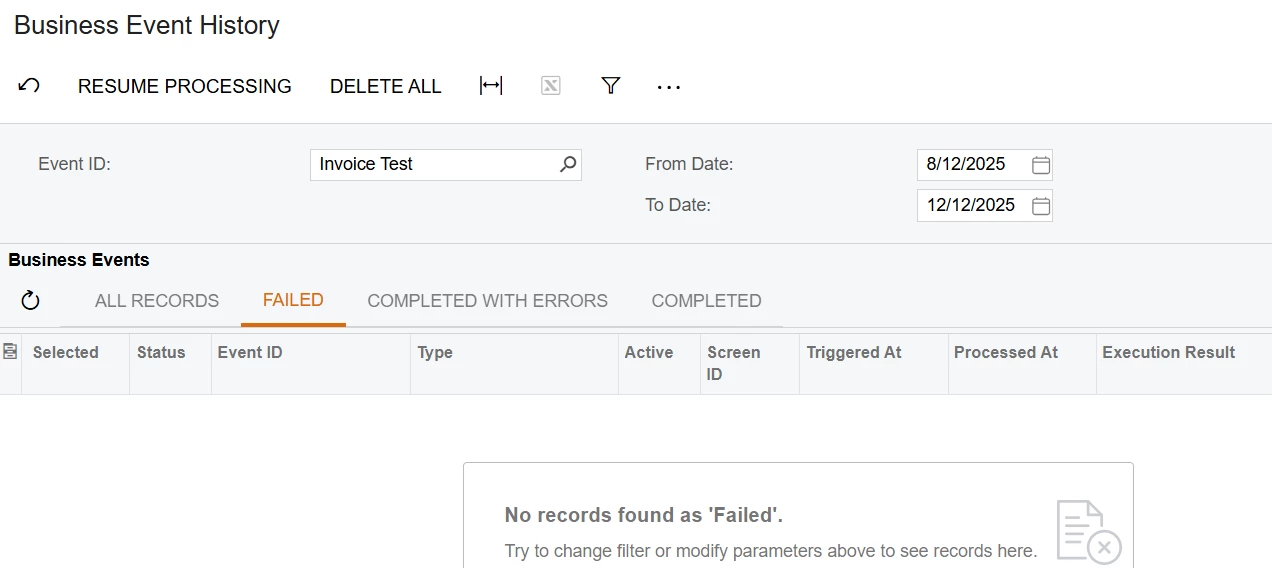
 There is no error, no failed items, no logs of the process. My best guess is the business event is not firing and there is something wrong with the configuration.


Thank you,
Meet S​​​​​​​


Forum|alt.badge.img
  • Author
  • Freshman II
  • December 9, 2025

oh wow, you found a way to get business event email notifications to use your mailing settings configuration??? I know that has been long sought after. 

At first glance the issue is probably the TO field, Billingcontact.email does not appear on the GI results grid.


If the TO field has a data field specified that doesn’t properly fill in, the BE won’t work. 
I normally see an actual email listed on GI results for data fields to work in TO field. 

My recommendation is to change the TO field to be a static x@x.con email while testing and put all data fields wanting to use in the BODY of the email so you can see how they fill out first. 
Then once everything is confirmed working you can put data fields wherever you need. 

I highly recommend testing business events in steps:

  1. Test without any subscriber active at all to make sure triggers work properly 
  2. After step 1 is success, activate subscriber with no report attached to make sure that works
  3. add report to email template after step 2 is success, then test that final piece 

Do all of the above while signed in with the user called “admin” that comes from out of box - this admin user is what controls business events and ensure that user can see all data associated during testing. 


My email field is static with correct format. The email is also tested manaully and its working correctly. I like your approch of breaking down the problem into simple steps. Unfortunately, the first step, step 1 is not working. The business event is not triggering. I don’t see any activity associated with the business event despite of a new entry in the GI.

What could be possible reasons for this strange behaviour?

Thank you
Meet S


Forum|alt.badge.img
  • Author
  • Freshman II
  • December 9, 2025

@meet1504 Acumatica Email and Notification Management | AcuCademy


Please refer 

Given, I have Admin rights, I’m not able to access the link that you provided regarding the usage of notification template. 

But, I looked at the video and found it helpful however it did not provided a clear answer to my problem.

Thank you,
Meet S


Forum|alt.badge.img
  • Author
  • Freshman II
  • December 9, 2025

@cramesh00 Thank you for the response.

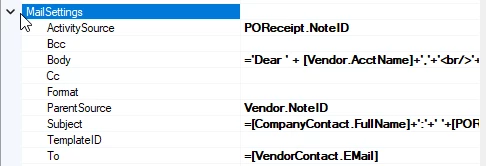
I’m rather creating a system of automatic email deployement to customers based on a condition. I have indeed used the template that is provided in the report and have used that template to create a new notification template which is depicted in the first image.

Thank you,
Meet S


MissyMain41
Jr Varsity I
Forum|alt.badge.img
  • Jr Varsity I
  • December 10, 2025

Hey Meet,

I finally got it to work! 

At first, even in my system (24R2) it was not working. I imported your GI and tested and didn’t work. 

Then I disabled everything in the GI except ARInvoice and it’s key fields - it still didn’t work! 

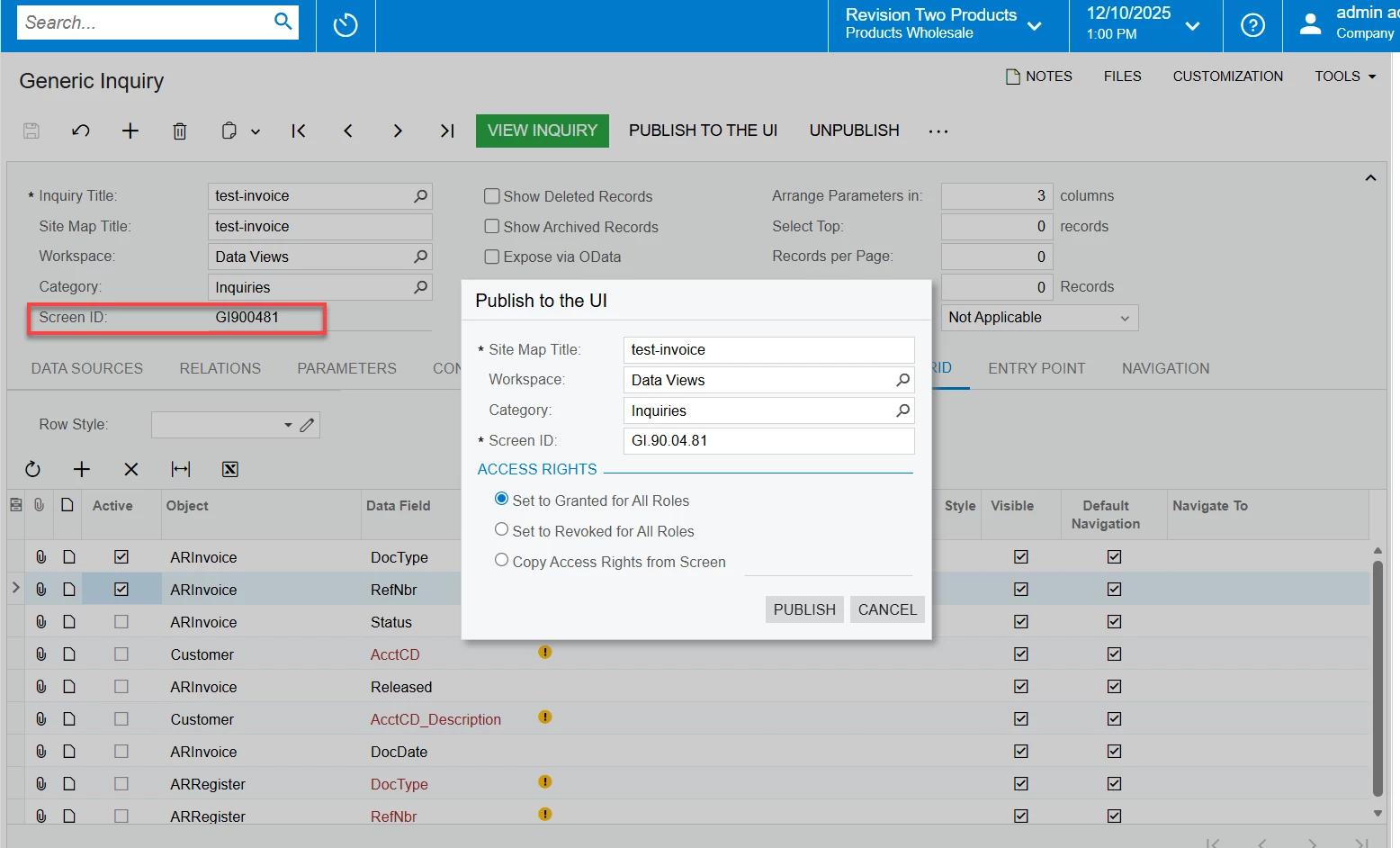
Come to find out, the GI wasn’t actually published, even though it was?

Here’s the break down:

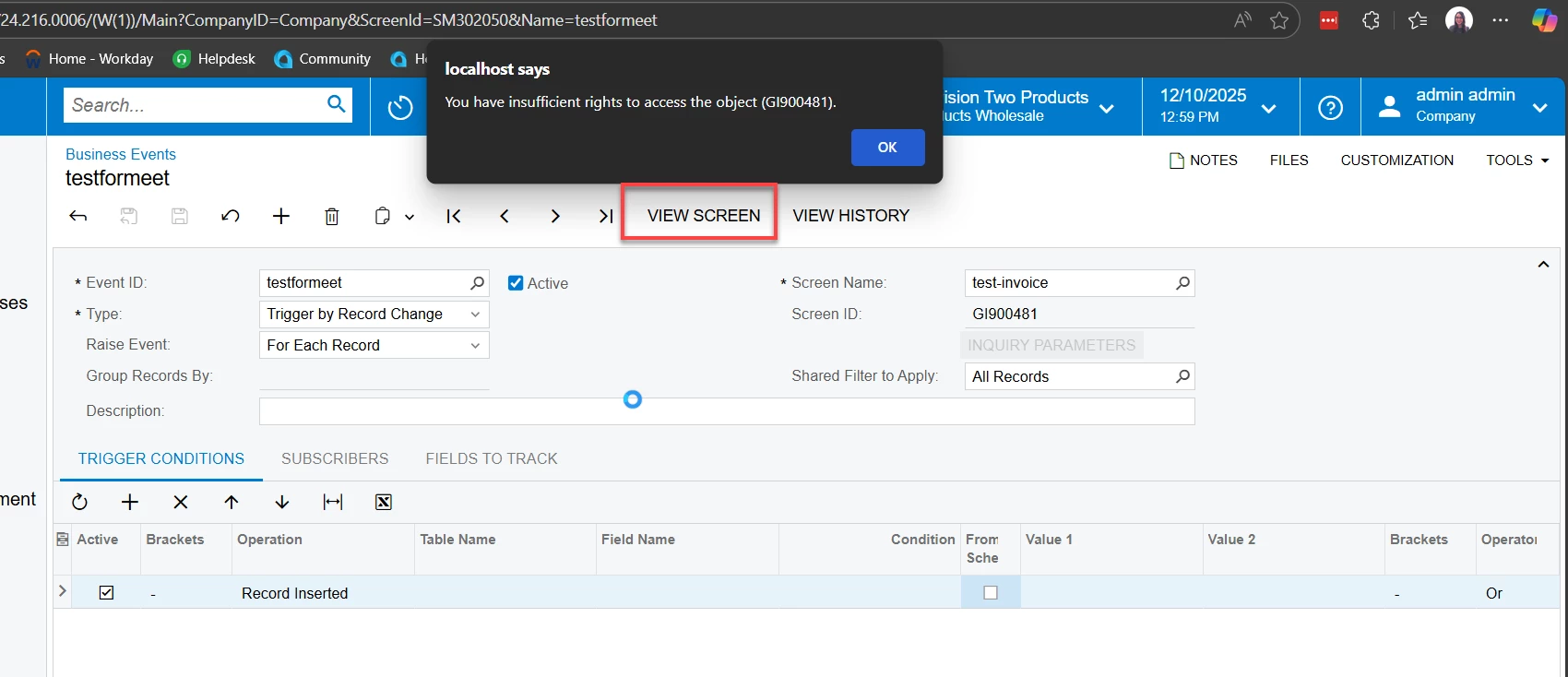
  1. When I clicked “View Screen” on the BE I got this error 


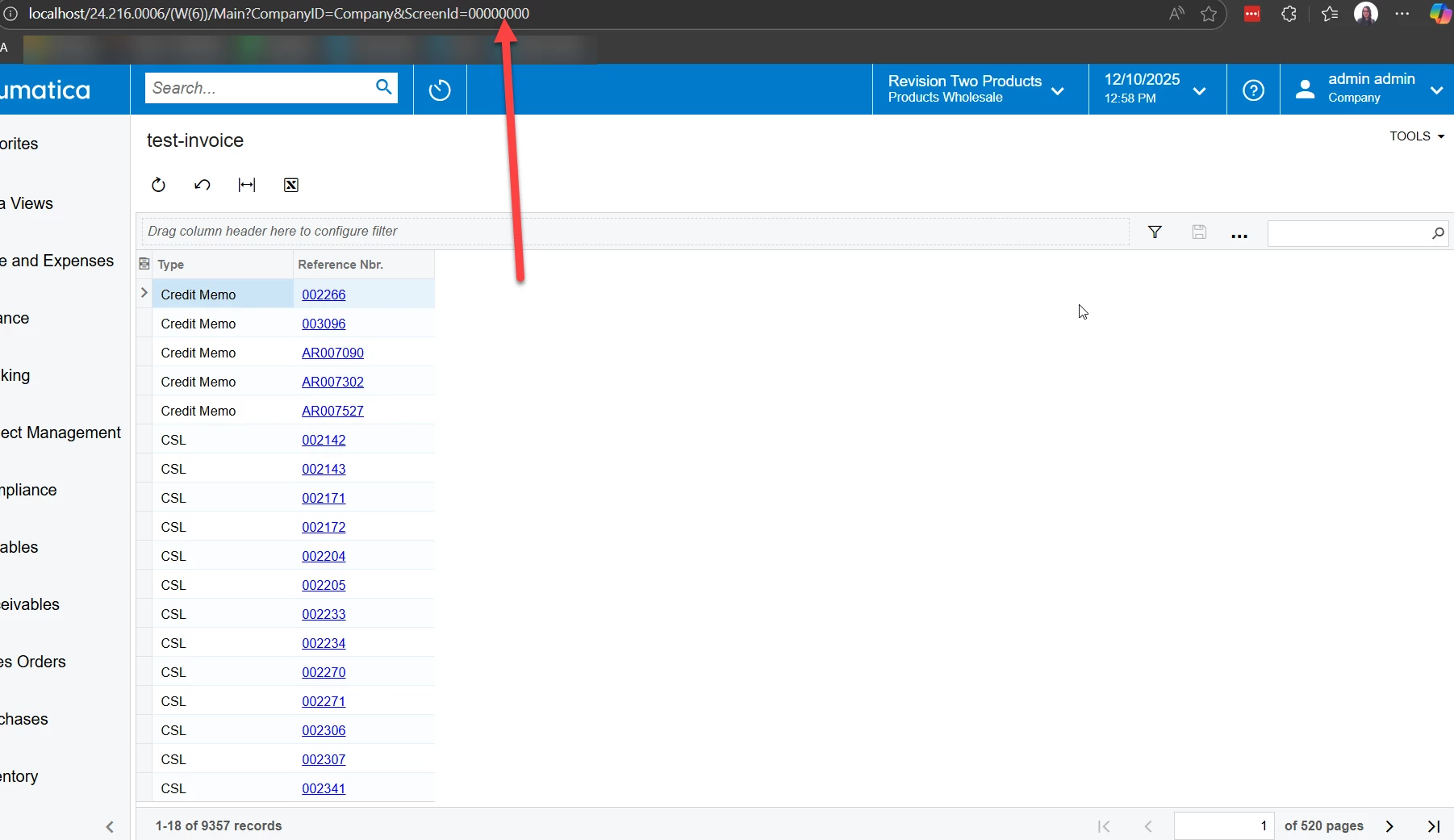
  2. On the inquiry itself, I clicked “View Inquiry” from the GI screen, and immediately noticed it opened the inquiry without including the screen ID for it in the URL (big indication that it isn’t actually published, even though it has a screen ID 
    1. Even though it had a screen ID in the GI screen ID box, since viewing inquiry resulted in all 000000 in the URL, I decided to republish and set to granted for all roles 


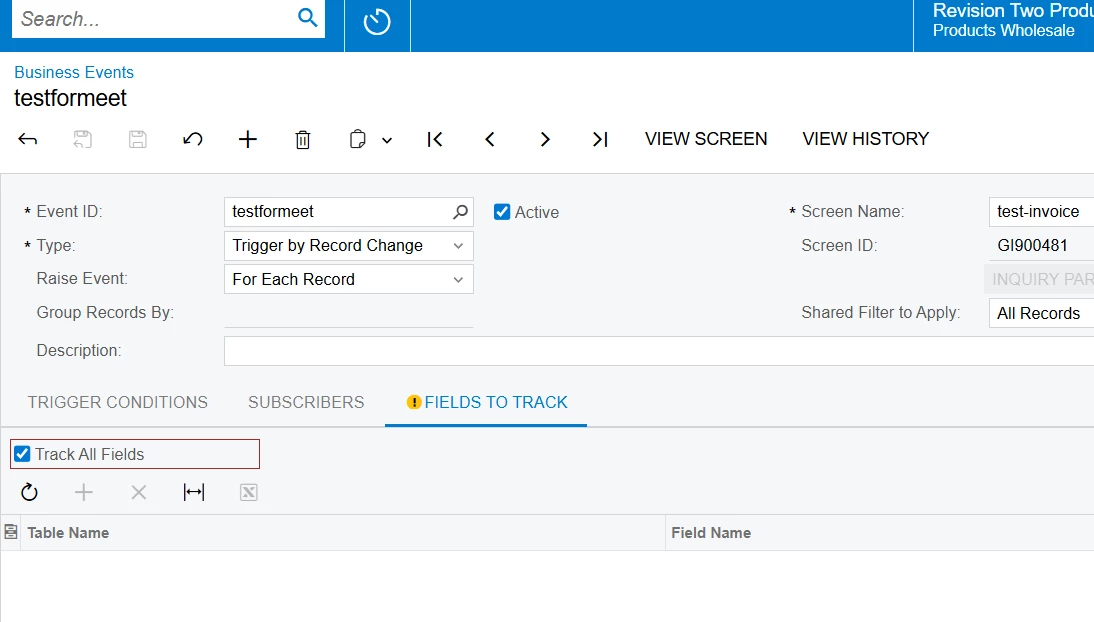
    2. After that it STILL didn’t work, so I changed it to track ALL fields, instead of having them specified (which is not usually best practice….).
    3. Then it finally triggered!
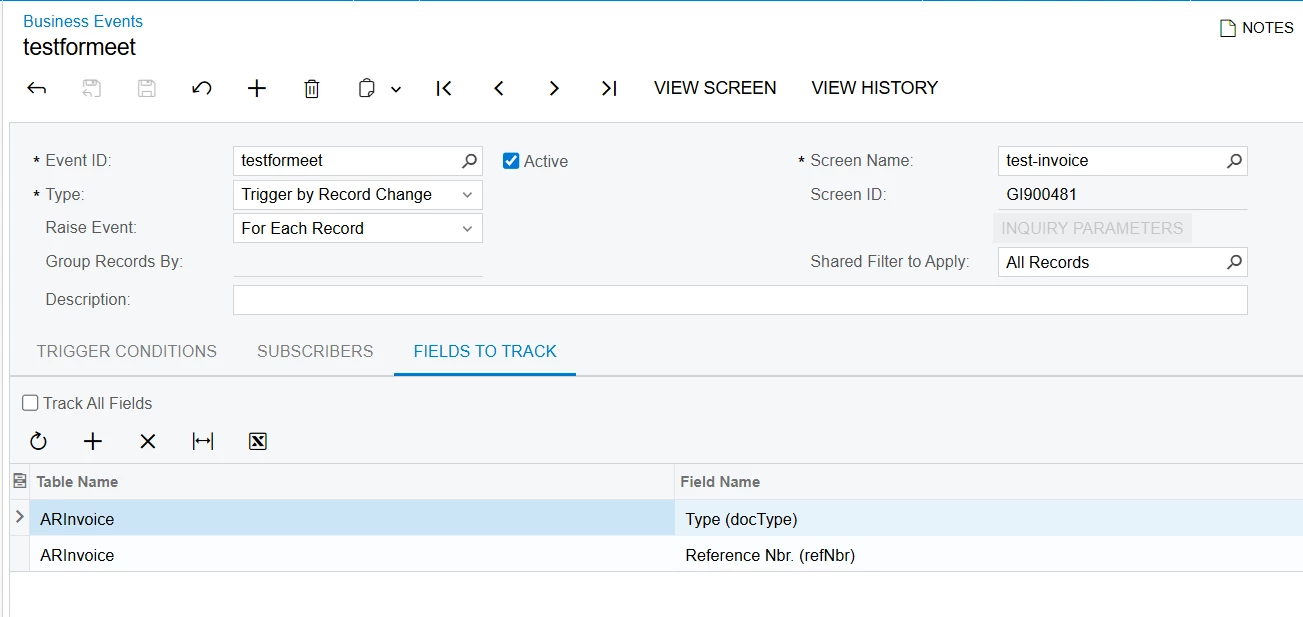
    4. To confirm this test I unmarked “track all fields” and kept the only two fields on my GI as specific fields to track (as shown in following image), and it went back to not triggering (which is very strange!)


So, the end result is as follows, this is as simple as I made it, I recommend testing in small steps from here on out.
The GI currently only has 1 table and 2 fields active, ARInvoice.doctype and ARInvoice.refnbr 
No subscriber
republished with same screen ID as before ensuring access is granted and screen ID found in URL, and also “view screen” can be performed on the BE itself
One simple trigger condition (record inserted) 
the BE set to track all fields (theres only two...)
and it triggers successfully.

If you run into the same issue as I did, where it only triggers when “Track ALL fields” is selected, but doesn’t work when the ONLY TWO fields from the GI are explicitly defined in track fields on BE, that may be worth a case to Acumatica, since best practice would not be to track ALL fields. 


Forum|alt.badge.img
  • Author
  • Freshman II
  • December 10, 2025


@MissyMain41 Hy.. I really appreciate your help towards my problem and thank you for taking some time from your scedule to check what the problem is.

I followed your approach and Voila, it worked. Tracking all the fields really did the magic!

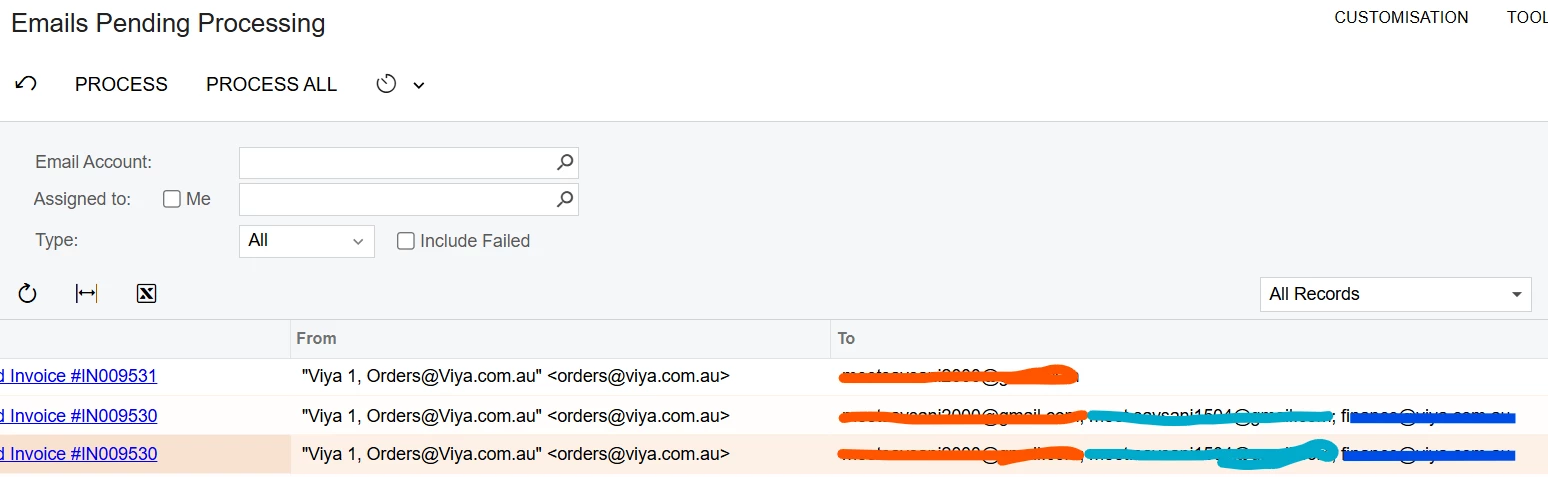
Slowly I tested on the different cases, the subscriber activity was also triggered and completed. However, the mail never reached to the destination. My question is on what screen can I check the Mail activity. I checked All Email (CO409070) to see if my email activity was recorded, Email Pending Processing (SM507000) to check if it was still pending. The only status I see of my subscriber activity is on Business History Screen.


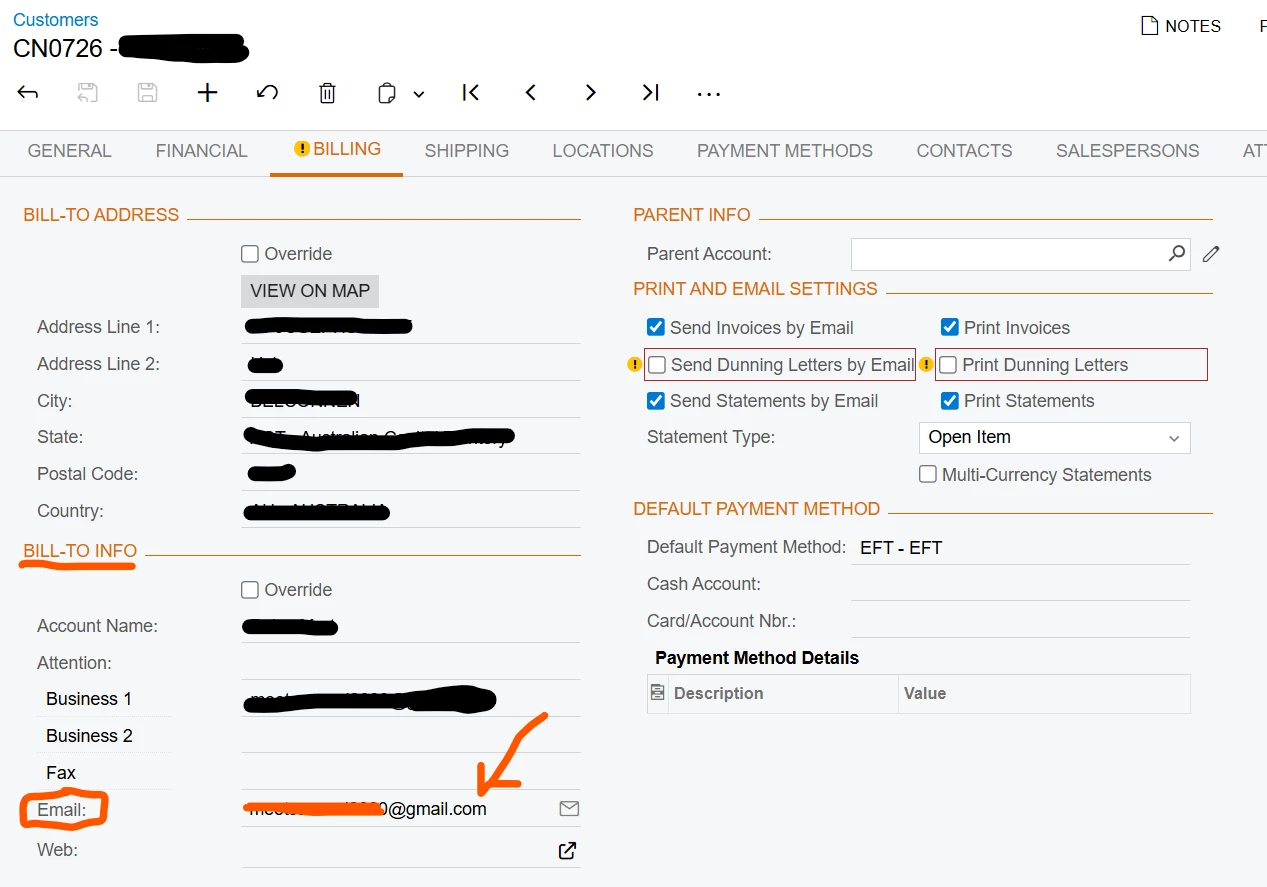
I'm using the Email provided in the Billing section of customer


For Email Notification template I'm using the SO643000 report passing the default parameter values.


I have also modified the Mailing & Printing of the customer with the Invoice template that I'm using for that customer.

Can you provide your valuable knowledge and insights for the final steps for this automation process.
I really appreciate your help and efforts in tacking this problem.

Thank you
Meet S


MissyMain41
Jr Varsity I
Forum|alt.badge.img
  • Jr Varsity I
  • December 11, 2025

Hey meet, 

Mailing settings are completely separate from BE and do not relate in any way, unless you make your GI to somehow pull the data from mailing settings. 

Your email template has a data field specified still. 

Put a static email into the TO field and instead put your data field in the body of the email to ensure it actually fills out with data. 

As I mentioned in my earlier comment, I normally see the GI needing actual email field on it for the BE to use it, currently it does not show any email on here.

If the TO field has a data field specified, but no data pulls for that data field, then it will be blank, and if TO is blank when the BE triggers, the email is *not* generated and cannot be seen. 

Verify emails once generated via All Emails screen.


Forum|alt.badge.img
  • Author
  • Freshman II
  • December 12, 2025

@MissyMain41 Thank you so much for your response.

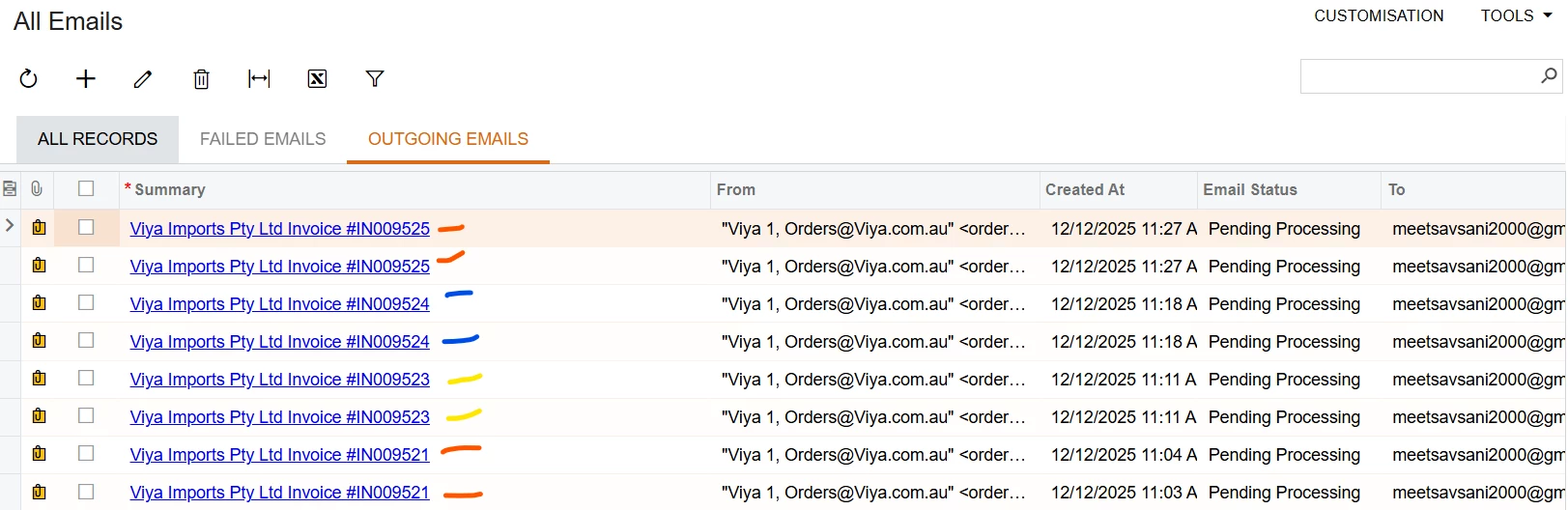
After considering all your points, everything worked. Upon releasing Invoice, the business event is triggered and the Email is staged for processing. First, I changed the TO field to static and then I tested it. The static field worked so I changed the TO filled with appropriate data. In my case, Contact.Email which is under the Additional Contacts and Info section. By the way, we can see the pending Email in the All Emails Screen.

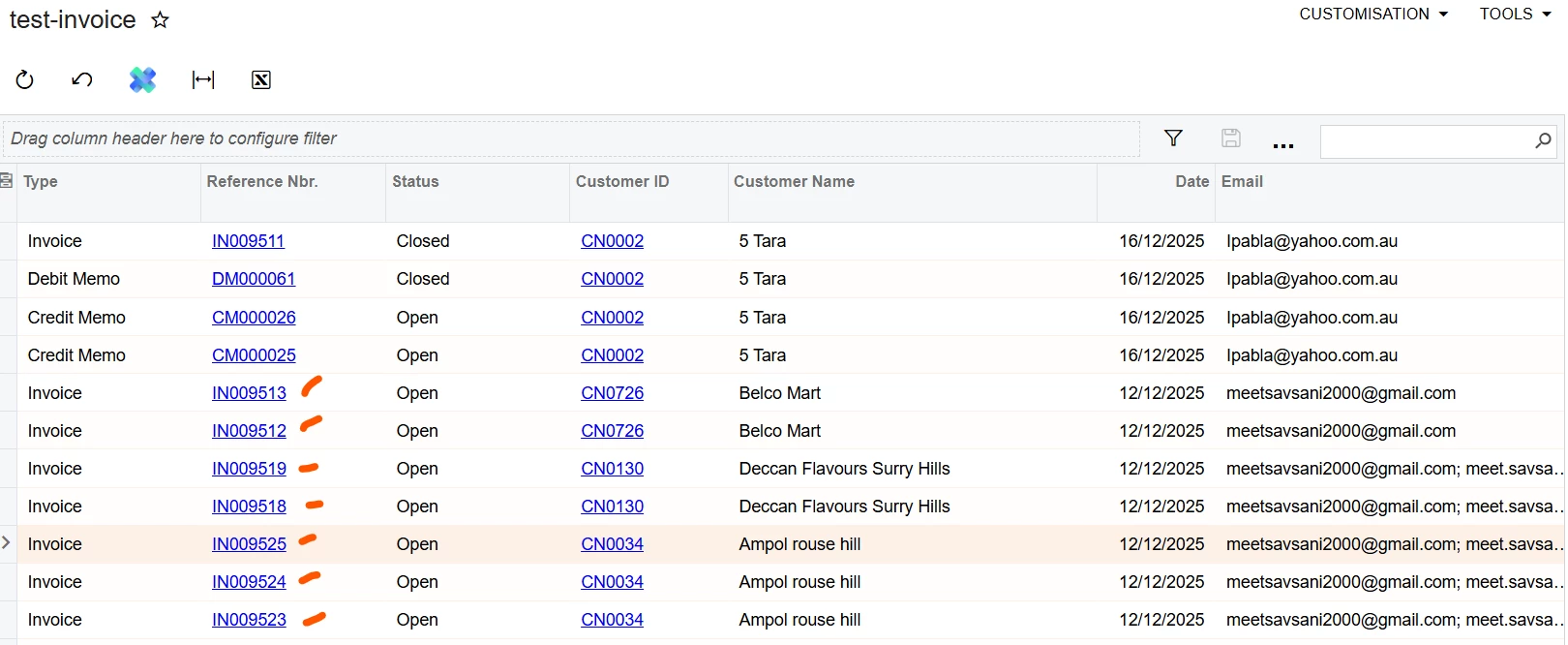
However, I’m facing a rather strange behaviour. Despite of having only one entry in the Generic Enquiry. The business event is triggering twice. I tried with different customers and Billing configuration, but still, the Business Event is triggering twice for one Invoice. As per my understanding, since there is one entry in GI, the business event should only trigger once. Why is it triggering twice?

Have you encountered this strange behaviour before or have any clue why is this happening? I’m attaching the updated files as well. I also published the GI.


MissyMain41
Jr Varsity I
Forum|alt.badge.img
  • Jr Varsity I
  • December 12, 2025

Please check your trigger conditions and fiddle with fields to track - maybe even submit a case to Acumatica if you still cant figure it out. 


Forum|alt.badge.img
  • Author
  • Freshman II
  • December 15, 2025

@MissyMain41 After fiddling numbers and applying all the P&C possible on the business event, I reliazed the duplication occurs when there are multiple emails for single customers, seperated by “;”.

These email are coming from Billing section of the customer. I’ve inputted the email as E1; E2; E3. In cases like this there is duplication of email, but for cases where there is single entry for the email, the system works like a charm. How do I enter multiple email? I have joined Customers.DefBillContactID  and Contacts.ContanctID

Thank you so much for your help until now on this problem, and without your help I would have not reached this final stage. However, I’m not aware on how can I connect with Acumatica Support.