



Hello,
I made a business event for the purpose of sending out an email notification whenever a purchase receipt occurs against a purchase order. I watched a training video and also took note from the last Acumatica convention, but for some reason my event is not triggering at all. I also have a question about the email template itself.
Here was the first setup I tried:
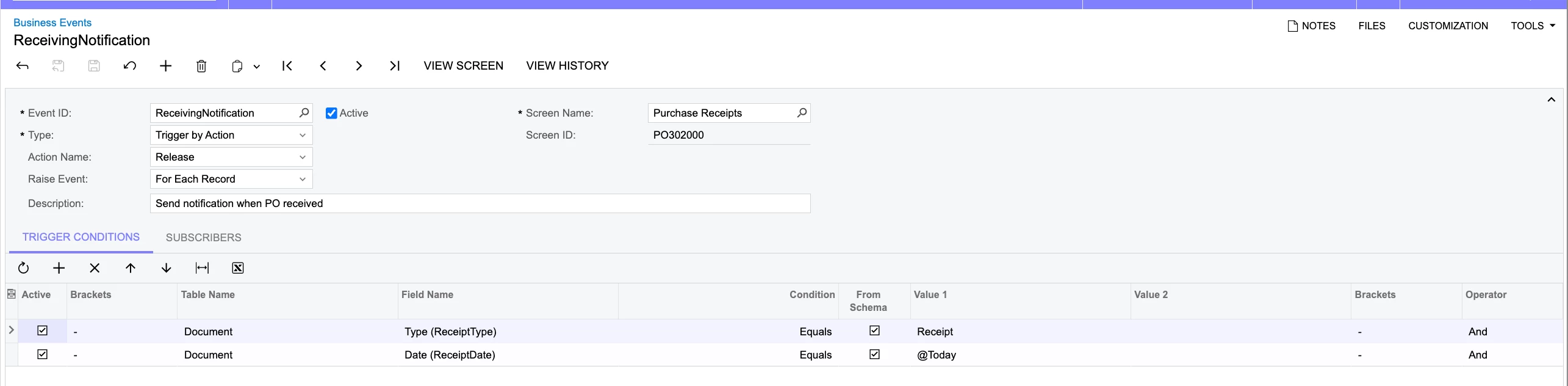
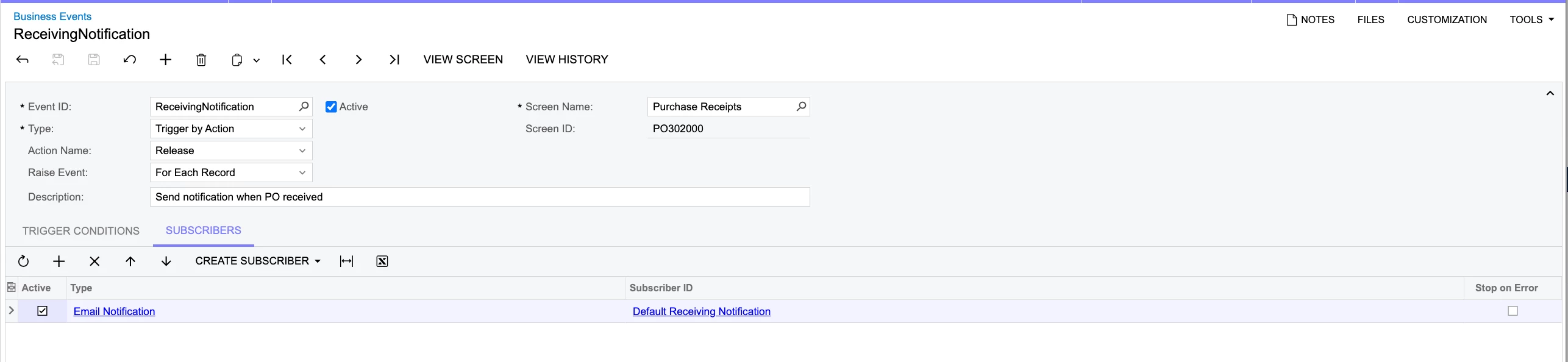
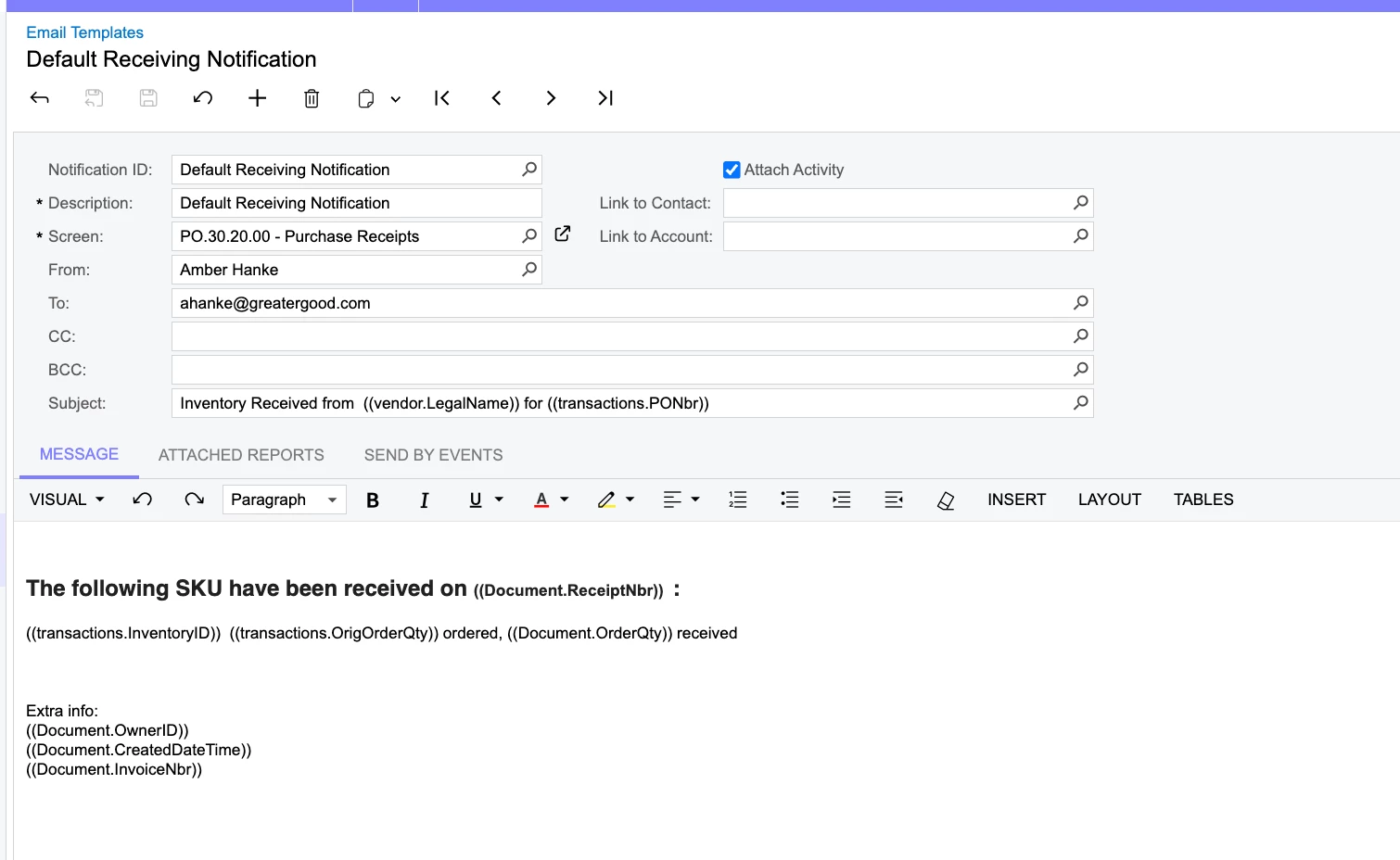
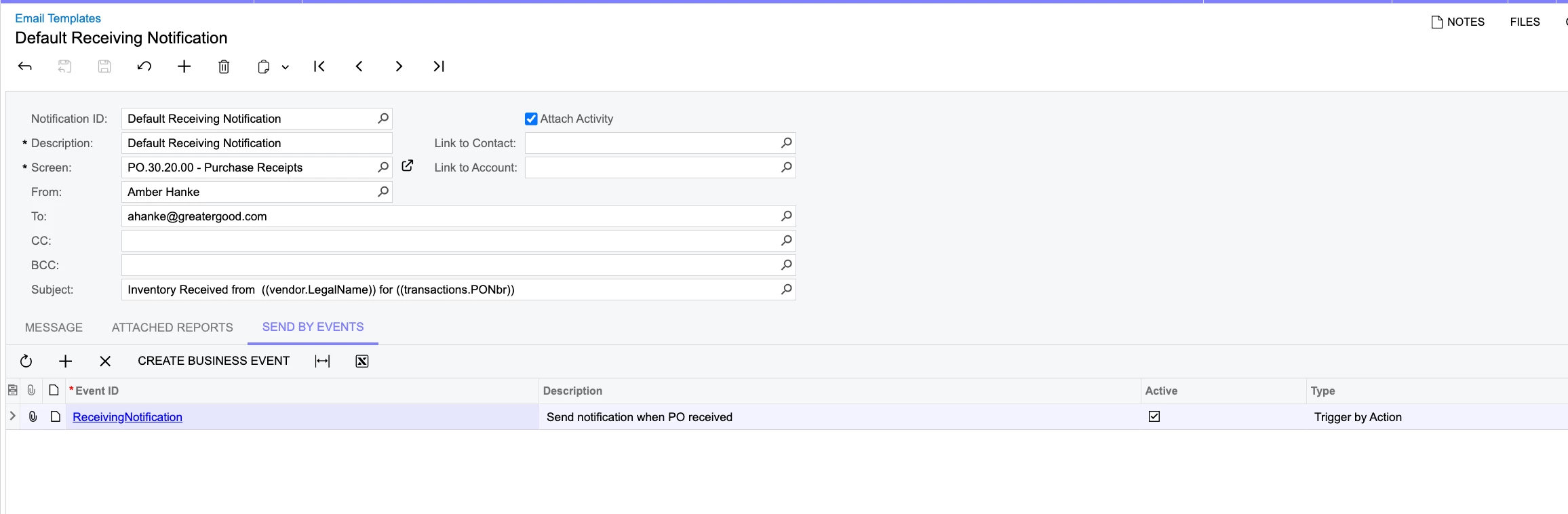
I expected the above to work as-is, but when I receive a purchase order, the business event is not triggering at all. The business event history is blank and no emails are waiting to process.
Example of new receipts added on today’s date:
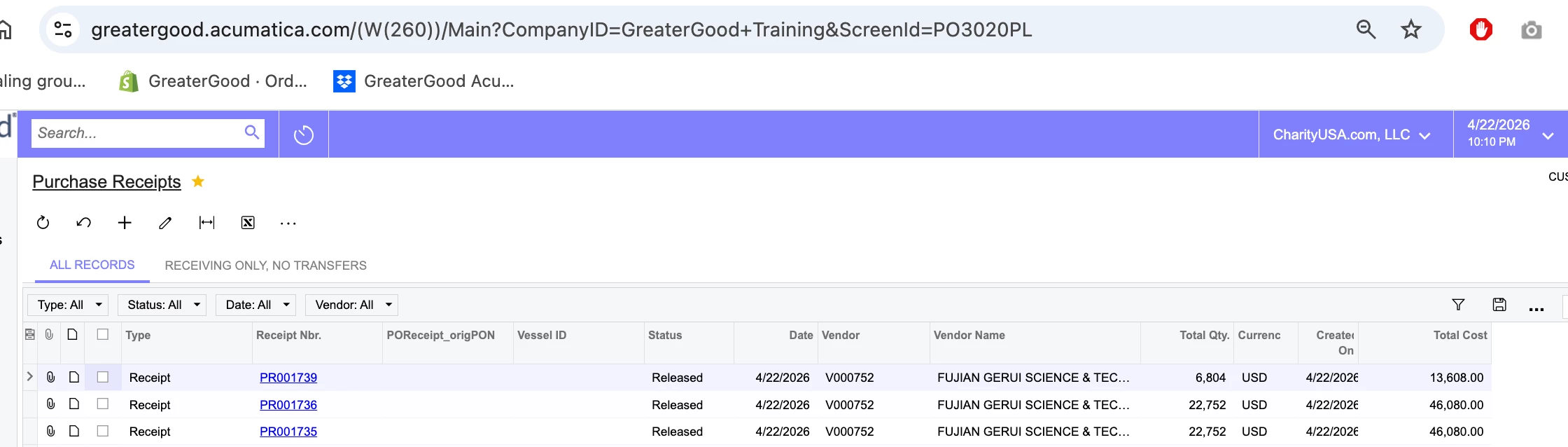
I noticed that the employee-facing screen for PRs is actually PO3020PL, so then I tried changing to that screen instead, but then the “trigger by action” option completely disappeared, and it still does not trigger.
That attempt:
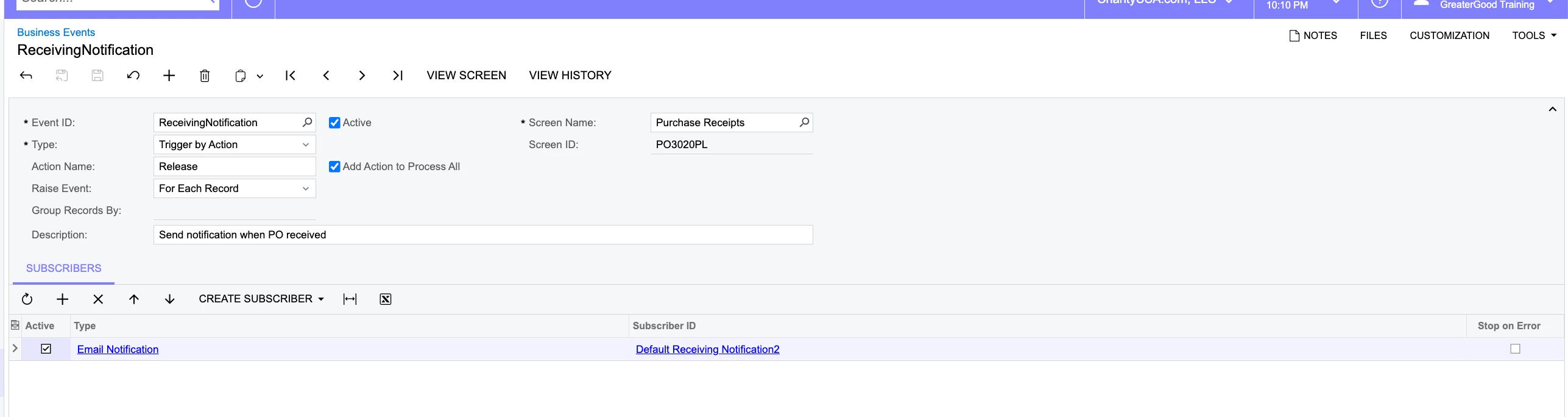
If someone could please advise what I could have wrong in the above set up that’d be great.
My second question is for the email template itself on the same event:
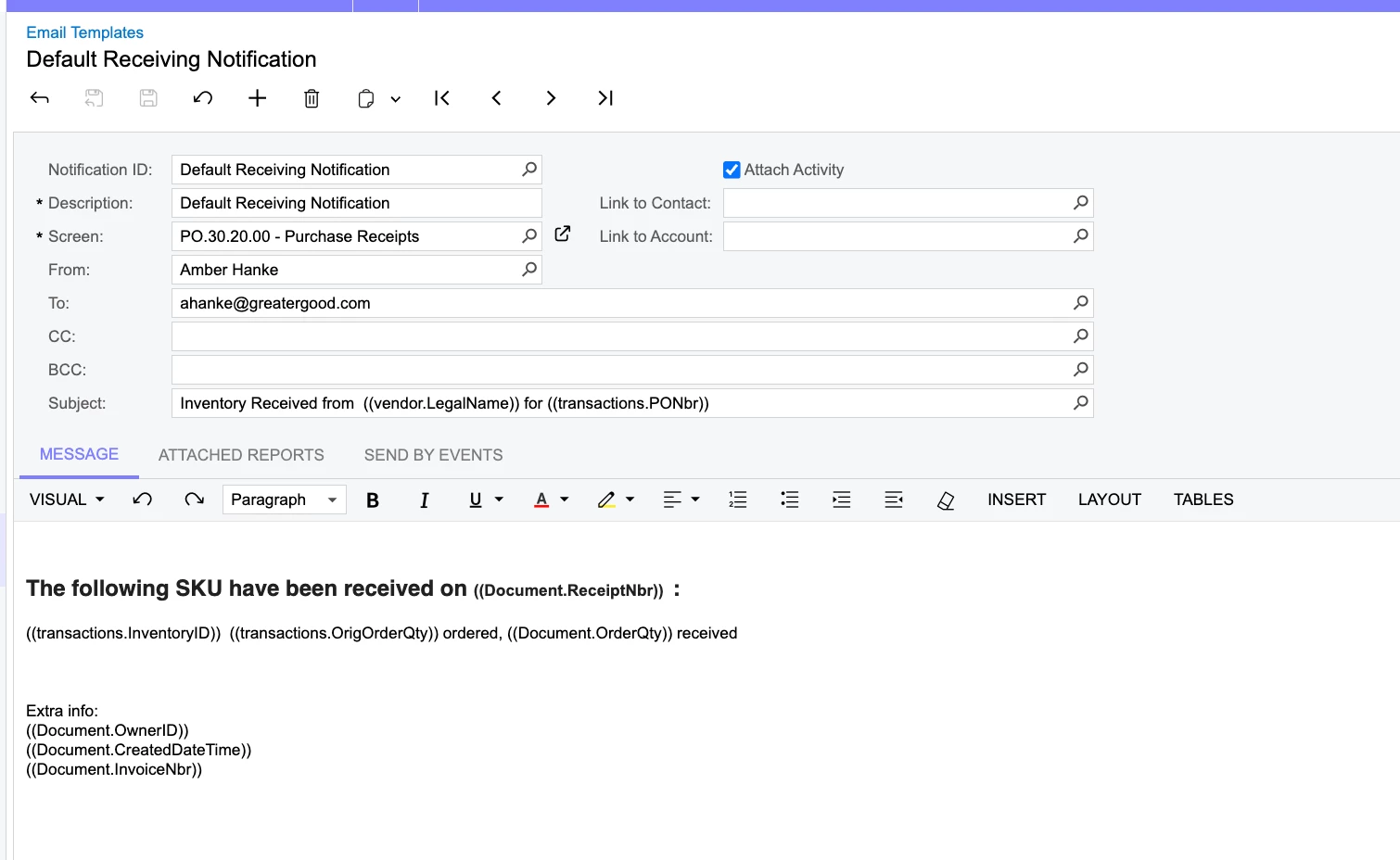
For the part here:
The following SKU have been received on ((Document.ReceiptNbr)) :
((transactions.InventoryID)) ((transactions.OrigOrderQty)) ordered, ((Document.OrderQty)) received
How do I make sure it lists this out for every inventory id on the receipt, and not just the first record?
I would expect something like this:
((transactions.InventoryID-1)) ((transactions.OrigOrderQty-1)) ordered, ((Document.OrderQty-1)) received
((transactions.InventoryID-2)) ((transactions.OrigOrderQty-2)) ordered, ((Document.OrderQty-2)) received
((transactions.InventoryID-3)) ((transactions.OrigOrderQty-3)) ordered, ((Document.OrderQty-3)) received
I could not find documentation instructing how to break that out.
Thanks for any assistance.

