



Answer

Adding a Java Script to a Dashboard Screen ID, or 00000000 default login screen

  • October 8, 2025
  • 2 replies
  • 37 views

Forum|alt.badge.img

Hi Community,

Does anyone know how to add a Java Script to a Dashboard Screen ID or the 00000000 Screen ID in a Customization project?
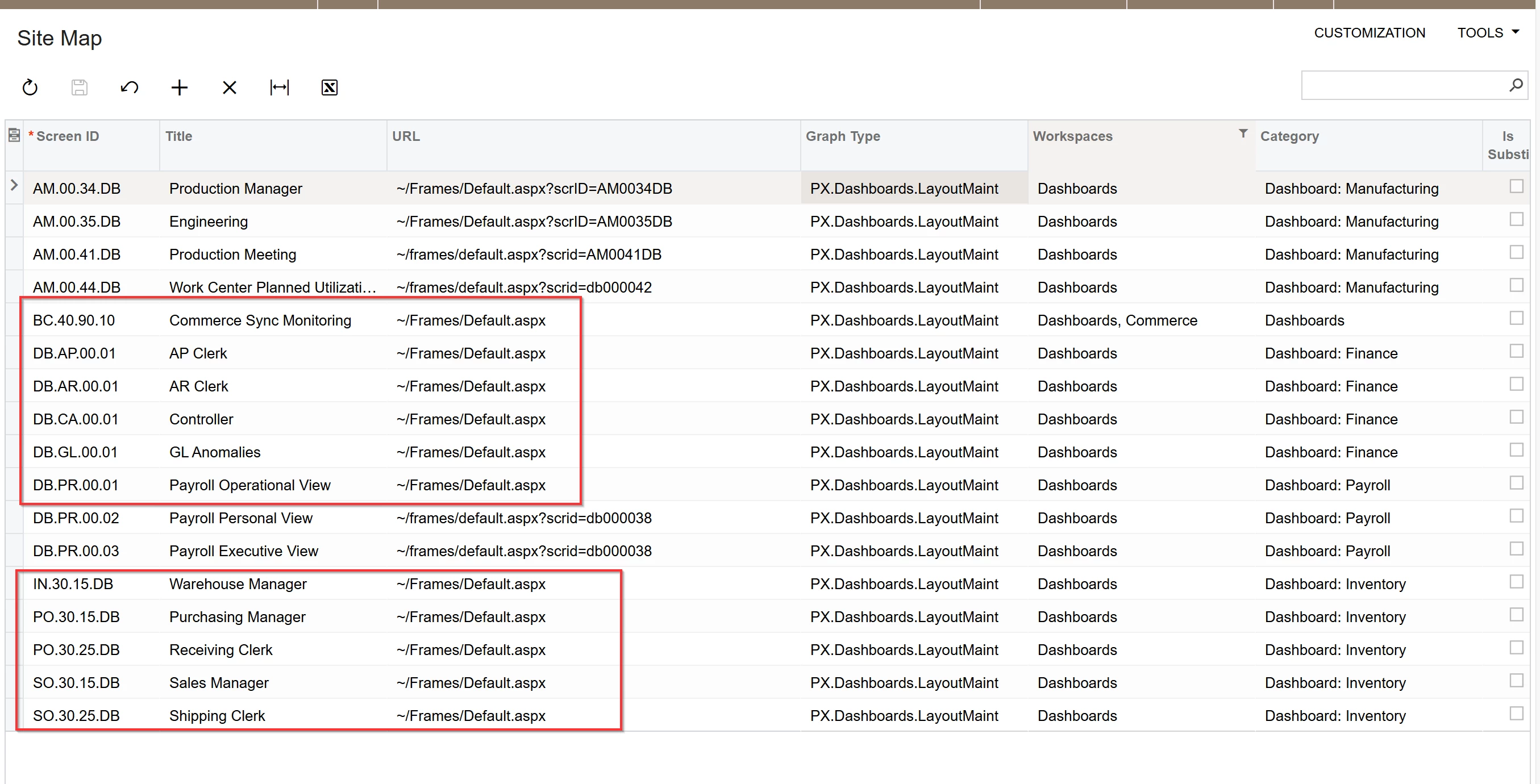
 

With other screens, I can drag and drop the Java Script onto, but the Dashboards do not allow me to.
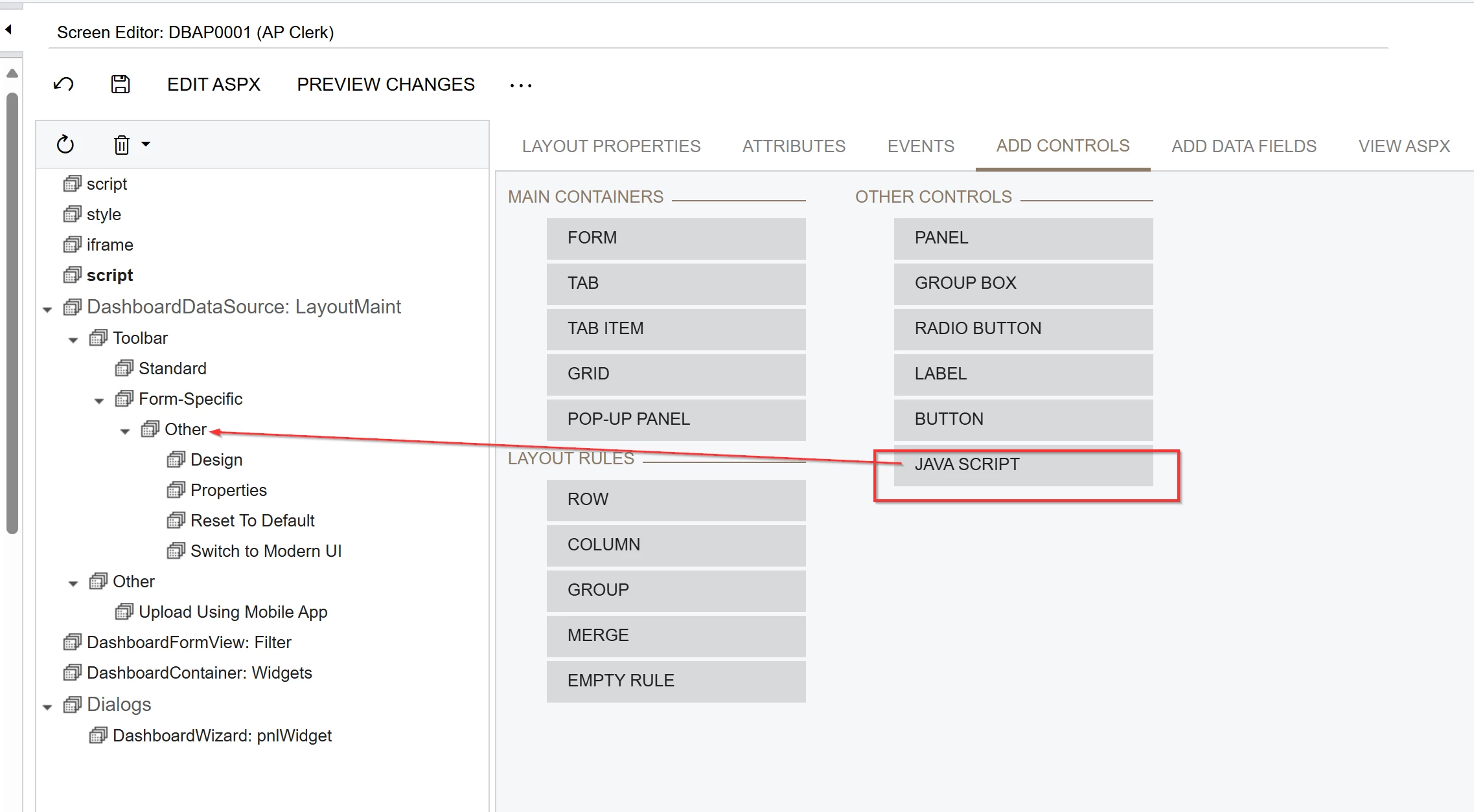


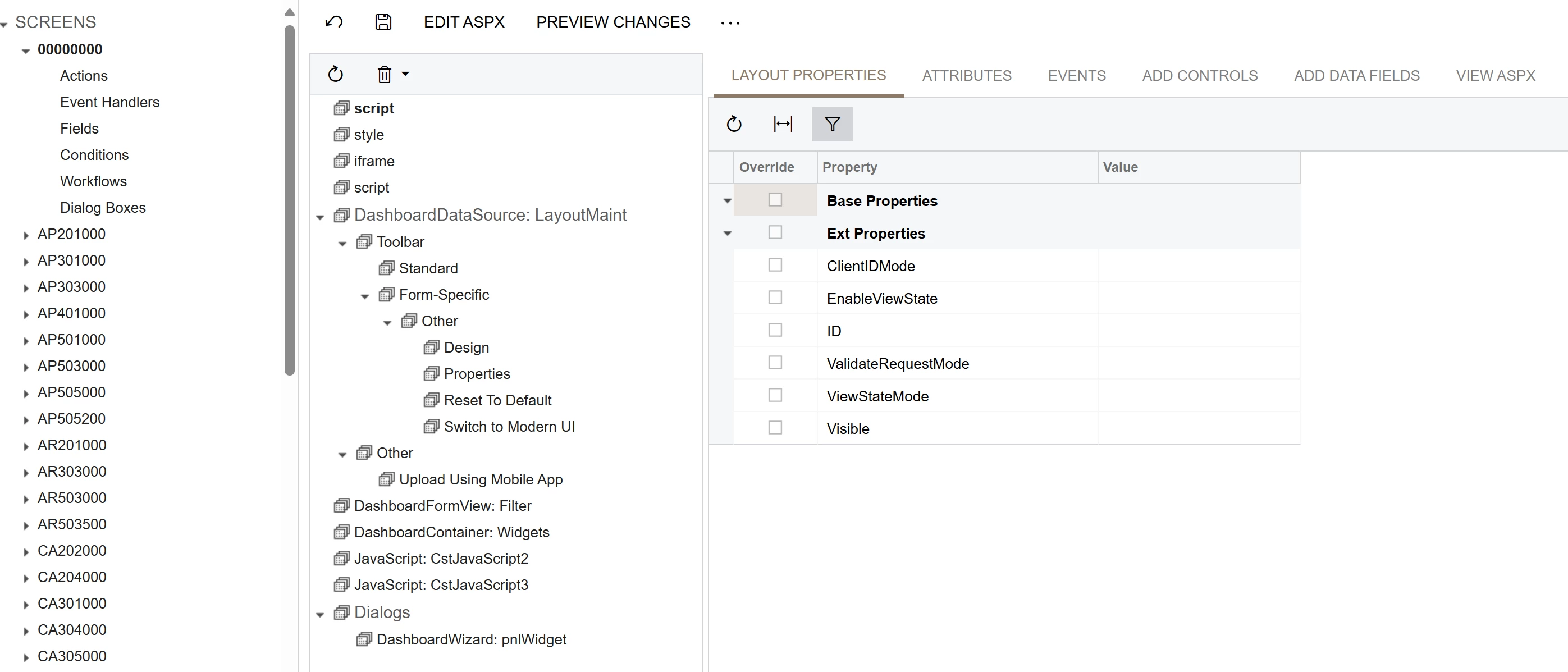
When I click save, the screen DBAP0001 does not save it just goes to the 00000000 with the Java script saved.

 

Best answer by rkenna

I wanted to share that after further investigation, it is not possible to add on a Dashboard. A workaround that you need to do is to add a widget to a dashboard with an embedded page, and then add the Java Script onto that embedded page.

Specific Widgets: Embedded Page Widgets

2 replies

Forum|alt.badge.img
  • Author
  • Captain I
  • Answer
  • October 20, 2025

I wanted to share that after further investigation, it is not possible to add on a Dashboard. A workaround that you need to do is to add a widget to a dashboard with an embedded page, and then add the Java Script onto that embedded page.

Specific Widgets: Embedded Page Widgets


Chris Hackett
Community Manager
Forum|alt.badge.img
  • Acumatica Community Manager
  • October 20, 2025

Thank you for sharing your solution with the community ​@rkenna!