

I tried to change the database connection that was pointing to my Orange Pi Zero portable Linux server to my AWS MySQL Linux DB. It wanted to create the DB rather than just connecting to it. Is this normal or is there another method beyond the Acumatica ERP Configuration utility?
- Community
- Discussion Forums
- Other Developer Topics
- Acumatica Linux MySQL
Acumatica Linux MySQL
- August 23, 2025
- 41 replies
- 633 views
- Translate All
41 replies



- Author
- Jr Varsity II
- August 23, 2025
Acumatica can change its database connection without recreating the database itself. The primary tool for this is the Acumatica ERP Configuration Wizard, which allows you to perform database maintenance and point the application to a new or existing database.
Method for changing the database connection
- Use the Configuration Wizard. This is the standard, recommended approach for self-hosted Acumatica instances.
- On your application server, run the Acumatica ERP Configuration Wizard.
- Select the "Perform Application Maintenance" option.
- Choose the "Change Database" action.
- The wizard will guide you through updating the database server and login details, including the option to use an existing SQL Server or MySQL login.
- Manually edit the
web.configfile. The database connection string is stored in theweb.configfile of your Acumatica web application. This is a more direct, but less-guided, method.- Find the
web.configfile for your Acumatica instance (e.g., by using IIS Manager). - Locate the
<connectionStrings>section and update theconnectionStringattribute with the new database server and credential information.
- Find the
Common scenarios for changing a database connection
- Moving the database to a new server: You can back up your database, restore it on a new SQL server, and then use the Acumatica Configuration Wizard to update the connection to the new server.
- Updating credentials: If the database username or password has changed, you can use the Configuration Wizard or edit the
web.configfile to reflect the new credentials without affecting the database data. - Restoring a snapshot: When restoring a snapshot of data from one environment to another (e.g., from production to a test instance), you will often need to update the application's connection details to point to the newly restored database.
Translate
- Author
- Jr Varsity II
- August 23, 2025
The answer was changing the <connectionStrings> connection string in web.config.
I changed the connection string for my initial Acumatica local install that was pointing to the local MySQL server to the AWS MySQL Linux DB. After what seems was a ASP recompile, it came up fine. Using the Acumatica ERP Configuration wants to recreate the DB it seems. 🙄
I disabled CREATE and DROP permissions from the AWS MySQL Linux DB. The Acumatica ERP Configuration errored saying permissions error.
Translate
- Author
- Jr Varsity II
- August 23, 2025
The advantage of hosting your DB on Clouds-R.Us is you are being hosted on your own sub-domain. This allows you to created custom extensions and interfaces with ScriptBasic which is provided with the subscription. You can read your Acumatica data directly from the DB and do REST calls to process business logic. Reliable backups are done with a scheduler with a AWS S3 option to store your backups off site.
Send me a PM here or on Linkedin to schedule a demo.
Translate
- Author
- Jr Varsity II
- August 24, 2025
If you would like to own and manage your AWS Linux instance to host your Acumatica DB, I can do the setup to get you live and provide support when you need it.
Translate
- Author
- Jr Varsity II
- August 24, 2025
I'm working on a data migration utility that will SELECT data from a MS SQL DB and INSERT it into a Linux MySQL DB.
I'm using the mysqldump to only include the CREATE TABLE statements (and other structural elements like indexes, foreign keys, etc.) to create a 'virgin" Acumatica DB.
Hopefully this will make moving to Clouds-R.Us remote DB hosting go smoother.
Translate

- Author
- Jr Varsity II
- August 25, 2025
This would be a good use case scenario for using the Clouds-R.Us sub-domain service.
You need to interface with an e-commerce site with the ability to check product availability, current pricing and do pre-auth CC payments.
Your Clouds-R.Us sub-domain has direct SQL statement access to your Acumatica DB. Using ScriptBasic's MySQL C extension module makes data access instant.
Creating an Acumatica Sales Order would be a REST call using ScriptBasic's C libcurl extension module.
This direction reduces / eliminates the need for custom programming within Acumatica preventing additional costs with upgrading.
Translate
- Author
- Jr Varsity II
- August 25, 2025
How many clients / tanants does Acumatica SaaS run on one Windows Server instance? Does the MS SQL Server run on the same instance?
Translate
- Author
- Jr Varsity II
- August 26, 2025
I'm happy to hear Acumatica uses AWS for their SaaS hosting. Acumatica SaaS should offer the option to host the client's DB eternally Fact is that data iis owned by the customer, not Acumatica.
Translate
- Author
- Jr Varsity II
- August 26, 2025
Do not use Oracle MySQL utilities with backup / restore of Acumatica DBs. Only use MariaDB utilities. Oracle treats their open source version of MySQL they own like Windows 95. The purchase did nothing for them. The only reason they bought it, was to kill it. It was taking too much market share from their core DB products.
The original authors forked it and created MariaDB. In the Linux world, MaiaDB is the only MySQL you can download that is actively supported.
Translate
- Author
- Jr Varsity II
- August 26, 2025
Don't used Oracle Windows MySQL DLLs or Windows services. I use MariaDB on Window 10 Pro which works great.
Translate
- Author
- Jr Varsity II
- August 26, 2025
The MariaDB client C libraries are used with ScriptBasic's MySQL extension module on all platforms.
Translate
- Author
- Jr Varsity II
- August 26, 2025
One of the best advantages of using MySQL (MariaDB) is the dump of an Acumatica DB shows you every SQL statement it takes to recreated the DB. That includes triggers, variables, views and functions.
A great DB forensic tool as well.
Translate
- Author
- Jr Varsity II
- August 27, 2025
I'm setting up an AWS Windows Server 2025 instance to simulate an Acumatica SaaS like environment. I plan to have two tenants with one using the server's MS SQL server and the other using a AWS Linux MySQL server residing in a Clouds-R.Us sub-domain.
I'm not just offering a lower cost open source DB solution but a front-end Acumatica customization platform. Interfaces and extensions to Acumatica can be done in ScriptBasic / Bootstrap with direct SQL statement access to the Acumatica DB. REST calls can be made from the sub-domain to process business logic. (create a Sales Order)
This eliminates the pain and costs of upgrading Acumatica.
Translate
- Author
- Jr Varsity II
- August 28, 2025
I was able to get Acumatica installed on an AWS EC2 instance with Windows Server 2025 Datacenter. Creating the new DB failed saying 'file not found'. I found a post in the forum with the same error trying to install on a 2025 server.
"It turns out that the following folder was set as Read-Only:
C:\Program Files\Microsoft SQL Server\MSSQL16.MSSQLSERVER\MSSQL\DATA\"
You can't change the Read Only status of the DATA directory. It keeps resetting back to Read Only. The trick was to give the user DB privileges beyond view in SMMS.
.
Translate
- Author
- Jr Varsity II
- August 28, 2025
The REAL trick was using the MS SQL Server name not 'localhost'.
Please ignore the above advice, the permission changes didn't take hold.
Translate
- Author
- Jr Varsity II
- August 29, 2025
It seems Acumatica R25.1 works fine on Windows Server 2025 Datacenter. I have a tenant running off the local MS SQL Server Express and a remote DB tenant running on a Clouds-R.Us sub-domain. It looks like the remote Linux MySQL (MariaDB) runs faster than the local MS SQL Server. 😎
The best part is you have direct SQL statement access to your Linux MySQL Acumatica DB and can do your interface programing with ScriptBasic in the subdomain.
Translate
- Author
- Jr Varsity II
- August 30, 2025
This is a Google AI response to using a DB local or remote.
Using a dedicated database server instead of hosting a database locally often provides significant performance benefits, especially in scenarios involving multiple users, large datasets, or complex queries.
Advantages of a Database Server for Performance:
-
Resource Dedication:
A dedicated database server can allocate all its resources (CPU, RAM, disk I/O) to database operations, preventing resource contention with other applications running on a local machine.
-
Optimized Configuration:
Database servers are typically configured with optimizations specific to database workloads, such as specialized file systems, caching mechanisms, and indexing strategies.
-
Concurrency Handling:
Database servers are designed to manage concurrent access from multiple users or applications efficiently, ensuring data integrity and minimizing performance bottlenecks during high-demand periods.
-
Scalability:
A dedicated server offers greater scalability, allowing for easier upgrades of hardware resources (CPU, RAM, storage) to accommodate growing data volumes and user loads.
-
Network Optimization:
In a client-server architecture, the database server can be placed on a high-speed network, reducing latency for data retrieval and manipulation compared to accessing a local database over a slower connection.
-
Specialized Features:
Database servers often provide advanced features like replication, clustering, and load balancing, which can enhance performance, availability, and disaster recovery capabilities.
When Local Hosting Might Be Acceptable:
While a dedicated server is generally preferred for performance, local database hosting might be acceptable for:
- Single-user applications: Where only one user accesses the database at a time.
- Small datasets: When the amount of data is minimal and queries are simple.
- Development and testing environments: Where performance is not the primary concern.
Translate
- Author
- Jr Varsity II
- August 30, 2025
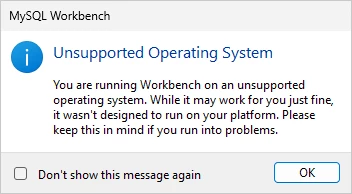
It seems Acumatica’s MySQL libraries is based on Oracles MySQL 8. I was unable to find a MariaDB version that would work with Windows Server. MariaDB on Linux is 15.x which works with Acumatica. As I mentioned in a previous post, MySQL is focused on Linux not Windows. There seems to be only one maintainer for the Windows version of MariaDB. On a positive note the Oracle version of MySQL comes with a GUI SQL browser. (Workbench)
For those wishing to host there own copy of Acumatica on a single Windows Server, I have a solution for SQL statement direct Acumatica DB access. The ScriptBasic web server runs as a Windows service for use as an interface development framework. I’m running Windows Server 2025 Datacenter.So far Workbench seems to be working fine.
Translate
- Author
- Jr Varsity II
- August 30, 2025
Here is a ScriptBasic MySQL example on the Windows Server.
' MySQL - Acumatica

INCLUDE mysql.sbi

dbh = mysql::RealConnect("localhost","user","password","mysqldb")
mysql::query(dbh,"SELECT * FROM Contact WHERE ContactType = 'PN' LIMIT 25")


WHILE mysql::FetchHash(dbh,column)
  PRINT column{"ContactID"}," - ",column{"FullName"},"\n"
WEND

PRINTNL
PRINT "The database handle is: ",dbh,"\n"
PRINT "Affected rows by SELECT: ",mysql::AffectedRows(dbh),"\n"
PRINT "Character set name is: ",mysql::CharacterSetName(dbh),"\n"
PRINT "Last error is: ",mysql::ErrorMessage(dbh),"\n"
PRINT "Client info is: ",mysql::GetClientInfo(),"\n"
PRINT "Host info is: ",mysql::GetHostInfo(dbh),"\n"
PRINT "Proto info is: ",mysql::GetProtoInfo(dbh),"\n"
PRINT "Server info is: ",mysql::GetServerInfo(dbh),"\n"
PRINT "PING result: ",mysql::Ping(dbh),"\n"
PRINT "Thread ID: ",mysql::ThreadId(dbh),"\n"
PRINT "Status is: ",mysql::Stat(dbh),"\n"

mysql::Close(dbh)
OUTPUT
C:\Acumatica>sbc mysql_acumatica.sb
9810 - Data Source Software Corp
9811 - deVere and Partners (UK) Ltd
9819 - Advanced Concepts Of Engineering & Software Inc
9825 - Roxell
9834 - RFI Informatique
9847 - Workless
9848 - Hotel Supplies Inc
9850 - USA Bartending School
9851 - USA Bartending School
9852 - ABC Studios Inc
9853 - ABC Studios Inc
9854 - ABC Studios Inc
9855 - Acitai Systems - Computer Services For Business
9856 - Active Staffing Service
9857 - Aerocorebe Travel Agency Corporation
9858 - Alphabetland School Center
9859 - Antun's of Westchester
9860 - Church of The Apostles
9861 - Church of The Apostles
9862 - Arktak Networks
9863 - Asahi Sun Tours
9864 - Nautilus Bar SABL
9865 - Aviance Airline Cargo
9866 - Banafide Office Service
9867 - New York International Beauty School Ltd
The database handle is: 1
Affected rows by SELECT: 25
Character set name is: latin1
Last error is:
Client info is: 6.0.0
Host info is: localhost via TCP/IP
Proto info is: 10
Server info is: 8.0.43
PING result: -1
Thread ID: 0
Status is: Uptime: 6574 Threads: 3 Questions: 2600670 Slow queries: 2 Opens: 6703 Flush tables: 3 Open tables: 1177 Queries per second avg: 395.599
C:\Acumatica>
Translate
- Author
- Jr Varsity II
- August 30, 2025
Another active Acumatica developer tried the same on his server. It failed like my attempt but he said that MariaDB worked fine on Acumatica 24.x.
My Linux MariaDB solution is looking better by the minute. It's faster than local MS SQL with less strain on server which helps Acumatica perform better.
Translate
- Author
- Jr Varsity II
- August 30, 2025
Acumatica is the first DB I've worked with that changes character set at lest a half a dozen times in one table. Acumatica needs to let go of Oracle's MySQL and use current MariaDB libraries. Fortunately the Linux MariaDB libraries are well maintained by the community and work really well.
ODBC with Acumatica is an unknown. My initial tests failed with multiple ODBC based tools and libraries. Triggers are like Kryptonite to ODBC.
Translate
- Author
- Jr Varsity II
- August 30, 2025
I was able to get the MS SQL ODBC driver to work with ScriptBasic on Windows Server 2025.
I feel for the C# developers doing REST. Why waste your time on interfaces when they can be done externally with a scripting language?
' ODBC - Acumatica MS SQL

IMPORT odbc.sbi

dbh = odbc::RealConnect("acumatica","","")

odbc::query(dbh, "SELECT TOP 25 * FROM Contact WHERE ContactType = 'PN'")
WHILE odbc::Fetchhash(dbh, column)

  PRINT column{"ContactID"}," - ",column{"FullName"},"\n"
WEND

odbc::Close(dbh)
OUTPUT
C:\Acumatica>sbc test_odbc.sb
9810 - Data Source Software Corp
9811 - deVere and Partners (UK) Ltd
9819 - Advanced Concepts Of Engineering & Software Inc
9825 - Roxell
9834 - RFI Informatique
9847 - Workless
9848 - Hotel Supplies Inc
9850 - USA Bartending School
9851 - USA Bartending School
9852 - ABC Studios Inc
9853 - ABC Studios Inc
9854 - ABC Studios Inc
9855 - Acitai Systems - Computer Services For Business
9856 - Active Staffing Service
9857 - Aerocorebe Travel Agency Corporation
9858 - Alphabetland School Center
9859 - Antun's of Westchester
9860 - Church of The Apostles
9861 - Church of The Apostles
9862 - Arktak Networks
9863 - Asahi Sun Tours
9864 - Nautilus Bar SABL
9865 - Aviance Airline Cargo
9866 - Banafide Office Service
9867 - New York International Beauty School Ltd
C:\Acumatica>
Translate
- Author
- Jr Varsity II
- August 30, 2025
Does anyone know what the maximum column size for Acumatica tables a developer would actually query? Currently my ODBC C interface has a 4096 byte column buffer.
I know Acumatica stores HTM code in tables as a BLOB which is a TEXT column in ODBC. I'm only interested in reading financial based tables not UI based tables.
SQL Server stores large column data, such as images, audio, video, or documents, as Binary Large Objects (BLOBs).
Specifically, SQL Server uses data types like VARBINARY(MAX) to store BLOB data directly within the database. VARBINARY(MAX) can store up to 2 GB of binary data. For even larger data, SQL Server also offers the FILESTREAM feature, which stores the BLOB data on the file system while maintaining transactional consistency and integration with the database. This allows for efficient handling of very large files that might otherwise impact database performance if stored entirely within the database.
Translate
- Author
- Jr Varsity II
- August 30, 2025
Helpful Google AI response.
Acumatica supports reading data from tables created externally in the database, but this must be done through specific methods rather than direct, out-of-the-box integration. It is a customization that requires linking a custom Data Access Class (DAC) in Acumatica to the external table or view in the underlying SQL database.
Options for reading externally created tables
1. Use an SQL view
This is the recommended and most common approach for a read-only integration.
- Create an SQL view: Use standard SQL Server tools to create a view that pulls the required data from the external table. It is helpful to include the
CompanyIDandDeletedDatabaseRecordfields in the view for compatibility. - Create a DAC: In your Acumatica Customization Project, create a new DAC that mirrors the structure of your SQL view. You can automatically generate the fields by pointing the DAC to the database table or view.
- Use a Generic Inquiry: After publishing your customization, you can create a Generic Inquiry (GI) that uses the new DAC. This allows you to report on and view the external data from within Acumatica's user interface.
2. Create a custom DAC extension table
If you need a more integrated solution that is updated alongside Acumatica's standard tables, you can create an extension table.
- Create the table: Manually add a custom table to the database. This table should contain the same key fields as the standard Acumatica table you want to link it to, as well as the
CompanyIDandDeletedDatabaseRecordfields. - Create a DAC extension: Create a custom DAC in a Customization Project to represent your new table. This DAC will be linked to a standard DAC.
- Publish and use: After publishing, you can use the extension table and DAC to view and modify the data.
3. Use an external data provider
This method is for connecting to databases separate from your Acumatica instance.
- Set up a Data Provider: In Acumatica, configure a data provider to connect to an external MS SQL database.
- Create a Generic Inquiry: Use the data provider as the source for a Generic Inquiry to read data from the external database.
- Create a dashboard: You can then display the data on a dashboard using the Generic Inquiry.
Warning: Directly editing Acumatica's database to create new tables without following the Customization Project workflow is not recommended. It can lead to issues with upgrades and overall system stability. The proper approach is to define the custom table within a Customization Project, which ensures all changes are properly tracked and managed.
Translate
Enter your E-mail address. We'll send you an e-mail with instructions to reset your password.
About Acumatica ERP system
Acumatica Cloud ERP provides the best business management solution for transforming your company to thrive in the new digital economy. Built on a future-proof platform with open architecture for rapid integrations, scalability, and ease of use, Acumatica delivers unparalleled value to small and midmarket organizations. Connected Business. Delivered.
© 2008 — 2024 Acumatica, Inc. All rights reserved