Hi,
I am modify a pre-build payroll report called Employee Detail Data (MPPP4075). I’ve created my changes with the “Edit Pivot Table” button, and “Saved As” a new pivot for this report.
For one of the Rows, if there is no value, I would like for nothing to be returned in that cell, i.e. a blank cell. But unfortunately, the system is returning the words “Is Empty”.
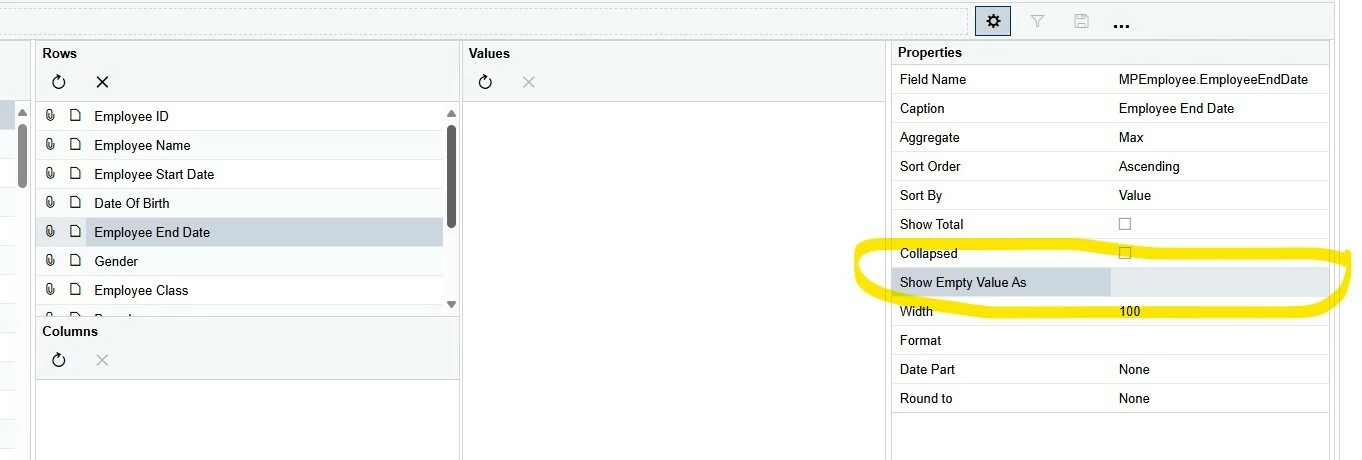
The setting is currently set as per screen shot, with nothing entered into this setting.
Can anyone help to make this cell blank?
?