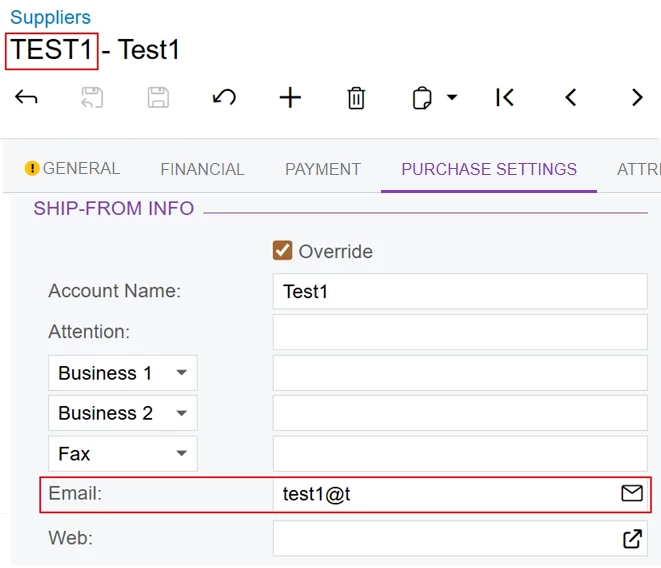
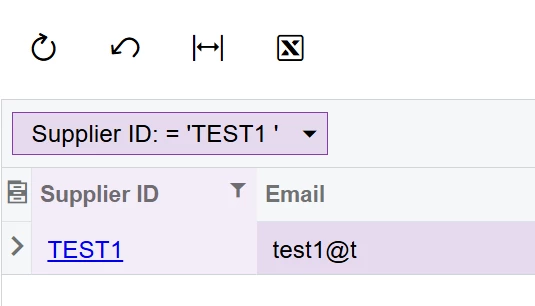
I am trying to pull the email in the tab below but i cannot get the correct result. I was able to pull the email from the general tab but not on the purchasing tab using Generic Inquiry. Any idea?
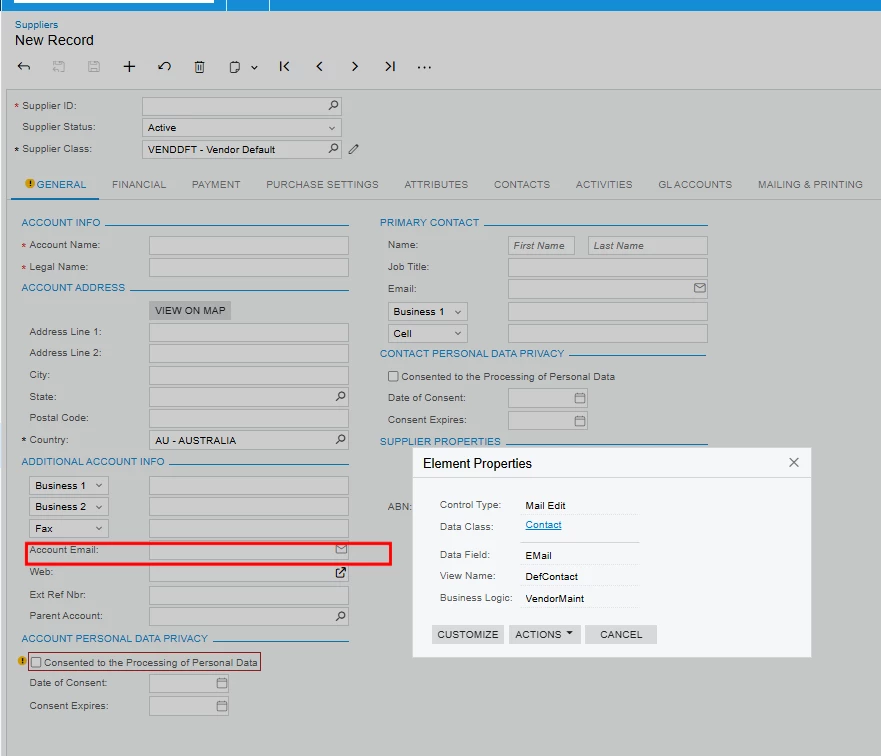



I am trying to pull the email in the tab below but i cannot get the correct result. I was able to pull the email from the general tab but not on the purchasing tab using Generic Inquiry. Any idea?
Best answer by aleksandrsechin
It looks like you didn’t attach the error.
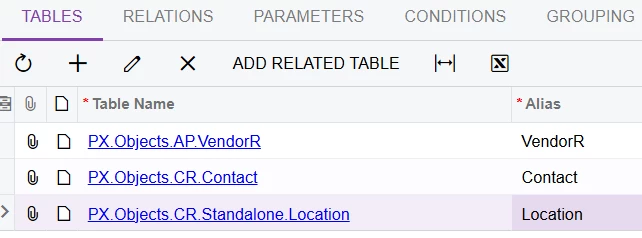
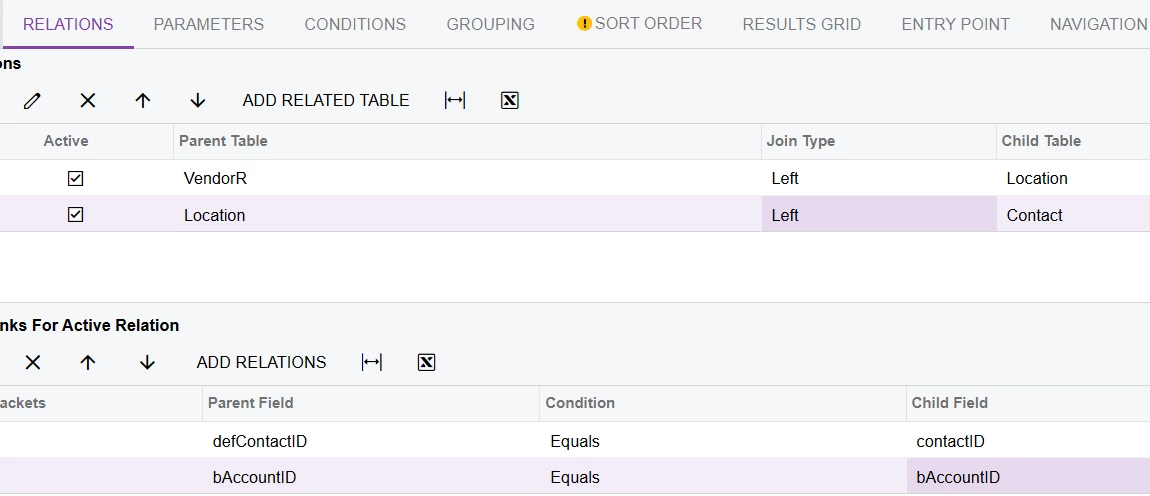
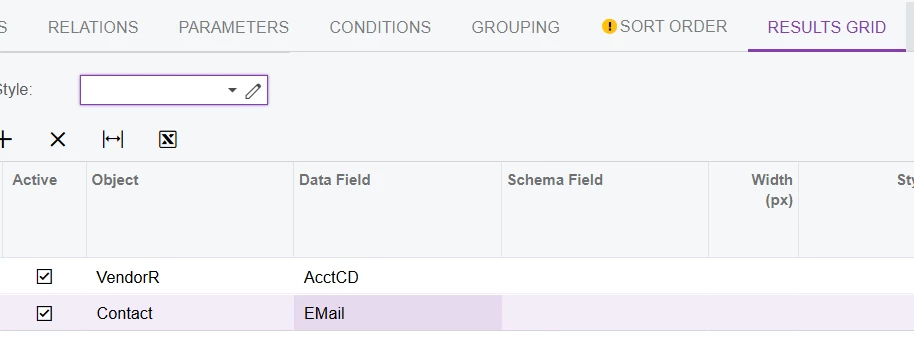
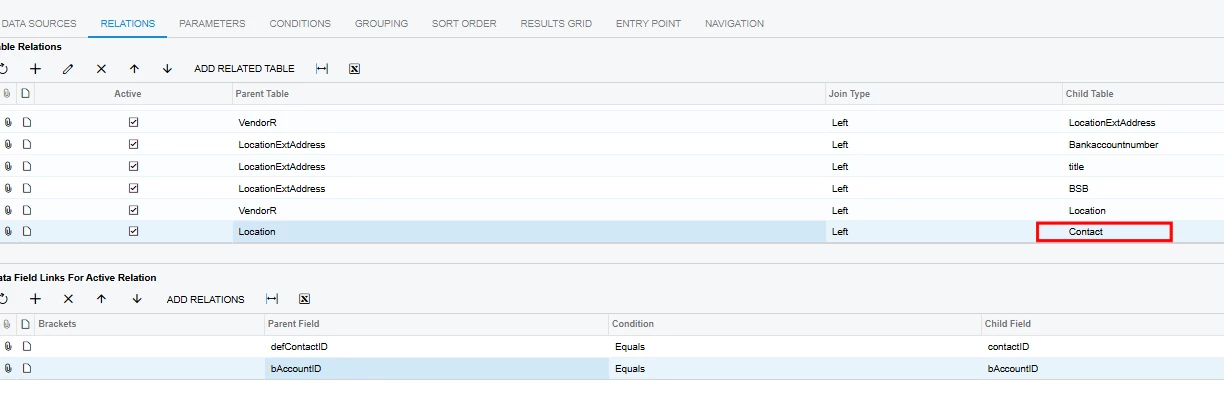
If you need to display data from both the General and Purchase Settings tabs, you can add the Contact table twice by specifying different aliases.
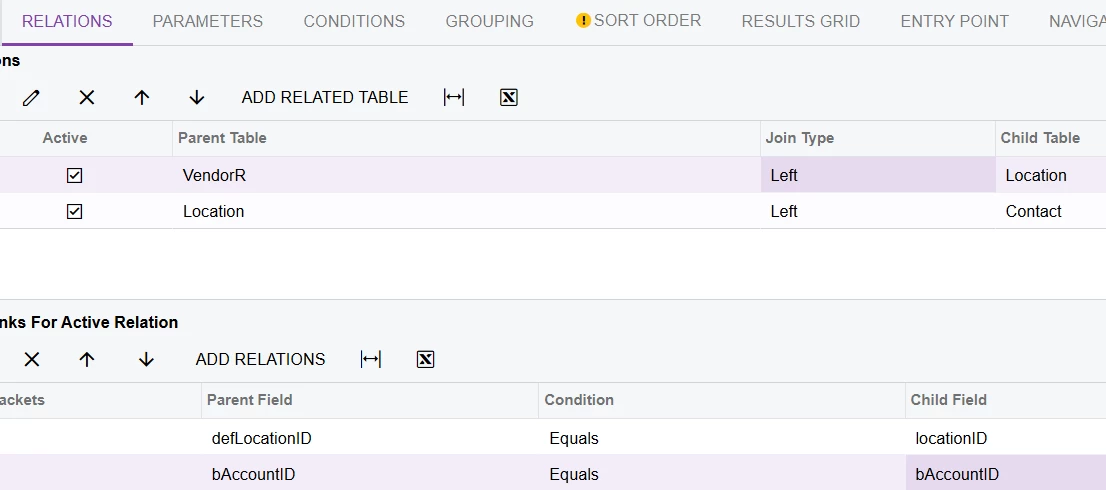
To display Email from Purchase Settings tab you need to define the relationships between the tables so that VendorR is connected to Contact through Location (VendorR → Location → Contact).
The steps provided above work correctly and display the Email from the Purchase Settings tab — I have double-checked this.
I would recommend creating a new GI from scratch by following exactly the steps I described above. Once you confirm that the Email is displayed correctly, you can then extend the GI with your additional required logic.
Alternatively, you can provide your GI, and I will try to adjust it myself.
Enter your E-mail address. We'll send you an e-mail with instructions to reset your password.