

We want our manager to have the opportunity to approve PTO in Acumatica. I’m not sure if we have the correct modular installed. What modular is require?
Solved
We have Acumatica 2022 R1 Build 22.115.0035 Customization: PSPTO,PSBOM,ClockEntry,CurrentBranchPlaceholder,MacolaHistory,MFG.NegativeMaterial.AC256275,PSQuality,SalesDemoDashboards2020R2



Best answer by Laura03
Hello,
Do you use Time & Expense module, Time Cards screen to enter PTO? We can add Approval Maps to to Employee time cards. Below I am showing how to send Time cards to manager for approval only when there is Vacation (PTO) on at least one detail line.
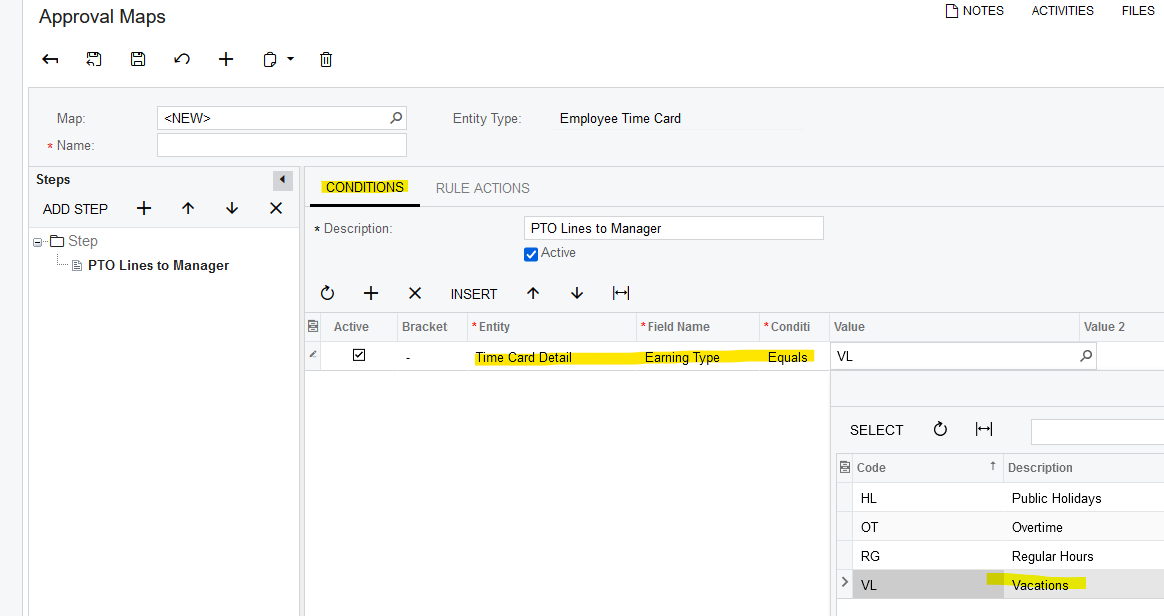
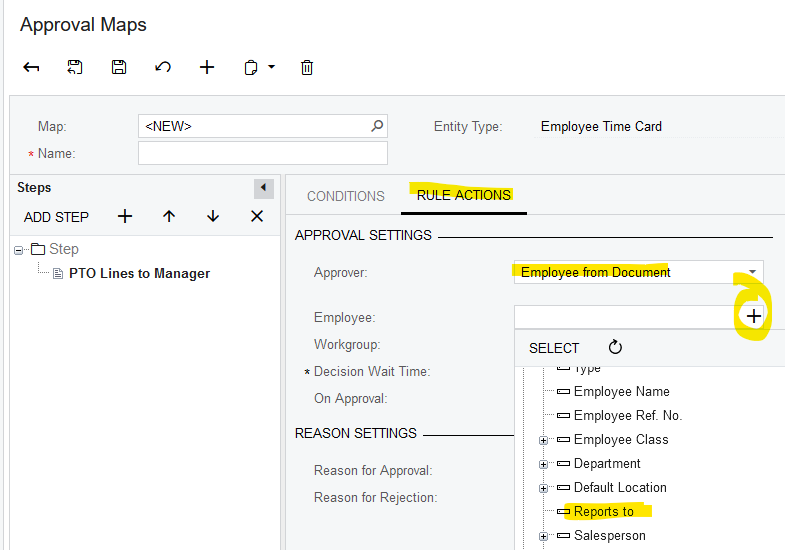
To activate your approval map, connect it to Time & Expense Preferences.
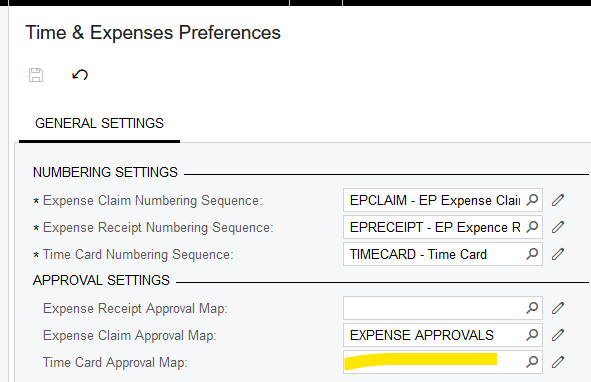
Make sure the Approving Manager has rights to the Approvals screen. It’s a good idea to test your approval map, before copying it to your live tenant. Good luck!



Login to the community
No account yet? Create an account
Social Login
Login with your Acumatica accountEnter your E-mail address. We'll send you an e-mail with instructions to reset your password.