We have a few questions around assigning Non-Stock items as consumable items in the Bill of Materials and the related account entry generation.
I have outlined the scenario below that we need to cover.
Create BOM.
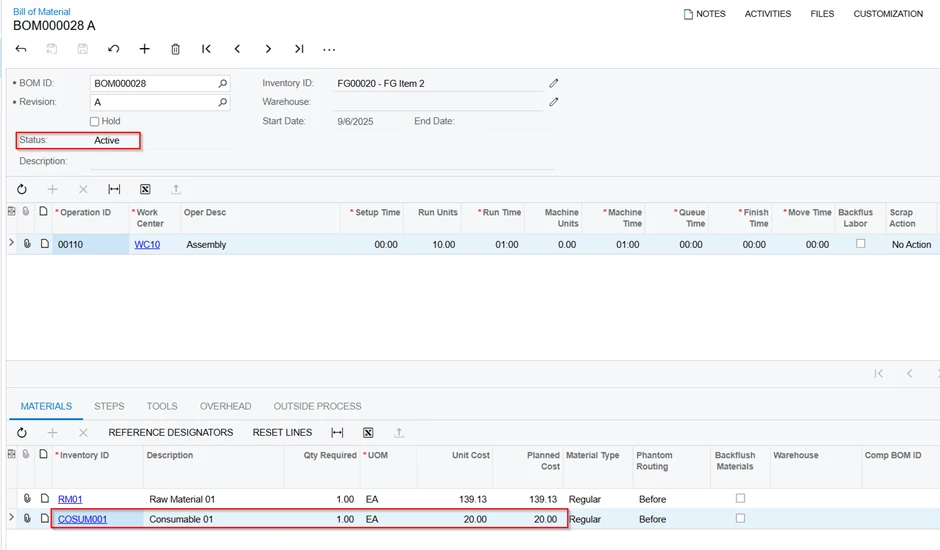
Assign the Stock and Non-Stock items. The purpose of adding a Non-Stock item is to account for inventory consumable items that do not need to be maintained in stock.
Create a Bill of Material and assign both a Stock Item and a Non-Stock Item under the Materials tab.
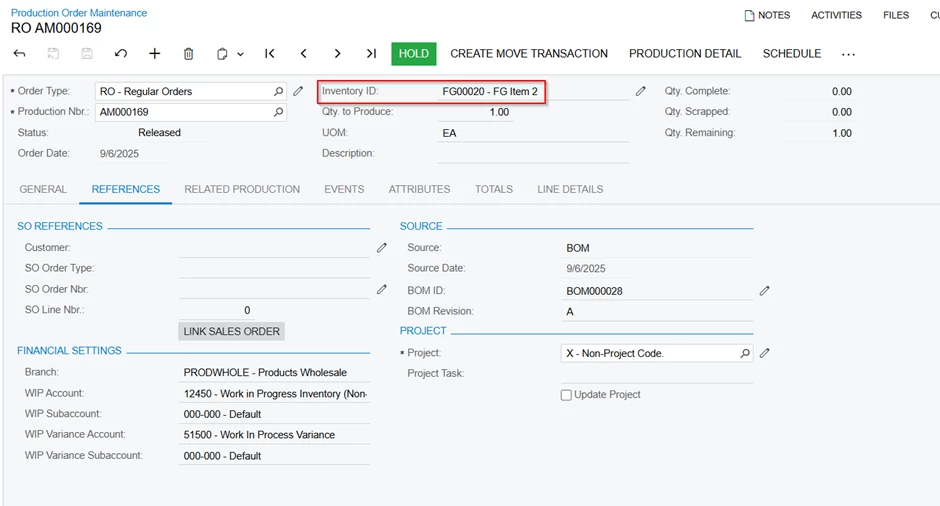
Create a Production Order and release it.
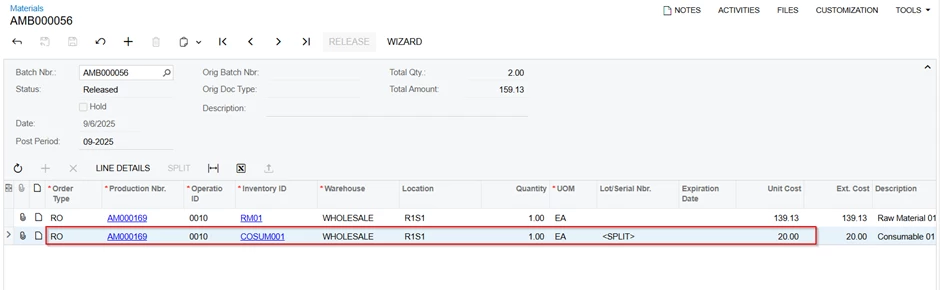
Issue the materials. I can see both stock and non-stock items here.
It allowed me to release the Non-Stock item in the Materials Issue form. From what I understand, since we assigned this under the Materials tab, the system is treating this Non-Stock item as material. I could be wrong.
Material Item issued.
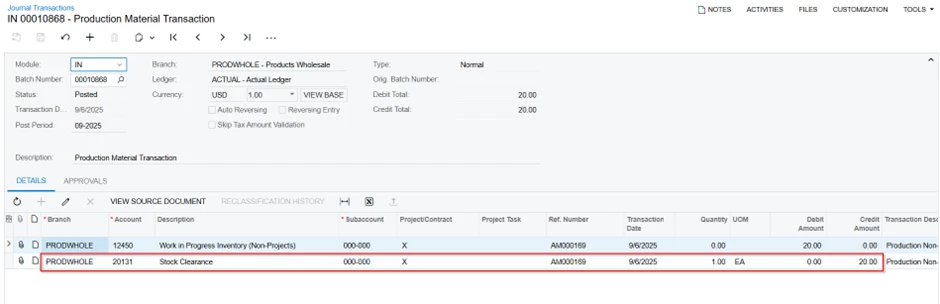
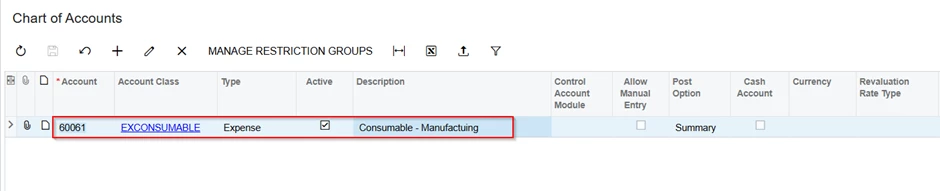
COA Account behaviour.
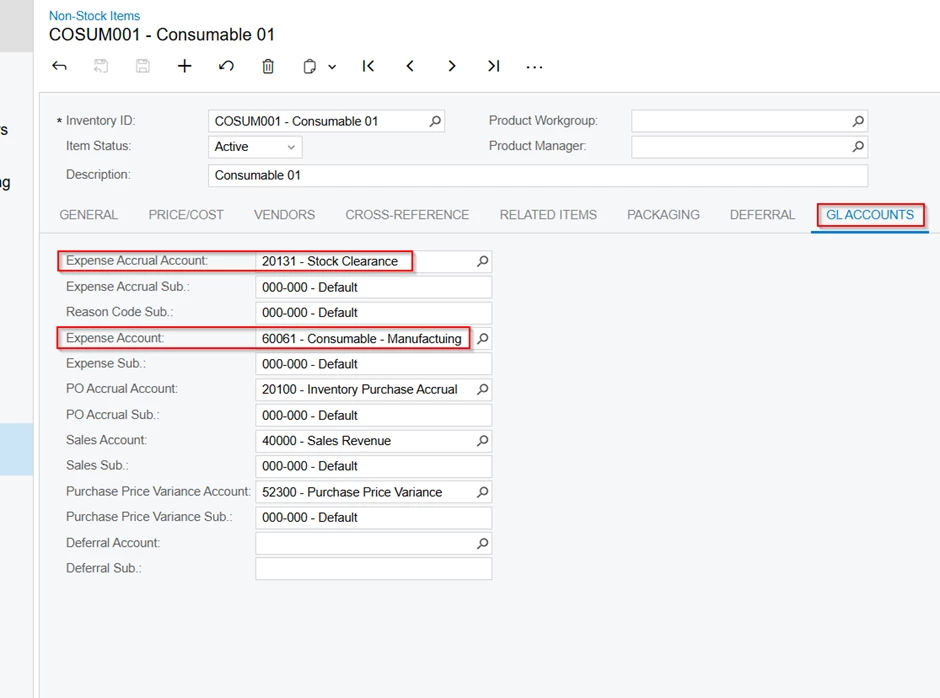
The system now creates a credit balance in account 20131 (Liability account) and transfers it to the Balance Sheet.
I need to clarify the questions below.
01) If I need to maintain a consumable item in the BOM, what is the best practice? As per my understanding, we can use it as overhead.
02) If I add a Non-Stock item into the Materials tab in the Bill of Material form, and it allows me to release it in the Inventory Issue form, the account entry is created referring to the ‘Expense Accrual Account’, not the Expense Account defined at the Item level.
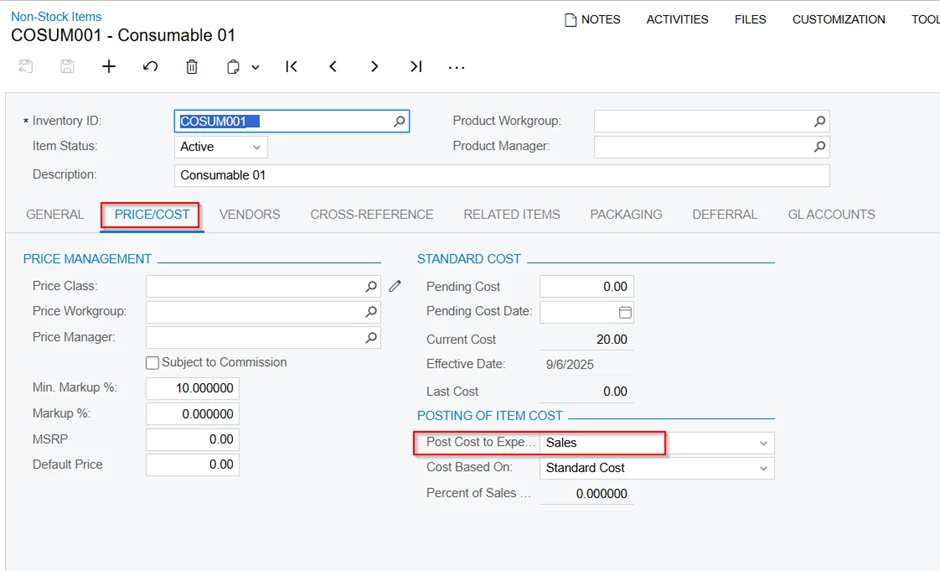
Even though I changed the following setting to ‘Sales’, it is not considering the Expense account.
1) How can I reconcile this Balance Sheet account ‘Expense Accrual Account’-20131?
2) What is the best approach to maintain this process?
Best answer by VarugheseThomas64
Please see below:
The suggested process to use non-stock items in the Manufacturing process in Acumatica is to add them to the Materials tab of the BOM form, then assign the non-stock item an Expense Accrual Account on the Item form. When a production order releases these items, the system uses the Expense Accrual Account for costing and creates a liability for the expense until the corresponding vendor invoice is processed. This approach ensures that non-stocked, consumable materials are accounted for within the manufacturing process without needing to be held in inventory, with their costs accurately captured for the finished product. The steps are like the ones you outlined:
Create a Non-Stock Item – Create the Non-Stock Item and assign an Expense Accrual Account on the GL accounts tab. (This account can be of the Expense or Liability type)
Add to the BOM - On the Materials tab, add the non-stock item just as you would a stock item
Create and Release a Production Order - When you release the Production Order, the non-stock item will be issued. The system treats these items as materials to be issued, allowing them to be released and accounted for in the manufacturing process.
Review and reconciliation (Accounting) - The system uses the Expense Accrual Account assigned to the non-stock item, creating a liability for the expense. The system also records a corresponding entry to the balance sheet liability account. When you later receive the vendor invoice for this non-stock item, the liability is reduced, and the expense is properly recorded.
Costing Considerations: Non-stock items are not inventoried, so their cost is recognized as an expense at the time they are issued to production. The Expense Accrual Account is used to track this liability until the vendor invoice is received and matched.
The Expense Accrual Account can be an Expense account or a liability account. It can be same as the Expense account for the non-stock item as well. Otherwise, the reconciliation must happen between the Expense Accrual Account and the Expense Account.
The suggested process to use non-stock items in the Manufacturing process in Acumatica is to add them to the Materials tab of the BOM form, then assign the non-stock item an Expense Accrual Account on the Item form. When a production order releases these items, the system uses the Expense Accrual Account for costing and creates a liability for the expense until the corresponding vendor invoice is processed. This approach ensures that non-stocked, consumable materials are accounted for within the manufacturing process without needing to be held in inventory, with their costs accurately captured for the finished product. The steps are like the ones you outlined:
Create a Non-Stock Item – Create the Non-Stock Item and assign an Expense Accrual Account on the GL accounts tab. (This account can be of the Expense or Liability type)
Add to the BOM - On the Materials tab, add the non-stock item just as you would a stock item
Create and Release a Production Order - When you release the Production Order, the non-stock item will be issued. The system treats these items as materials to be issued, allowing them to be released and accounted for in the manufacturing process.
Review and reconciliation (Accounting) - The system uses the Expense Accrual Account assigned to the non-stock item, creating a liability for the expense. The system also records a corresponding entry to the balance sheet liability account. When you later receive the vendor invoice for this non-stock item, the liability is reduced, and the expense is properly recorded.
Costing Considerations: Non-stock items are not inventoried, so their cost is recognized as an expense at the time they are issued to production. The Expense Accrual Account is used to track this liability until the vendor invoice is received and matched.
The Expense Accrual Account can be an Expense account or a liability account. It can be same as the Expense account for the non-stock item as well. Otherwise, the reconciliation must happen between the Expense Accrual Account and the Expense Account.
Thank you for the update and for adding valuable input to my query. As you mentioned, we can use either a liability or an expense account to record the non-stock item values. One suitable way to track the consumption of consumable items is by using non-stock items, rather than recording them as overheads.
Hello @dgodsill97 ,
Thank you for the update. Yes, you are correct. If we add the non-stock items into the Materials tab, they behave like stock items. Once they are issued, the value of the consumable item is clearly recorded, and we have a proper tracking trail.