Question

Round up Purchase Qty from Required Qty on Purchase Order

  • January 31, 2025
  • 8 replies
  • 153 views

Hi Everyone 

We are having an issue with rounding up purchase quantity from required quantity on Purchase Order. 


For example

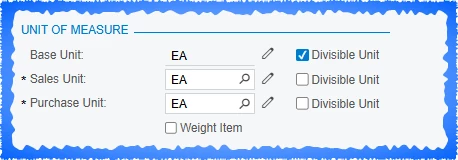
Inventory Item: Metal Sheet (Each Sheet is 2.5 sqm)

Base Unit: SQM

Purchase Unit : EA

“Qty Roundup” under manufacturing only applies to required quantity in base unit. 


Say 12.9 sqm of metal sheet is required for a production order. It generates a Purchase Order for 5.16 sheets. (We need the Purchase Order to round up the quantity to an integer, in this case 6 sheets.)  

We tried implementing lot size as 2.5 in both 1) inventory - replenishment and 2) bill of material - lot.

It didn’t seem to work. 

Could you please suggest a solution? Is customisation the only way? 


Thanks in advance. 

8 replies

Forum|alt.badge.img
  • Varsity I
  • January 31, 2025

@snzhang Hope customization will work if you are already try with these 1) inventory - replenishment and 2) bill of material - lot.


Forum|alt.badge.img+1

Do you have divisible unit unchecked on the stock item?


  • Author
  • Freshman I
  • February 2, 2025

Do you have divisible unit unchecked on the stock item?


We tried that as well. Unchecking “Divisible Unit” causes error when we try to generate Purchase Order from Critical Material. 


Forum|alt.badge.img+12
  • Acumatica Support Team
  • February 3, 2025

Hi ​@snzhang 

I have checked the functionality. The toggling ‘Divisible Unit’ does allow one create regular PO without any error. Expect the option to work for Order generated from Critical material process. Please share the error screenshot. You may report the error to Acumatica Support on a support case as well.

Regards,


  • Author
  • Freshman I
  • February 3, 2025

Hi ​@snzhang 

I have checked the functionality. The toggling ‘Divisible Unit’ does allow one create regular PO without any error. Expect the option to work for Order generated from Critical material process. Please share the error screenshot. You may report the error to Acumatica Support on a support case as well.

Regards,


Hi Vkumar 

Thank you for assistance. 

Checking divisible unit means that the Purchase Order generated from Critical Material has a quantity with decimal points. Which is what we are trying to avoid. We would like the system to round up purchase order quantity to an integer.

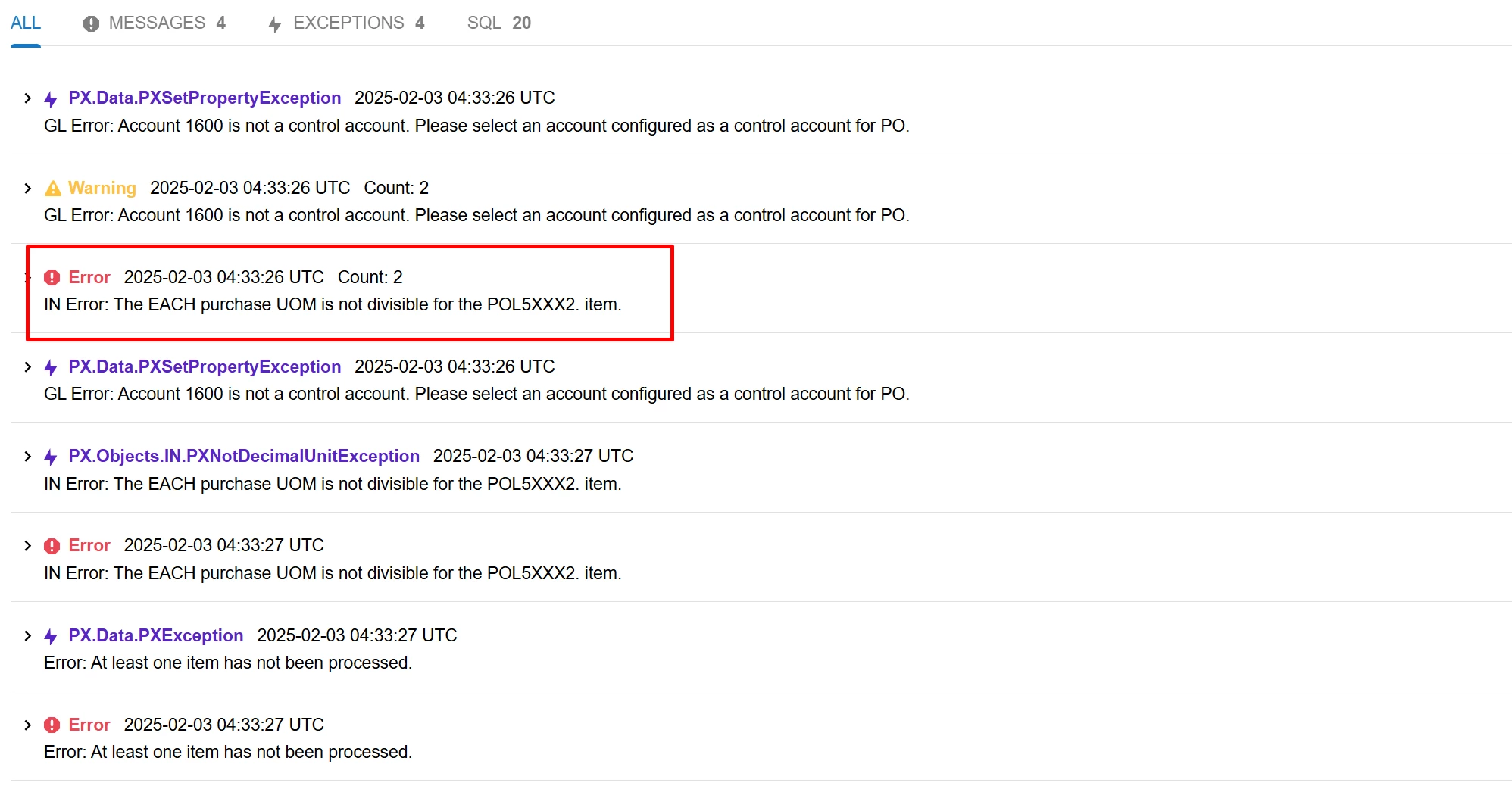
However, unchecking divisible unit, means that when system tries to generate a Purchase Order, because the purchase quantity converted from required qty has decimal points. It will fail to generate a purchase order, as purchase unit is set as non-divisible. 

Please find below trace error. 


Chris Hackett
Community Manager
Forum|alt.badge.img
  • Acumatica Community Manager
  • April 28, 2025

Hi ​@snzhang were you able to find a solution? Thank you!


Forum|alt.badge.img+2

@snzhang I recommend creating community idea.


  • Author
  • Freshman I
  • May 2, 2025

Hi ​@snzhang were you able to find a solution? Thank you!

Hi Chris

Thanks for follow up. Unfortunately, not yet. We need to manually amend Purchase Orders generated from Production Orders at the moment. 

Still wondering if this is a configuration issue, or a product limit.

Thanks.