Question

Raw Lot Material Trace to Finished Good

  • August 20, 2026
  • 4 replies
  • 83 views

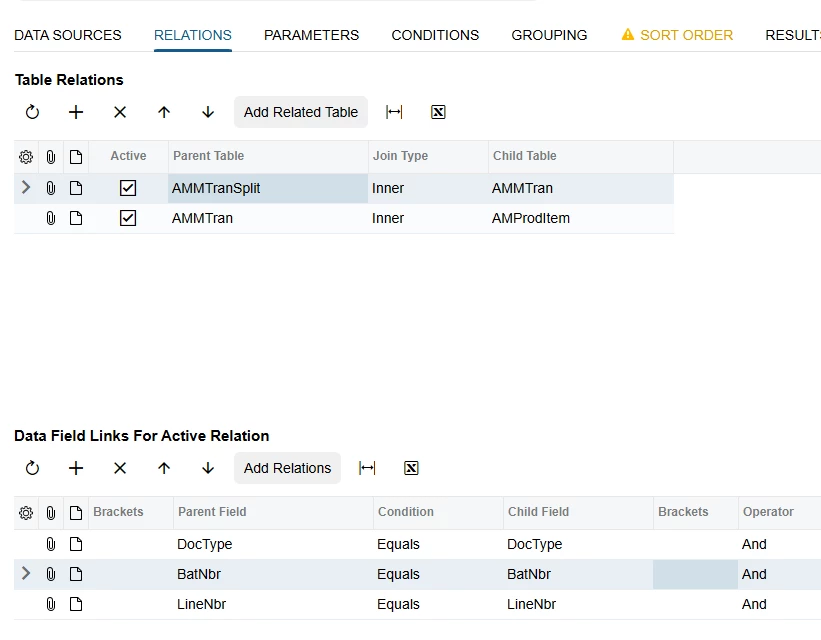
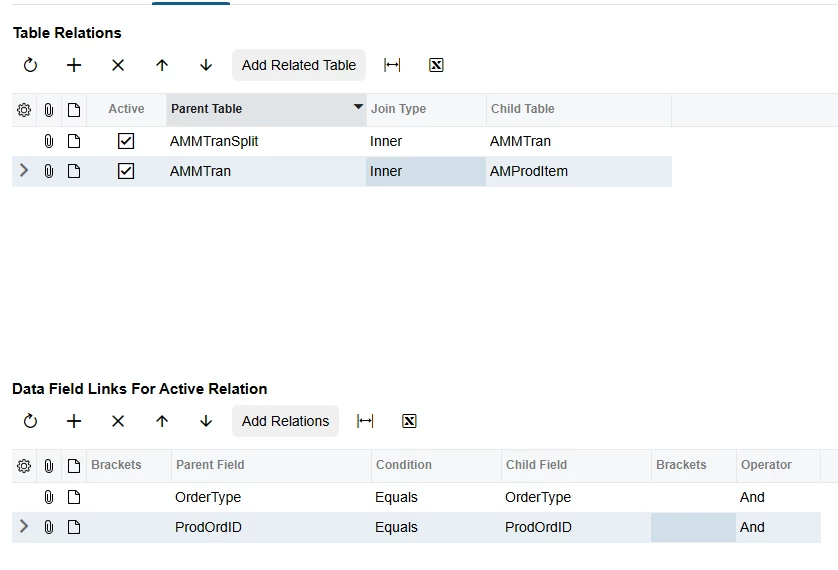
Can someone give advice on creating a GI that would allow a user to search a finished good lot number and see the raw material used to create that lot? Currently we do this by using a different GI to find the production order number and move transaction associated with the lot, then going to the Events tab of the production order, finding the move transaction, then opening the material transaction that was created at the exact same time. I see the move number listed on the Material transaction under ‘Orig Batch Nbr’ so I’ve tried to creating various GIs using AMBatch, AMProdEvnt, AMMTran to at least create a simplified path to the information we need, but I was unable to get a material transaction to show up for every finished good lot even though I can find them manually by the process described above. Our VAR sent us a GI linking AMProdItem to INTran and INTran to INTranSplit, but that still didn’t do what we needed it to.


Does anyone know how to either get a GI to display all move transactions with their associated material transactions or better yet a GI that would allow us to search a finished good lot number and see the specific raw material lot numbers used to create it?


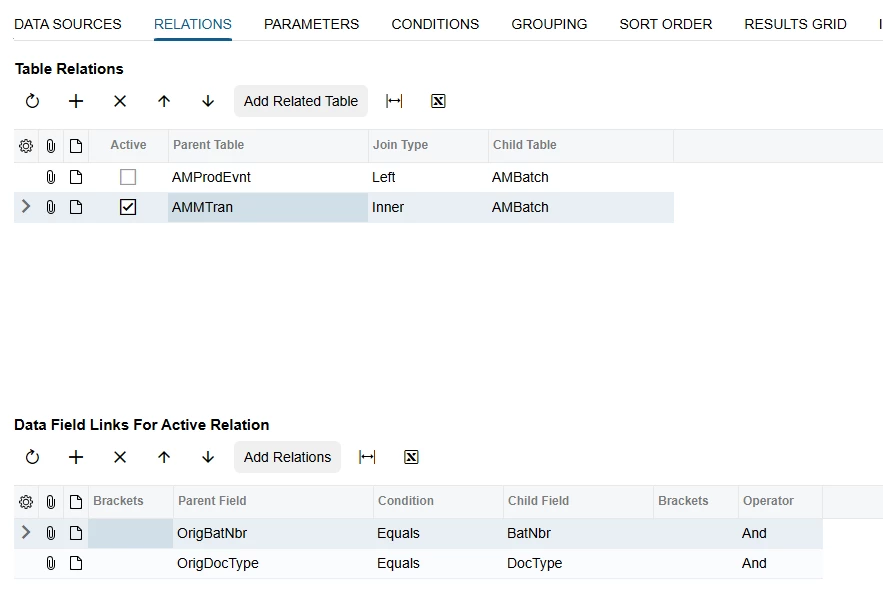
This is my current basic version that pulls the material transaction for some finished good lots, but not all:
 

4 replies

Forum|alt.badge.img+5
  • Jr Varsity II
  • August 20, 2026

Hi ​@jschiele ,

the key field you're missing is AMMTranSplit.ParentLotSerialNbr, which directly links raw material lots to the finished good lot.

Parameter: AMMTranSplit.ParentLotSerialNbr (this is your finished good lot search field)
Result columns:
- AMProdItem.ProdOrdID — Production Order
- AMMTranSplit.ParentLotSerialNbr — FG Lot
- AMMTran.InventoryID — Raw Material Item
- AMMTranSplit.LotSerialNbr — Raw Material Lot
- AMMTranSplit.Qty — Qty Consumed


No need to go through Events tab, timestamps, or INTran. ParentLotSerialNbr on AMMTranSplit is the direct link between the finished good lot and the raw material lots consumed during backflush.
For reverse lookup (raw material lot → which finished goods used it), just filter on AMMTranSplit.LotSerialNbr instead.


Hope above helps!!


  • Author
  • Freshman I
  • August 20, 2026

Hi Rakshanda,

Thank you so much for taking the time to reply! Unfortunately this didn’t work for me. Only 200 parent lot/serial numbers showed up in the report out of over 100K records and none were lots we had produced since go live, so I’m unsure what exactly it’s pulling there. Is there something off about the way I’ve reconstructed the report or anything else I can try?


Forum|alt.badge.img+5
  • Jr Varsity II
  • August 21, 2026

HI ​@jschiele ,

The ParentLotSerialNbr approach only works if you have Preassign Lot/Serial enabled on your production orders. For most setups (especially backflush), that field is empty — which explains why you only see ~200 records.
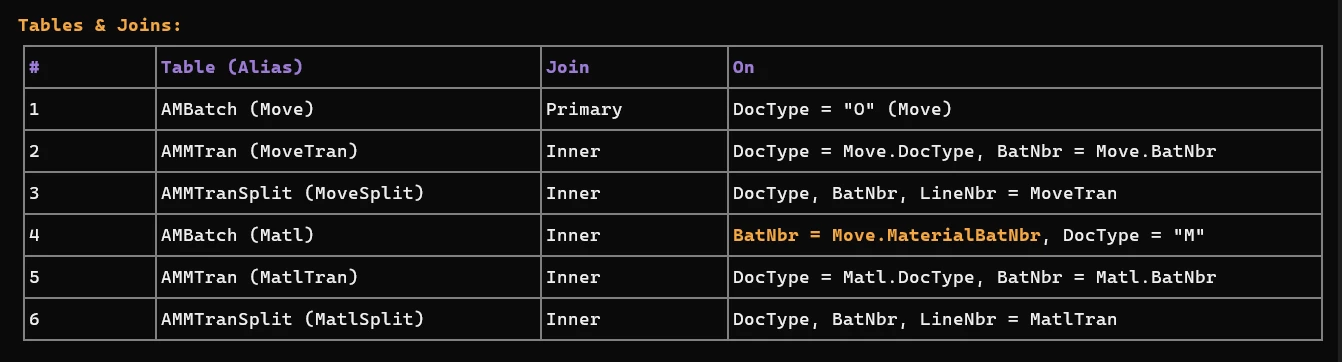
Alternative GI approach using the Move → Material batch link:

AMBatch.MaterialBatNbr is the key — it links the move batch to the material batch created during backflush.
Parameter: MoveSplit.LotSerialNbr (your finished good lot search)
Result columns:
- MoveTran.ProdOrdID — Production Order
- MoveSplit.LotSerialNbr — FG Lot
- MatlTran.InventoryID — Raw Material Item
- MatlSplit.LotSerialNbr — Raw Material Lot
- MatlSplit.Qty — Qty Consumed
- Move.BatNbr — Move Batch
- Matl.BatNbr — Material Batch
If some material is issued manually (not backflush), MaterialBatNbr won't capture those. For manual issues, you'd need a separate GI joining AMMTran (DocType = "M") directly to AMProdItem via OrderType/ProdOrdID, then linking the production order's lot to the material lot.


if possible please share your GI XML

Hope above helps!!


  • Author
  • Freshman I
  • August 22, 2026

I tried your suggestions and some variations, but the best I can seem to get is seeing the finished good lots, inventory ids, and move batches but the columns for raw material, raw material lot/ser nbr, and qty consumed are empty. Every lot we produce should backflushes material. I’ve attached the XML from the two different GI attempts if that helps. The second called ‘LotMaterialIssued’ gets perhaps even closer but for some reason it is missing almost all of our most common production order types from our go live in November up to this month. There’s no condition I can see that should be causing this. Thank you again so much for your time, I really appreciate it.

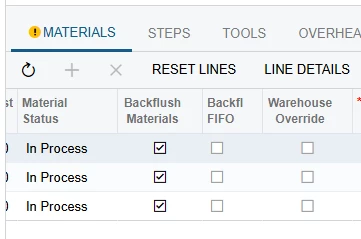
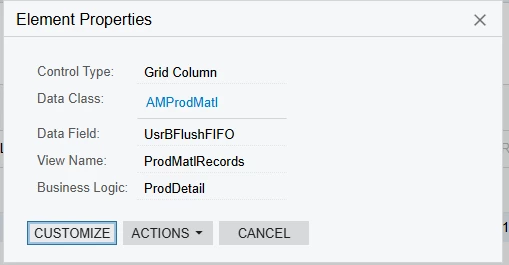
I actually think I see that materials are not showing up on the LotMaterialIssued report when it is set to ‘Bachflush FIFO’ instead of just ‘Backflush’ which I believe is a custom field added by our VAR. I would love anyone’s input/help on this.