Question

Production Order- Default Status & BOM Auto-Populate Behavior (Acumatica 2025 R1)

  • February 23, 2026
  • 3 replies
  • 52 views

Hi Community,

I have two configuration- related questions regarding Production Order behavior

1.Default Status when creating a New Production Order: when creating a new Production Order, it automatically goes to Planned Status. Is there a way to make it default to Hold status first?
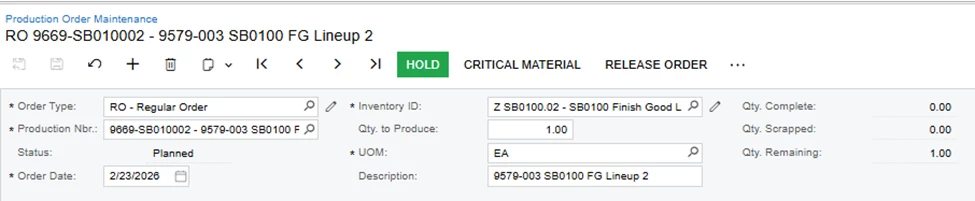
2. In the Production Order Maintenance – Reference tab- when using an Inventory ID that already has a BOM assigned, should the system automatically pull the BOM ID and Revision? 
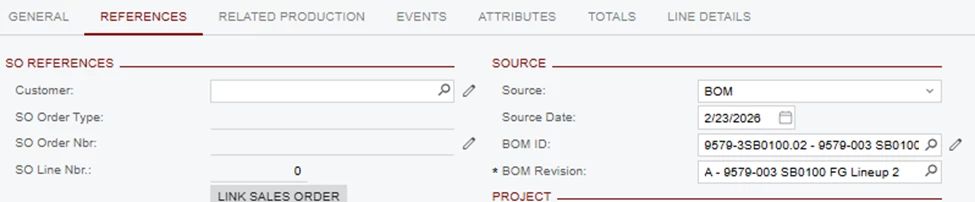
Is there any way both BOM ID and BOM Revision can be left blank by default?


I’m trying to understand if this is standard system behavior or controlled by configuration.

3 replies

Forum|alt.badge.img+3

@PrasadNaidu06 

1.Default Status when creating a New Production Order: when creating a new Production Order, it automatically goes to Planned Status. Is there a way to make it default to Hold status first?

This one we dont have an direct option, but you can make a workflow change.


2) In the Production Order Maintenance – Reference tab- when using an Inventory ID that already has a BOM assigned, should the system automatically pull the BOM ID and Revision? 

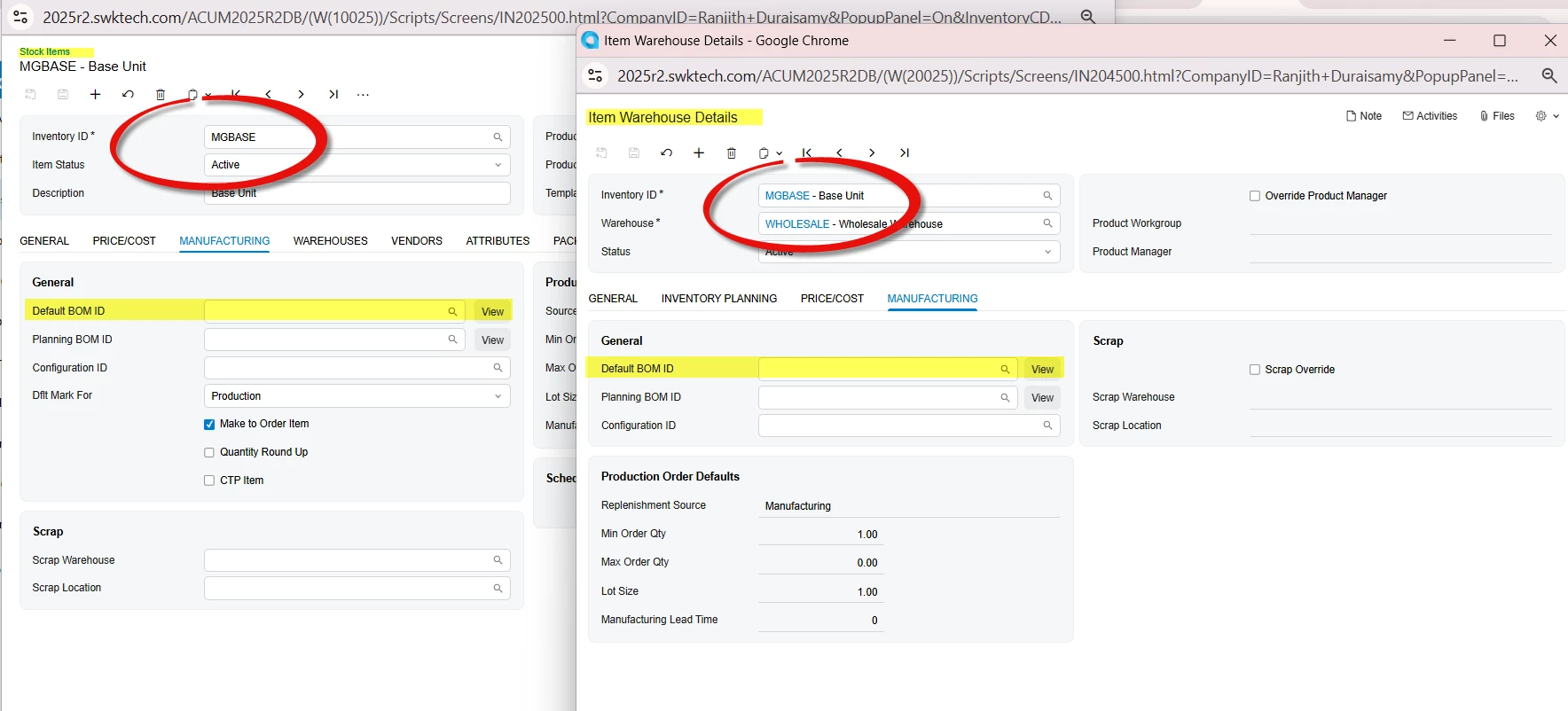
For the above question, you should remove the default BOM from manufacturing tab from Stock Item and item warehouse details screen.


  • Author
  • Freshman I
  • February 24, 2026

@ranjithduraisamy72

Thank you for the clarification and guidance.

Just to confirm, is there any way to remove that default option permanently through configuration, rather than having to clear it manually each time? 


Appreciate your help.


Forum|alt.badge.img+3

@PrasadNaidu06 

You can create a Business Event and configure an Import Scenario as the subscriber. When the first BOM is created for a stock item, the system can automatically update both the Stock Item and the Item Warehouse Details with the default BOM ID.

Similarly, you can set up another Business Event with an Import Scenario as the subscriber.to clear or remove the values from those two screens.

These business events should work automatically for this scenario.