Solved

MRP and Queue Time in BOM

  • March 12, 2024
  • 7 replies
  • 280 views

Forum|alt.badge.img

If Use Fixed Manufacturing Time on Inventory Planning Preferences is not checked, we expect MRP to use manufacturing time from the BOM.
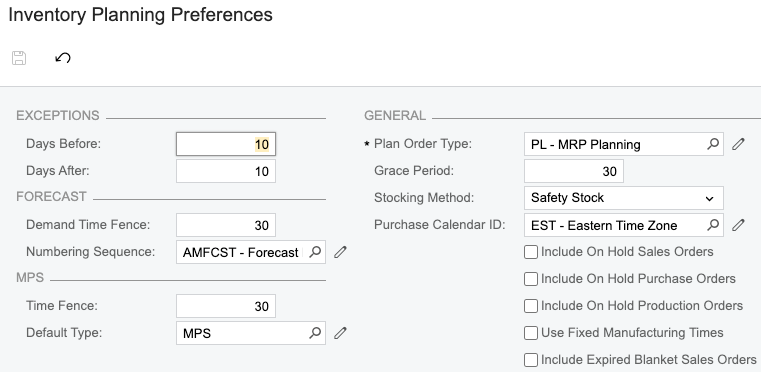
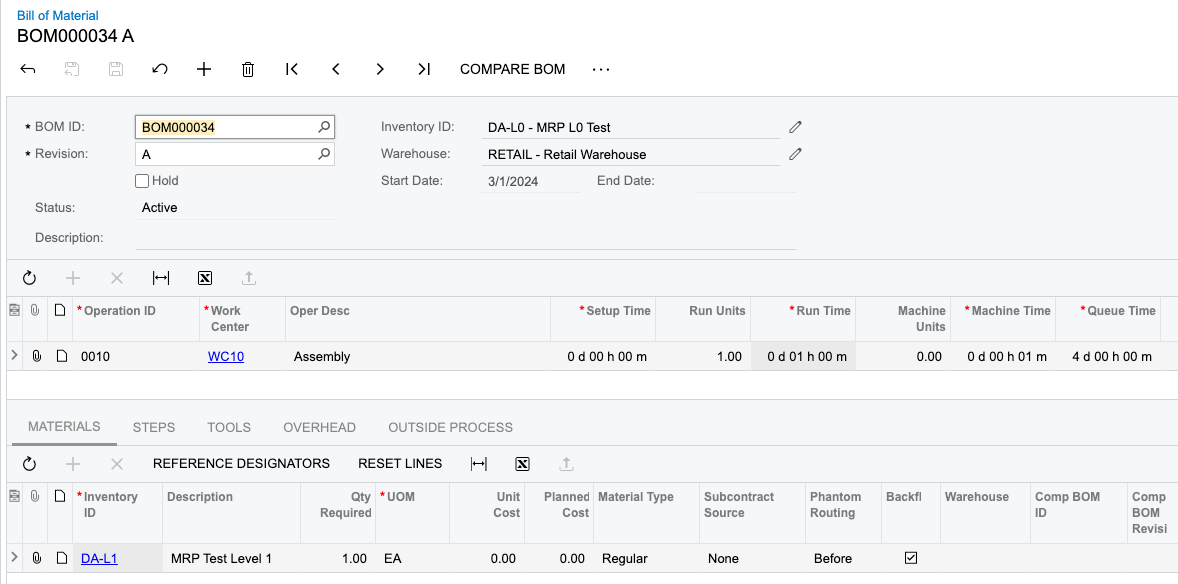
We are having trouble getting it to take Queue Time into account. DA-L0 and DA-L1 both have a queue time of 4 days.
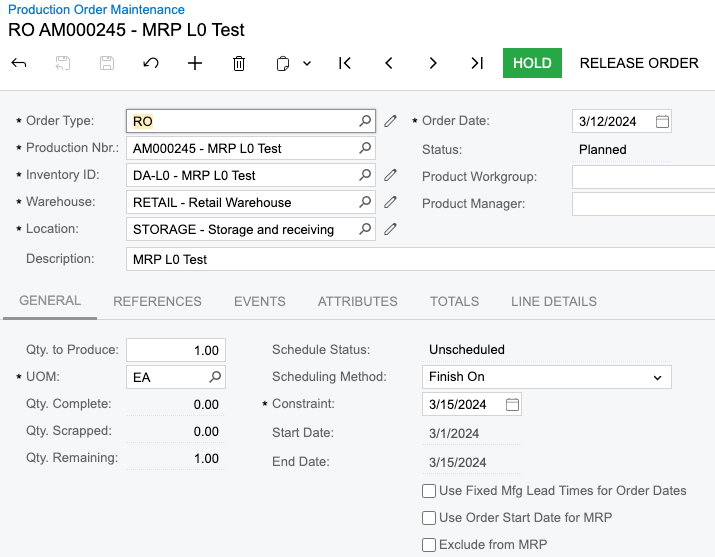
Created an SO for DA-L0 on 3/15. Here is the MRP Result, with the planned action dates for the production orders being 3/15.

Shouldn’t the queue time of 4 days force the action date back 4 days?

If I create the RO from the SO, it does back up the start date.
 

Best answer by andrestamour43

@dsimone20

MRP should utilize infinite scheduling calculations for generated production orders. Infinite scheduling does factor in Queue Time so this appears to be an issue with the software.

Please reach out to your respective contact to log a case with Acumatica. 

Sincerely, 

7 replies

Forum|alt.badge.img+3
  • Acumatica Employee
  • Answer
  • March 12, 2024

@dsimone20

MRP should utilize infinite scheduling calculations for generated production orders. Infinite scheduling does factor in Queue Time so this appears to be an issue with the software.

Please reach out to your respective contact to log a case with Acumatica. 

Sincerely, 


Forum|alt.badge.img
  • Jr Varsity III
  • April 22, 2024

We are seeing the same thing on our installation.   MRP does not appear to be taking the values that are entered in the Queue, Move and Finish time columns of a BOM into consideration when calcuating the action date. This was behaving as expected a month or two ago... 


Forum|alt.badge.img
  • Jr Varsity III
  • July 8, 2024

Does anyone have any updates on this?  It still does not appear to be working correctly in our system.


Forum|alt.badge.img
  • Jr Varsity III
  • July 11, 2024

@andrestamour43 

Can you shed any light on the situation with Queue, Finish and Move times not being considered in the Inventory Planning / MRP calculations?   We have tested extensivly in our system 23.211.0017 and have found that regardless of what values we put in those columns of the BOM there is no impact on the MRP action date.   I have also heard reports that this is not functioning as expected in 24R1 as well. 


Forum|alt.badge.img
  • Jr Varsity III
  • May 6, 2026

Hello,

We are now running 2025R2 and Queue time is now being included in the Inventory Planning (MRP) action date calculations.   However it was recently noted that the Action date that Inventory Planning shows,  never matches (always later) then the Action date that is on the Production order when that is generated.   

In our testing it seems to be directly related to the amount of queue time that is on the BOM.   For example if the total Queue time on the BOM is 4 working hour days (~9.5 business days),  then MRP will report a action date that is ~ 3 days later then what the work order is generated for.   Similarly, if the total Queue time on the BOM is 6 working hour days (~19 business days), then MRP will report an action date that is ~6 day later then when the work order is generated for.   

Based on my calculations I believe that the production orders are calculating the start date correctly based on the default calendar used by the work centers.  I suspect that MRP might not be applying the default calendar correctly when it comes to calculating duration of Queue time, and possibly Finish and Move times as well, which results in a different action date from what the production order calculates.   

In several recent cases,  because of this, MRP did not give us sufficient warning to start a production order and by the time the production order was released,  the start date had already passed.   We have some measures in place to help mitigate the impact this causes,  but it sure would be nice if Inventory Planning (MRP) calculated the action date the same as the production order calculates the action date.


On a semi related note, I would like to add that how “days” on Bills of materials are applied to these calculations really needs some consideration.  In our opinion “Days” on a bill of a material should really be a “calendar day” (respecting the default calendar work days, holidays, etc).  Currently a “Day” on a Bill of material is considered to be 24 hours and  if your default calendar only has 8 working hours per day,  then 1 day on a Bill of material turns into 3 calendar days.   We understand this now,  but it is very confusing for anyone new who is looking at our Bills of materials.  


jdobish
Pro III
Forum|alt.badge.img+2
  • Pro III
  • May 19, 2026

depending on the work centers being used, and the calendar, as well as the time settings you are using, you can get some variances in the schedule. I have found that if you allow for days, it will calculate using a 24 hour calendar, but then it will sometimes get confused when trying to convert to hours. 

There is a lot of trial and error when it comes to evaluating the calendar and schedules.

I have seen a few times where people will have a specific schedule for outside processes, where they are using hours as days and limiting capacity to basically be 1 hour a day. (In this case, 1 hour / day 7 days a week = if you put 7 hours on the OSV work center, it would push it out 7 days)


Forum|alt.badge.img
  • Jr Varsity III
  • May 19, 2026

@jdobish 

Back during our golive (2023R2) I had developed (cannot find) a spreadsheet that was able to mimic the production dates based on calendars, routing times, etc.  I was able to plug in the routing rates, total qty to produce an a start date and it would arrive at the same end date as acumatica.  It would also match MRP action dates if I took queue, finish and move times out of the equation…  So at that time it seems that the production order dates were being calculated correctly and the MRP dates were only off by the Queue, Finish and Move times on the routing.   Unfortunately I cannot find that spreadsheet to test the production order dates in 2025R2,  but MRP is still clearly not calculating the same as production orders.


For outside services we have set a calendar that is M-F, 24H / day,  this gives us the ability to set a finish time of 10 days on the routing and it correlates directly to 10 business days.   Because we are using a 24 hour day it seems that it likely calculates these durations correctly, however I have not had time to test this extensively.