Answer

Materials Screen - Limit inventory IDs to only materials on the production order

  • February 27, 2024
  • 7 replies
  • 67 views

Forum|alt.badge.img+5

When you create a new materials transaction within the Materials screen, you enter the production order and the operation.  When you get to the Inventory ID field, it allows you to select any inventory ID.  This is likely by design.  However, is there anyway to limit the Inventory ID selection to only materials already defined on the production order?

Best answer by angierowley75

The Inventory ID selector does not filter by the Materials of the Production Operation chosen - this would be an enhancement request.

Do they really want to issue the broken material to the Production Order - seems to me they would want to perform and inventory issue w/ a scrap reason code to relieve inventory and track scrap.

7 replies

Debbie Baldwin
Acumatica Moderator
Forum|alt.badge.img+2
  • Acumatica Product Manager
  • February 27, 2024

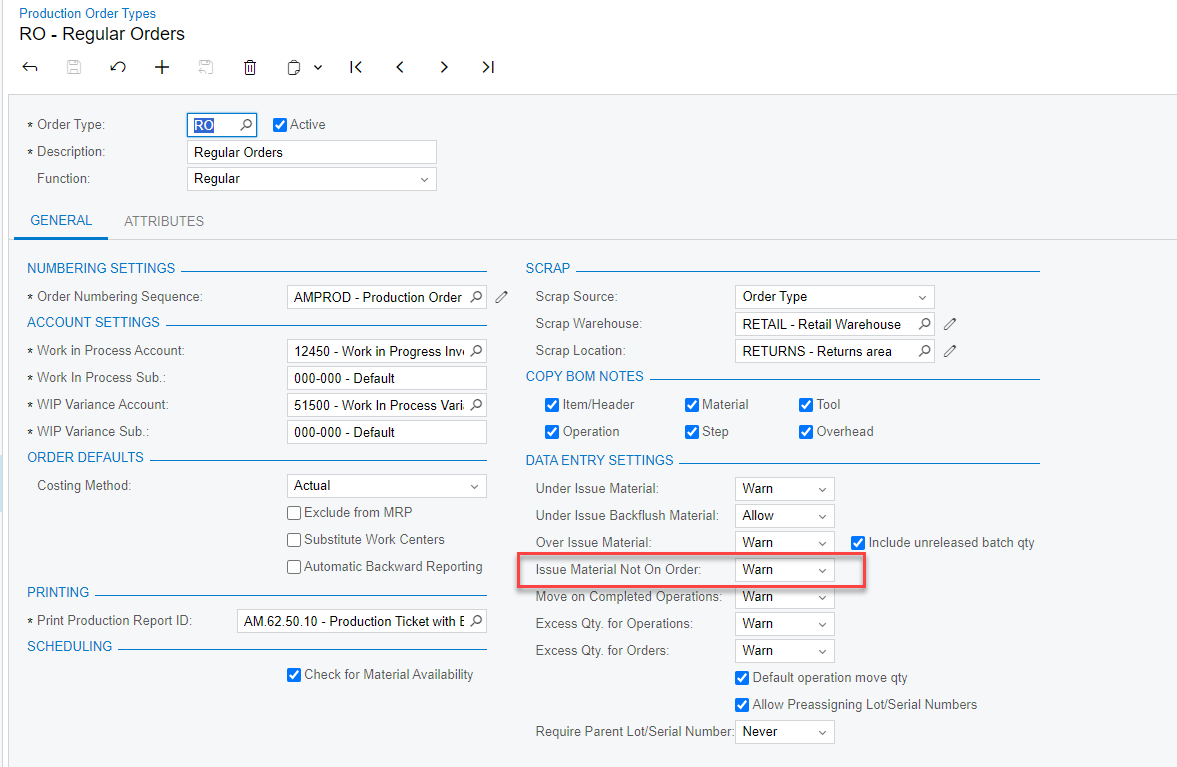
@ltussing03 How do you have this parameter set? 


Forum|alt.badge.img+5
  • Author
  • Captain II
  • February 27, 2024

Thanks Debbie!

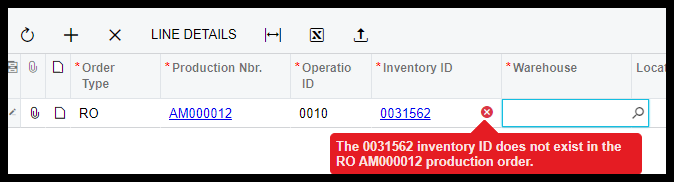
I set it to “Not Allow” and tried again.  It still does not limit the selection list of inventory IDs.  It does stop you after you select and inventory ID not on the production order.


The difficulty is in the selection itself.  They have to copy and paste the inventory ID from the production order into the materials screen.


angierowley75
Acumatica Moderator
Forum|alt.badge.img+3
  • Acumatica Moderator
  • February 27, 2024

What is the business scenario / Use Case - could they scan from the Production Ticket?  Or use the Release Materials to call up the Materials Wizard which list the materials to be issued.


Forum|alt.badge.img+5
  • Author
  • Captain II
  • February 27, 2024

They backflush all labor and materials.

They do not print production tickets or scan anything.

After the production order is completed, they need to issue additional material if any of it was physically broken and they physically needed to grab more.


Forum|alt.badge.img+5
  • Author
  • Captain II
  • February 27, 2024

So if they need 5 of a material and one was broken.  They do the one and only needed move transaction (there is only 1 operation) and all materials are backflushed.  Then they do a materials transaction to issue the extra 1 piece that was physically used.


angierowley75
Acumatica Moderator
Forum|alt.badge.img+3
  • Acumatica Moderator
  • Answer
  • February 28, 2024

The Inventory ID selector does not filter by the Materials of the Production Operation chosen - this would be an enhancement request.

Do they really want to issue the broken material to the Production Order - seems to me they would want to perform and inventory issue w/ a scrap reason code to relieve inventory and track scrap.


Forum|alt.badge.img+5
  • Author
  • Captain II
  • February 28, 2024

Angie,

Thanks for the response.  Right now, I don’t believe this needs to be an enhancement request.  Thanks to you and Debbie for your suggestions!