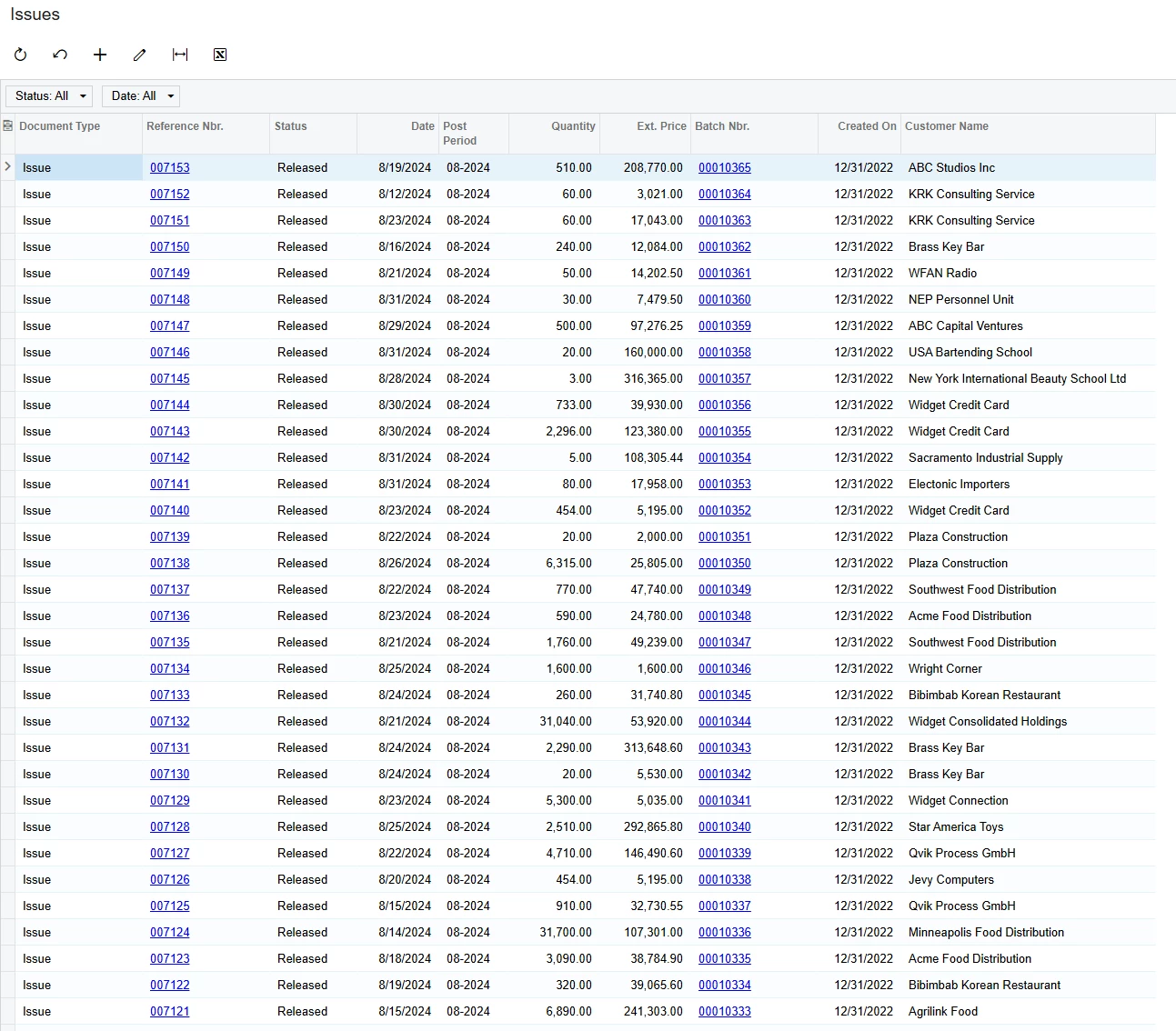
Issues is a standard GI for Acumatica. When a Customer SO is shipped, Acumatica posted the COGS side of the equation. The customer is known as the customer shipment generates the transaction, therefore one would presume the customer field would populate on the GI. We are running MRP, so the Prod Order is produced, moved to FG and then shipped from inventory.
Am i missing something somewhere?
cch
Best answer by amorey
@ccharris01 See attached for an example GI I just put together in my 24R2 sandbox, it should work in your current environment. Please be aware the reason why Customer isn’t available out of the box is most likely because of the “many to one” relationship within this record. The example I provided prints all of the individual Inventory Transactions and then groups them back together and sums the quantity and extended prices. You may want to play with the grouping or just remove the grouping altogether and use this GI as an “Issues Detail” report instead.
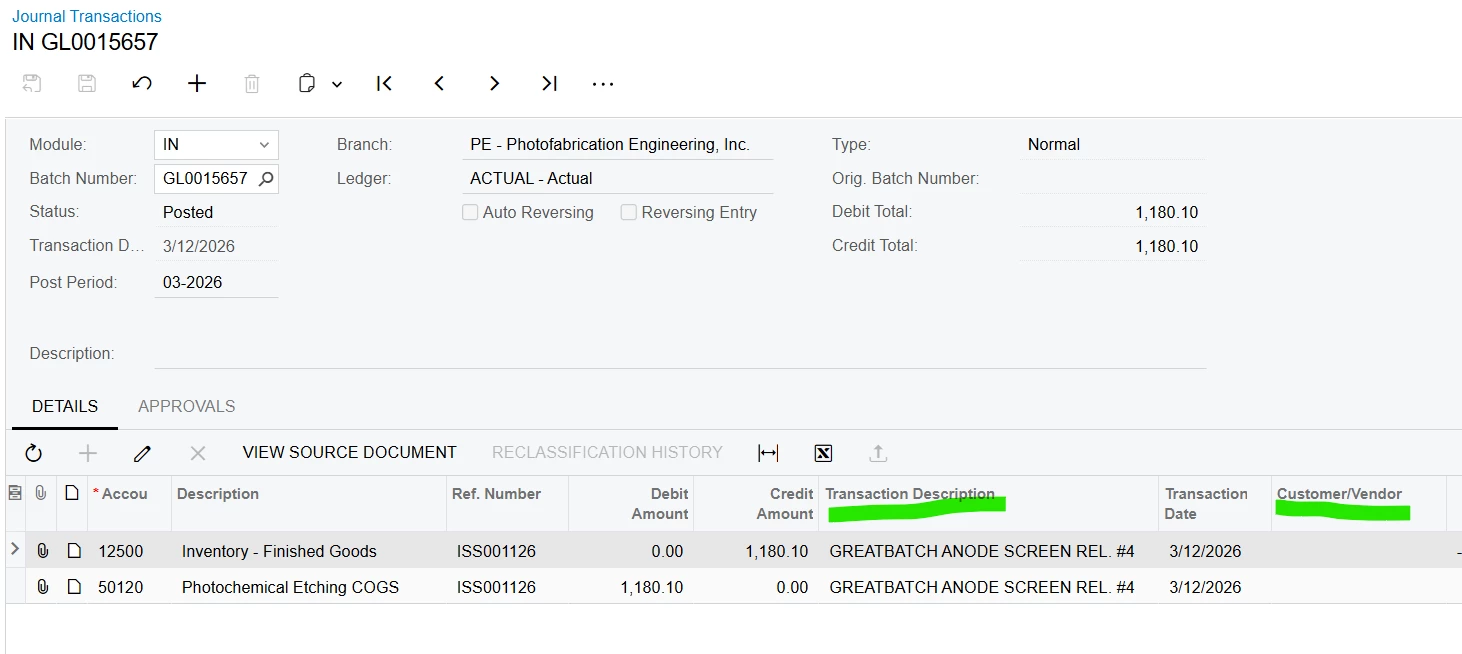
This is the GL Trans details: Standard Acumatica view that you cannot customize through Edit GI.
Customer/Vendor is blank (Info is available on the ISS)
Trans Description is part Desc. (Part # would be better)
If you return to the ISS, you can add SO#, but not Customer or Line.
In the GL - SO, WO, Part # should all be available. To create a GI for this, there are too many related tables, creating multiple duplicate records
If anyone has created a GI showing GL transaction details for MFG I would be grateful. I am looking to follow a part through the entire MRP process. SO, WO, WIP, FG, Variance, Ship, Invoice/COGS.
Yes, I know entering the SO does not create any GL transactions, nor does running MRP. Once the WO is created and transactions start, it would be nice to have WO and Part # referenced on every transaction - Labor, Material issue, OH.
FYI, this is not a GI, it looks similar but is actually a data view defined in the code of Acumatica.
It looks like this is an inventory transaction. You can create a GI which links the GLTran line back to INTran, which you would then link back to the SOShipment record. The trick to not having duplicates is utilising a join which is similar to this:
GLTran Inner Join INRegister
Module Equals =’IN’
BatchNbr Equals BatchNbr
INRegister Inner Join INTran
DocType Equals DocType
RefNbr Equals RefNbr
INTran Inner Join SOShipment
SOShipmentType Equals ShipmentType
SOShipmentNbr Equals ShipmentNbr
The use of Module Equals =’IN’ should prevent any duplication you may receive if you did not include it prior.
While I understand your joins, the problem is the different sources required to each GL transaction based on the different refnbr Acumatica uses. Labor is different the material issues, which is different from closing WIP and posting variance, which is different than shipping, which is different than posting the sale/cogs.
It was a lot easier in my last software, as the MFG transactions were all one type, requiring one join.
We are running 24R2. Our var did not recommened 25R1 or R2 at our go live. We are working on a 26R1 sandbox install to review, so that might be sometime around Sept.
@ccharris01 See attached for an example GI I just put together in my 24R2 sandbox, it should work in your current environment. Please be aware the reason why Customer isn’t available out of the box is most likely because of the “many to one” relationship within this record. The example I provided prints all of the individual Inventory Transactions and then groups them back together and sums the quantity and extended prices. You may want to play with the grouping or just remove the grouping altogether and use this GI as an “Issues Detail” report instead.
I will look at this in more detail. But I think this gets me a lot closer than I was before. I had a few missing customers, but a few missing is a lot less then many. thanks!