Answer

Manufacturing backflush error

  • October 9, 2024
  • 3 replies
  • 128 views

Forum|alt.badge.img+2

Hi,

I'm encountering an issue with Manufacturing Backflush. I have a production order where all the component materials are set to backflush. The problem is that, despite having sufficient stock in the warehouse, the system is throwing an "out of stock" error during the move transaction. There’s plenty of inventory in the system, but it’s not being recognized during the move. Is there a specific logic that the system follows when selecting a location for backflushing? I’ve noticed that when there is stock in the location defined in the production header, the error doesn’t occur. 
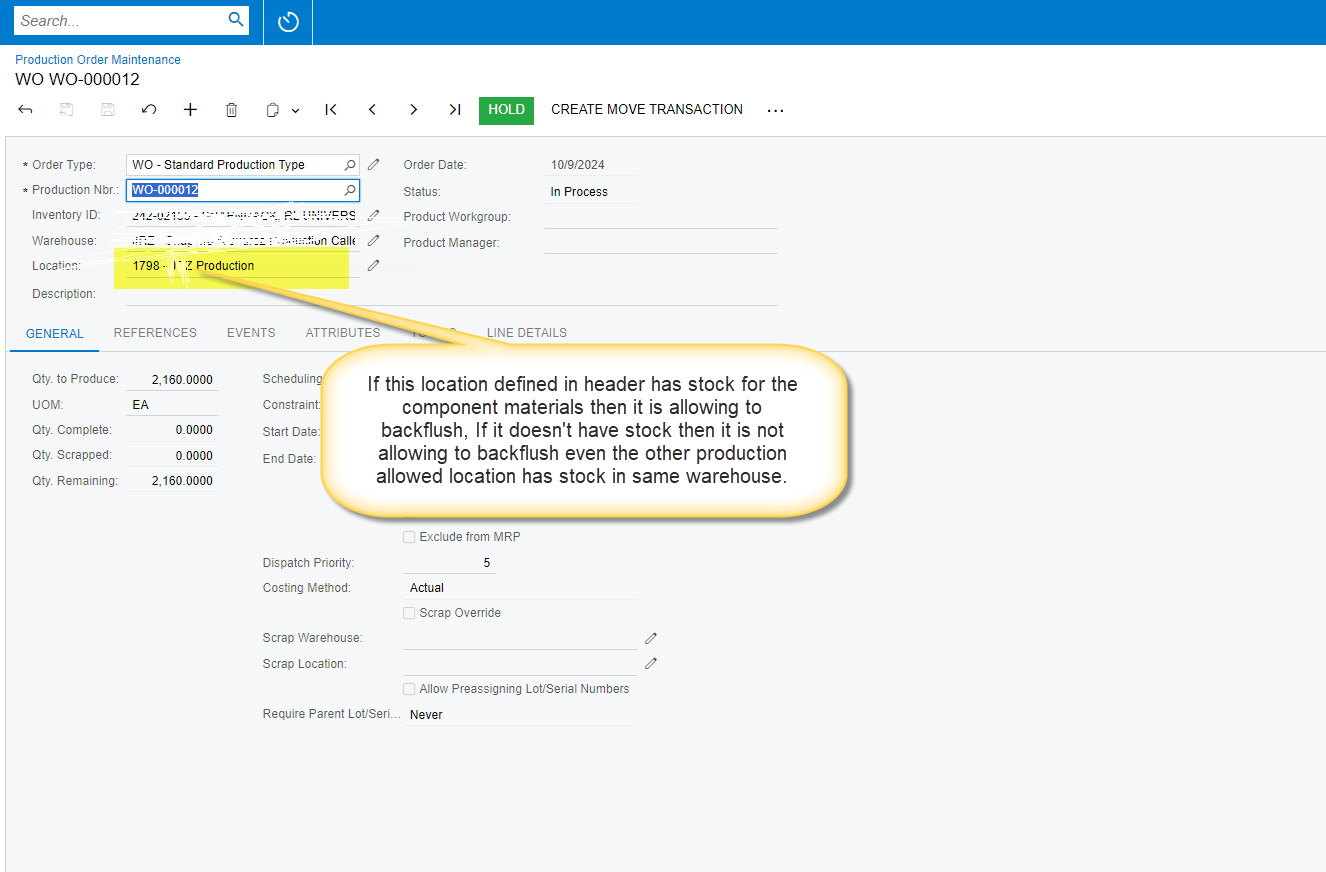


I believe the system should check all the locations within the warehouse that are set to "production allowed.


Best answer by kyle90

Another issue can be the warehouse location the inventory is stored at - make sure your inventory is stored in a location that has “Sales Allowed” as counterintuitive as that might sound


3 replies

angierowley75
Acumatica Moderator
Forum|alt.badge.img+3
  • Acumatica Moderator
  • October 9, 2024

Check to see if the location is assigned on the Material grid line on Production Order Detail (AM209000)

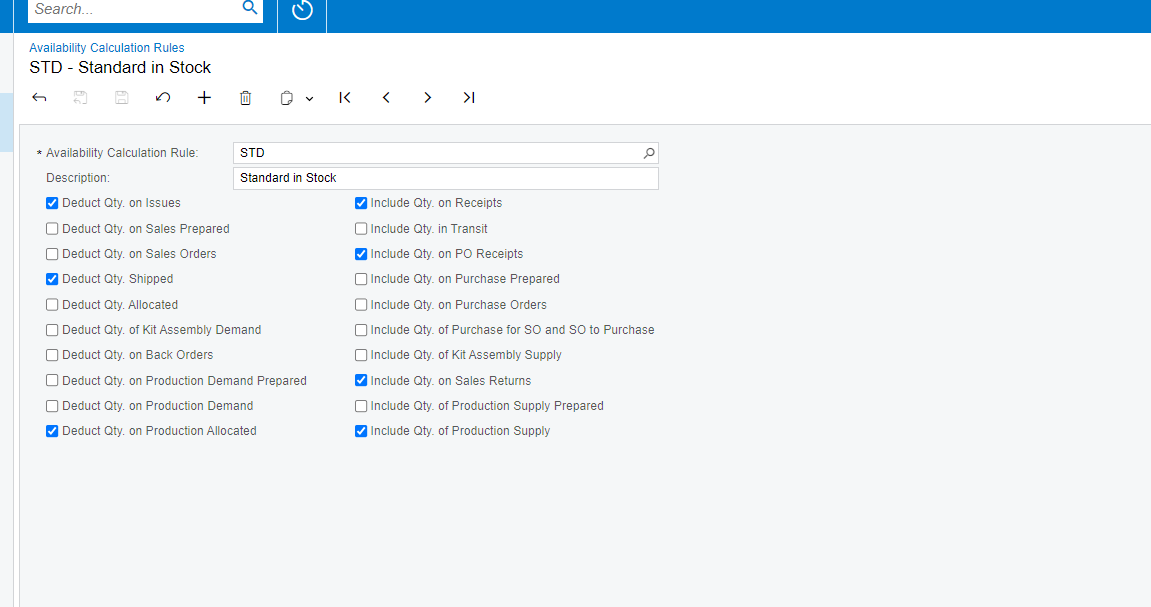
You might want to check your Availability Calculation Rules (IN201500)


Forum|alt.badge.img+2

Hi,

There is no location assigned in the production order details screen.

Do you have any preferred setting that I need to make in availability calculation Rule. I have added the screenshot of availability calculation rule.


Forum|alt.badge.img+2
  • Captain II
  • Answer
  • October 9, 2024

Another issue can be the warehouse location the inventory is stored at - make sure your inventory is stored in a location that has “Sales Allowed” as counterintuitive as that might sound