


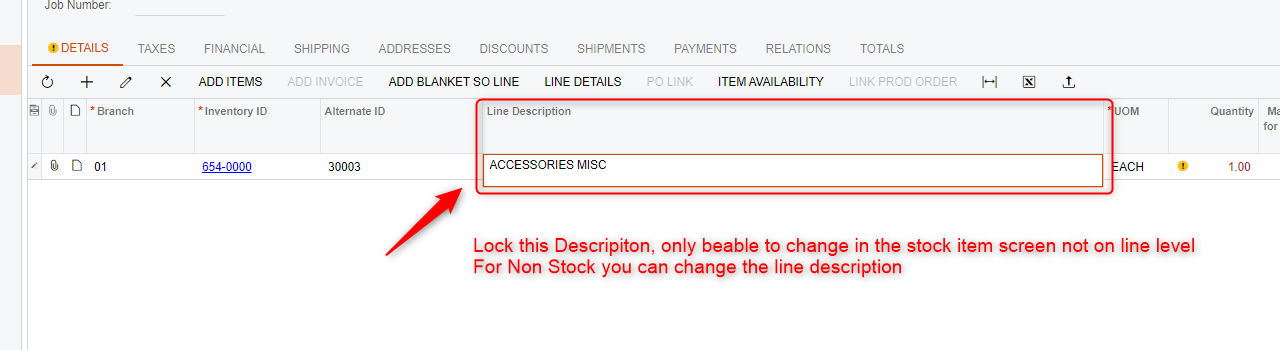
Iam wondering if it's possible to Lock the Line description for the sales team to not change the description anymore. I looked in the settings but couldn't find a solution
Iam wondering if it's possible to Lock the Line description for the sales team to not change the description anymore. I looked in the settings but couldn't find a solution
Best answer by nhatnghetinh
Hi
You make Access Rights to do this.
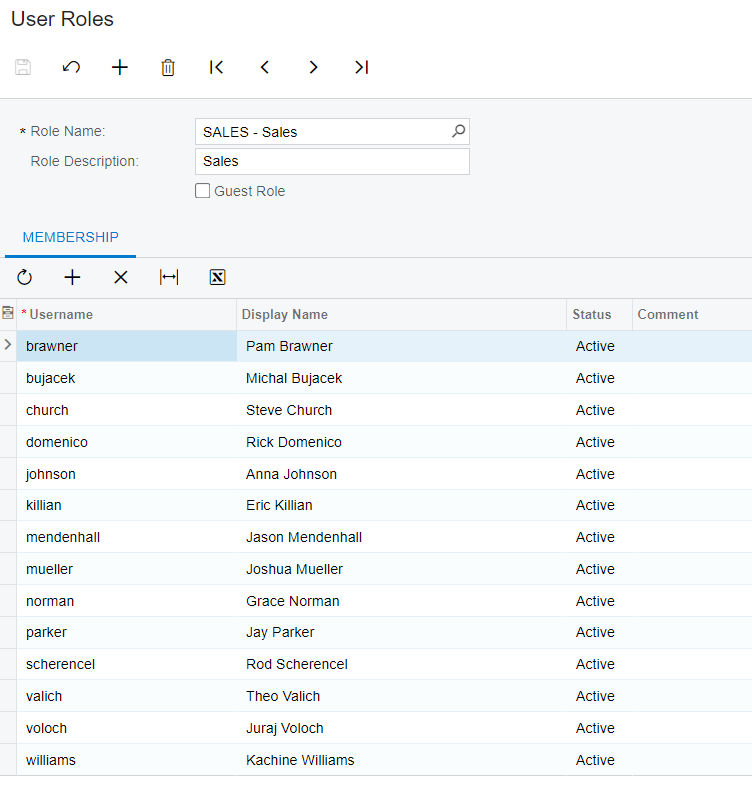
Step 1: Create Uses Role & Add the Users you want to lock "Line Description" of Sales Order Screen to this Role.
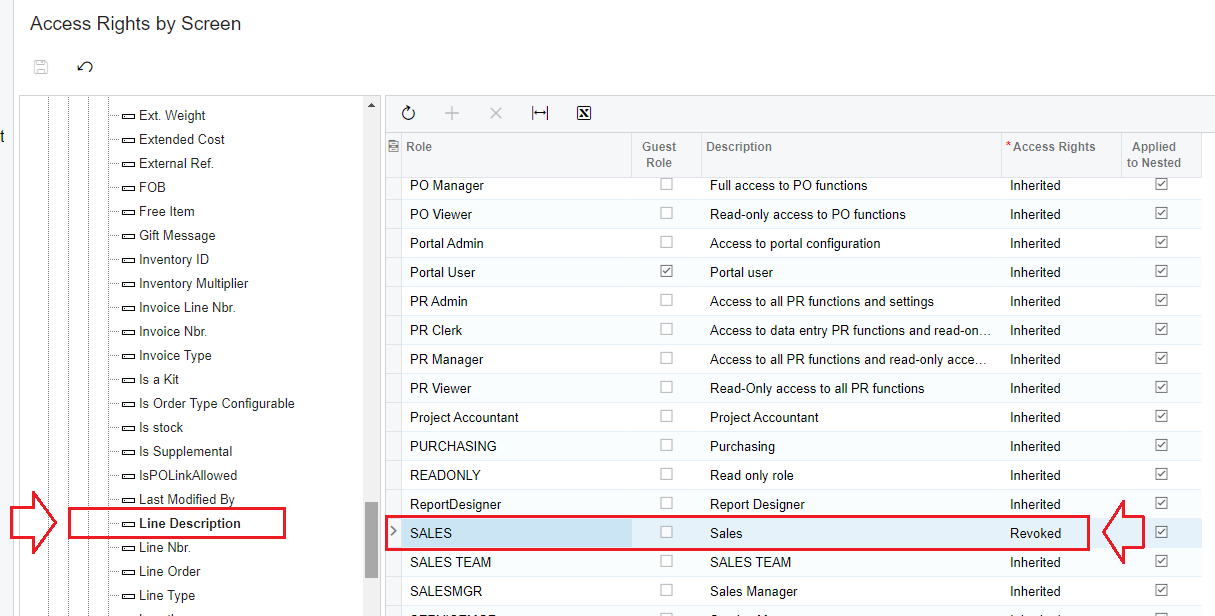
Step 2: Make the Access Right to lock the "Line Description" feature on the Sales Order screen.
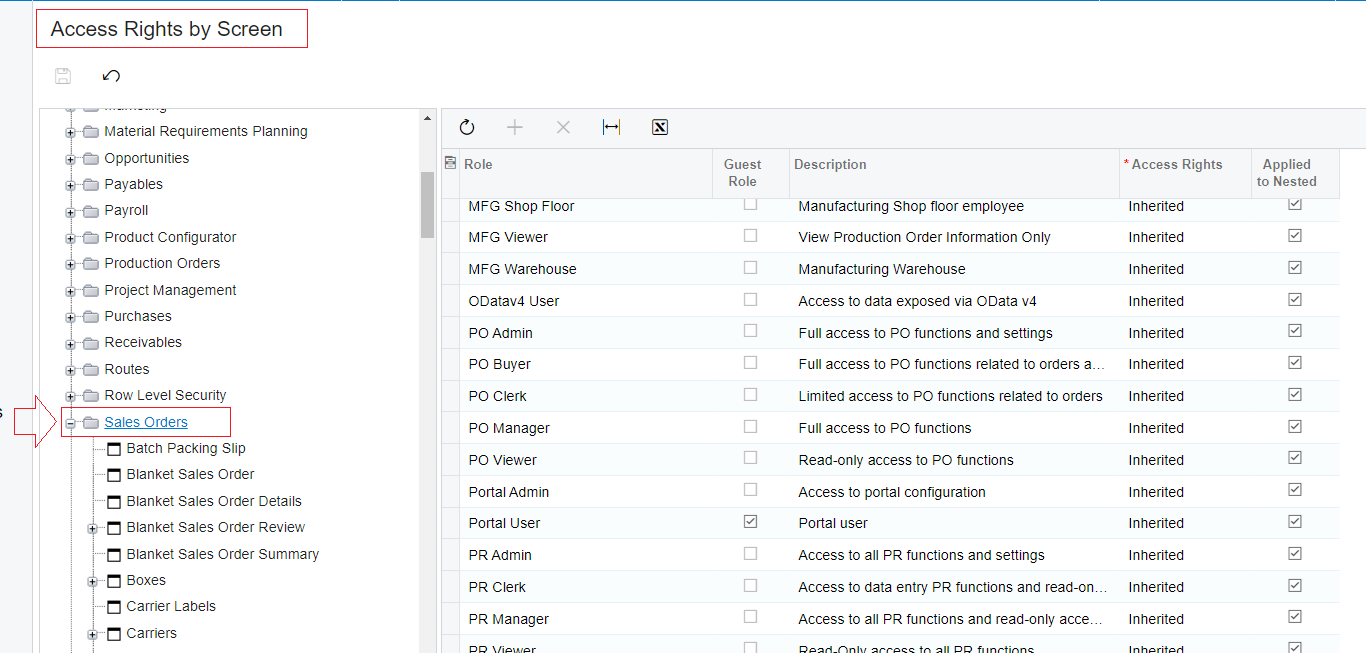
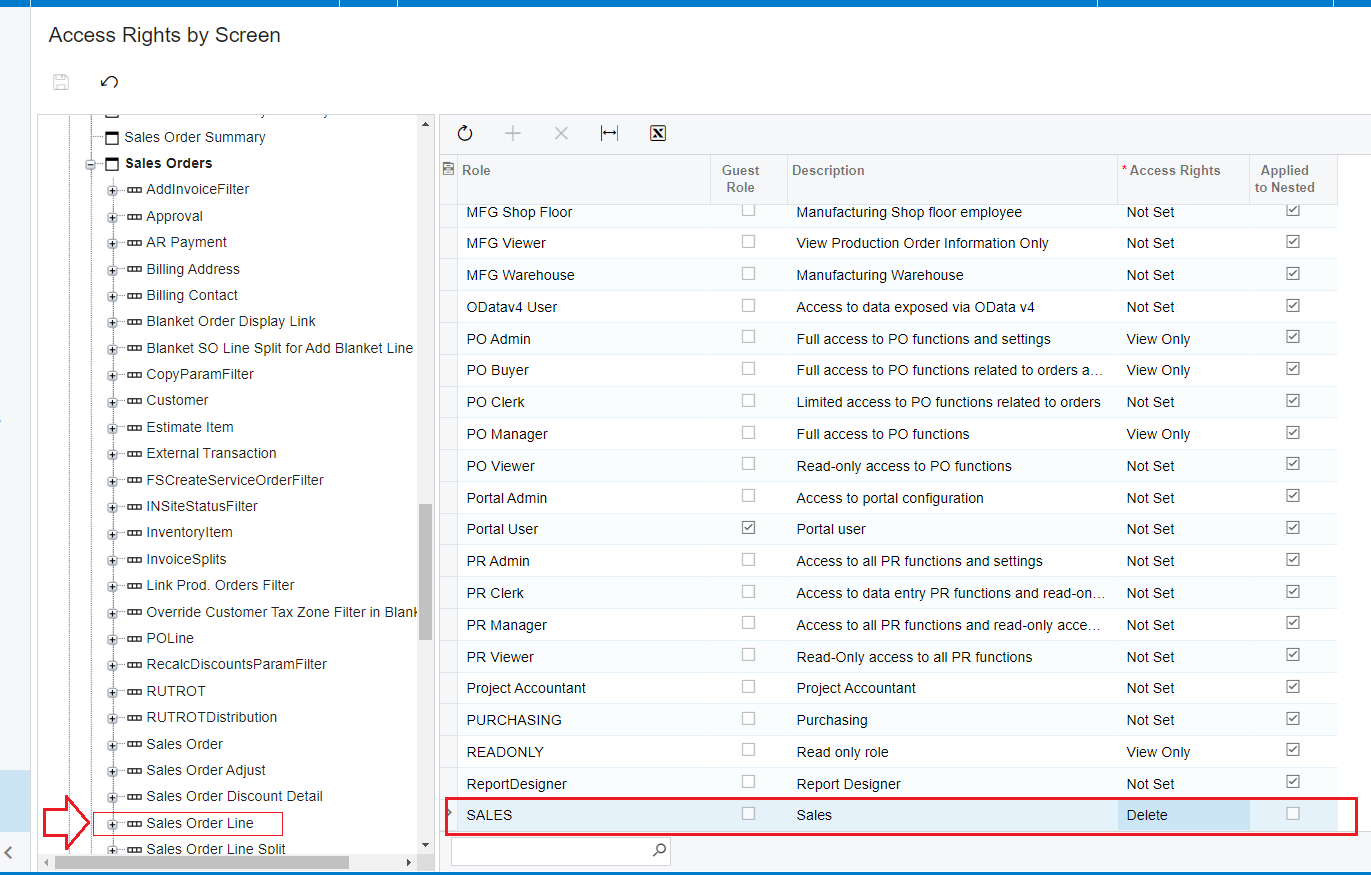
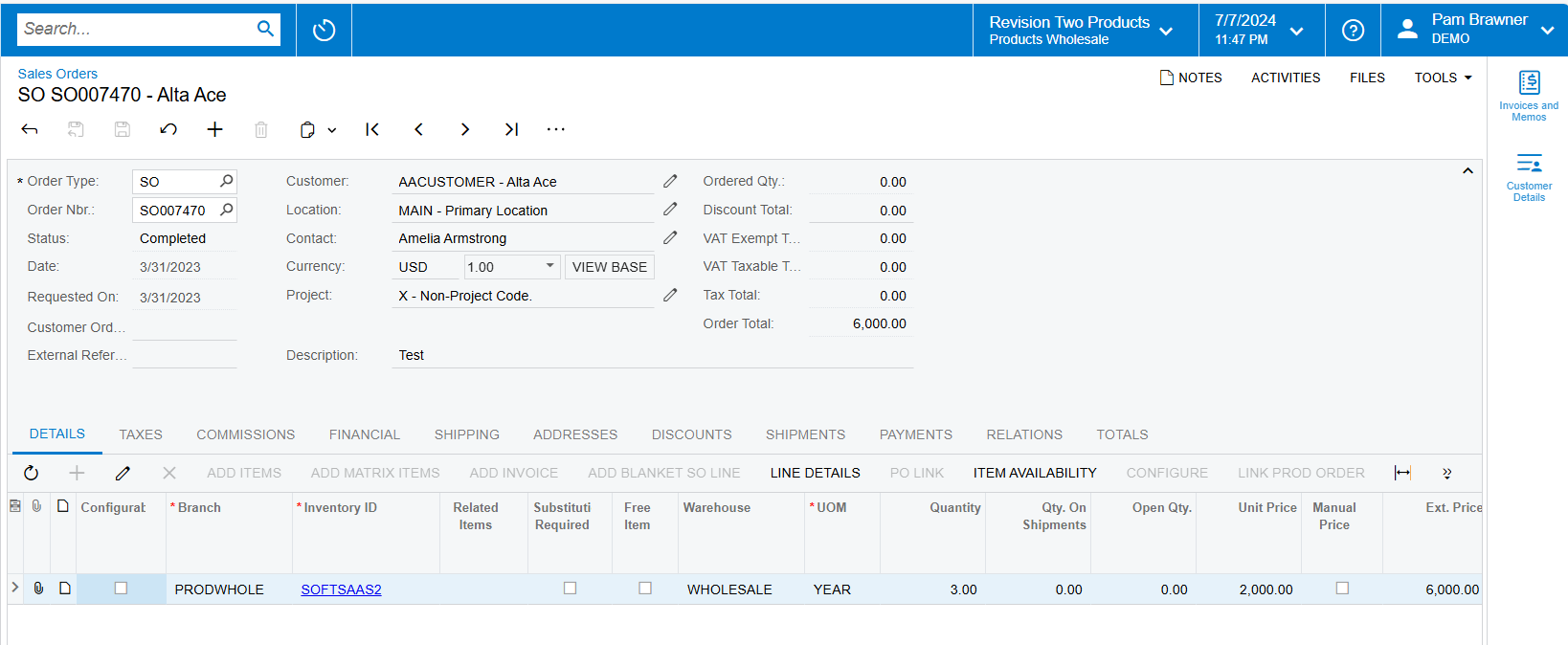
Result: User has locked "Line Description" on Sales Order screen.
Best Regards,
NNT
No account yet? Create an account
Enter your E-mail address. We'll send you an e-mail with instructions to reset your password.



