Issue description
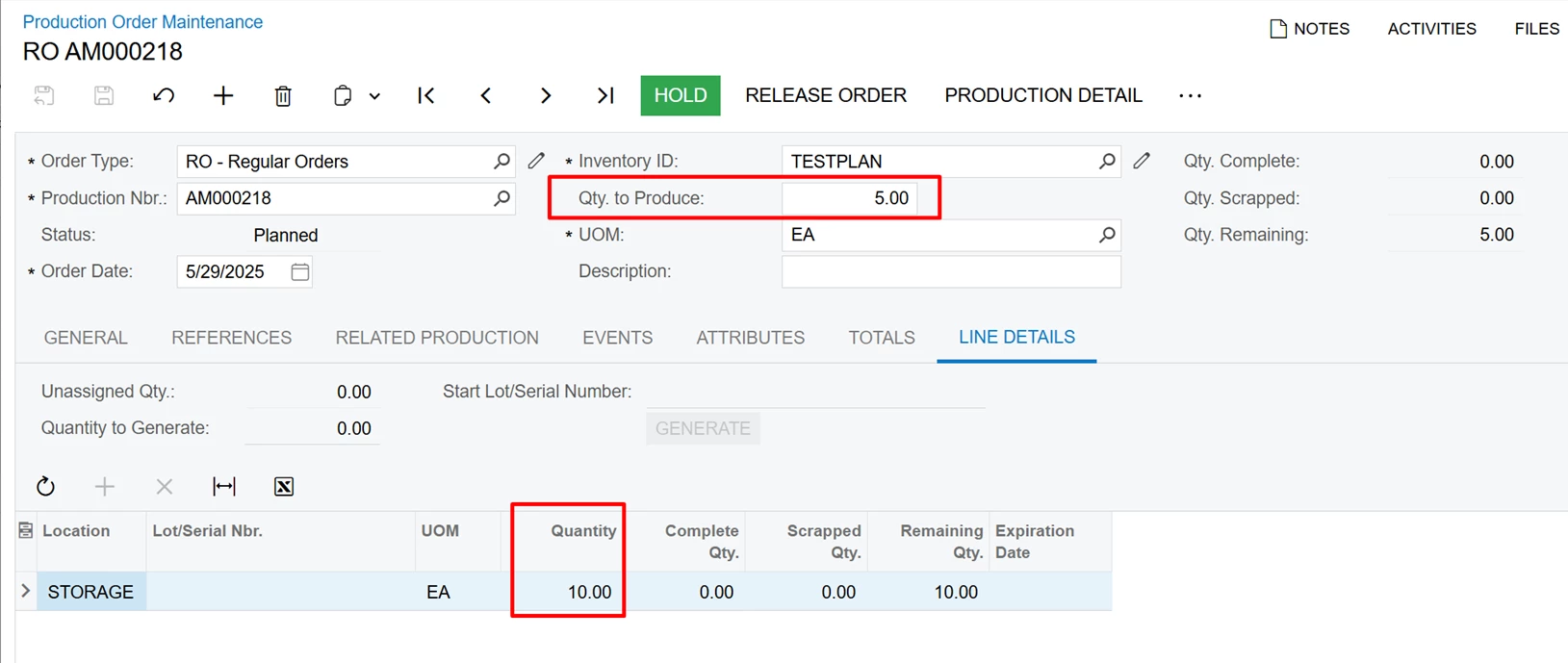
If a production order was created from the Inventory Planning Display (AM400000) form for a non-lot/serial tracked item or a lot/serial tracked item with the When Used assignment method, there was a mismatch between the Qty. to Produce in the Summary area and the Quantity column on the Line Details tab on the Production Order Maintenance (AM201500) form (see the following screenshot).
On the Inventory Allocation Details (IN402000) form, the system displays incorrect allocation for the production order that was created (as the following screenshot shows).
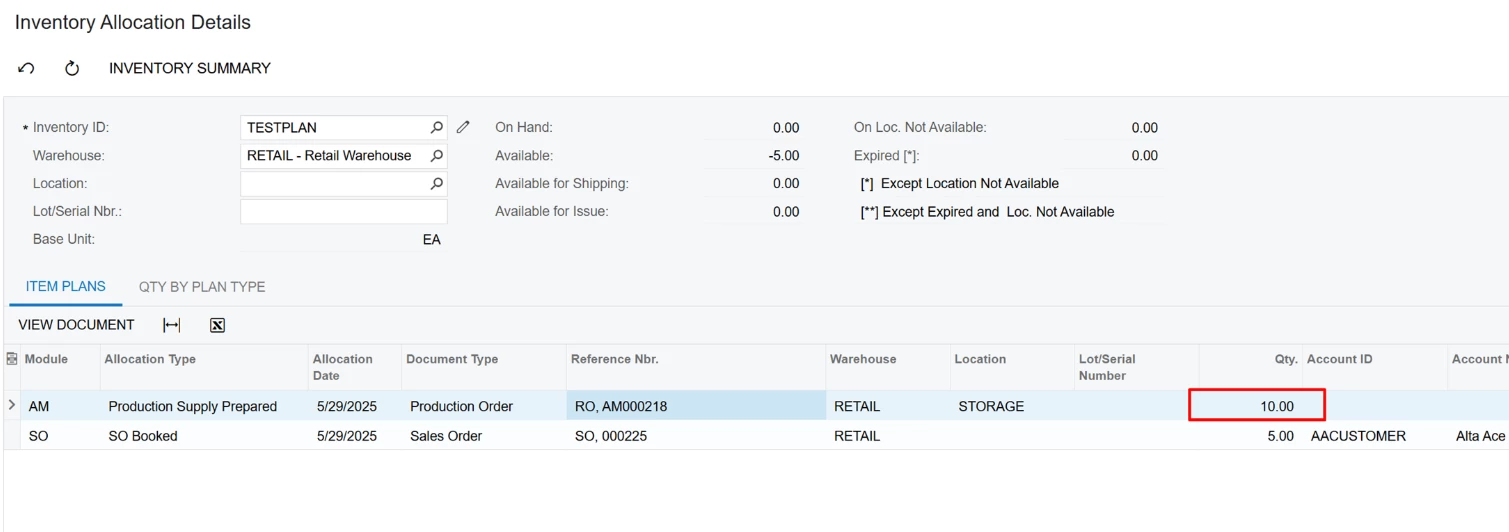
In this scenario, when the quantity in the Quantity column on the Line Details tab is less than the quantity shown in the Qty to Produce box in the Summary area, the demand reoccurs on the Inventory Planning Display (AM400000) form, and this results in incorrect MRP Planning.
Root cause
This is a known issue for the following builds of Acumatica ERP:
- 2025 R1 Service Pack 1 (Build 25.101.0153 ) and later
- 2024 R2 Update 11 (Build 24.211.0024) and later
Solution
Upgrade to Acumatica ERP 2025 R2 GA (Build 25.200.0248) or later.
Workaround
As a workaround, you can use the AC346530.zip customization package attached to the article. After you upgrade the system to the version that contains the fix for the issue, you must unpublish this customization package.
Please be aware that Acumatica Engineering does not provide further support for hotfix-customizations. The next regular product update can break the solution.