Answer

Item Material Converting Error; BOM Quantity Required Correct - Unit cost Not convertiing

  • August 25, 2025
  • 5 replies
  • 75 views

Forum|alt.badge.img

Good day,

We are having a quite an issue with BOM/Production Order unit cost converting correctly. EA to SQIN

“Originally the SQIN converting numbers was incorrect.  Based on prior issues, the below corrected the issues since the PR determines the unit cost.  We use FIFO. We did the below to correct the situation.

So far, we have adjusted the Stock items to correct SQIN converting amount.  Did an adjustment removing the inventory for these items down zero and then did a receipt for the quantity in EACH to bring them back into inventory at the unit cost.  Recreated the BOM (using the copy command) and still the unit cost is showing the EA unit cost where it should show the SQIN unit cost.  The production orders material totals are eating up the inventory and out whack.  We can’t change the unit cost on the production order to match the BOM (not why that is not allowed).  Everything lines ups to expect the BOM/Production process is in sync.

I am at a lost for next steps.  Any assistance.  I would be pulling out my hair if I had any.

Any suggestions would would be greatly appreciated.

Evan

Best answer by aiwan

@grillevan 


Could you please try to reverse the UOM calculation?

We have experienced some ‘nuances’ with UOM calculations too and this seemed to help us.

5 replies

Forum|alt.badge.img+2

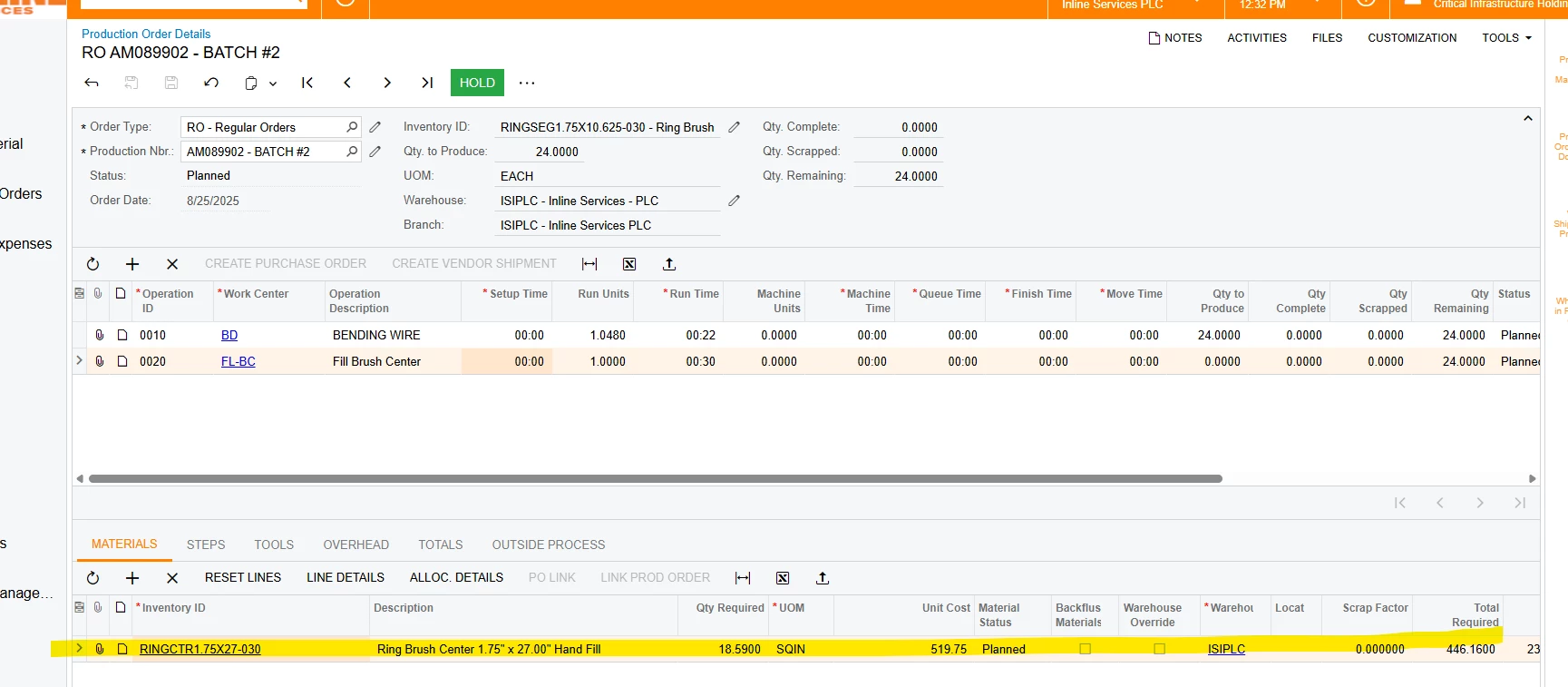
@grillevan Are you saying that Planned cost of the material on BOM is not matching with the Planned Cost on the Production order details form?
 

Could you provide following details: 
​​​​

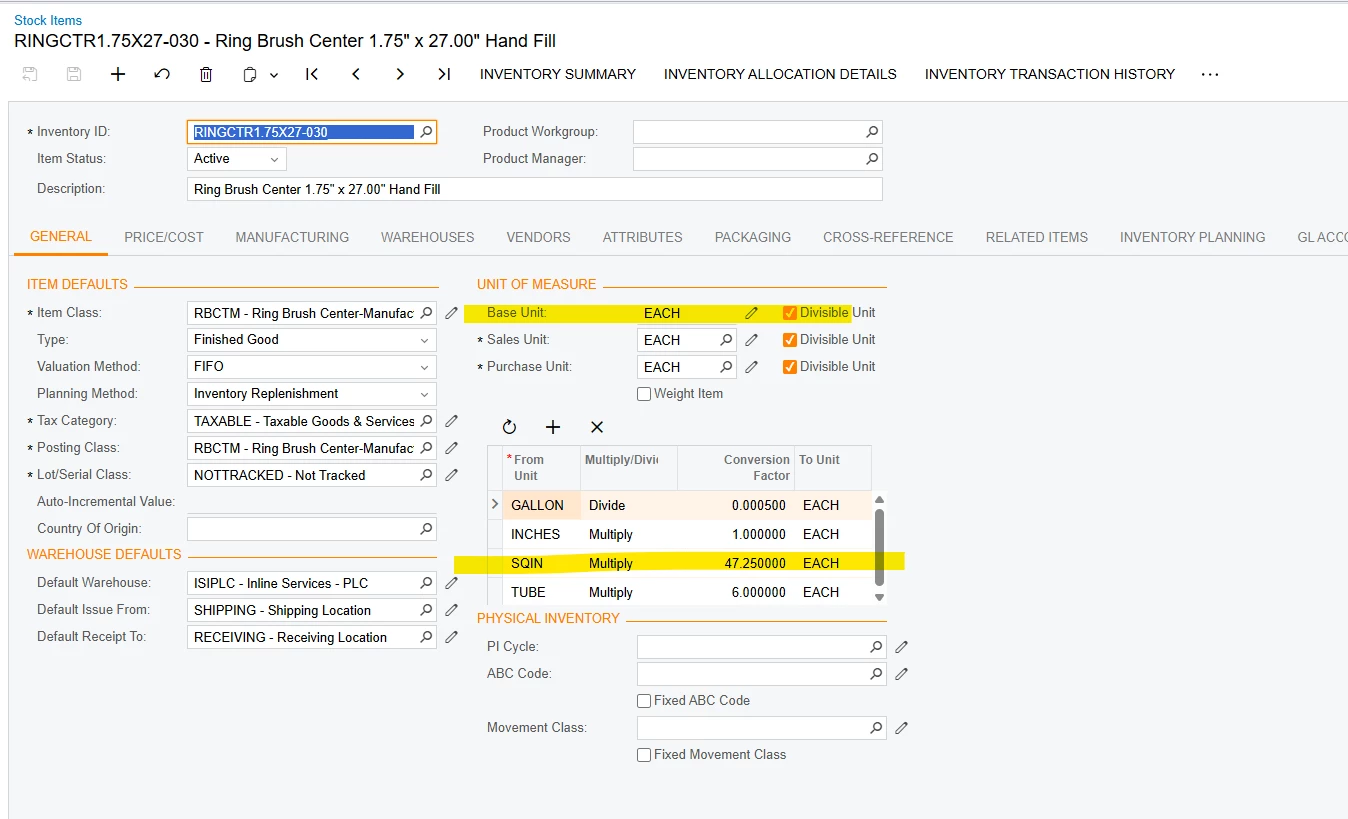
  1. What is the base UOM for stock item?
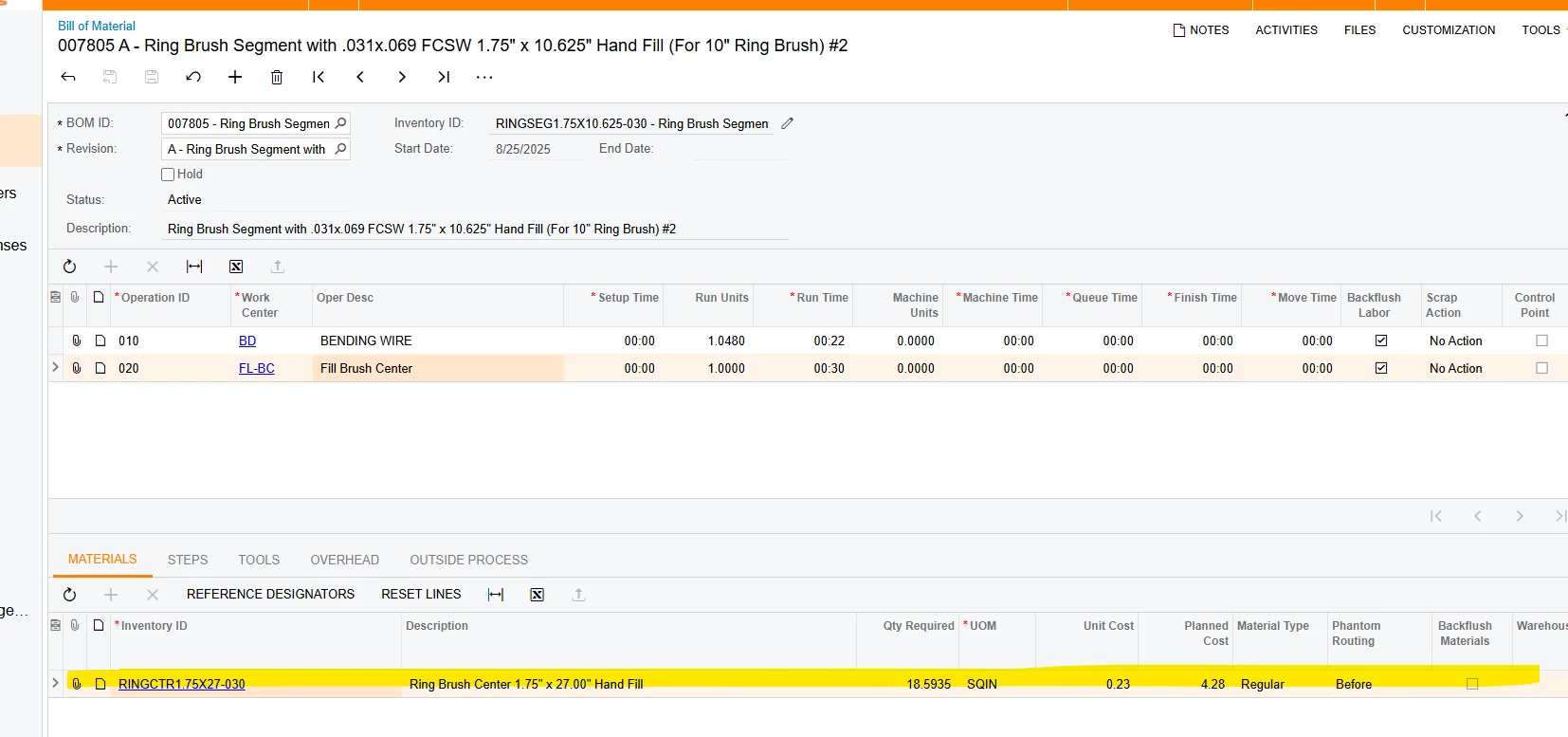
  2. Which UOM is selected in the BOM? 
  3. Did you calculate the BOM cost to see if the Cost calculation correct for the BOM and its not reflecting it for the material’s Planned cost?


Forum|alt.badge.img
  • Author
  • Jr Varsity III
  • August 25, 2025

@PragatiMalviya64   Yes.  See screenshots below;

Base Unit for the stock item is EACH

BOM Unit Measure = SQIN

The BOM cost is correct for the planned cost.

Where did it go wrong?

@grillevan 


Forum|alt.badge.img+2

grillevan It looks like there is a bug here in the cost calculation with non-base UOM being used in the Bill of materials. I suggest creating support ticket. 


Forum|alt.badge.img+8
  • Captain II
  • Answer
  • August 26, 2025

@grillevan 


Could you please try to reverse the UOM calculation?

We have experienced some ‘nuances’ with UOM calculations too and this seemed to help us.


Forum|alt.badge.img
  • Author
  • Jr Varsity III
  • August 27, 2025

@aiwan  Thank you.  After working with the VAR, we figured out a solution; the SQIN conversion need to basked on the Last Cost and then reengineered backwards rather based on the product EACH to SQIN.  We had to divide the last cost by the SQIN factor.  Acumatica didn’t like the small number but after updating the BOM, the production was calculation the correct Material cost.  I must have missed that in the ACM documentation.

Thank you for you assistance.