Solved

Is there a Documented Process to Replace PL with RO

  • April 21, 2026
  • 4 replies
  • 54 views

bencrooks
Freshman I
Forum|alt.badge.img

Ive been getting questions from our engineer to order team about utilizing Planning Production Orders to drive demand, instead of utilizing BOMs. However, I haven't been able to find any documented process of “next steps” after initially driving demand. Is there much of a documented process to replacing or changing to Regular production orders once ready to produce? It seems from initial research, that any use of PL Production Order Types is simply a manual management of use. Any help would be appreciated! 

Best answer by josborn02

Typically you create a RO directly from Inventory Planning Display.  There’s not a great way to delete or firm the PL orders systematically.

If you’re generating planning orders to project future demand and signal the purchase of raw materials or to signal when to start a production order, you may want to look into using a Forecast or Master Production Schedule rather than PL orders.

4 replies

josborn02
Varsity III
Forum|alt.badge.img+3
  • Varsity III
  • April 21, 2026

Hi Ben,

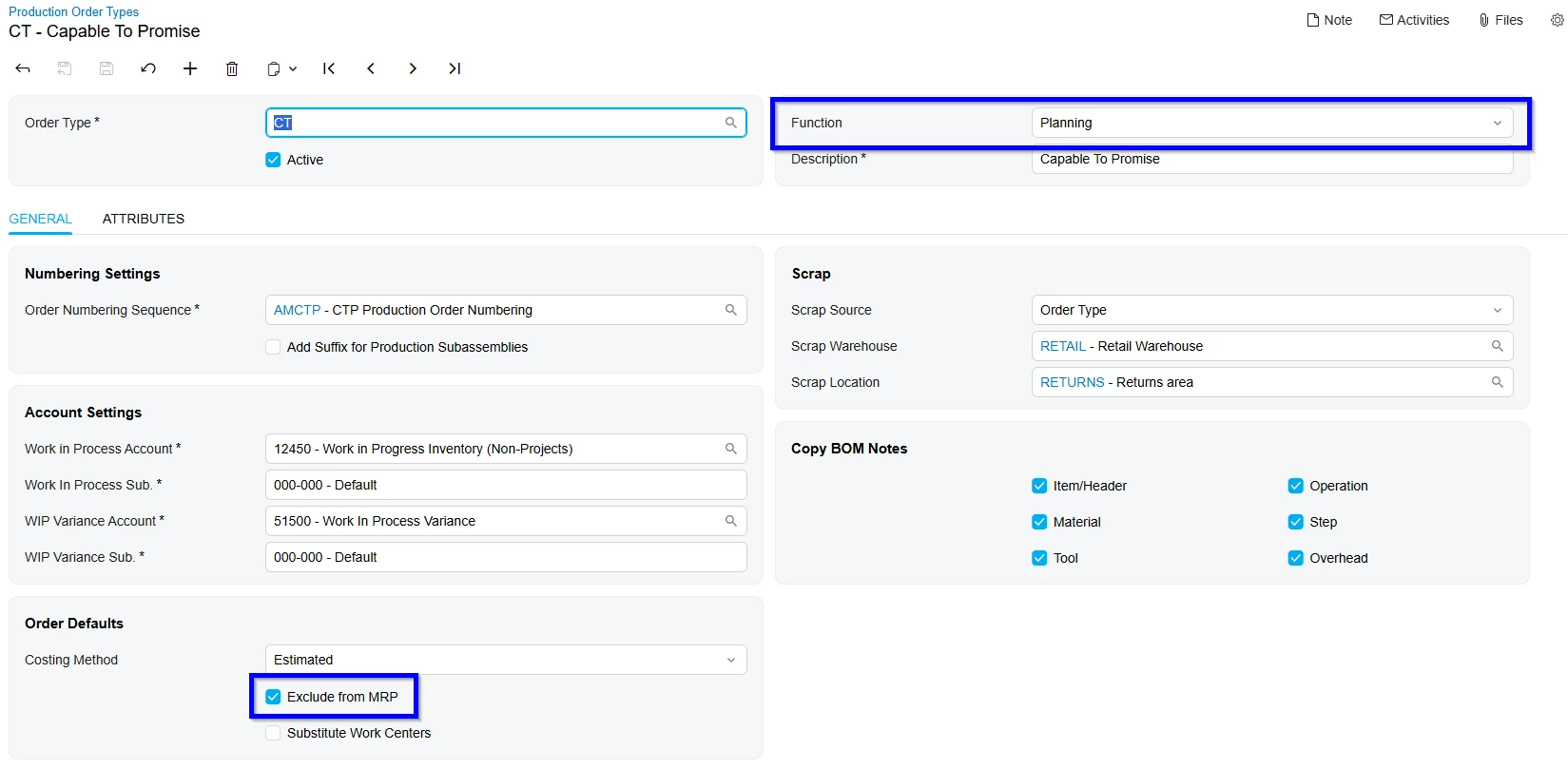
In Production Orders → Preferences → Production Order Types, find your PL production order and clear ‘Exclude from MRP’.  This will cause them to show up in Inventory Planning Display and drive demand.


bencrooks
Freshman I
Forum|alt.badge.img
  • Author
  • Freshman I
  • April 21, 2026

Hi Ben,

In Production Orders → Preferences → Production Order Types, find your PL production order and clear ‘Exclude from MRP’.  This will cause them to show up in Inventory Planning Display and drive demand.


Thanks for the response! I have been successful in getting MRP Orders to drive demand for Materials, but I was wondering if it would drive demand to create the Regular Order, subsequently replacing or deleting the PL. Maybe im missing the necessary triggers, or this isnt how it works? My current test scenario is Excluded From MRP, the Finished Good uses MRP as well but I simply dont see the Manufactured Part, only Materials.


josborn02
Varsity III
Forum|alt.badge.img+3
  • Varsity III
  • Answer
  • April 21, 2026

Typically you create a RO directly from Inventory Planning Display.  There’s not a great way to delete or firm the PL orders systematically.

If you’re generating planning orders to project future demand and signal the purchase of raw materials or to signal when to start a production order, you may want to look into using a Forecast or Master Production Schedule rather than PL orders.



Forum|alt.badge.img+1
  • Jr Varsity III
  • April 24, 2026

Ben,

Not sure exactly what your planning production order is doing, other than generating a demand number.  Usually, I will recommend using a forecast to generate planning demand and a master production order to level out production requirements for heavily seasonal items for instance. 

Additionally, if you have configured items, creating a planning BOM that creates the demand for the various feature selections gives a better way to generate the demand for subassemblies and purchased items. 

In Inventory Planning, the system converts those planned replenishments into “RO” orders as you would expect.


Hope this helps.

Dennis