Solved

Inventory ID field character restrictions?

  • December 28, 2021
  • 9 replies
  • 1148 views

When setting up a new item in Inventory, what is the maximum field length and are there any character restrictions such as spaces, @, #, *, -, etc.

Best answer by Naveen Boga

@BethHanselman  Since Inventory ID is the Unicode field it will accept all the special characters as well

9 replies

Naveen Boga
Captain II
Forum|alt.badge.img+19
  • Captain II
  • December 28, 2021

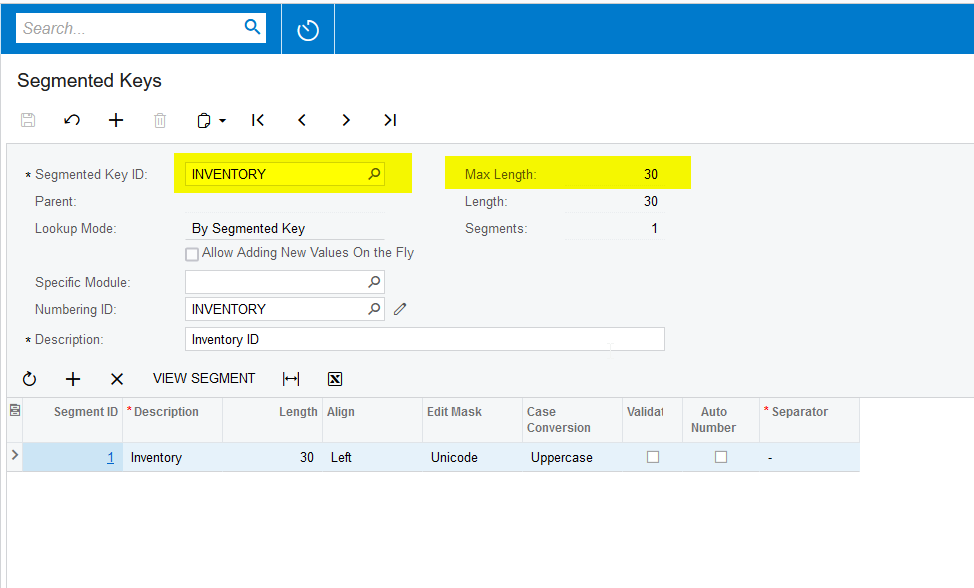
Hi @BethHanselman By default Acumatica, the maximum length of the Inventory ID field is 30 characters.


  • Author
  • Freshman I
  • December 28, 2021

Thank you Naveen, are there any special character restrictions?


Naveen Boga
Captain II
Forum|alt.badge.img+19
  • Captain II
  • Answer
  • December 28, 2021

@BethHanselman  Since Inventory ID is the Unicode field it will accept all the special characters as well


Forum|alt.badge.img
  • Jr Varsity I
  • September 20, 2022

Hi @BethHanselman By default Acumatica, the maximum length of the Inventory ID field is 30 characters.


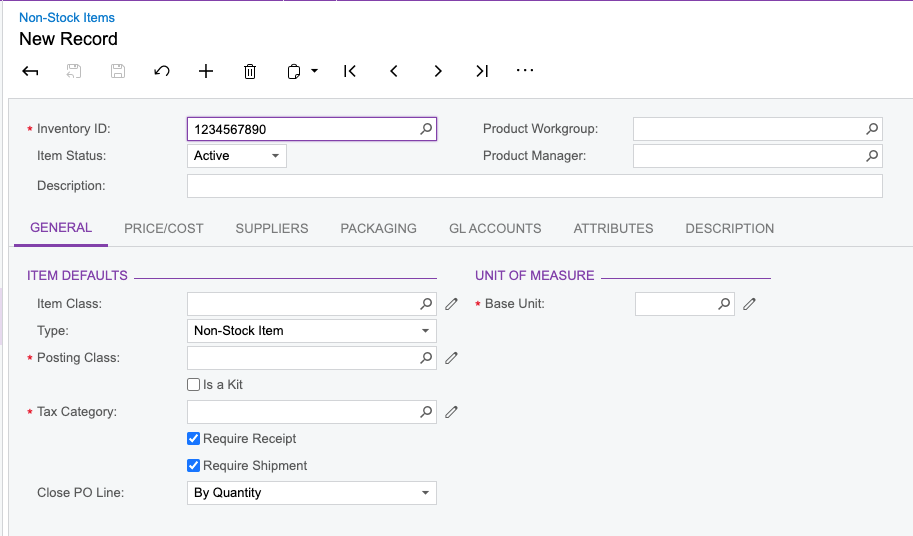
Hello, how come the form only allows me to put in 9 characters?


Naveen Boga
Captain II
Forum|alt.badge.img+19
  • Captain II
  • September 20, 2022

Hi @jamesl  Do you have any customizations published? If yes, can you please un-publish and verify this?


Forum|alt.badge.img
  • Jr Varsity I
  • September 20, 2022

Hi @jamesl  Do you have any customizations published? If yes, can you please un-publish and verify this?

Hi Naveen, not that I am aware of, we just have a demo instance up and running


Naveen Boga
Captain II
Forum|alt.badge.img+19
  • Captain II
  • September 20, 2022

@jamesl  Can you please share the screenshot of the INVENTORY segmented Key from your demo instance?


  • Freshman I
  • April 14, 2023

Hi Naveen and Beth,

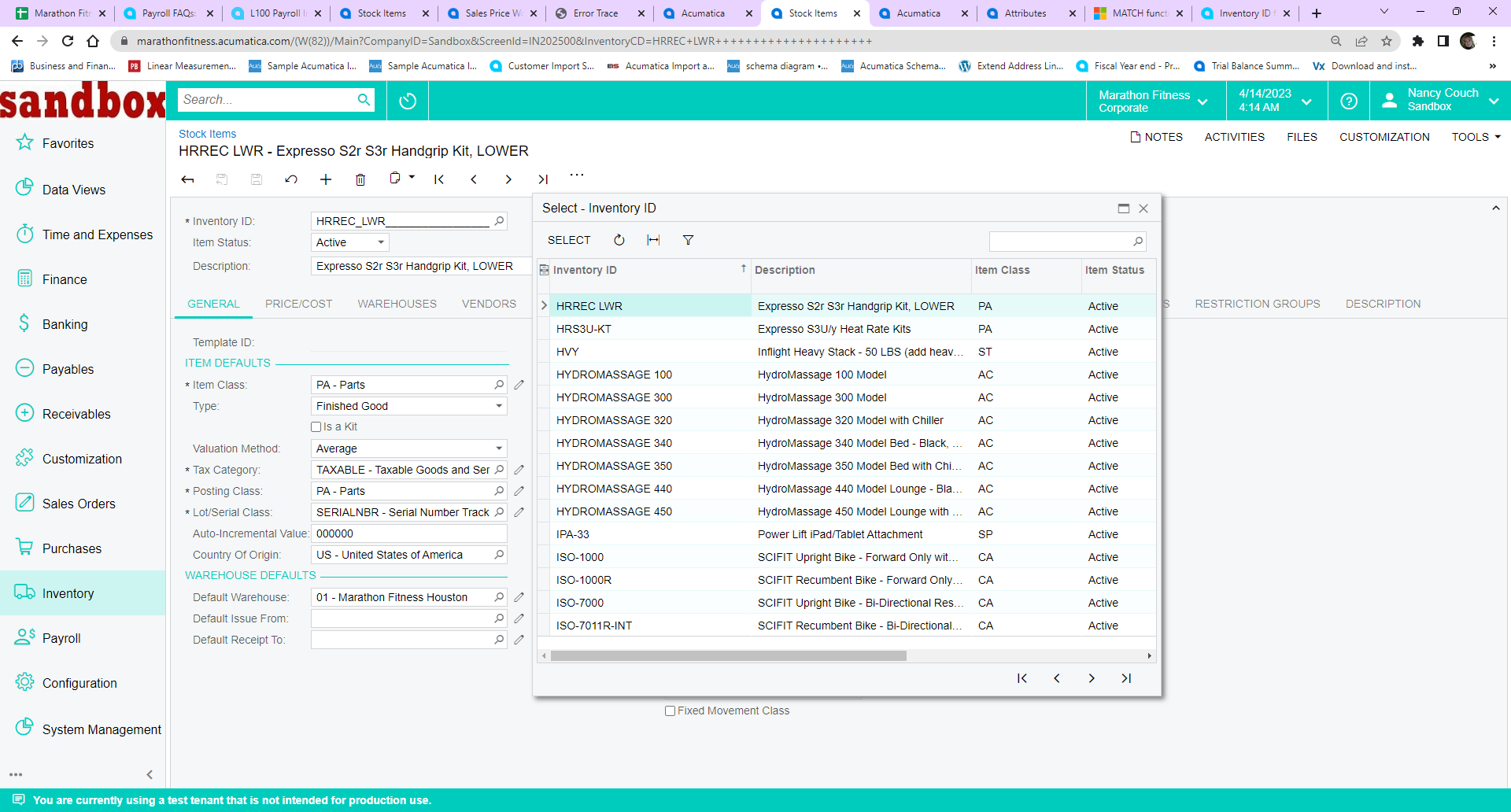
While Inventory ID field will accept special characters I would like to state that I am having difficulty with using specifically the underscore character as a delimiter in my Inventory ID.

Example:

MC_4106        EA    43.000000
MC_5102-4     EA    20.000000

Now, it works as the ID, but when you are in the Inventory Stock Item Screen and click on the Finder key for that item, the delimiter will not be presented in the View Grid. 

Inventory Item Finder 

Additionally, when I was loading my Sales Price Worksheet for my Inventory the only items that failed to upload were the items with the delimiter using the Underscore. I even made sure my excel fields for those items were formatted correctly based on the DAC Schema from Acumatica. So, I am not sure if the Sales Price Worksheet can accept all special characters and the issue lies with Microsoft Excel or does the issues lie with Sales Price Worksheet. Or, more importantly, am I doing something wrong?

Note: The client is coming from Sage 300 ( I am a certified Consultant for Sage Products as well) so  they are using the FREEFORM setup for their Inventory ID field in that system which is like the Wild Wild West and are absolutely zero restrictions on anything. You could literally use an email address or website as a Inventory ID. 

Note: (I am at the beginning of implementation  - we are in Sandbox mode, not running LIVE yet)


Could you please help me understand what I am missing and perhaps how I can correct this relationship with Underscores or any other special characters that may present a similar result.

Thanks,

Nance


  • Freshman I
  • April 16, 2025

Hi ​@nancycouch45. I realize this is an old post, but for you or anyone else out there who might benefit from this information...

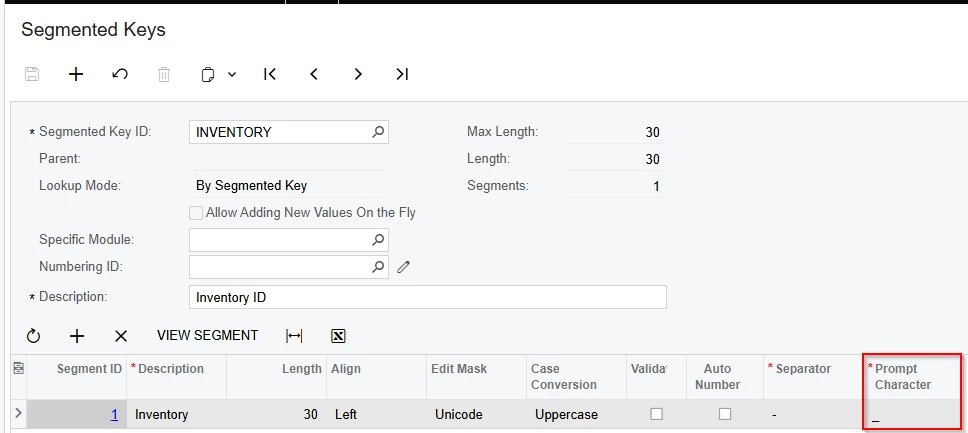
When in the INVENTORY Segmented Key, you can open the column configurator to reveal a hidden column for ‘Prompt Character’:


You can see this ‘Prompt Character’ in the Inventory ID field itself:


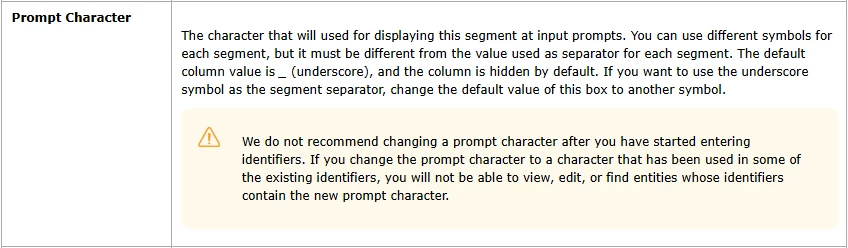
And here’s a description of that field:


If you change that ‘Prompt Character’ to a different character (for example, an asterisk) then that frees you up to be able to use underscores in the Inventory ID field.