Question

Default Parameter Value

  • February 26, 2026
  • 3 replies
  • 41 views

Forum|alt.badge.img

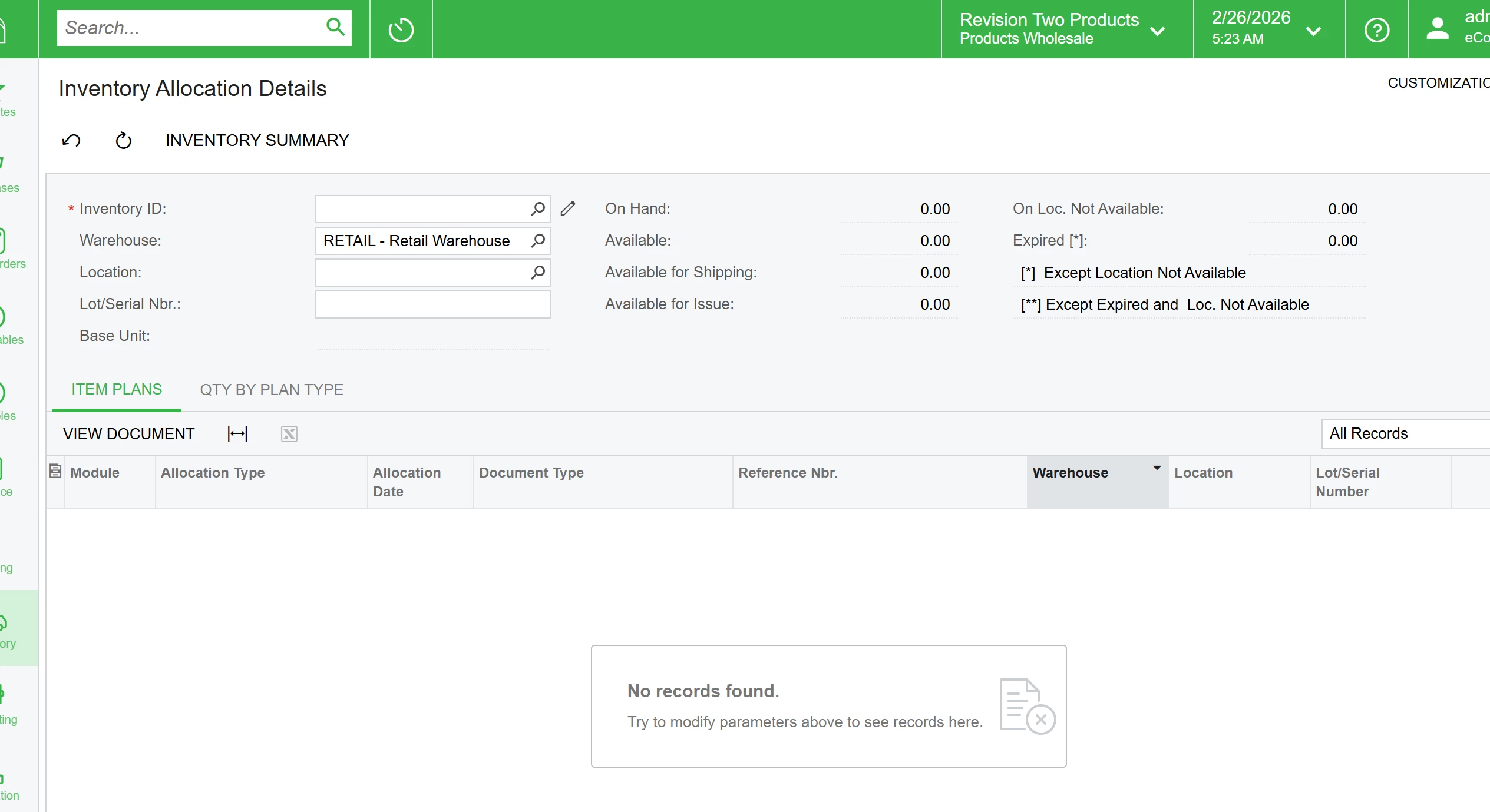
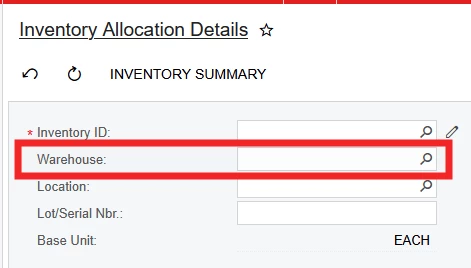
What is the trick to get a default value on this screen for the Warehouse? It is a customized screen vs a GI, but am not entirely sure. Does it need to be coded in, or can it be added in a simpler manner?


Thanks 


3 replies

@JReppard 
No — Acumatica does not provide an out-of-the-box way to automatically default the Warehouse field on the Inventory Allocation Details (IN402000) screen just by configuration. The screen is essentially a lookup/inquiry that lets you view availability and allocations for an item and a selected warehouse, and you always need to pick the warehouse (or clear it) before the detail lines refresh.

Why there’s no built-in default
Because it’s not a transaction entry screen (like a PO or Sales Order), Acumatica doesn’t have standard logic to default the Warehouse field on this inquiry form the way it does on transaction entry screens (e.g., SO lines, PO lines, etc.) based on user profile, vendor defaults, item defaults, etc.

Customization options (if needed)
If you must have the Warehouse field pre-populated when opening this screen (for example defaulting to a specific warehouse for users):


You could customize the screen using Acumatica’s Customization Projects. For example, attach a Defaulting event handler on the DAC field for Warehouse in IN402000 so it pre-assigns a value based on your logic (user profile, branch, last used, etc.).


rkenna
Captain I
Forum|alt.badge.img+1
  • Captain I
  • February 26, 2026

Hi ​@JReppard,

@Srinivas Kota is correct, it does require a customization project; however, it requires zero code and is very easy to do! See below

You can use an existing Customization Project or a new one:

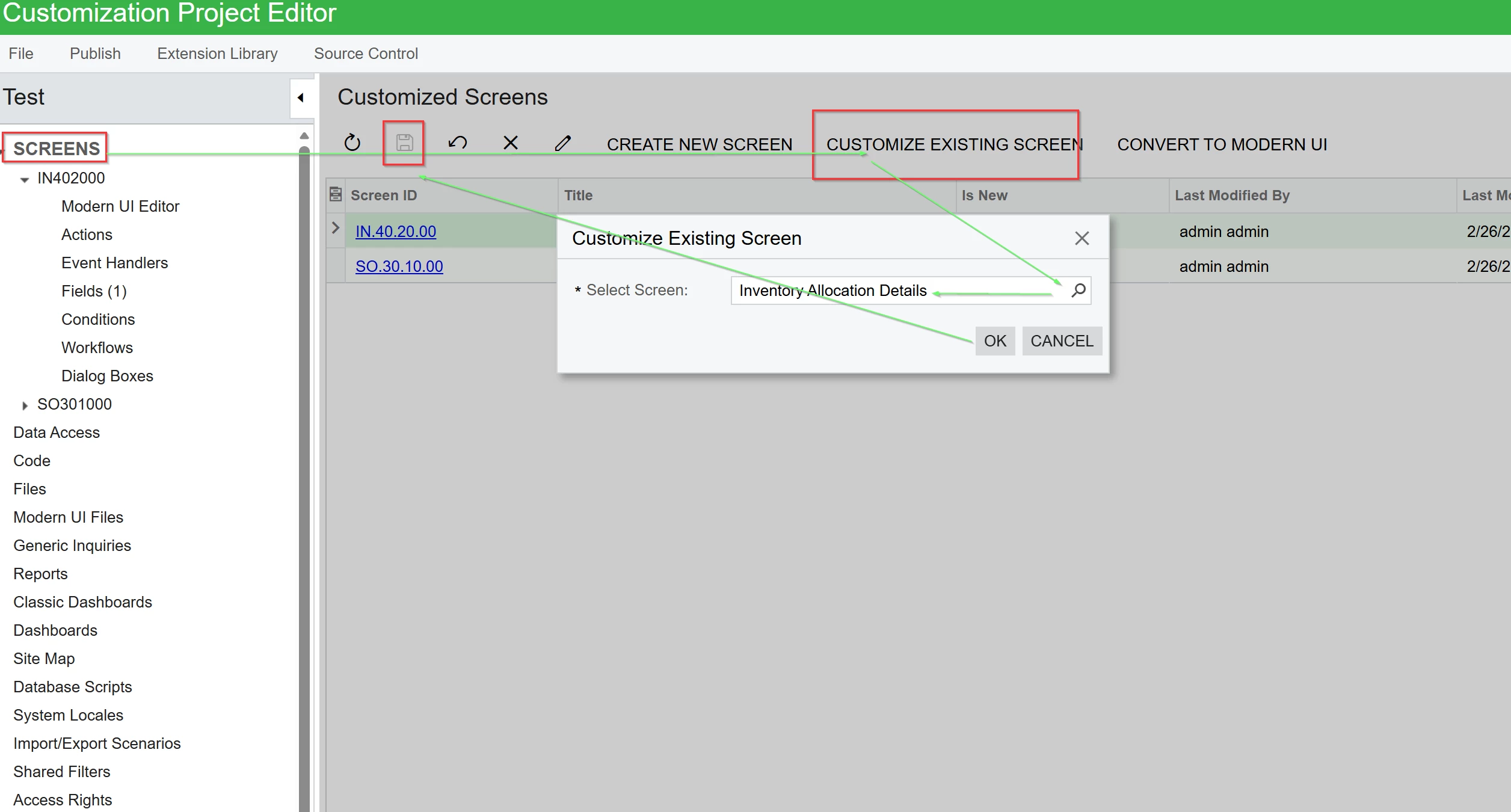
Add the Inventory Allocation Details screen to the project: Screens > Customize existing screen > look up and find Inventory Allocation Details > click OK > Click Save


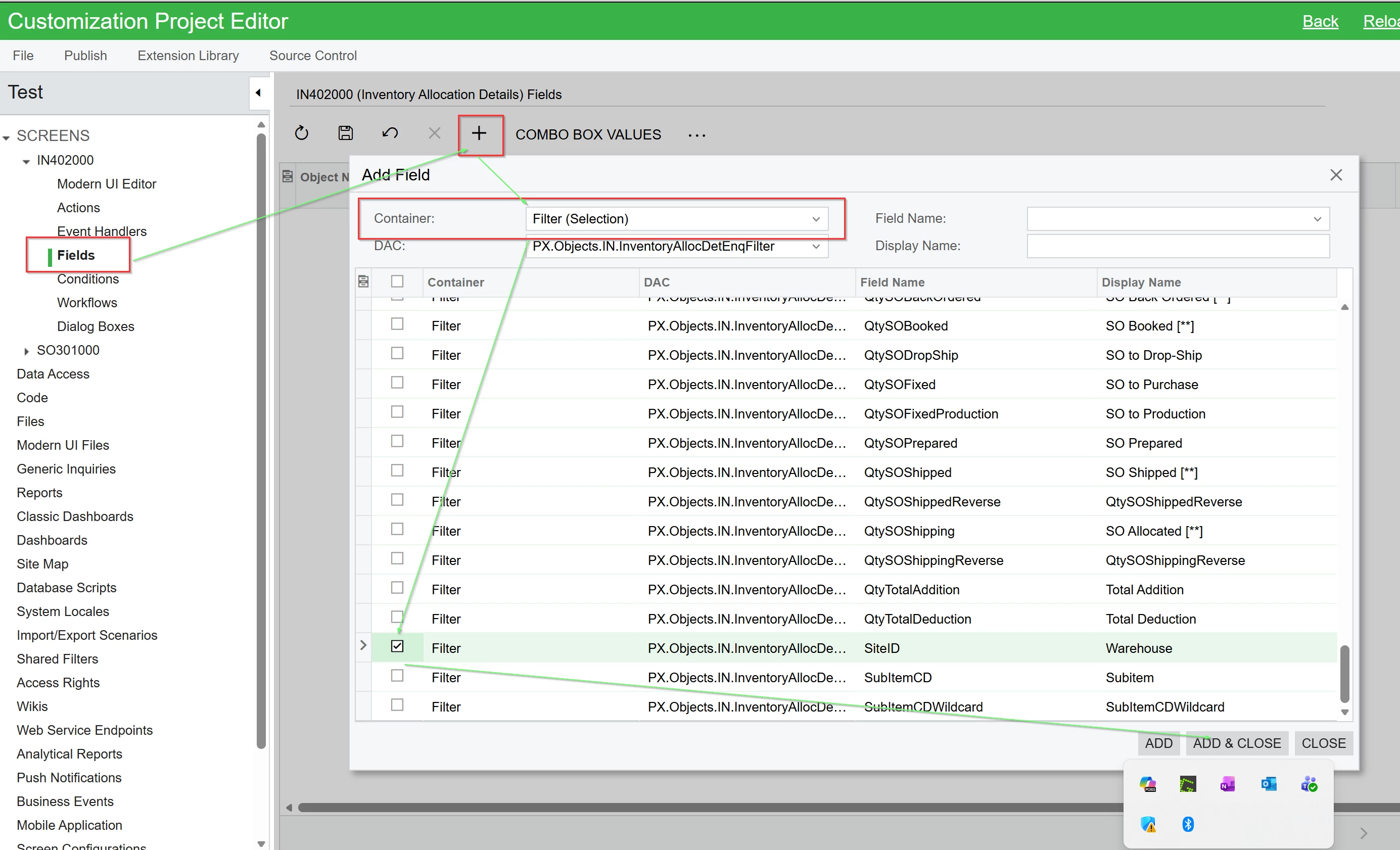
In Fields on the left side for that screen, click the plus button > Filter container > Select Site ID (or any field you want the default for)> Add and close

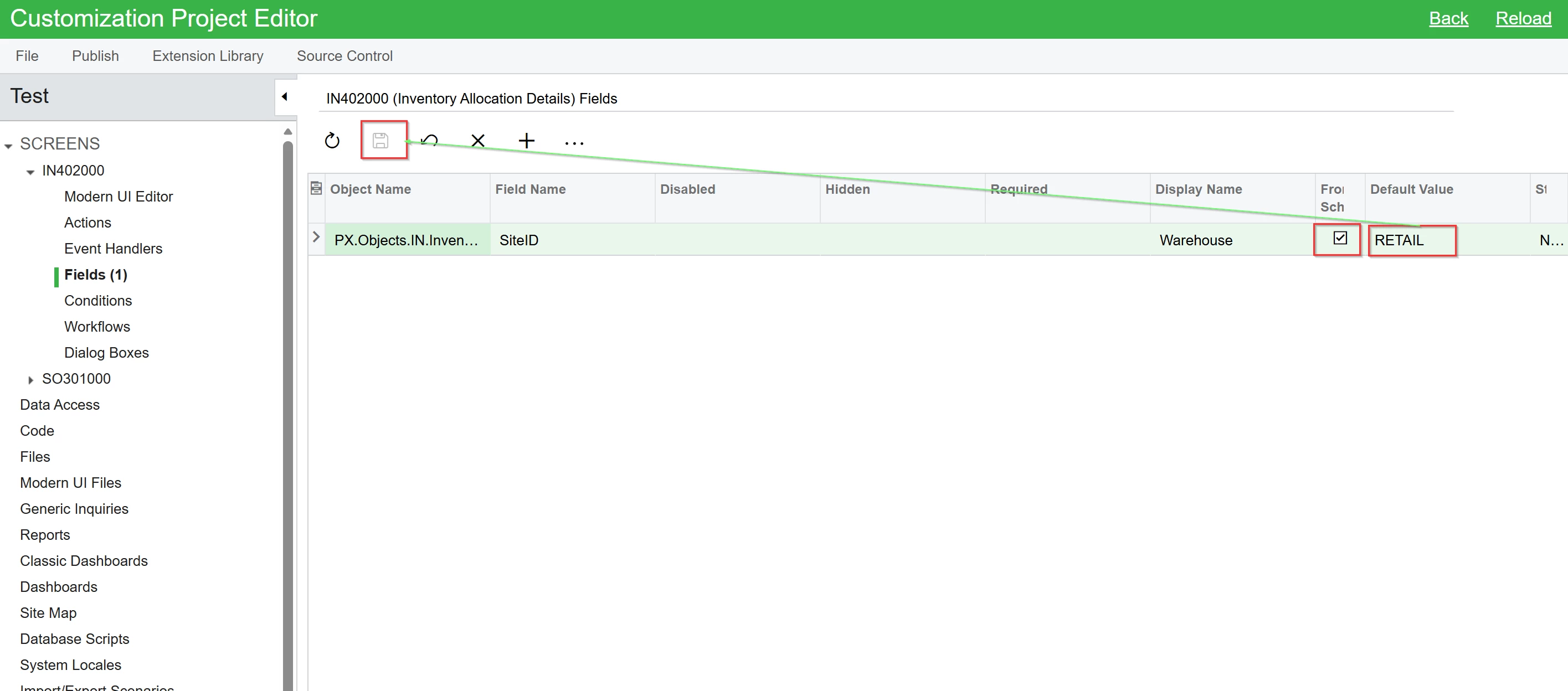
Then add the default you want (be sure to check the From Schema box and then do a look up on the default value for your warehouse.


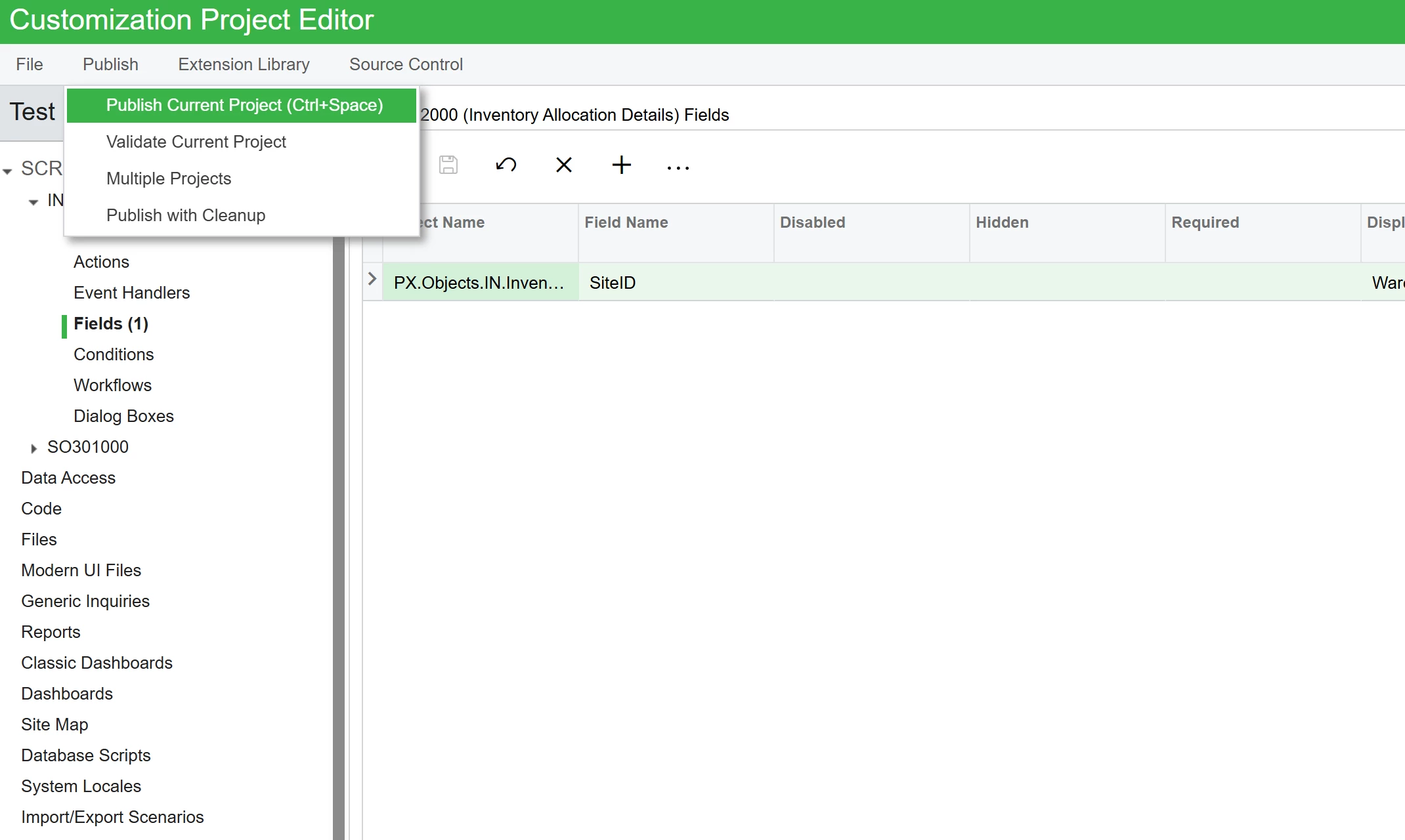
Click Publish

End result is the default Retail Warehouse I set.


Hope this helps, and this can also be done for nearly any non GI or Report screen you want in Acumatica.


Cheers,

RJ


DipakNilkanth
Pro III
Forum|alt.badge.img+14

Hi ​@JReppard,

This is an Acumatica standard inquiry screen, not a Generic Inquiry (GI) or a customized screen.

To set default values, you can use Low Code / No Code customization. Using the Customization Editor, you can configure a default value for the required field.
Here as ​@rkenna shows, You can select the From Schema option to select the Warehouse Name (SiteCD), If From Schema checkbox not selected, You need to provide the SIteID as below screenshot.