Answer

Can not create production orders from sales orders for items with multi-layer BOMs

  • July 28, 2025
  • 2 replies
  • 151 views

chameera71
Varsity II
Forum|alt.badge.img+4

Hi all,

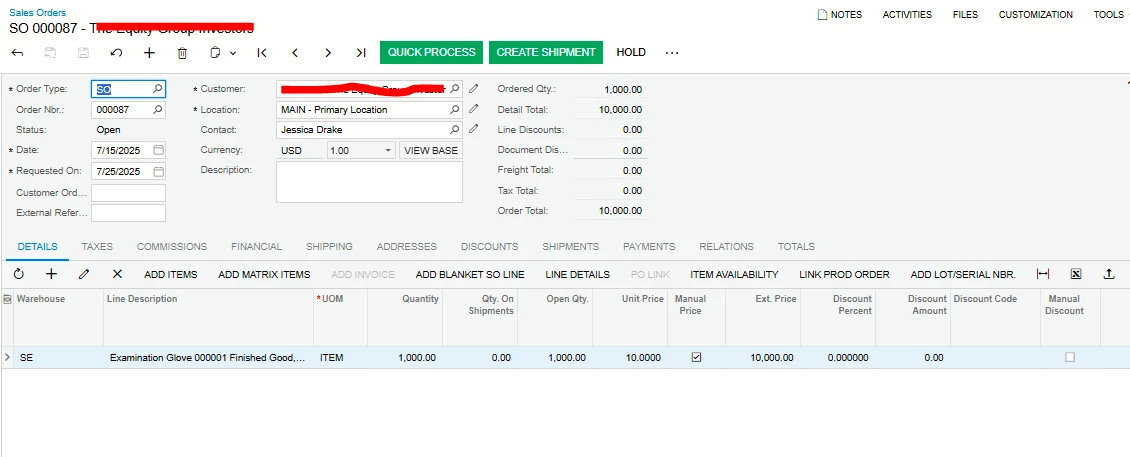
We are using Acumatica version, Acumatica Cloud ERP 2025 R1 (Build 25.101.0153.1 +), and we have created multi-layer BOMs and created sales orders.

When trying to create production orders from sales order screen or from create production orders screen the following error occurs.

Quote>

Error: Updating  'Production Item' record raised at least one error. Please review the errors. Error: 'Start Date' cannot be empty.


Please find the below screen shots for your reference.
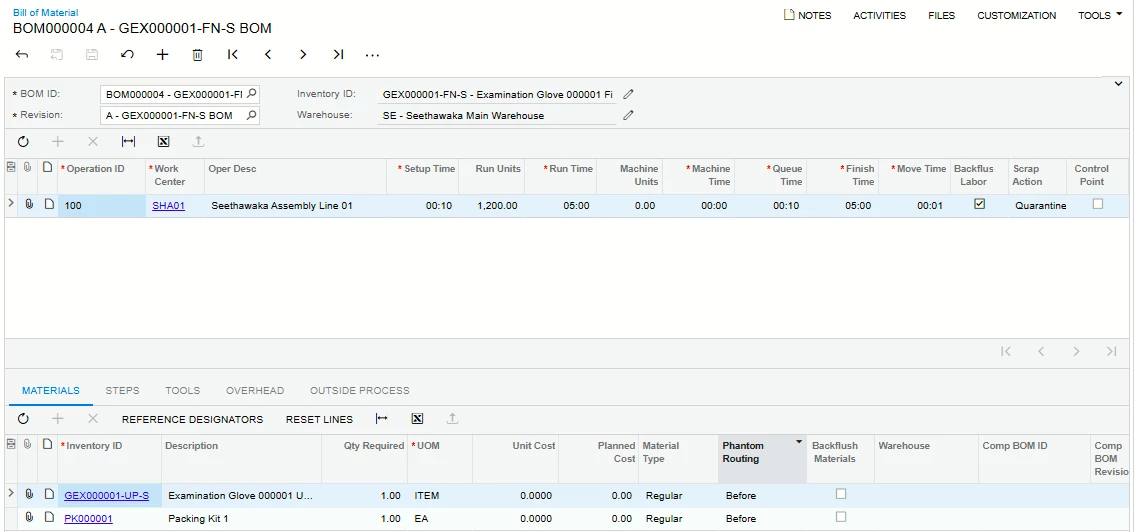
Bill of Material
Relevant Sales Order

We have checked the data in sales order preferences and BOM preferences as well, but unable to see a reason for this error.

Did anyone encounter this issue?

Your insights are highly appreciated to resolve this issue.


Thanks,

Chameera.
 

Best answer by chameera71

Hi All,

The below was the response we got from Acumatica support.

The team has confirmed that the issue was resolved through fixes for three bugs (IDs: AC-344387, AC-344762, AC-344789). 


These addressed APS-related issues, including the setup calendar.


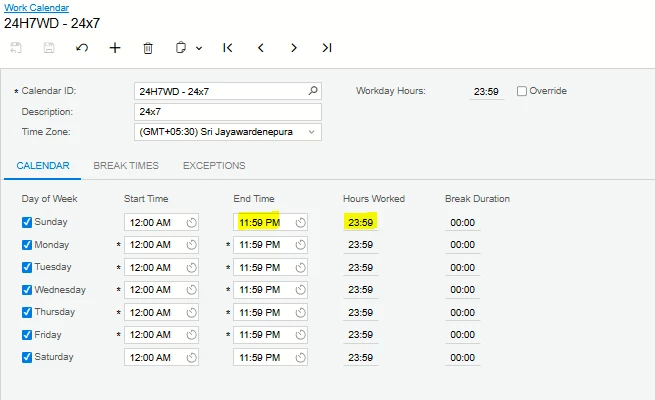
The fixes are included in 25R2 Preview 2, where the behavior can now either default to 11:59 or allow the same start and end time.


The fix will be available in Acumatica 25R2 and the workaround we found is as follows.

In the work calender, change the end time to 11.59 so that hours worked is 23.59 hrs.


For the reference of Acumatica community. 


Regards,

Chameera.

2 replies

angierowley75
Acumatica Moderator
Forum|alt.badge.img+3
  • Acumatica Moderator
  • July 28, 2025

Please contact Acumatica support so they can research and guide you to a fix.


chameera71
Varsity II
Forum|alt.badge.img+4
  • Author
  • Varsity II
  • Answer
  • August 21, 2025

Hi All,

The below was the response we got from Acumatica support.

The team has confirmed that the issue was resolved through fixes for three bugs (IDs: AC-344387, AC-344762, AC-344789). 


These addressed APS-related issues, including the setup calendar.


The fixes are included in 25R2 Preview 2, where the behavior can now either default to 11:59 or allow the same start and end time.


The fix will be available in Acumatica 25R2 and the workaround we found is as follows.

In the work calender, change the end time to 11.59 so that hours worked is 23.59 hrs.


For the reference of Acumatica community. 


Regards,

Chameera.