Wondering if anyone knows how I can access the fields that contain the cost data of a BOM?
I would like to access the fields inside the BOM Cost Summary popup, either via a generic inquiry, API endpoint, or even just a BQL statement, to use elsewhere
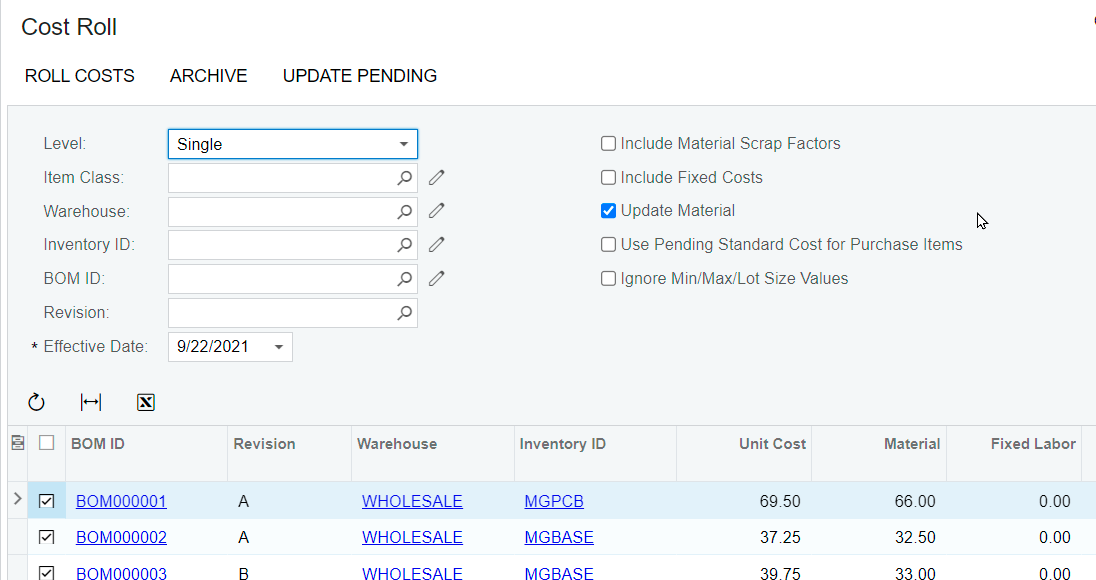
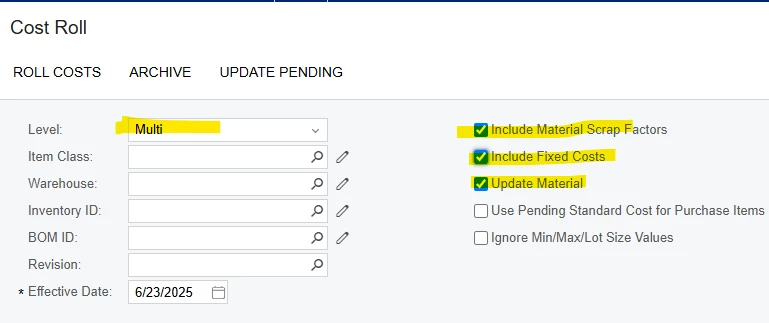
It actually runs Cost Roll process below. I suggest to just run this and export to excel if you like. You will get the most updated cost of goods that you included in the process with several options to whether include fixed cost or not etc like you see below.
@xkylewrightx, the fields that are displayed in the BOM Cost Summary popup are part of the Data Access Class (DAC) AMBomCost and can be accessed via generic inquiry.
A quick way to find out information about a field is to use the Element Inspector. This will let you view the following reference information for any visual element on a form:
Control type
Data access class (if applied)
Data field (if applied)
Data view (if applied)
Business logic controller
Action name (if applied)
You can activate the Element Inspector from the Customization Menu or by pressing Control-Alt which is useful for pop-up/smart panel screens.
Hopefully this information helps! Please feel free to reach out with any more questions!
It actually runs Cost Roll process below. I suggest to just run this and export to excel if you like. You will get the most updated cost of goods that you included in the process with several options to whether include fixed cost or not etc like you see below.
Thank you Kristian, this is the piece I was missing.
@andrestamour43
I really appreciate your response as well. I had gotten that far by referencing the DAC as you stated, but was not running Cost Roll so the fields were never being updated.
I am now able to successfully use the Cost Roll API endpoint to perform the Roll Costs action, then $expand=Results and get that cost.
AMBOMCOST doesn’t store the data. I am looking for the cost detail by Item, what is Material, Labor, etc., not just the Item Unit Standard cost (one amount).
The AMBOMCOST is created temporarily during the cost roll and it not stored. The Cost History (AMBOMCostHistory) has the breakdown. In BOM Preferences, check the options below to enable creating the archive whenever you want. Roll your costs and archive the results. The archive is by date and has all of the cost elements,