Answer

Backflush error with allocated material

  • May 1, 2025
  • 6 replies
  • 188 views

Hello all,

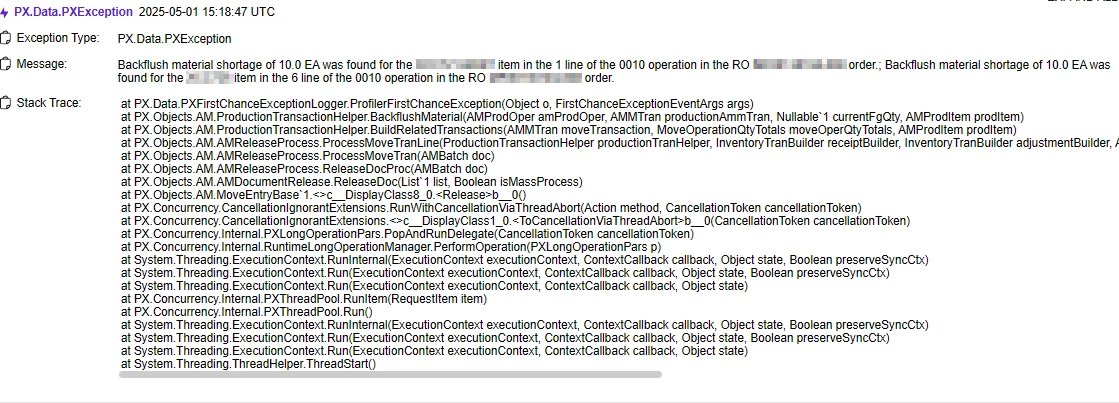
We are having issues when creating a move transaction for a production order, even though all materials have been allocated to the production order, when we try to release the move transaction we get a backflush error : “Backflush material shortage was found for the item in the 1 line of the operation in the order.”.
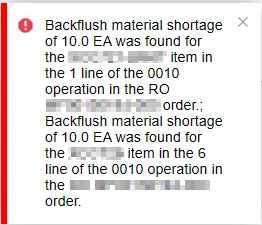
Error Message
Trace

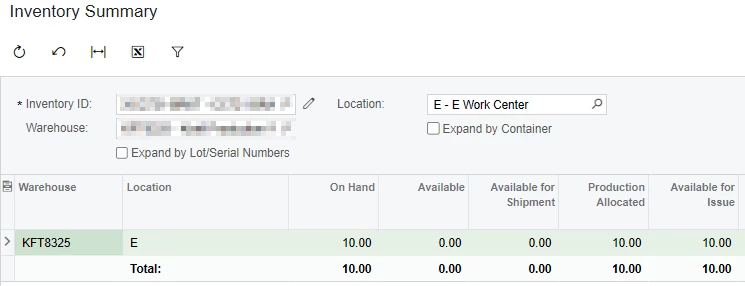
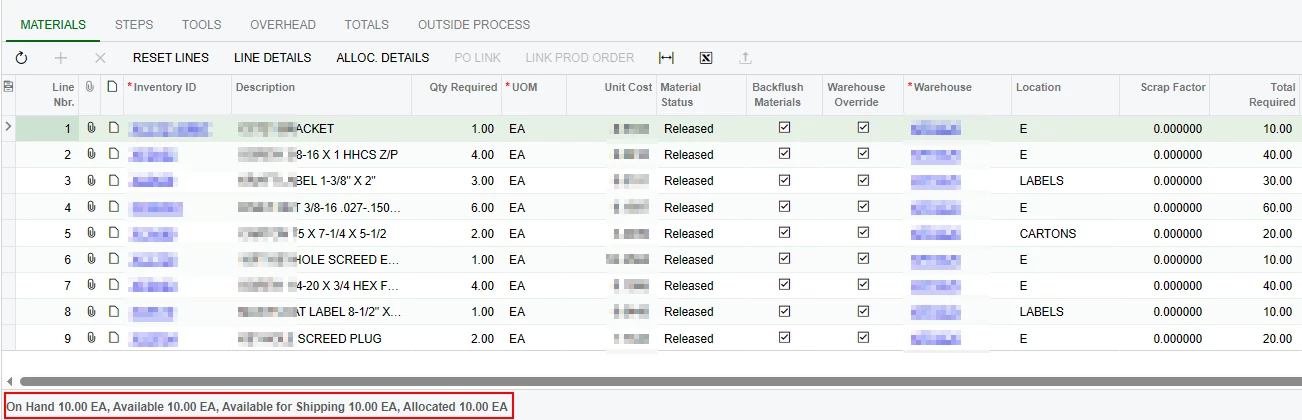
We noticed that this happens when we allocate material, by clicking Line Details on Production Order Details and checking the allocated box, and the available quantity in that location is less than the material required. 
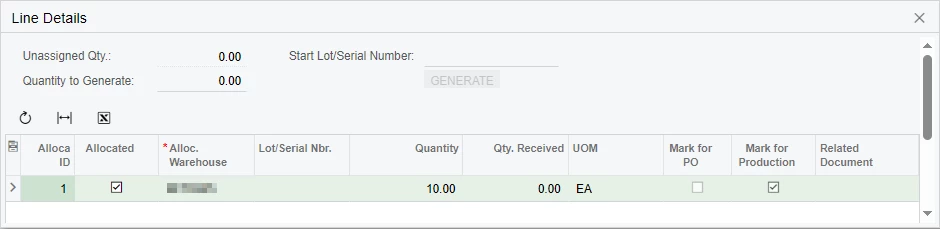
Allocate material
Inventory summary says we don’t have any available
Production order details says we do have quantity available

Our workaround is to not allocate the material , however, this causes problems with our inventory because it takes material from other locations and not the ones specified on the BOM.

All of our items are manufactured on a various work centers, an item can only be manufactured on one work center. We created material staging locations for each work center, because different items can use the same material. Our BOMs have the work center staging location set on the material grid and backflush enabled, when a production order is created and released, material handlers will transfer material (with a scan gun) out of inventory bin locations and into the work center staging location, when enough material is transferred for a production order material, our business event auto allocates these materials, when all material for the production order has been allocated, shop floor workers do the work and create a move transaction (on a computer) to finish the order.

Our production order type settings.
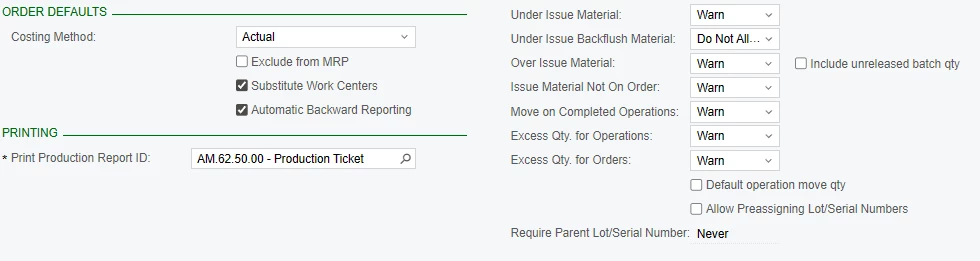
We did not have any issues prior to upgrading to 2024R2.

What could be causing this error? Is it a bug? A setting we are not turning on?

Any help would be appreciated, let me know if more information is required.

Best answer by PragatiMalviya64

@joseg It's hard to tell if it a bug.  I recommend creating a support request. 

6 replies

Forum|alt.badge.img+2

@joseg It's hard to tell if it a bug.  I recommend creating a support request. 


Forum|alt.badge.img+2

Hi Pragati,

Please unpublish all your customization and check once.

Also, Since that particular item is a subassembly, please check the child production order gets completed.


  • Author
  • Freshman I
  • May 5, 2025

Hi ​@ranjithduraisamy72 thank you for your reply, we did unpublish all customizations and still get the same result.

There is exactly the amount needed of the subassembly on hand to manufacture the product, no need for a child production order. What we have noticed is that there must be enough quantity available of the subassembly in order to manufacture the product. If there is 10 available, when we allocate those 10 for that particular production order, the quantity available goes to zero and get the backflush error. We tried unchecking the “Deduct Qty. on Production Allocated” option on Availability Calculation Rules and is behaving the same way.

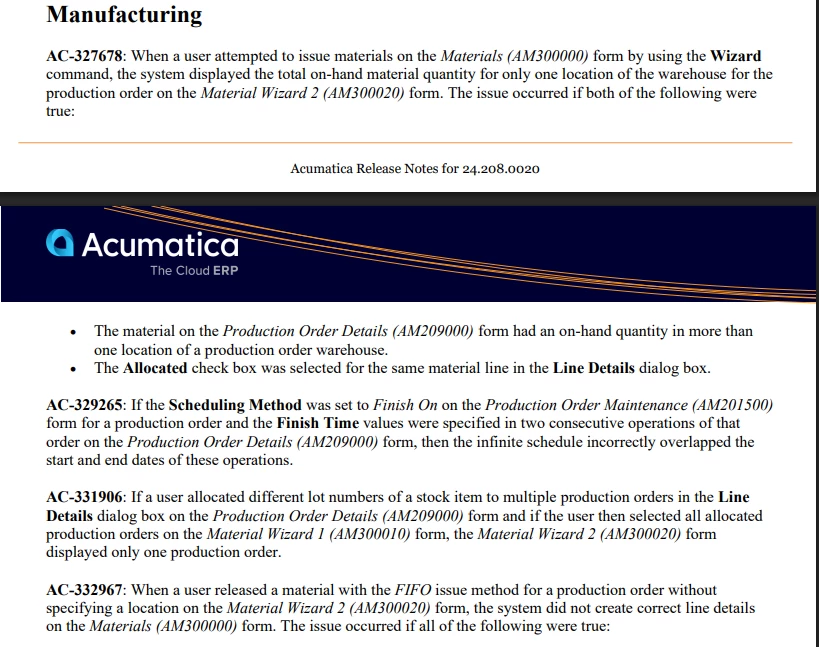
We have this instance running on Acumatica version 24.208.0020 and a local instance running on 24.204.0004, our local instance is having no issues running the same scenarios and I think is a change made on 24.208.0020 having to do with production order allocations that is causing our issues.

24.208.0020 release notes

I will follow ​@PragatiMalviya64 advise and create a support request with Acumatica about this issue.


sangland
Varsity I
Forum|alt.badge.img
  • Varsity I
  • September 14, 2025

I have a site with this problem post upgrade. The stock on production orders is allocation. Only one production order requires the stock and there is sufficient stock on hand, but we have this backflush issue. The workaround is to remove the production line detail and re-add it. This seems to repair the allocation (although it appears to be correct). Availability rules have not changed and the recal inventory did not work, yet the workaround does. 


  • Author
  • Freshman I
  • October 1, 2025

This issue has been fixed in 25R2. 


Chris Hackett
Community Manager
Forum|alt.badge.img
  • Acumatica Community Manager
  • October 1, 2025

Thank you for sharing the update with the community ​@joseg!