Hi,
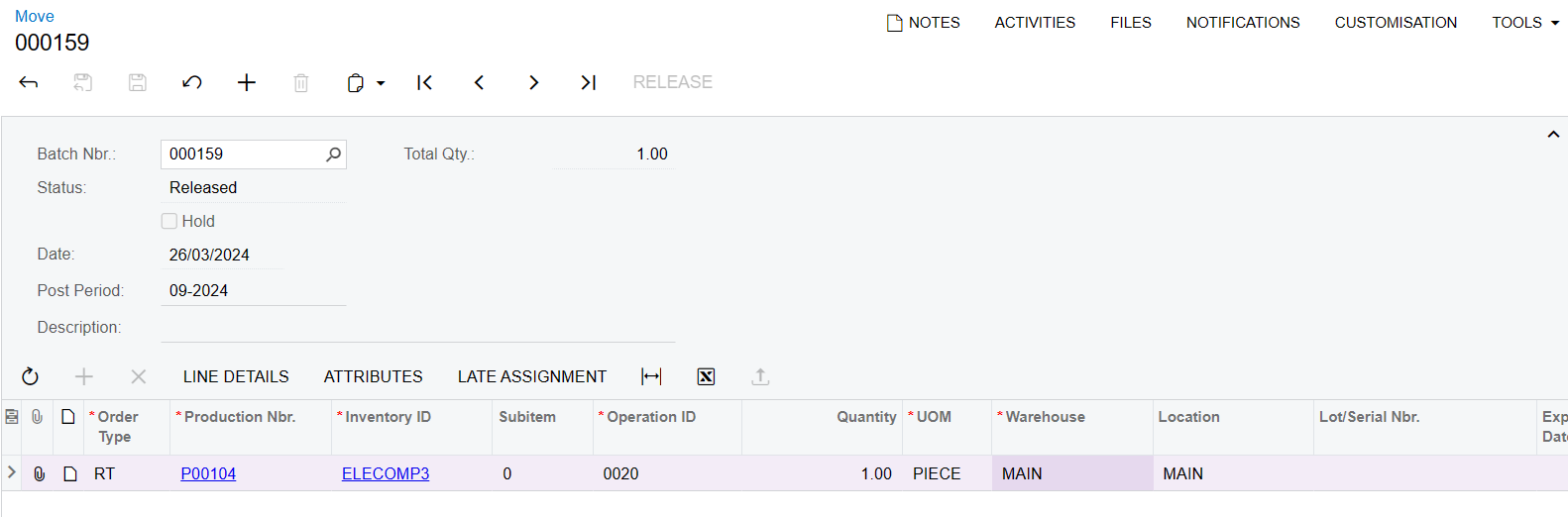
A client is wanting to be able to add all the BOM operation lines related to the production order they have added into the grid on the Move screen (AM302000). For example, if they were to add a new line and select Production Order PO1234, they would like all the relevant lines to appear, rather than manually adding in a row for each record they want to process.
The code below is how I have tried setting it up, but all it does is make the screen load for ages and I am not sure why that is happening.
This is the process I am trying to enable using the code below:
- Add a new row to the grid and select a Production Nbr.
- Once this has been selected, all BOM operations associated with this order are added underneath.
- If there are any records that are not needed, remove them from the grid.
- Repeat these steps for any other Production Orders.
Here is the code I have so far. What would be the best way to structure this?
protected void AMMTran_ProdOrdID_FieldUpdated(PXCache cache, PXFieldUpdatedEventArgs e)
    {

      var row = (AMMTran)e.Row;

    if (row == null || string.IsNullOrEmpty(row.ProdOrdID))
    {
        return; // Exit if the ProdOrdID is null or empty
    }

    var selectOperations = new PXSelectJoin<AMBomOper,
        InnerJoin<AMProdItem, On<AMBomOper.bOMID, Equal<AMProdItem.bOMID>>>,
        Where<AMProdItem.prodOrdID, Equal<Required<AMProdItem.prodOrdID>>>>(this.Base);

    List<AMMTran> transactionsToAdd = new List<AMMTran>();
    foreach (AMBomOper bomOper in selectOperations.Select(row.ProdOrdID))
    {
        AMMTran newLine = (AMMTran)cache.CreateInstance();
        newLine.ProdOrdID = row.ProdOrdID;
        newLine.InventoryID = row.InventoryID;
        newLine.OperationID = bomOper.OperationID;

        cache.Insert(newLine);
    }
Let me know if I can clarify anything about the information above.
Kind regards,
Andrew