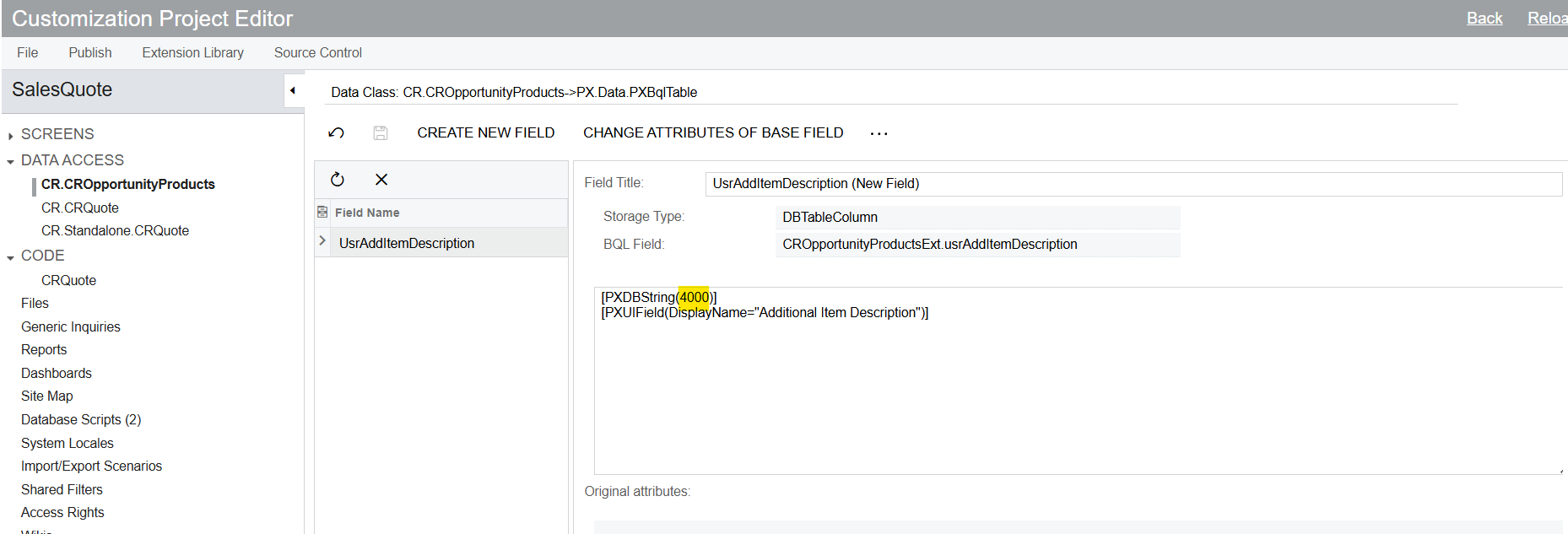
Initially, the UsrAddItemDescription field was created as PXDBString(500). Now, it needs to be increased to a length of 4000 characters. I modified the field definition accordingly, as shown below, and published the customization project.
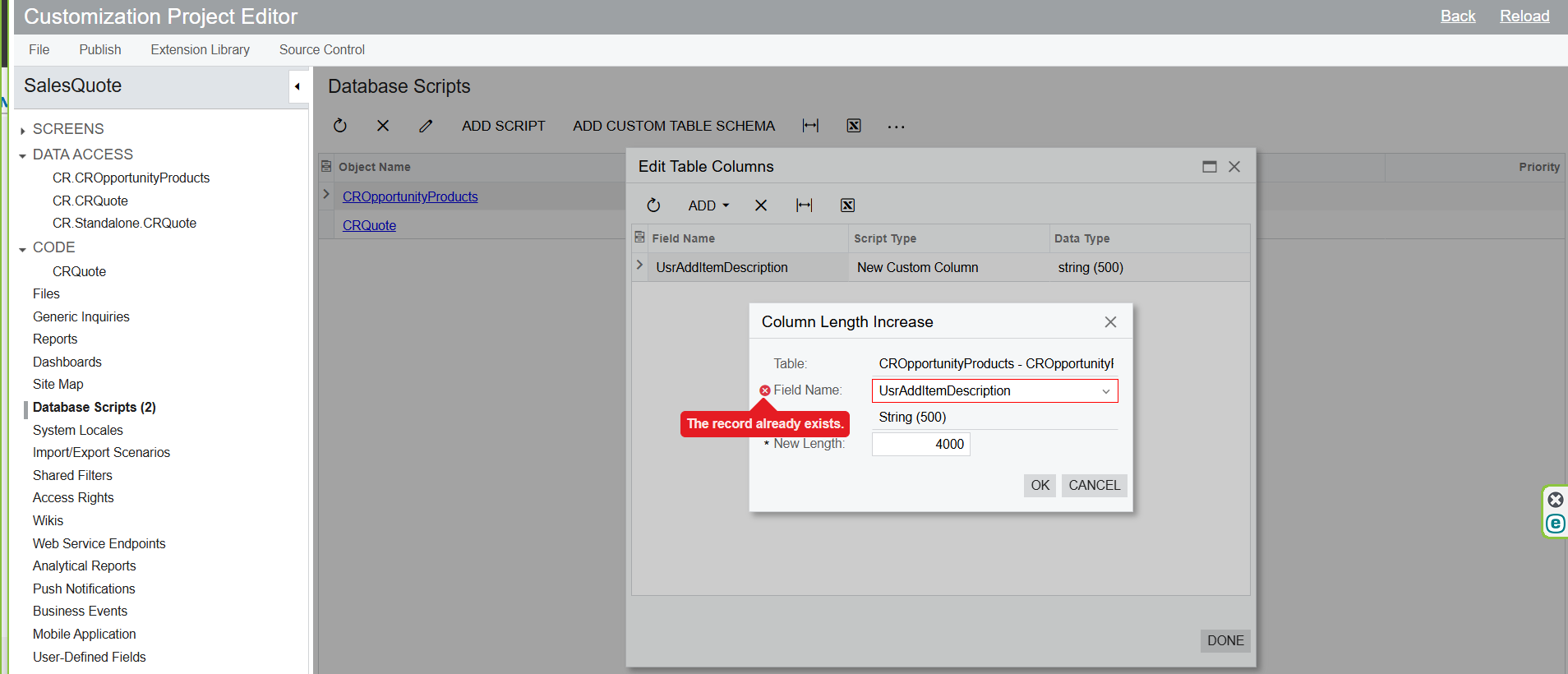
As the next step, when I attempted to increase the column length using the database scripts below, the following error occurred.
Could I get any suggestions on how to resolve this issue?
Best answer by darylbowman
I believe you need to remove the field from the list behind the dialog. In your screenshot, you can see it still present.
Keep in mind that if you publish this in a place where the original field doesn't already exist in the database, it may not get created.
An alternative is to remove the original field from the list, add it with the same name but new length, and then add a separate database script to change the length.
I believe you need to remove the field from the list behind the dialog. In your screenshot, you can see it still present.
Keep in mind that if you publish this in a place where the original field doesn't already exist in the database, it may not get created.
An alternative is to remove the original field from the list, add it with the same name but new length, and then add a separate database script to change the length.