Solved

Value not visible in generic inquiry

  • June 11, 2025
  • 4 replies
  • 80 views

Forum|alt.badge.img

Hi,

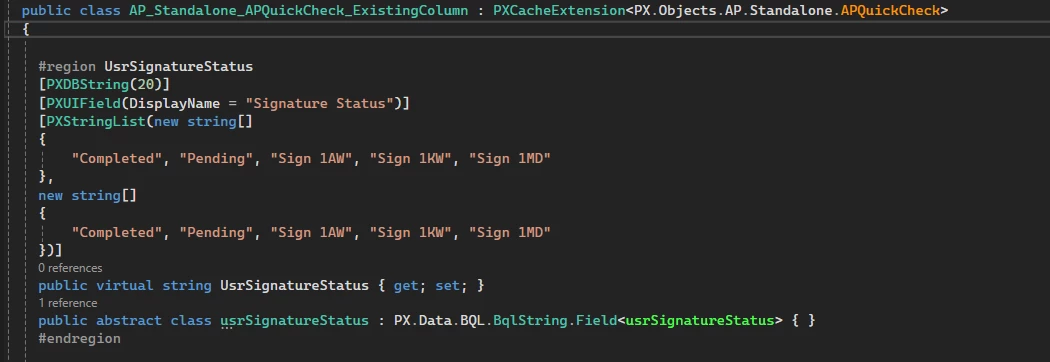
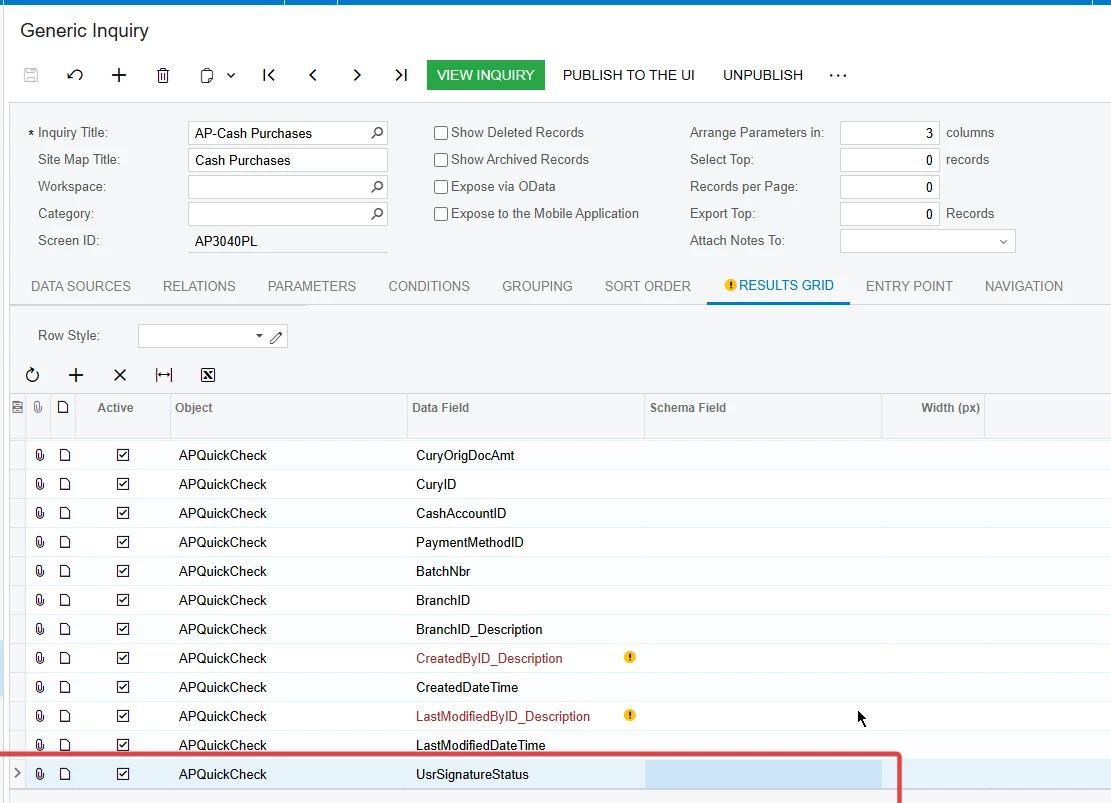
I have created two custom fields in Cash Purchase, but their values are not displaying in the Generic Inquiry.
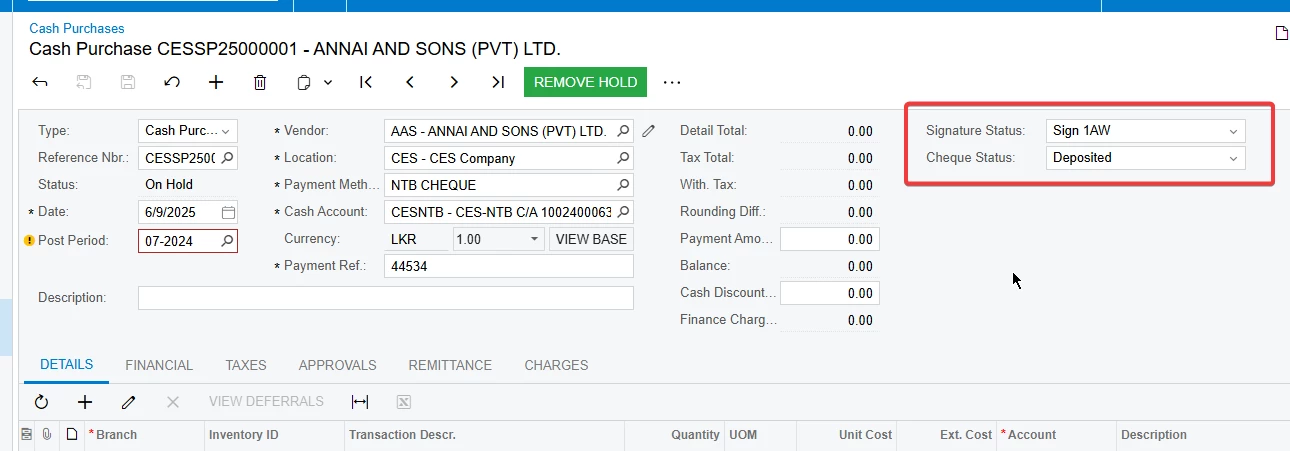


Does anyone know what I might be missing?

Thank you!

Best answer by harutyungevorgyan

Hello ​@RManathungage94 ,

Please make sure you’ve done the following:

  1. Create a CacheExtension for APRegister

    • Include all of the custom fields you need (e.g. UsrSignatureStatus, etc.).

  2. In your APQuickCheck CacheExtension, map each custom field back to the APRegister extension by using the BqlField property. For example:

    [PXDBString(20, BqlField = typeof(APRegisterExt.usrSignatureStatus))]

Repeat this pattern for any other fields.
That way, your APQuickCheck extension will always pull the correct values from the APRegister CacheExtension. Let me know if you need anything else!

4 replies

DipakNilkanth
Pro III
Forum|alt.badge.img+13

Hi ​@RManathungage94,

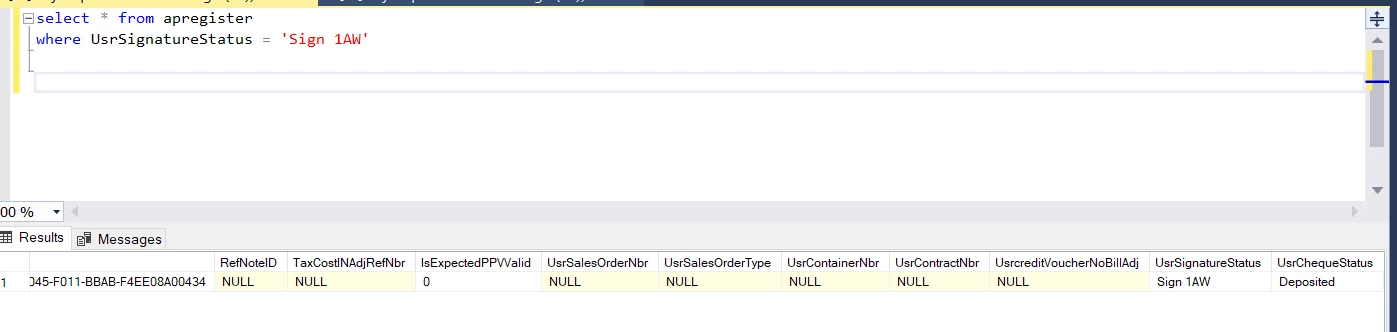
Please confirm whether the custom field values are being saved to the database. The Generic Inquiry (GI) will only display values that are successfully saved to the DB.

If the values are being saved, try performing "Reset Caches" and "Restart Application" from the Apply Updates screen during non-working hours to avoid impacting currently logged-in users.


Forum|alt.badge.img

Hi ​@Nilkanth Dipak, The values do appear in the database, but in the APRegister table since that's the base table. However, the custom fields are not visible under the APRegister object in the Generic Inquiry. it’s under APQuickCheck


Forum|alt.badge.img+1
  • Jr Varsity I
  • July 2, 2025

Did you try creating this field in an extension of APRegister instead, since APQuickCheck is a projection DAC?


harutyungevorgyan
Jr Varsity I
Forum|alt.badge.img+2

Hello ​@RManathungage94 ,

Please make sure you’ve done the following:

  1. Create a CacheExtension for APRegister

    • Include all of the custom fields you need (e.g. UsrSignatureStatus, etc.).

  2. In your APQuickCheck CacheExtension, map each custom field back to the APRegister extension by using the BqlField property. For example:

    [PXDBString(20, BqlField = typeof(APRegisterExt.usrSignatureStatus))]

Repeat this pattern for any other fields.
That way, your APQuickCheck extension will always pull the correct values from the APRegister CacheExtension. Let me know if you need anything else!