Answer

Using 2 GIs in another GI

  • August 30, 2025
  • 3 replies
  • 61 views

Forum|alt.badge.img

Hi @all,

I created 2 GIs:

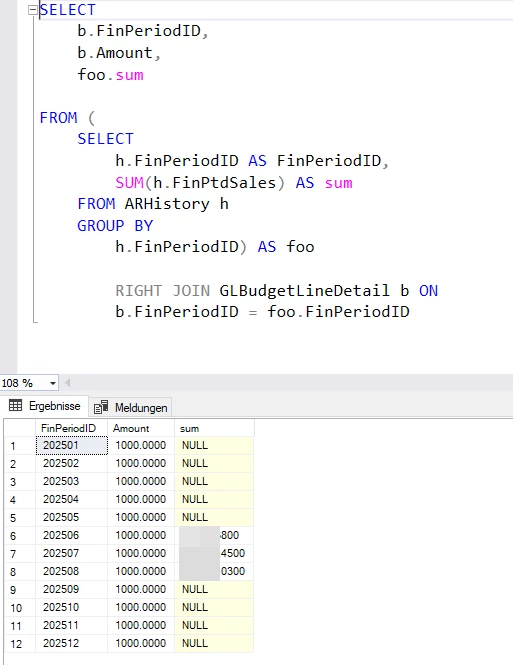
  1. List of budget per month (GLBudgetLineDetail) screenshot below
  2. Sales per month (ARHistory) screenshot below

Now I created another GI and used my GIs above as my tables.

Then I Joined the two tabels, that’s ok.

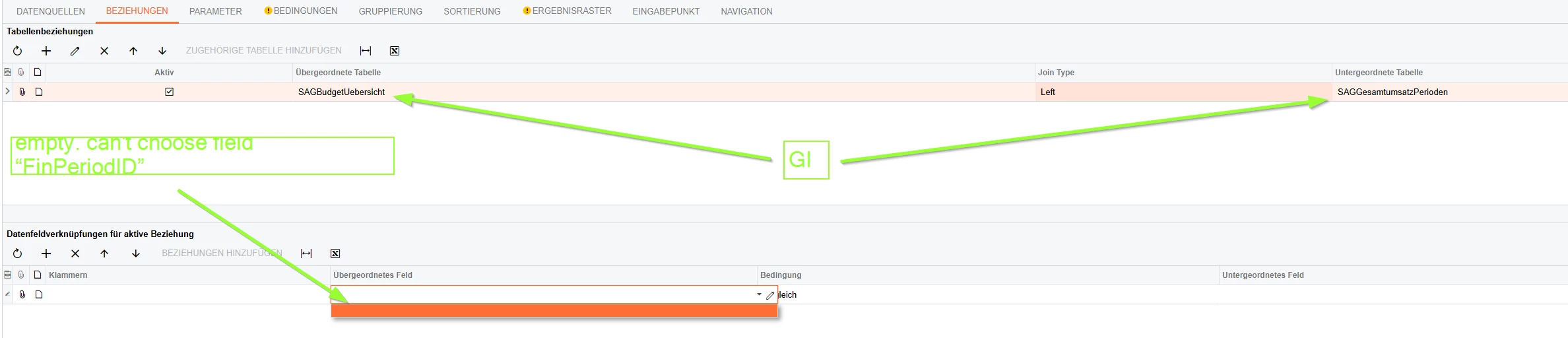
But when I try to select the fields for my Join, I can’t choose the fields I need. screenshot below

In both GIs exist the field “FinPeriodID”. That should be my Join-Field, but it is not shown in Acumatica. I can’t choose it. 


Has anyone an idea, how this can be done?


 IMAGE 1 - List of budget per month


IMAGE 2 - Sales per month
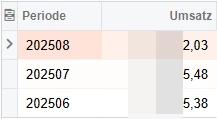
 

IMAGE 3 - Can’t choose fields I need
 

Best answer by mkoch

In my 2 GIs I changed the format. Afterwards I was able to join the fields I wanted:


3 replies

jhouser
Captain II
Forum|alt.badge.img+6
  • Captain II
  • August 30, 2025

Hi ​@mkoch Are there no fields available for selection? Have you tried saving the new GI after adding data source, before selecting fields? 


Forum|alt.badge.img
  • Author
  • Jr Varsity II
  • August 31, 2025

Hi ​@jhouser,

thank you for your message.

After saving new GI, fields aren’t availible.


GI “List of budget per month” - no fields are availible

GI “Sales per month” - the field “sales” is availible. It is an aggregate (SUM) over all customer sales for one month


What I want to do: Compare monthly budget to monthly sales.

Here you can see what the result should look like. In SQL it works fine.


Forum|alt.badge.img
  • Author
  • Jr Varsity II
  • Answer
  • August 31, 2025

In my 2 GIs I changed the format. Afterwards I was able to join the fields I wanted: