Question

Show percentage symbol in a GI

  • January 13, 2026
  • 3 replies
  • 20 views

bigred1022
Jr Varsity II
Forum|alt.badge.img

Hello everyone,

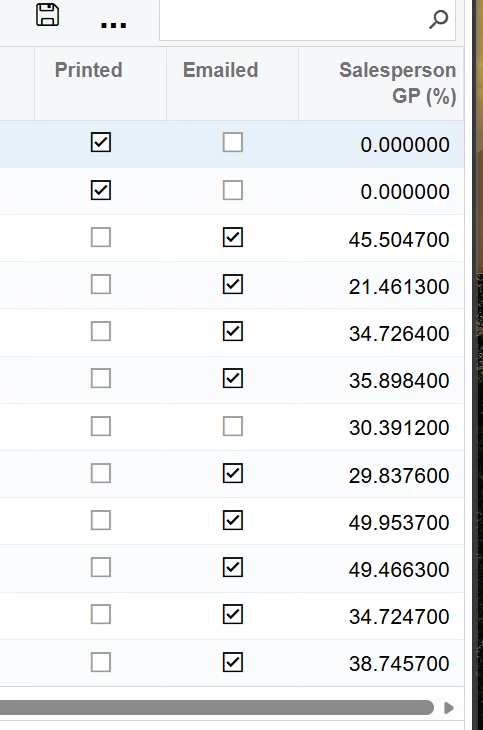
Is there any way to have the fields show the % symbol after the number in a column in a GI?


3 replies

nickcerri32
Varsity II
Forum|alt.badge.img+5
  • Varsity II
  • January 13, 2026

@bigred1022 Try


CSTR([Your Value or Formula])+’ %’


You may need to divide your value by 100 to get it to display correctly depending on your formula.


bigred1022
Jr Varsity II
Forum|alt.badge.img
  • Author
  • Jr Varsity II
  • January 13, 2026

Hey ​@nickcerri32 ,  modified the entry to this:  =CSTR(sum([ARTran.UsrSalespersonGPAmt]) / NullIf(sum([ARTran.CuryTranAmt]), 0)*100/100) +’ %’


But getting nothing but yellow exclamation points in the column now.  When I hover over them, it gives the following error:

“The data type that is expected for this column mismatches the data type of the following received value: 0.401129 %.”

I have attached the GI.


nickcerri32
Varsity II
Forum|alt.badge.img+5
  • Varsity II
  • January 13, 2026

@bigred1022 I’m not able to open your GI, but you should leave the schema field empty.  You’re probably trying to set the field to be a percentage, but your formula is a string.