Answer

Sending report : add email to project activities

  • February 2, 2024
  • 5 replies
  • 173 views

Hello,


I have an action in the project screen (PM301000) which generate a report.

This report is sent to the customer using the email template defined in the report.

I’d like to register this email in the project activities, but i don’t know how.


I’ve tried :

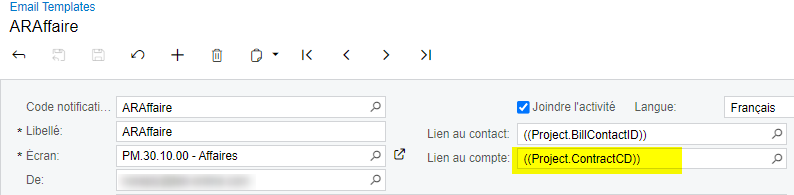
  • Link to account in the email template


  • ActivitySource in the email settings of the report
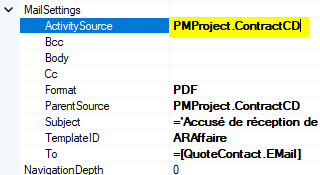
 

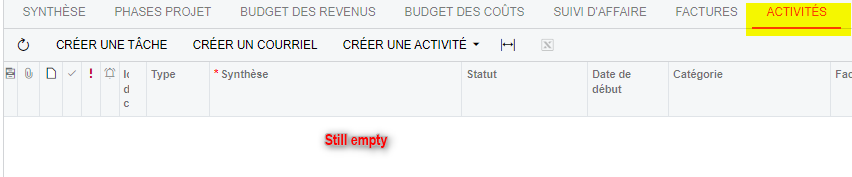
But the Activities tab on the project screen still remain empty :
 

Any ideas ?

Thanks.
 

Best answer by ESTEPALINA

Hello,


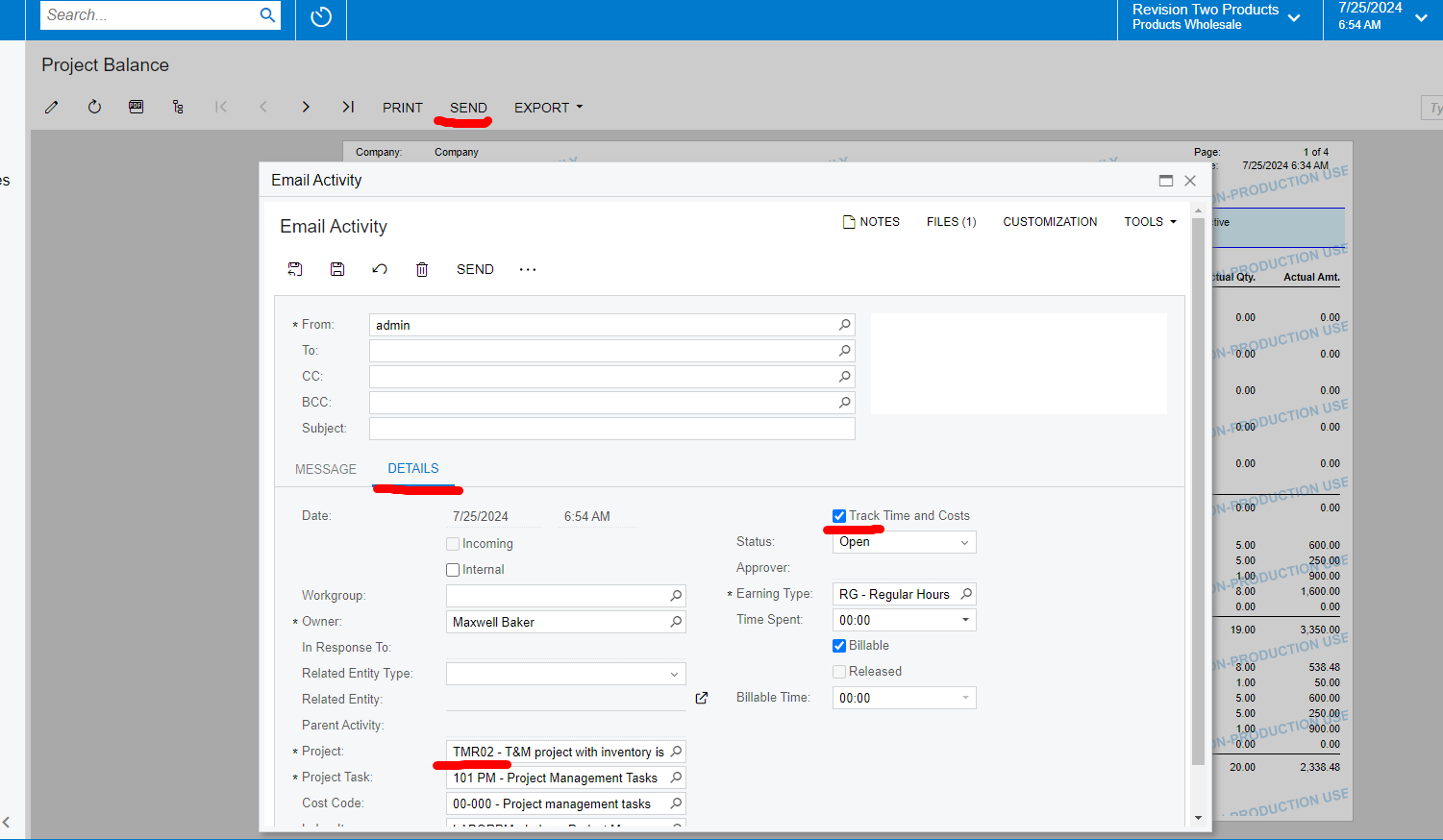
If you review the custom report in the browser tab and then click Send button in that window, the Email Activity window appears.
On the Details tab, the user can click Track Time and Costs and specify the Project to link the email to.


5 replies

  • Freshman II
  • July 15, 2024

Activities tab on the project screen still remain empty


Hi @lmalley did you find a solution? We have the exact same situation.

Thanks.


ESTEPALINA
Acumatica Moderator
Forum|alt.badge.img+1
  • Acumatica Moderator
  • Answer
  • July 25, 2024

Hello,


If you review the custom report in the browser tab and then click Send button in that window, the Email Activity window appears.
On the Details tab, the user can click Track Time and Costs and specify the Project to link the email to.


  • Freshman II
  • July 26, 2024

“The user can" is the problem. We need these fields prepopulated when Send is engaged.


Forum|alt.badge.img
  • Freshman I
  • November 20, 2025

Hi ​@Terry65 , I have a similar requirement. Were you able to find a solution?


Forum|alt.badge.img
  • Freshman I
  • November 21, 2025

Hi all,

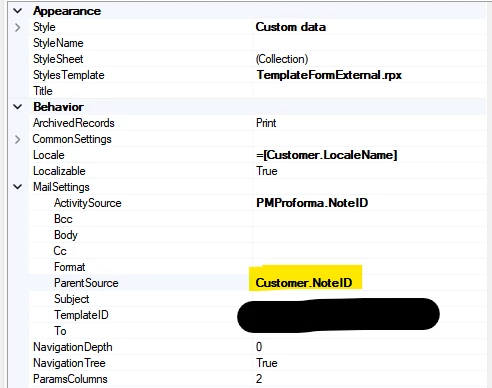
I was testing a few configurations and was able to get email activities to appear on the customer’s Activities tab (when sent from the ProForma Invoices screen) by updating the ParentSource field to Customer.NoteID in the report designer (PM642000):


However, attempting the same approach with PMProject.NoteID did not give the desired result.
Has anyone tried updating the report designer to have email activities show up on a project’s Activities tab? If so, I’d appreciate any insights. Thank you!