Solved

Making 'Salesperson' Field Mandatory in Customer – Not Working

  • July 10, 2025
  • 6 replies
  • 110 views

Hi everyone,


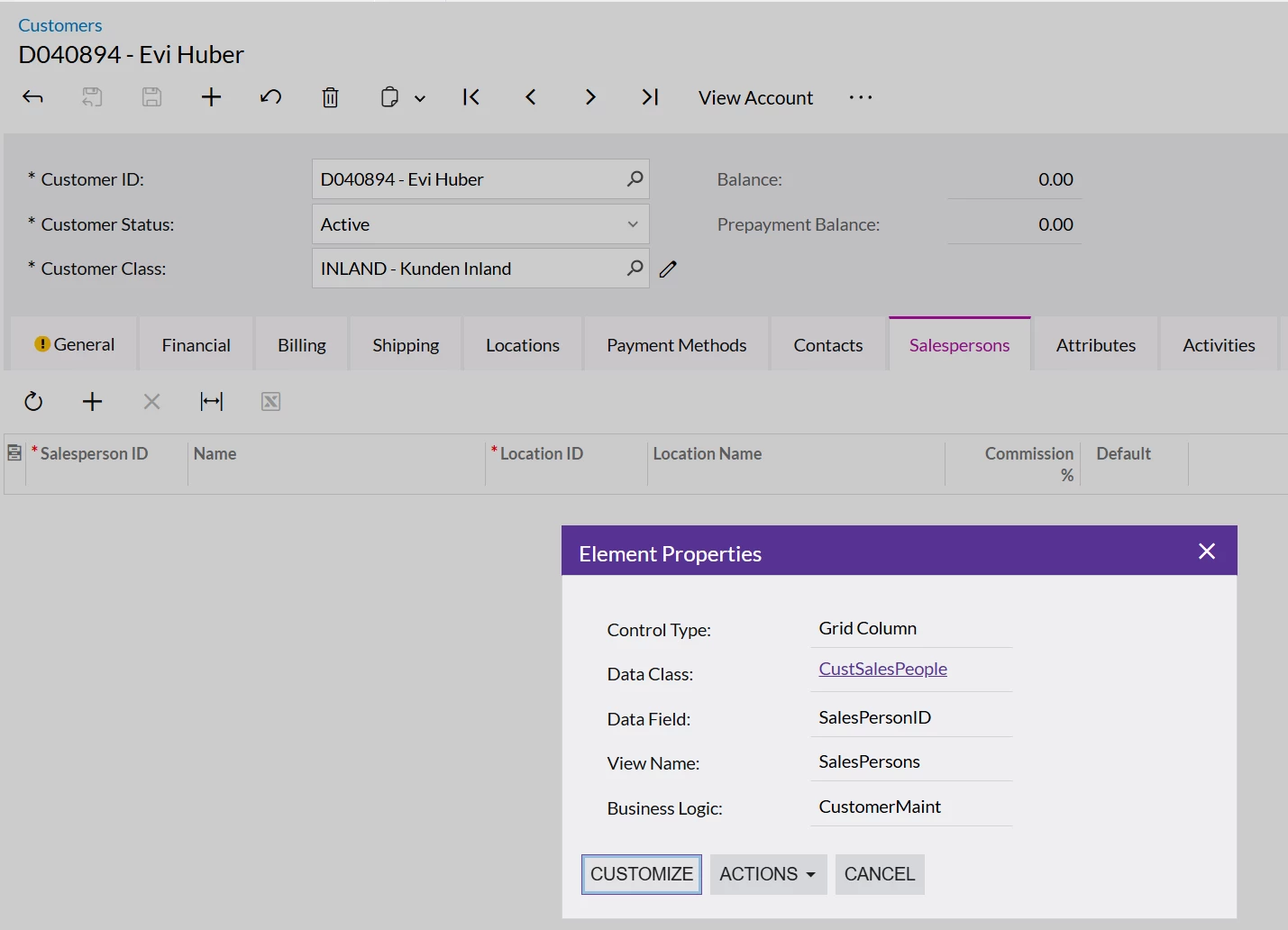
Does anyone know how to make the "Salesperson" field in customer mandatory?
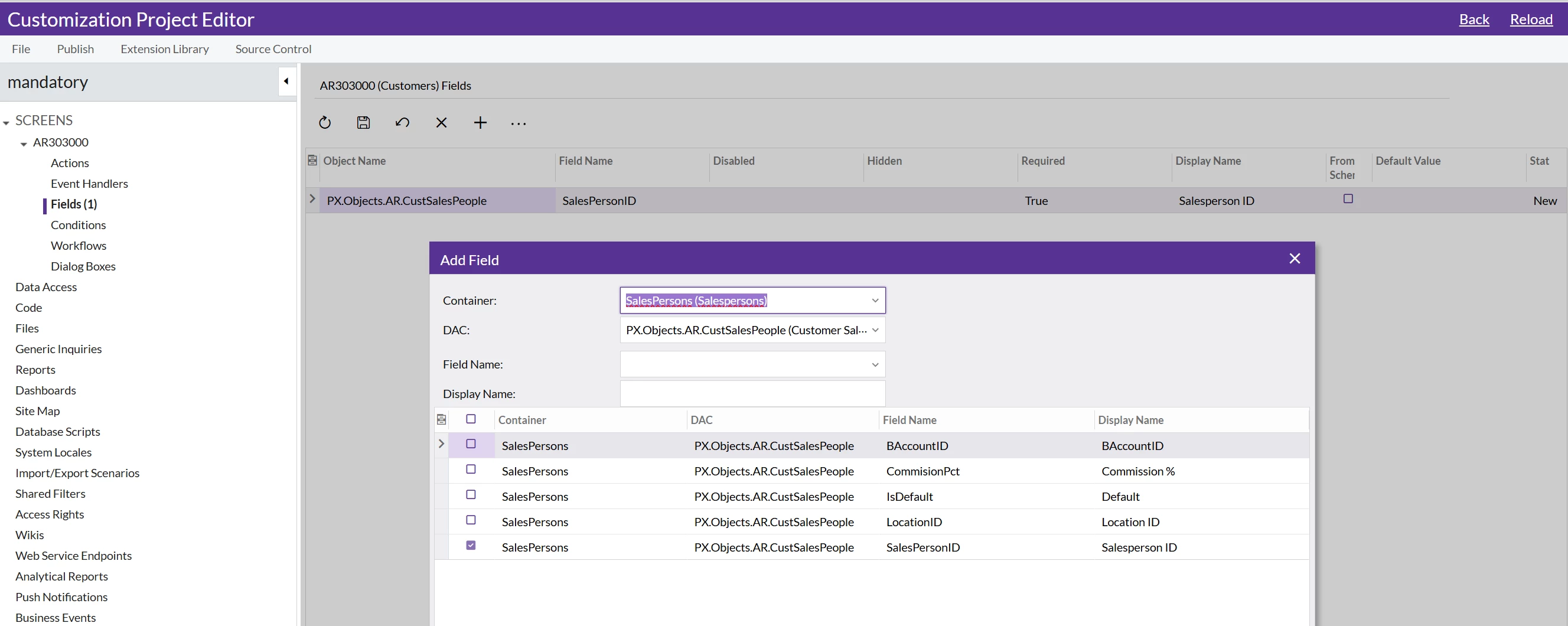
I’ve already set the field as required, but unfortunately, it has no effect — I can still save the record without entering a value.


Thanks in advance!

Best answer by DipakNilkanth

Hi ​@pbavili,

If none of the above solutions work, you can create a small code customization:

  1. Override the RowPersisting event for the Customer DAC.
  2. In the handler, write a BQL query to fetch the Salesperson(s) assigned to the current customer.
  3. If the query returns no values, throw an exception indicating that a Salesperson is required.

    below code helps you to achieve the same.
    protected void Customer_RowPersisting(PXCache cache, PXRowPersistingEventArgs e, PXRowPersisting InvokeBaseHandler)
    {
    if(InvokeBaseHandler != null)
    InvokeBaseHandler(cache, e);
    var row = (Customer)e.Row;

    if (row == null) return;

    // Check if any CustSalesPeople is linked
    var salesPeople = PXSelect<CustSalesPeople,
    Where<CustSalesPeople.bAccountID, Equal<Required<Customer.bAccountID>>>>
    .Select(Base, row.BAccountID);

    bool hasSalesPerson = salesPeople.RowCast<CustSalesPeople>().Any(sp => sp.SalesPersonID != null);

    if (!hasSalesPerson)
    {
    throw new PXRowPersistingException(typeof(CustSalesPeople.salesPersonID).Name, null, "At least one Salesperson is required.");
    }

    }

    Hope, it helps!

6 replies

Forum|alt.badge.img+8
  • Captain II
  • July 10, 2025

Same as your other post, you need to ensure your [PXDefault] has PersistingCheck = PXPersistingCheck.Null so that it checks for null values.


Manikanta Dhulipudi
Captain II
Forum|alt.badge.img+15

mohammadnawaz51
Jr Varsity I
Forum|alt.badge.img+4

  • Author
  • Freshman I
  • July 11, 2025

Thanks for the responses. I couldn’t find any [PXDefault] as described in the documentation, so I tried these two options, but they didn’t work either. This might be because the salesperson comes from a different table. If you have any other suggestions or ideas to resolve this, I’d really appreciate it.
 

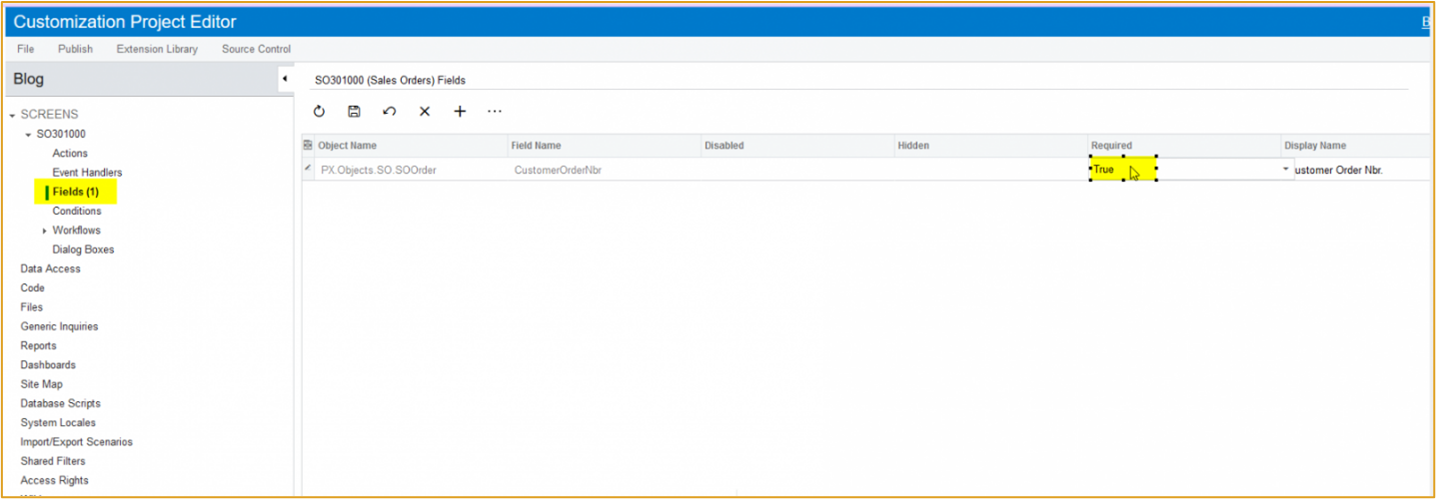
Make A Field Mandatory

Previously, we used the PXDefault attribute to make a field mandatory. But in the Customization Project Editor, we can use the settings to make the field mandatory.

  1. From the Customization Project Editor, select Fields in the left-hand menu.
  2. Set the Required section to True.
  3. Publish the Customization Package to save the change.

LowCodeNoCode


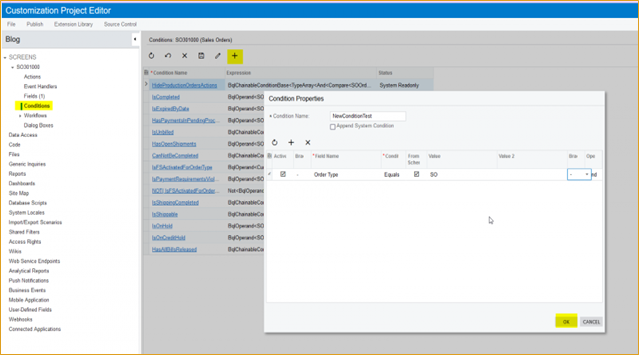
Add Conditions

Adding Conditions is useful when performing Enable/Disable, Visible/Invisible, and Mandatory fields. In the Customization Project Editor, we can add new conditions or append conditions to the default Acumatica-provided conditions.

To add conditions:

  1. Select Conditions from the menu on the left-hand side.
  2. The Condition Properties screen displays.
  3. Enter a Condition Name and complete the required fields. In this example, we are adding a condition to Order Type that Equals a specific value.
  4. Publish the Customization Package to save the changes.

LowCodeNoCode


DipakNilkanth
Pro III
Forum|alt.badge.img+13
  • Pro III
  • Answer
  • July 11, 2025

Hi ​@pbavili,

If none of the above solutions work, you can create a small code customization:

  1. Override the RowPersisting event for the Customer DAC.
  2. In the handler, write a BQL query to fetch the Salesperson(s) assigned to the current customer.
  3. If the query returns no values, throw an exception indicating that a Salesperson is required.

    below code helps you to achieve the same.
    protected void Customer_RowPersisting(PXCache cache, PXRowPersistingEventArgs e, PXRowPersisting InvokeBaseHandler)
    {
    if(InvokeBaseHandler != null)
    InvokeBaseHandler(cache, e);
    var row = (Customer)e.Row;

    if (row == null) return;

    // Check if any CustSalesPeople is linked
    var salesPeople = PXSelect<CustSalesPeople,
    Where<CustSalesPeople.bAccountID, Equal<Required<Customer.bAccountID>>>>
    .Select(Base, row.BAccountID);

    bool hasSalesPerson = salesPeople.RowCast<CustSalesPeople>().Any(sp => sp.SalesPersonID != null);

    if (!hasSalesPerson)
    {
    throw new PXRowPersistingException(typeof(CustSalesPeople.salesPersonID).Name, null, "At least one Salesperson is required.");
    }

    }

    Hope, it helps!


  • Author
  • Freshman I
  • July 14, 2025

Thank you for your response. Is there an alternative way to solve this without involving any coding?