Answer

Make an exisiting filed not mandatory

  • April 29, 2025
  • 6 replies
  • 102 views

claudematherne24
Varsity I
Forum|alt.badge.img

I’m working on setting up the Fixed Asset Module in Acumatica, and we are deciding on if we have value in using the Department filed.  Currently it is a mandatory field:
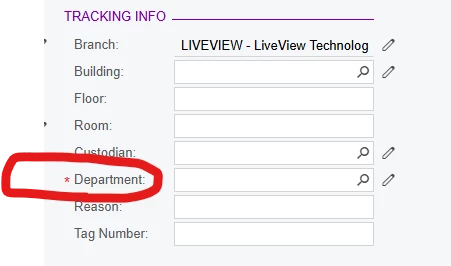
I am trying to figure out how to disable the mandatory attritube on that field inside of the Customization Project, but not having any luck.  Any insight would be nice.
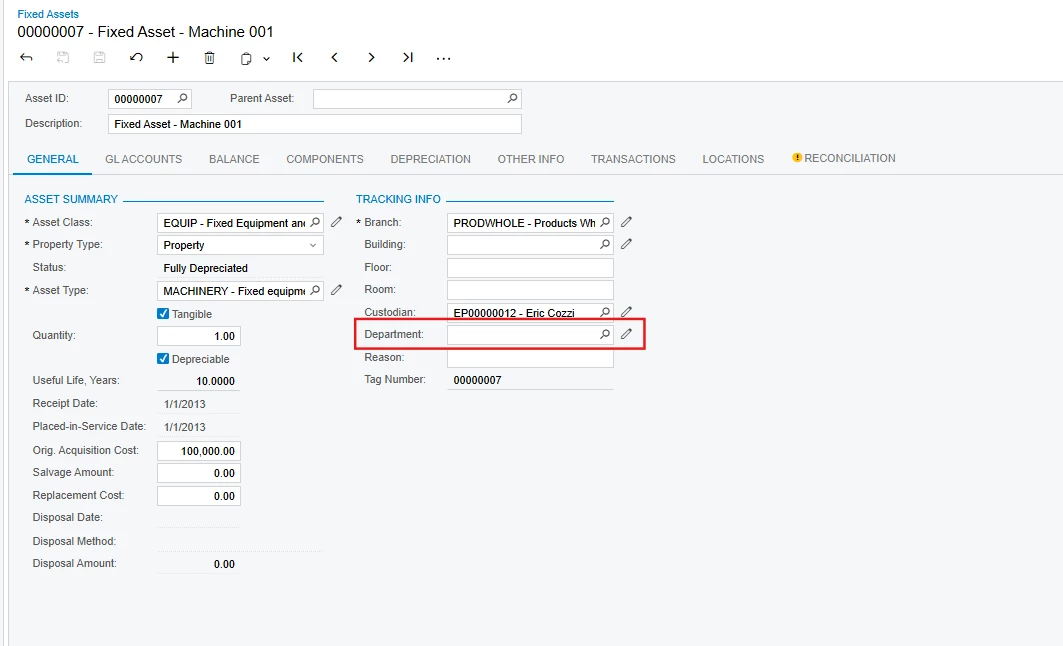
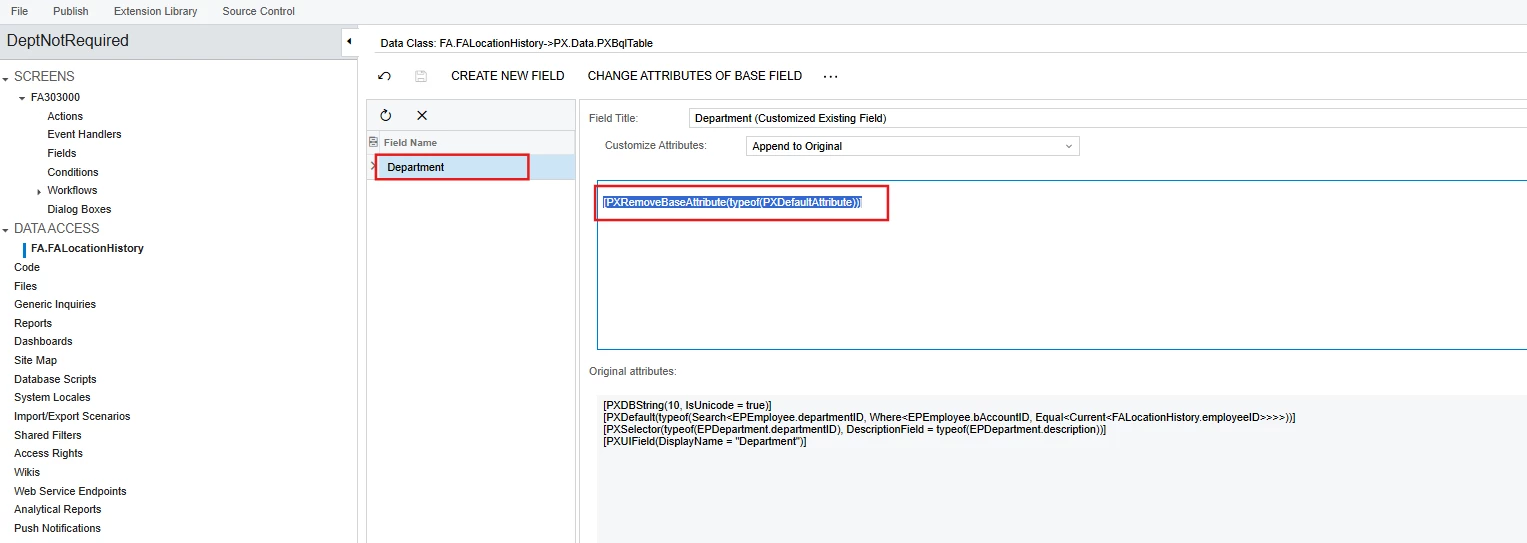
Best answer by DipakNilkanth

Hi ​@adaughenbaugh95,

Please find the attached customization package, its working fine in local sales demo instance.
 

Output


6 replies

Forum|alt.badge.img+1
  • Semi-Pro III
  • April 30, 2025

Hi ​@claudematherne24 

You can achieve this by, Create a DAC Extension for the table (likely FixedAsset or a related asset class/table).In the extension, override the DepartmentID field and remove or change the [PXDefault] attribute.

Here is the sample code.

[PXMergeAttributes(Method = MergeMethod.Replace)]
[PXDBString(10, IsUnicode = true)]
[PXUIField(DisplayName = "Department")]
[PXSelector(typeof(Search<Department.departmentID>))]
public virtual string DepartmentID { get; set; }
protected virtual void DepartmentTableName_DepartmentID_CacheAttached(PXCache sender)
{
}


DipakNilkanth
Pro III
Forum|alt.badge.img+13

Hi ​@claudematherne24,

  • Override the Department field and use the following code snippet:
[PXRemoveBaseAttribute(typeof(PXDefaultAttribute))]
  • This will remove the base PXDefaultAttribute, making the Department field non-mandatory.


Hope, it helps!


Forum|alt.badge.img

Hi ​@claudematherne24,

  • Override the Department field and use the following code snippet:
[PXRemoveBaseAttribute(typeof(PXDefaultAttribute))]
  • This will remove the base PXDefaultAttribute, making the Department field non-mandatory.


Hope, it helps!


I needed something similar, but that didn’t work fully.


I ended up going into Edit Attribute and selecting the true/false for required.  

It wrote this to the box:
[PXDBString(40, IsUnicode = true)]
[PXUIField(DisplayName = "Customer Order Nbr.", Visibility = PXUIVisibility.SelectorVisible, Required = false)]


darylbowman
Captain II
Forum|alt.badge.img+15

I needed something similar, but that didn’t work fully.

The red asterisk (*) is an indicator that the field is required, but will NOT actually require anything. The ‘Required’ field of PXUIFieldAttribute ([PXUIField(Required = true)]) is what controls this indicator.

PXDefaultAttribute ([PXDefault]) is what controls whether a field must be filled, but it does not give the UI indicator.


DipakNilkanth
Pro III
Forum|alt.badge.img+13

Hi ​@adaughenbaugh95,

Please find the attached customization package, its working fine in local sales demo instance.
 

Output


claudematherne24
Varsity I
Forum|alt.badge.img

Thank you everyone for the information.