


Answer

Low code/no code : Can we add a tab to Customer AR303000 existing tabs?

  • September 23, 2025
  • 3 replies
  • 55 views

S1AW
Freshman II

Can anyone point me to resources to easily (low-code/no-code) add a new tab to the Customers area (AR303000)? I’d like to create a tab for some UDFs so I can better control the field grouping and display. I know I can do this through Customization> Manage User-Defined Fields, which adds them to the User-Defined Fields area at the top part of the screen. 

Is there an alternate way to configure a new tab to house these UDFs? Idealy the new tab would be on the same level as “General; Financial; Billing.” 
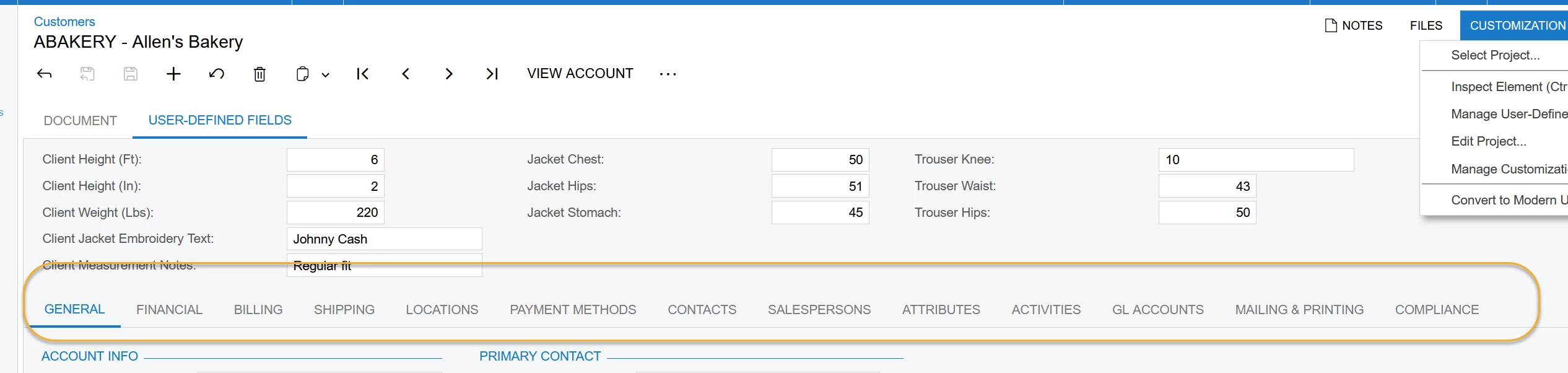


I noticed that when I was in the customization project choosing ‘add controls’ that I couldn’t get the screen to respond when I chose ‘Tab’ from this list.
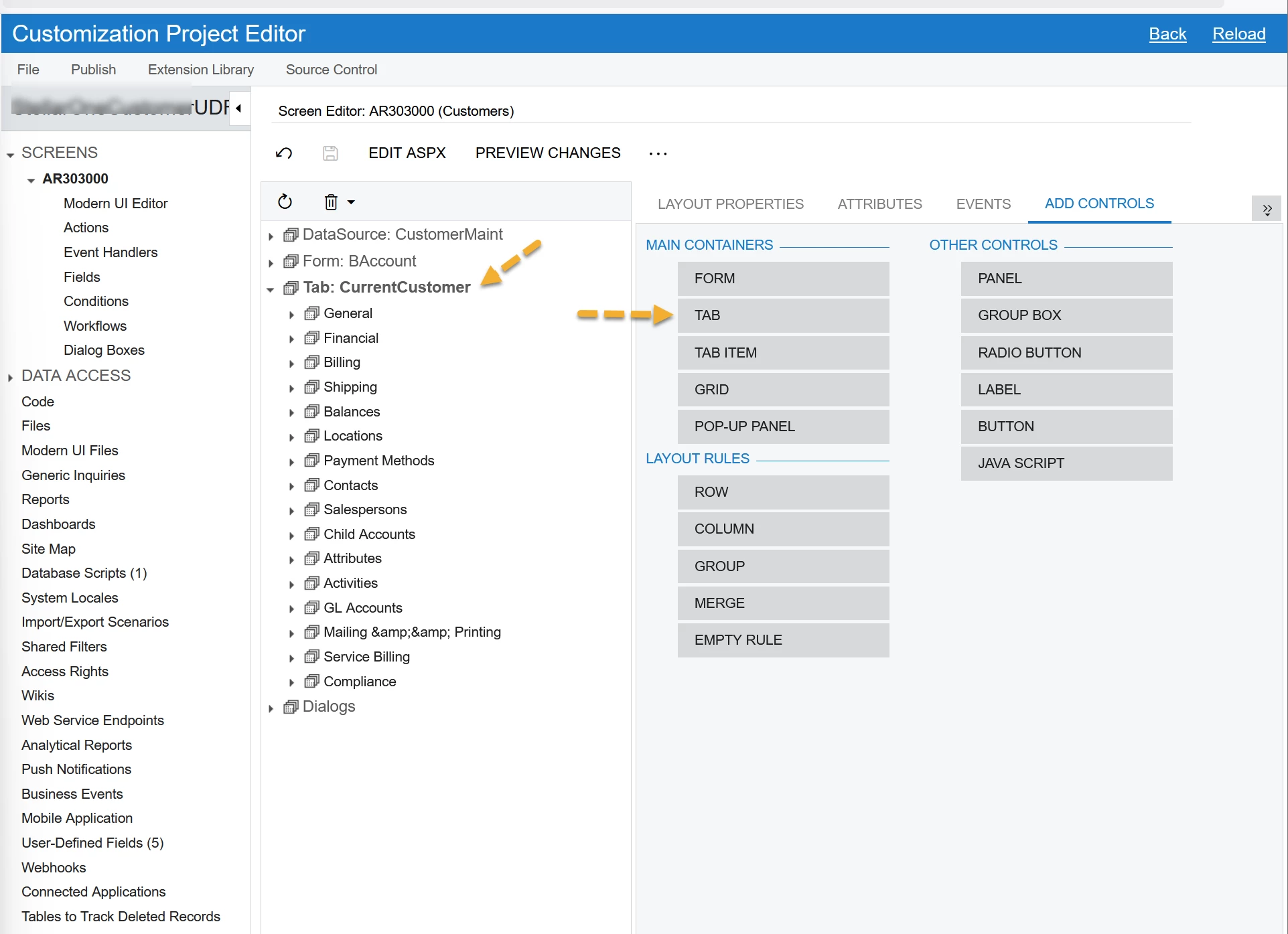
 

Thank you for any ideas, it would be ideal to have a separate tab, but if that is not possible without development they can live in the User Defined Fields area. 


Version/Build:

Acumatica Cloud ERP 2025 R1
Build 25.100.0054 +

Best answer by dcomerford

@S1AW You need to add a TabItem you can then use the Layout Properties > text to set the name and then you can add your fields to it

3 replies

dcomerford
Captain II
Forum|alt.badge.img+15
  • Captain II
  • Answer
  • September 23, 2025

@S1AW You need to add a TabItem you can then use the Layout Properties > text to set the name and then you can add your fields to it


S1AW
Freshman II
  • Author
  • Freshman II
  • September 23, 2025

@dcomerford thank you so, so much for pointing me in that direction. I realized I was just expecting the screen to pop up (and I thought it was a browser issue) but I had to drag the tab item container to the desired tab location! Sharing the snippet of the help file that I ended up consulting FFR.


dcomerford
Captain II
Forum|alt.badge.img+15
  • Captain II
  • September 23, 2025

Excellent ​@S1AW  sorry i presumed you knew you had to drag and drop them
