Solved

Low Code Customization DAC Field Properties Change

  • February 12, 2026
  • 6 replies
  • 0 views

Hello All, 

I did a low code customization to add a couple of text fields to our Vendors Location that stores some sensitive information.   I have published the customization, but after doing some research I would like to change the Field to use the PXRSACryptString vs PXDBString Attribute.   Can I go into my customization package and update this attribute?  



to

[PXRSACryptString(255, IsUnicode = true)]

and Republish with out any data loss or corruption? 

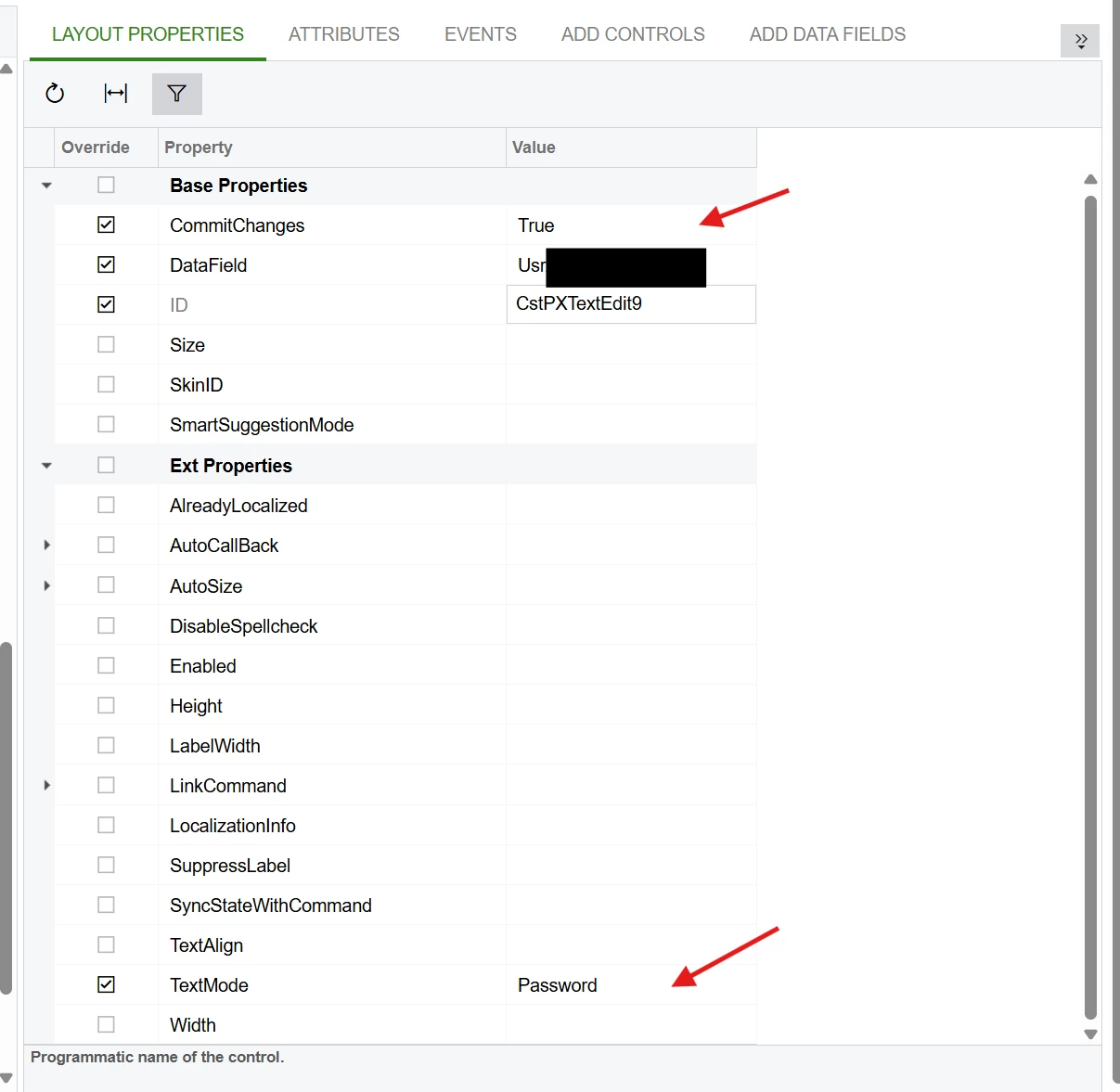
Also if i change the control TextMode to Password and Commit Changes to True will that mask the field on the UI and allow a user to click on it to reveal?  I think I need an event handler for this. 


Best answer by SethB

I was able to find this article about it:  https://www.acumatica.com/blog/technical-tuesday-encrypting-fields-acumatica-database/

6 replies

DipakNilkanth
Pro III
Forum|alt.badge.img+14

Hi ​@SethB , If data has already been stored in a field using the PXRSACryptString attribute and you later change that field to PXDBString, the system will display the raw decrypted/encoded values directly from the database. These values will not be readable or meaningful because they were originally stored in encrypted form.

As a result, the previously stored data cannot be properly recovered or interpreted once the attribute is changed.


 if i change the control TextMode to Password and Commit Changes to True will that mask the field on the UI and allow a user to click on it to reveal?  I think I need an event handler for this.

I believe you can achieve it by customization. You need to play with the event handlers.


  • Author
  • Freshman II
  • February 12, 2026

Hi ​@SethB , If data has already been stored in a field using the PXRSACryptString attribute and you later change that field to PXDBString, the system will display the raw decrypted/encoded values directly from the database. These values will not be readable or meaningful because they were originally stored in encrypted form.

As a result, the previously stored data cannot be properly recovered or interpreted once the attribute is changed.


 if i change the control TextMode to Password and Commit Changes to True will that mask the field on the UI and allow a user to click on it to reveal?  I think I need an event handler for this.

I believe you can achieve it by customization. You need to play with the event handlers.

Hi Dipak,  That makes sense going from PXRSACryptString to PXDBString, but I am going from PXDBString to PXRSACryptString.   Will the DB Apply encryption to data already stored in this field?


DipakNilkanth
Pro III
Forum|alt.badge.img+14

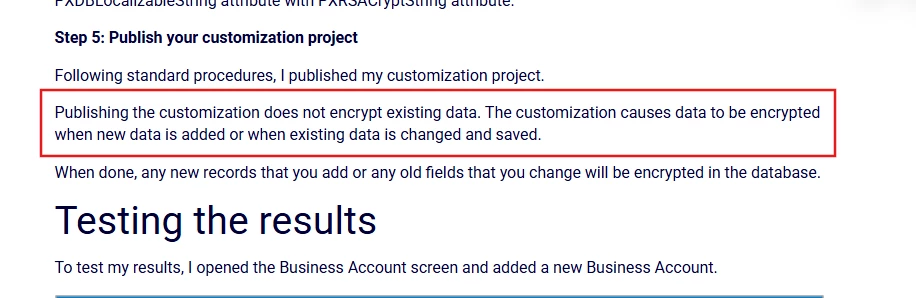
Hi ​@SethB, No. The database will NOT automatically encrypt existing data when you switch from PXDBString to PXRSACryptString.


  • Author
  • Freshman II
  • Answer
  • February 12, 2026

DipakNilkanth
Pro III
Forum|alt.badge.img+14

Hi ​@SethB,

The record needs to be updated and saved again. Once the record is saved with the PXRSACryptString attribute applied, the system will encrypt the value automatically.

If the data was not previously encrypted, simply changing the attribute will not encrypt existing records. You must re-save (or update) those records so the encryption logic runs and stores the values in encrypted form.


  • Author
  • Freshman II
  • February 12, 2026

Thank You, yes using a GI + Import Scenario would take care of getting the existing data encrypted.